Floating Clock - Server Time
See seconds over other apps
Diseñada para iPhone, iPad
Gratis
- Clasificación por edad4+
- CategoríaUtilidades
- DesarrolladorMoongil Jeon
- IdiomasInglés+ 4 más
- Tamaño12,8 MB
Enlaza a la página oficial de App Store
Download.org no aloja ningún archivo de Floating Clock - Server Time. El botón abre la página de la aplicación en App Store, donde la publica Moongil Jeon. Ficha comprobada por última vez el 17/11/2026.
Capturas de pantalla



Acerca de
El desarrollador no ha proporcionado este texto en tu idioma.
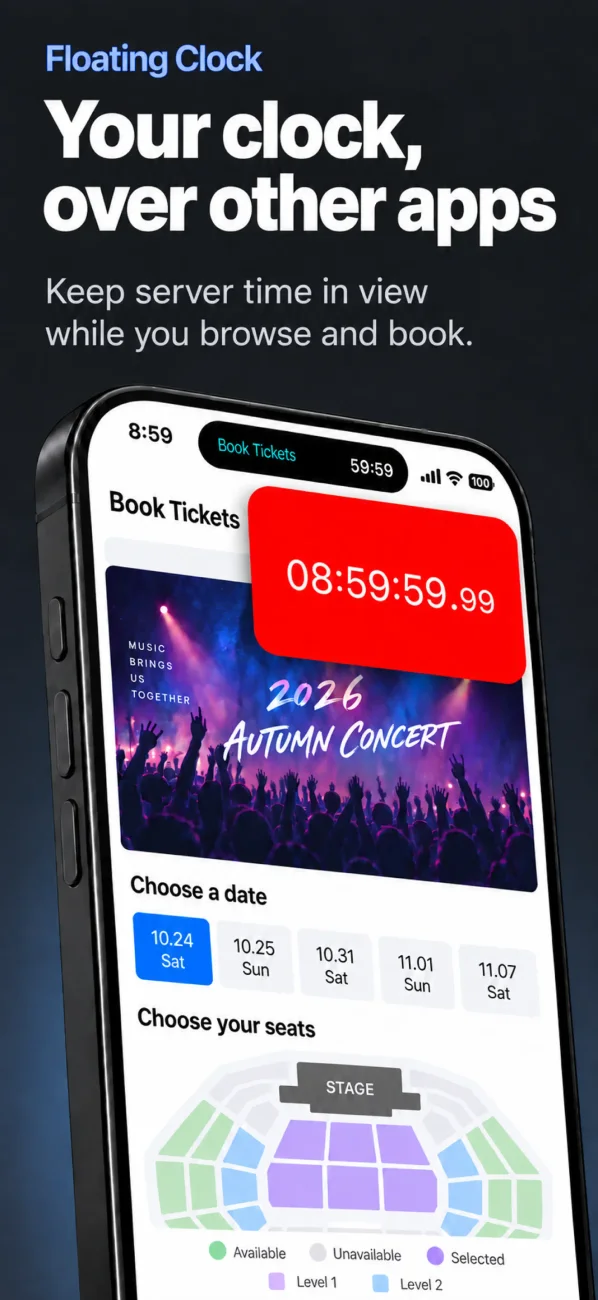
Keep a clock with seconds visible over other apps. Browse, buy tickets or wait for a product drop without switching back to check the time. You can also compare a website's server time with your iPhone's clock.
Keep a floating clock over other apps
• Use Picture in Picture (PiP) to keep a clock with seconds visible over another app.
• Choose your iPhone's current time or a website's measured server time.
• Choose how often the clock alerts you, with sound and color cues starting 10 seconds beforehand.
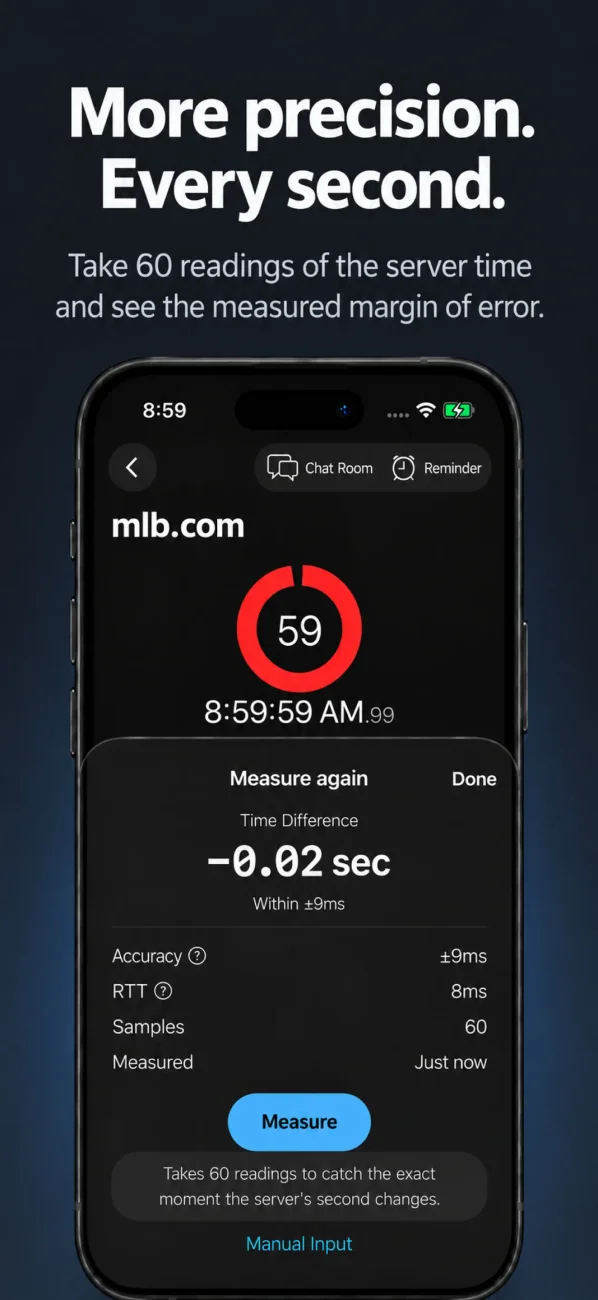
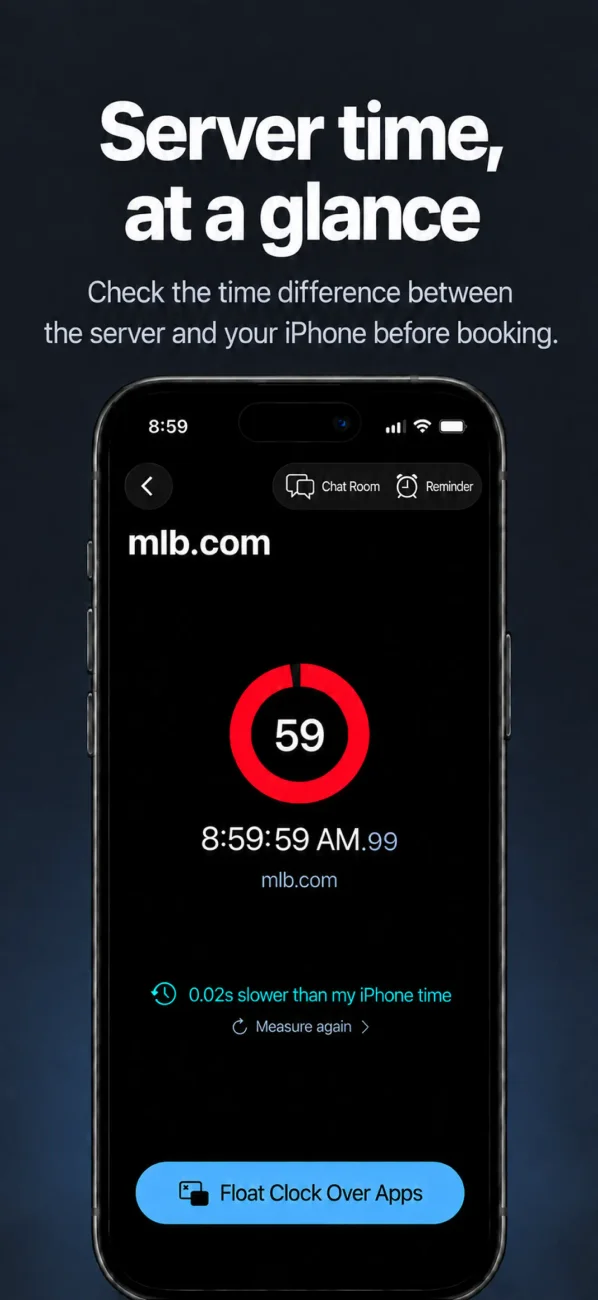
Check server time and the time difference
• When you open a site for the first time, the app measures its server time and shows how it differs from your iPhone's clock.
• Time is displayed in hundredths of a second. You can also check the estimated measurement error.
See the time on your Lock Screen and Dynamic Island
• Use Live Activities to see server time, down to the second, on your Lock Screen.
• On compatible iPhones, Dynamic Island shows the site's name and time.
Schedule reminders by server time
• Set a reminder for the top of the next hour or midnight tonight.
• Get a reminder beforehand or at the scheduled time.
iPhone Duo and iPad support
• Stand your Duo on a desk to view server time on a large clock.
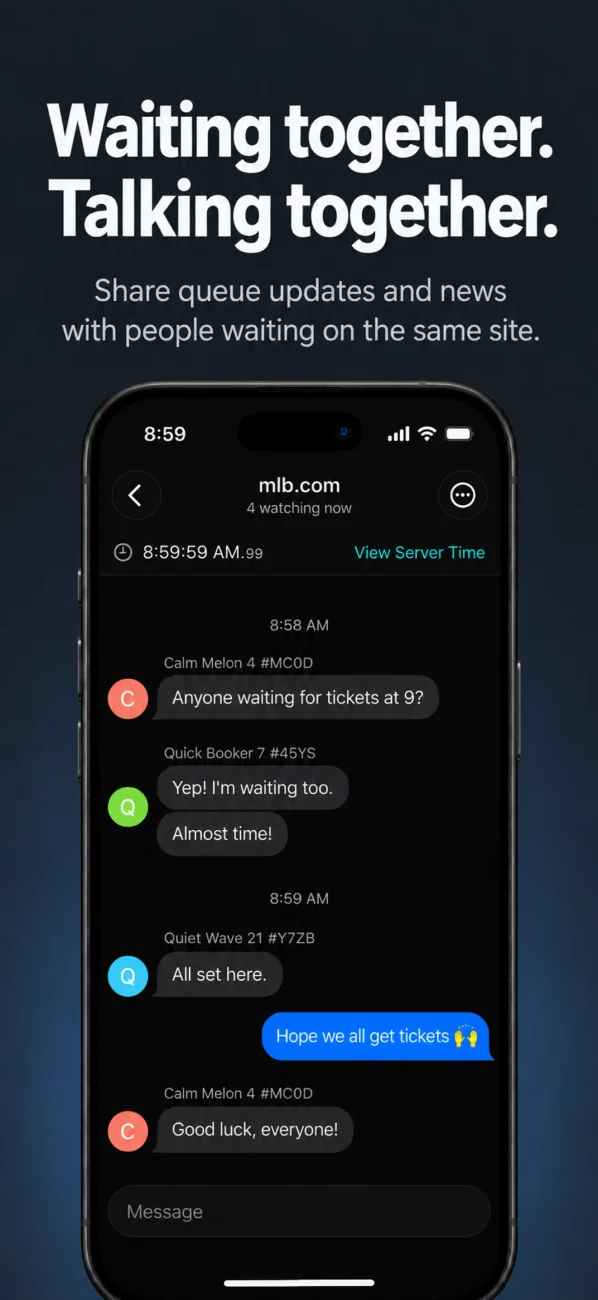
Chat while you wait
• Share queue numbers and server status in the chat room for your site, and react to messages with emoji.
• Join the Lounge to talk with other app users.
Novedades
Versión 1.5.0 · 4/11/2026
• Added iPhone Duo and iPad support
• Added an option to keep the screen on while viewing the clock
• Usability and stability improvements
Privacidad de la aplicación
Lo que Moongil Jeon declara en App Store sobre cómo esta aplicación gestiona los datos.
-
Datos vinculados a ti
Pueden recopilarse y vincularse a tu identidad.
- Ubicación
- Contenido del usuario
- Identificadores
- Datos de uso
-
Datos no vinculados a ti
Pueden recopilarse, pero no se vinculan a tu identidad.
- Diagnóstico
Las prácticas de privacidad pueden variar, por ejemplo, según las funciones que uses o tu edad.
Información
- Vendedor
- Moongil Jeon
- Categoría
- Utilidades
- Versión
- 1.5.0
- Actualizado
- 4/11/2026
- Publicado
- 8/7/2024
- Tamaño
- 12,8 MB
- Requiere
- iOS 16.4 o posterior
- Clasificación por edad
- 4+
- Precio
- Gratis
- Idiomas
- Inglés, Japonés, Coreano, Chino simplificado, Chino tradicional
- Copyright
- Copyright © 2024-2025 Moongil Jeon
Quizá también te guste
-
 Second-SyncPiP para el momento clave
-
 Floatory: Reloj flotanteReloj PiP y velocidad de red
-
 Floating Clock &StopWatchUtilidades
-
 더치트 - 사기피해 정보공유 공식 앱Utilidades
-
 Clutter - Gestor de capturasOrdena tus capturas fácilmente
-
 iFloating Clock - RealtimeUtilidades
-
 Mobile IDentification AppUtilidades
-
 b.stageUtilidades
-
 悬浮时间-悬浮秒表悬浮窗控时助手Utilidades
-
 LED Banner - LED Scroller AppUtilidades