Form Memos
Customize Your Memo Templates
Entwickelt für iPhone, iPad
Kostenlos · In-App-Käufe
- Altersfreigabe4+
- KategorieProduktivität
- Entwickler育良 邱
- SprachenEnglisch+ 2 weitere
- Größe34,6 MB
Verlinkt auf die offizielle App Store-Seite
Download.org hostet keine Datei von Form Memos. Die Schaltfläche öffnet die App-Seite bei App Store, wo 育良 邱 die App veröffentlicht. Eintrag zuletzt geprüft am 14.11.2026.
Screenshots


Info
Der Entwickler hat diesen Text nicht in Ihrer Sprache bereitgestellt.
Organize notes, lists, records, and ideas with the clarity of forms.
Form Memos is an app for creating memos as forms. Unlike traditional free-form notes, you can use form items—such as text fields, labels, and images—to build flexible, well-organized memo templates. You can also use Canvas to freely place, resize, and rotate controls in a fixed area, making it easy to create freer layouts like layered text and images.
Create Memo Templates
• Freely switch between Editing View, Memo View, and Reading View on iPhone
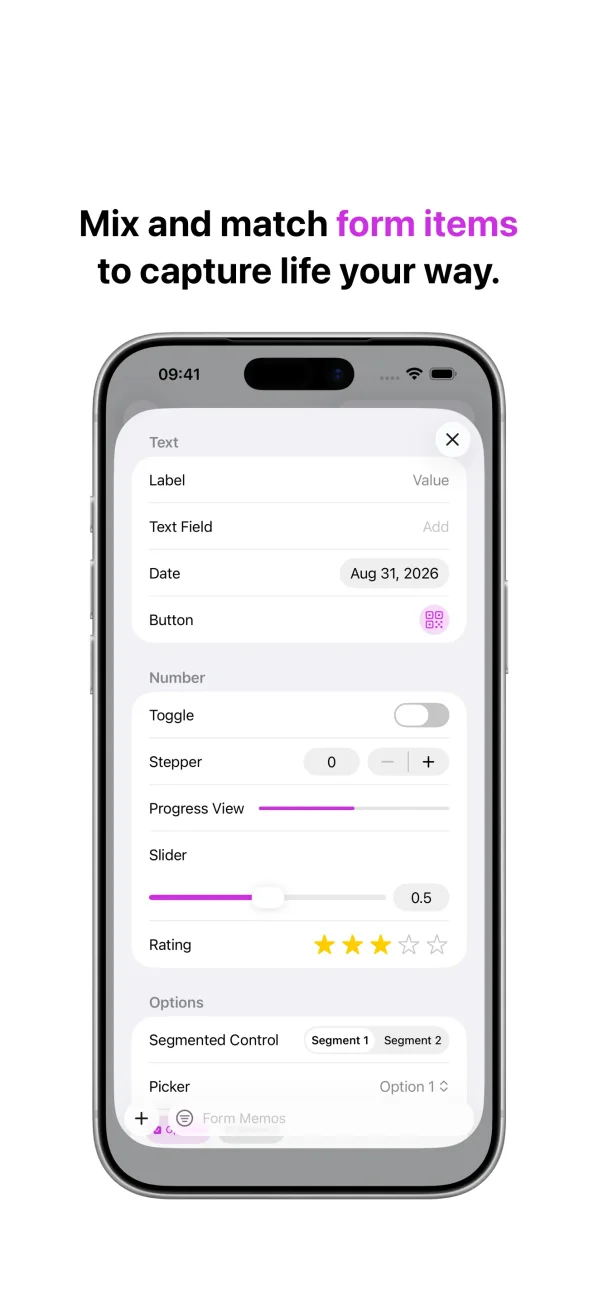
• Easily add form items like labels, text fields, images, switches, dates, and more
• Group related form items into sections to make content easier to browse and fill in
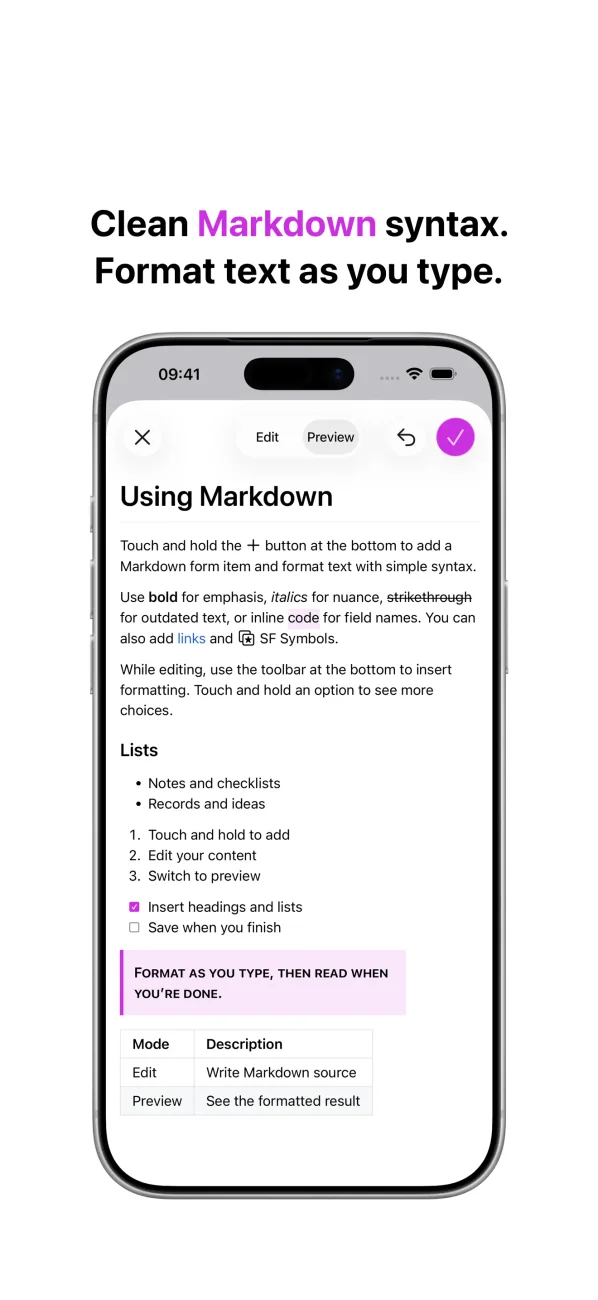
• Use Markdown, ratings, radio buttons, checkboxes, buttons, message bubbles, and other components
• Add a horizontal multi-image layout to insert several photos at once
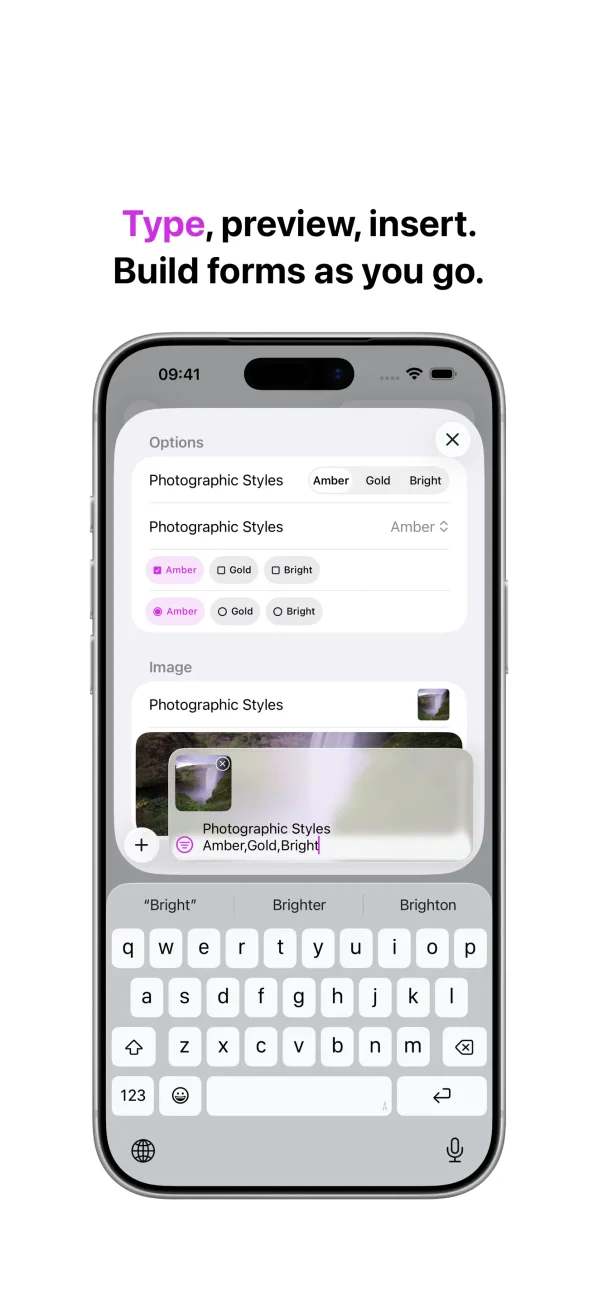
• Use the input bar at the bottom of Editing View to type text or add photos, then preview and quickly insert matching form items
• Save frequently used form items as templates to reuse them faster
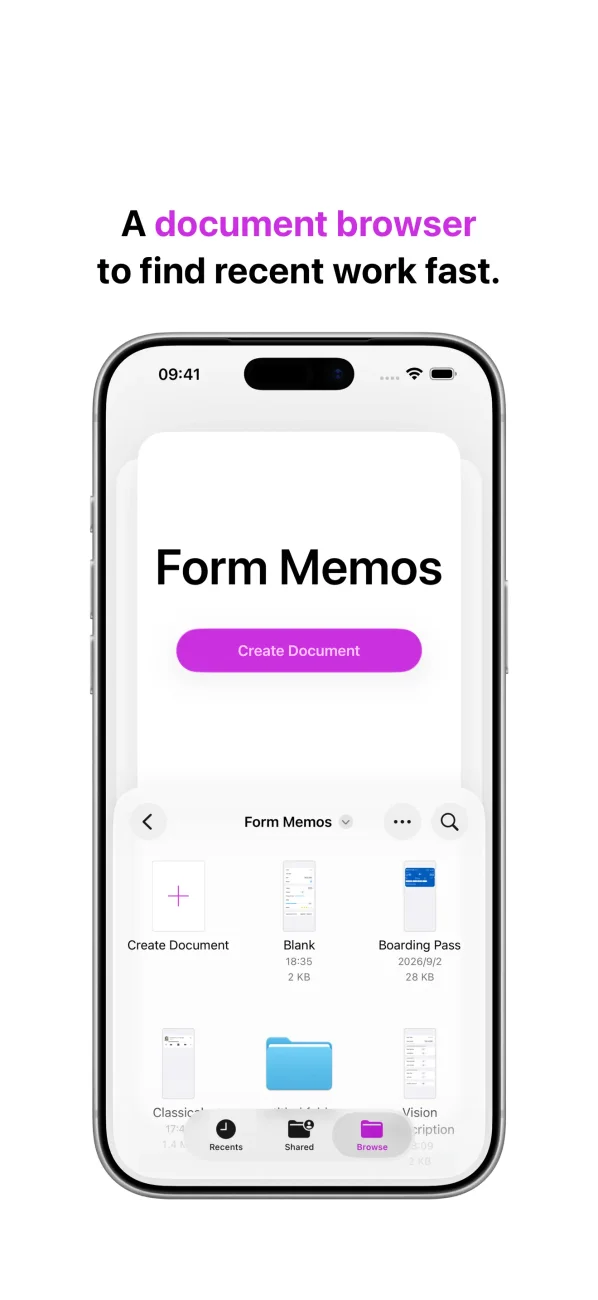
• On supported systems, use the document browser to create a new document or find a recent one (requires iOS 18)
Canvas
• Use the Canvas form item to freely place, resize, and rotate controls in a fixed area
• Easily create freer layouts such as layered text and images
• Support layers, grouping, and locking, plus gradients, materials, QR codes, barcodes, and more
• Save canvas layouts as templates to reuse across documents
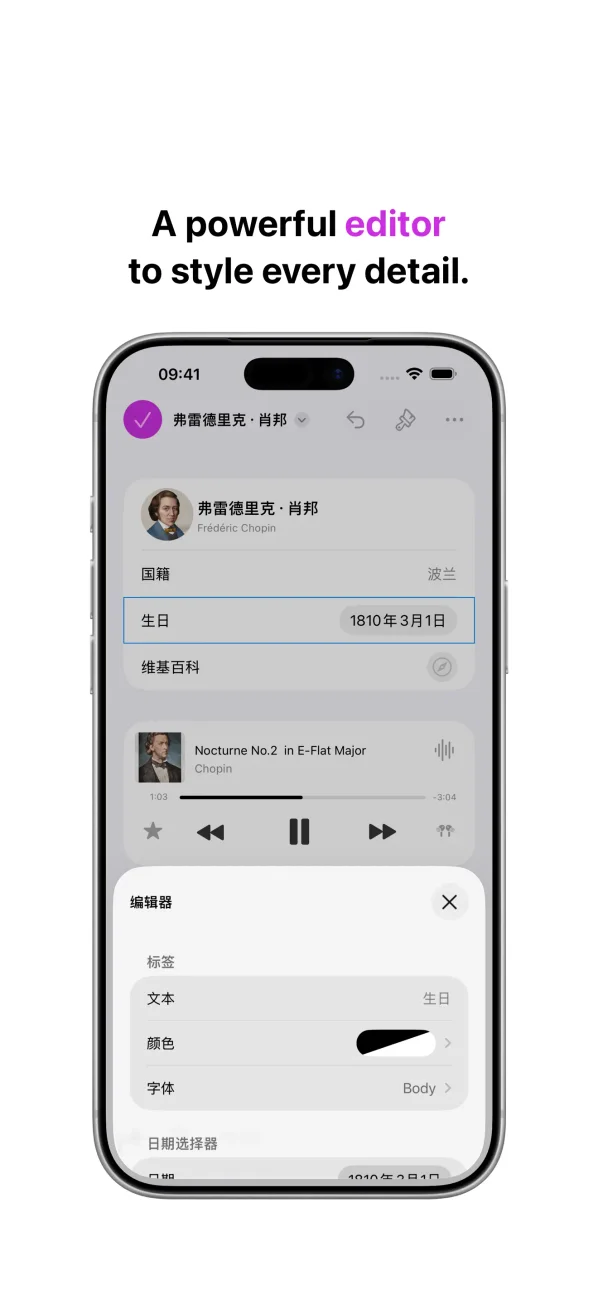
Powerful Editor
• Replace default text and images with your own content
• Apply built-in system colors to labels, text fields, images, and more
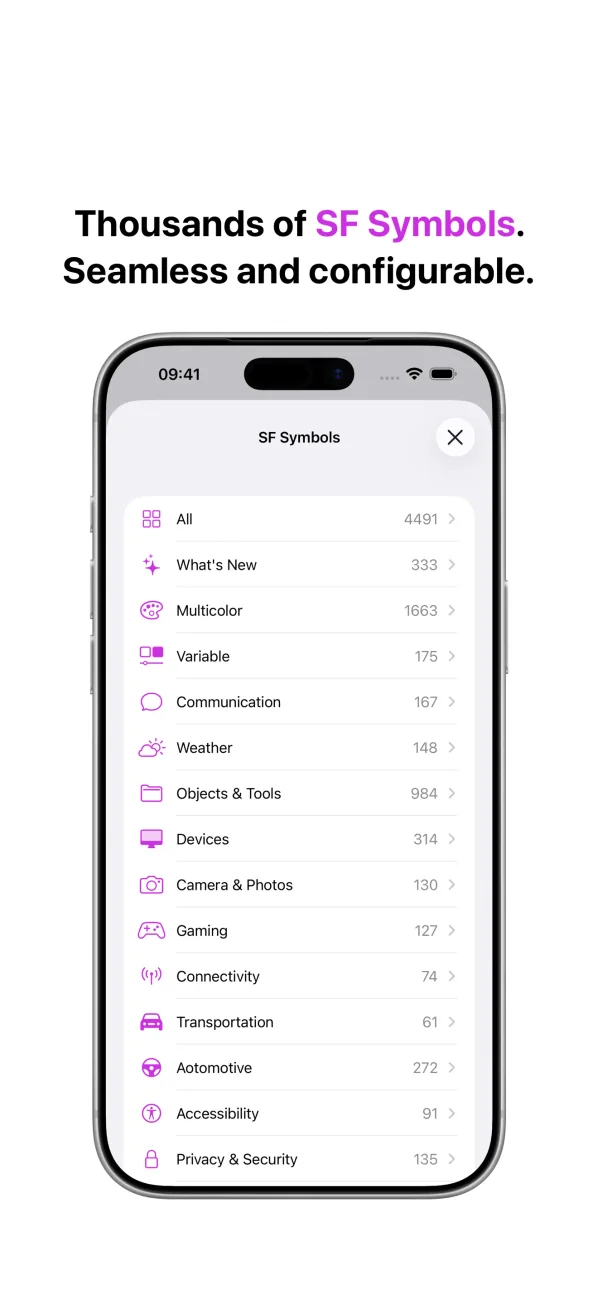
• Enhance documents with more than 4,000 icons from SF Symbols
• Apply rich fonts to text
• Set button actions such as calling, emailing, or opening a link
iCloud
• Automatically sync across your other devices with iCloud
• Form Memos automatically saves your documents as you make changes
Share Your Work
• Use AirDrop to send your document to anyone nearby
• Quickly and easily share a link via Mail or Messages
• Export your document as an image
Forms Pro
• Password-protect a document
• Undo and redo changes freely
• Copy and paste items effortlessly
• View canvases and advanced items without watermarks
Without a subscription, you can still create and preview every form item type; some premium components show a watermark.
Some features may require internet access; additional fees and terms may apply.
Terms of Use (EULA): https://www.apple.com/legal/internet-services/itunes/dev/stdeula/
Neue Funktionen
Version 2.2 · 18.10.2026
• Get ready for iPhone Duo
• Start from a template to build forms faster—or save any document as a reusable template of your own.
• Add a staff notation form item to write and display music with notes, clefs, and time signatures.
• Insert an equation form item to compose and render mathematical formulas with ease.
• Use the drawing form item to sketch freehand and capture handwritten notes or signatures.
• Add a location form item to pin and present a place right inside your form.
• Copy an entire section, along with its items and layout, and reuse it across your documents.
App-Datenschutz
Was 育良 邱 im App Store zum Umgang dieser App mit Daten angibt.
-
Keine Daten erfasst
Der Entwickler erfasst keine Daten von dieser App.
Die Datenschutzpraktiken können variieren, zum Beispiel je nach den von Ihnen verwendeten Funktionen oder Ihrem Alter.
Informationen
- Anbieter
- 育良 邱
- Kategorie
- Produktivität
- Version
- 2.2
- Aktualisiert
- 18.10.2026
- Veröffentlicht
- 15.09.2024
- Größe
- 34,6 MB
- Erfordert
- iOS 17 oder neuer
- Altersfreigabe
- 4+
- Preis
- Kostenlos
- In-App-Käufe
- Ja
- Sprachen
- Englisch, Vereinf. Chinesisch, Tradit. Chinesisch
- Copyright
- Yuliang © 2026, All Rights Reserved
Das könnte Ihnen auch gefallen
-
 Texte vergleichen: PDF & WordUnterschiede in Excel-Dateien
-
 Gewohnheiten & AufgabenfolgungGewohnheitenbildung
-
 Humanize AI: KI HumanisierenKI Detektor & Text umschreiben
-
 Journal Mate: TagesplanerScans, PDFs & Fotos behalten
-
 Multitimer: Lernen & FokusDeep Work & ADHS-Countdowns
-
 Reminders: To Do List & WidgetView Reminders in Calendar
-
 Gobble: Cold Turkey DetoxProduktivität
-
 KeyPass - Passwort ManagerPasswörter, Passkeys & Tresor
-
 PDF in Podcast – KI AudioYouTube in Audio in Sekunden
-
 cAI, Private AI (f.k.a AnonAI)Produktivität