Form Memos
Customize Your Memo Templates
Projetado para iPhone, iPad
Grátis · Compras no app
- Classificação etária4+
- CategoriaProdutividade
- Desenvolvedor育良 邱
- IdiomasInglêse mais 2
- Tamanho34,6 MB
Leva à página oficial na App Store
O Download.org não hospeda nenhum arquivo de Form Memos. O botão abre a página do app na App Store, onde 育良 邱 o publica. Página verificada pela última vez em 14/11/2026.
Capturas de tela



Sobre
O desenvolvedor não forneceu este texto no seu idioma.
Organize notes, lists, records, and ideas with the clarity of forms.
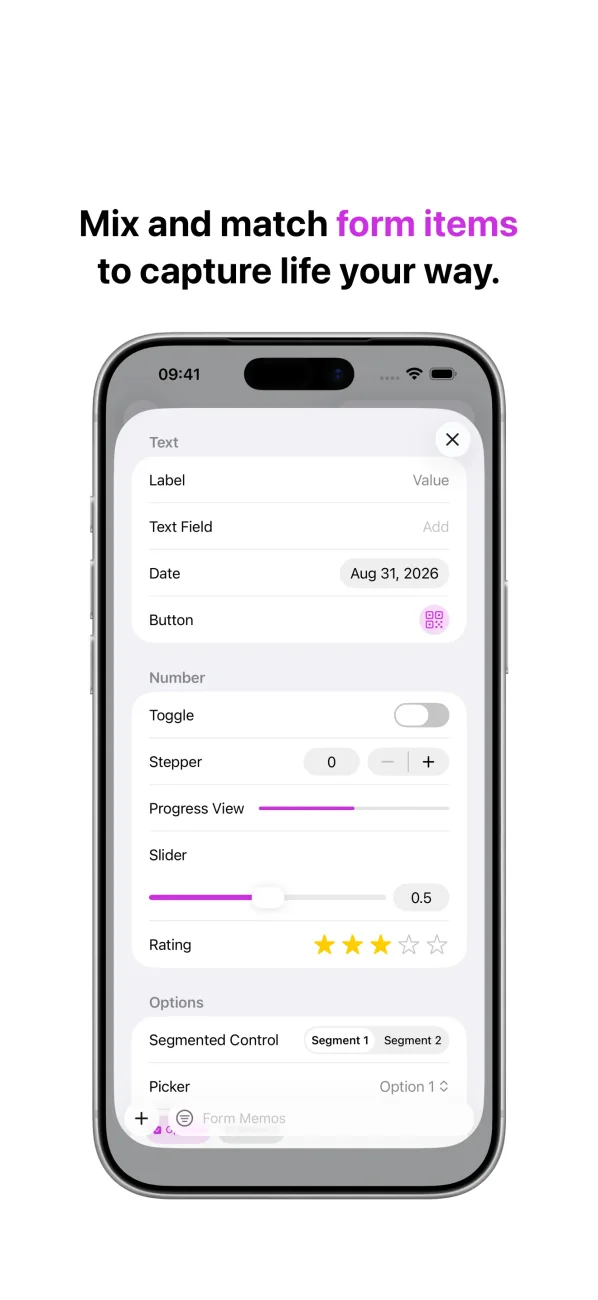
Form Memos is an app for creating memos as forms. Unlike traditional free-form notes, you can use form items—such as text fields, labels, and images—to build flexible, well-organized memo templates. You can also use Canvas to freely place, resize, and rotate controls in a fixed area, making it easy to create freer layouts like layered text and images.
Create Memo Templates
• Freely switch between Editing View, Memo View, and Reading View on iPhone
• Easily add form items like labels, text fields, images, switches, dates, and more
• Group related form items into sections to make content easier to browse and fill in
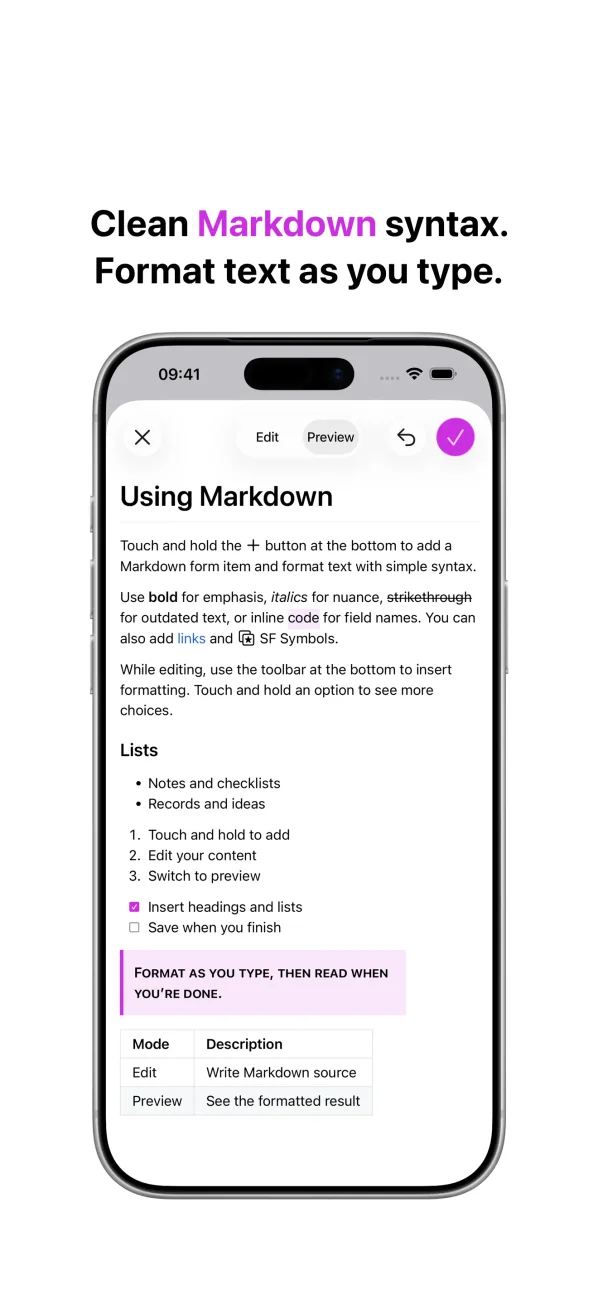
• Use Markdown, ratings, radio buttons, checkboxes, buttons, message bubbles, and other components
• Add a horizontal multi-image layout to insert several photos at once
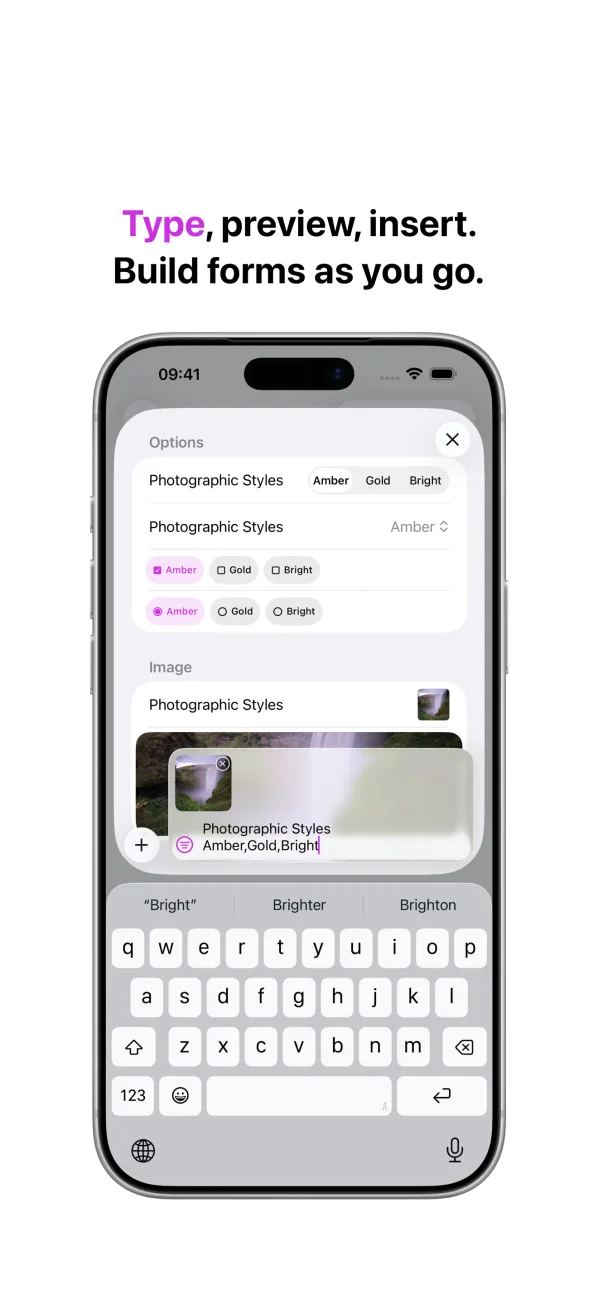
• Use the input bar at the bottom of Editing View to type text or add photos, then preview and quickly insert matching form items
• Save frequently used form items as templates to reuse them faster
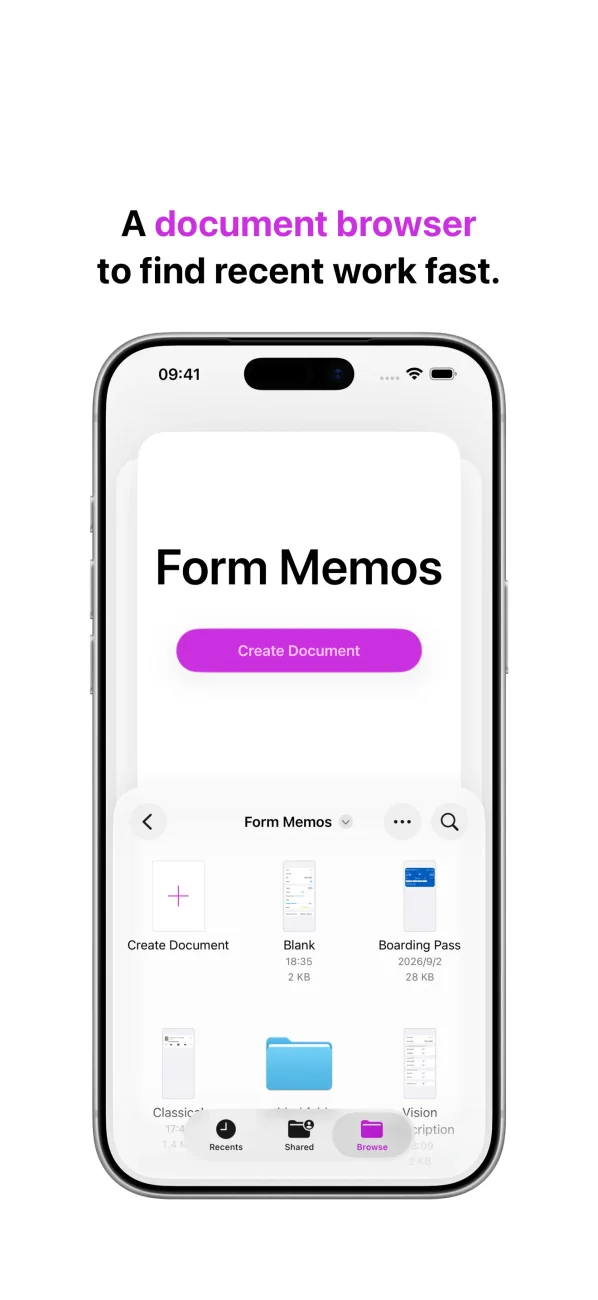
• On supported systems, use the document browser to create a new document or find a recent one (requires iOS 18)
Canvas
• Use the Canvas form item to freely place, resize, and rotate controls in a fixed area
• Easily create freer layouts such as layered text and images
• Support layers, grouping, and locking, plus gradients, materials, QR codes, barcodes, and more
• Save canvas layouts as templates to reuse across documents
Powerful Editor
• Replace default text and images with your own content
• Apply built-in system colors to labels, text fields, images, and more
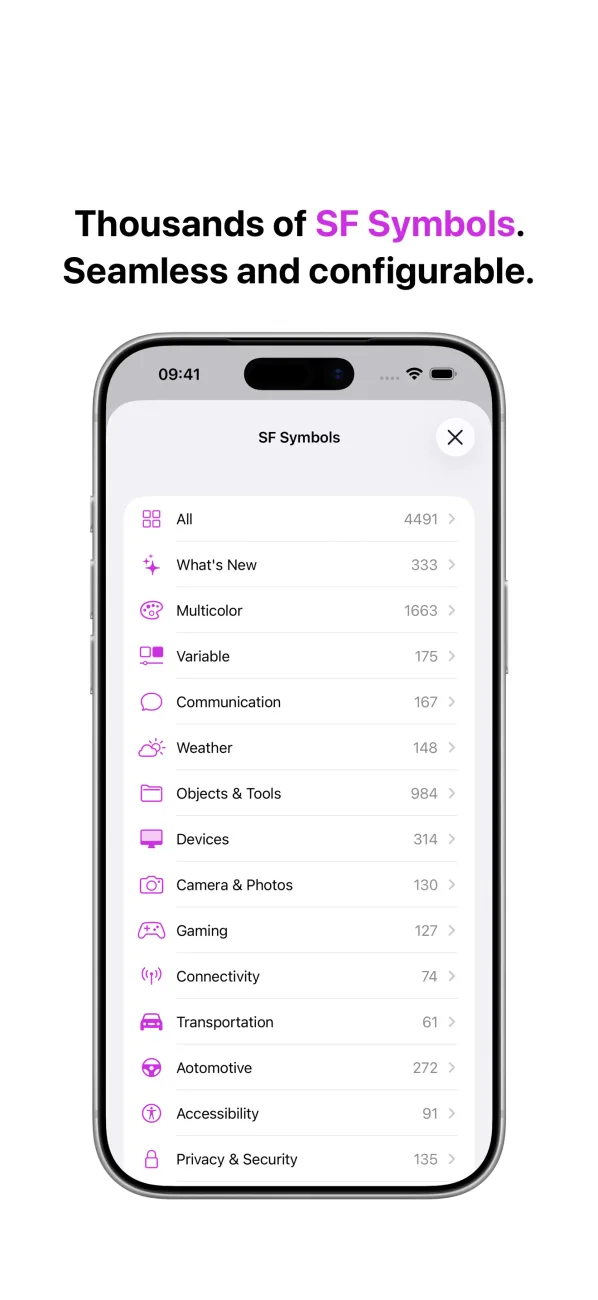
• Enhance documents with more than 4,000 icons from SF Symbols
• Apply rich fonts to text
• Set button actions such as calling, emailing, or opening a link
iCloud
• Automatically sync across your other devices with iCloud
• Form Memos automatically saves your documents as you make changes
Share Your Work
• Use AirDrop to send your document to anyone nearby
• Quickly and easily share a link via Mail or Messages
• Export your document as an image
Forms Pro
• Password-protect a document
• Undo and redo changes freely
• Copy and paste items effortlessly
• View canvases and advanced items without watermarks
Without a subscription, you can still create and preview every form item type; some premium components show a watermark.
Some features may require internet access; additional fees and terms may apply.
Terms of Use (EULA): https://www.apple.com/legal/internet-services/itunes/dev/stdeula/
Novidades
Versão 2.2 · 18/10/2026
• Get ready for iPhone Duo
• Start from a template to build forms faster—or save any document as a reusable template of your own.
• Add a staff notation form item to write and display music with notes, clefs, and time signatures.
• Insert an equation form item to compose and render mathematical formulas with ease.
• Use the drawing form item to sketch freehand and capture handwritten notes or signatures.
• Add a location form item to pin and present a place right inside your form.
• Copy an entire section, along with its items and layout, and reuse it across your documents.
Privacidade do app
O que 育良 邱 declara na App Store sobre como este app lida com os dados.
-
Dados não coletados
O desenvolvedor não coleta nenhum dado deste app.
As práticas de privacidade podem variar, por exemplo, com base nos recursos que você usa ou na sua idade.
Informações
- Vendedor
- 育良 邱
- Categoria
- Produtividade
- Versão
- 2.2
- Atualizado
- 18/10/2026
- Lançamento
- 15/09/2024
- Tamanho
- 34,6 MB
- Requer
- iOS 17 ou posterior
- Classificação etária
- 4+
- Preço
- Grátis
- Compras no app
- Sim
- Idiomas
- Inglês, Chinês simplificado, Chinês tradicional
- Copyright
- Yuliang © 2026, All Rights Reserved
Você também pode gostar
-
 Comparar Textos e ArquivosDiferenças em PDF, Word, Excel
-
 Assistente de missãoformação de hábitos
-
 Humanize AI: Humanizar TextosDetector de IA e Paráfrase
-
 Journal Mate: Agenda DiáriaGuarde scans, PDFs e fotos
-
 Temporizador MúltiploTrabalho Profundo & Foco TDAH
-
 Reminders: To Do List & WidgetProdutividade
-
 Gobble: Cold Turkey DetoxProdutividade
-
 KeyPass - Passkeys & PasswordsCofre de Senhas e Chaves-Senha
-
 Podcast de PDF – IATexto em som por IA
-
 cAI, Private AI (f.k.a AnonAI)Produtividade