LilDisplay
Second display for your Mac
Conçue pour iPhone, iPad, iPod touch
Gratuit · Achats intégrés
- Classification d’âge4+
- CatégorieProductivité
- DéveloppeurSaeed Garmeh
- LanguesAnglais
- Taille1,9 Mo
Renvoie vers la page App Store officielle
Download.org n’héberge aucun fichier de LilDisplay. Le bouton ouvre la page de l’application sur App Store, où Saeed Garmeh la publie. Fiche vérifiée pour la dernière fois le 24/11/2026.
Captures d’écran
À propos
Le développeur n’a pas fourni ce texte dans votre langue.
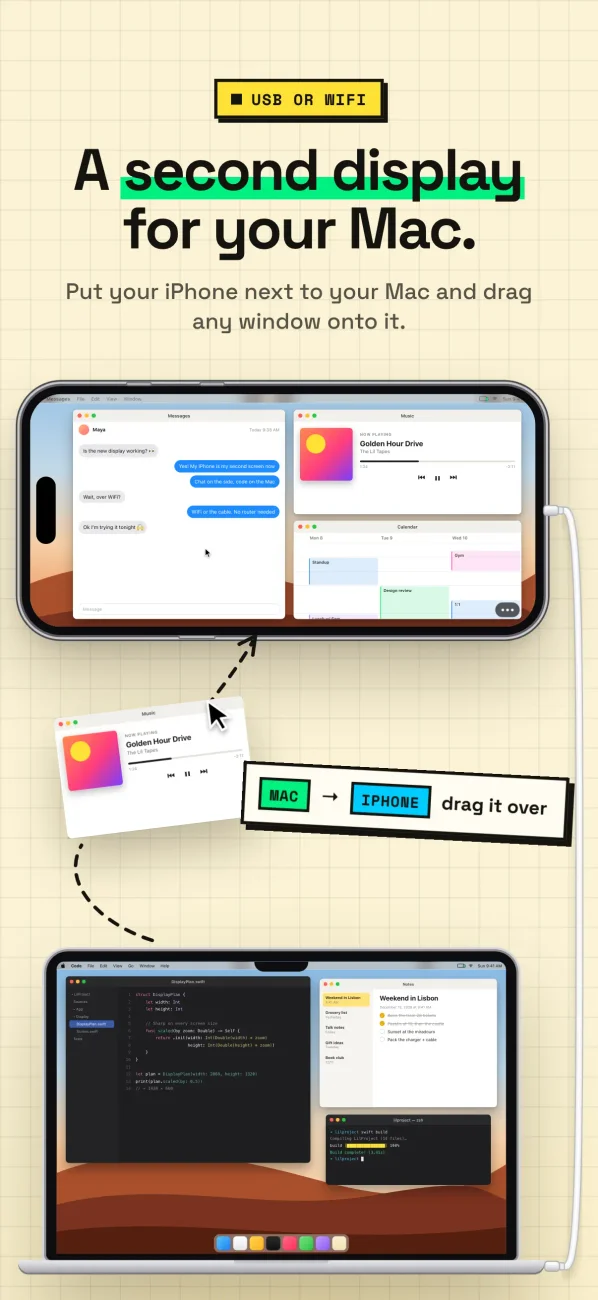
Use your iPhone or iPad as a second display for your Mac. One you can touch.
• SECOND DISPLAY: drag any window onto it. Portrait or landscape.
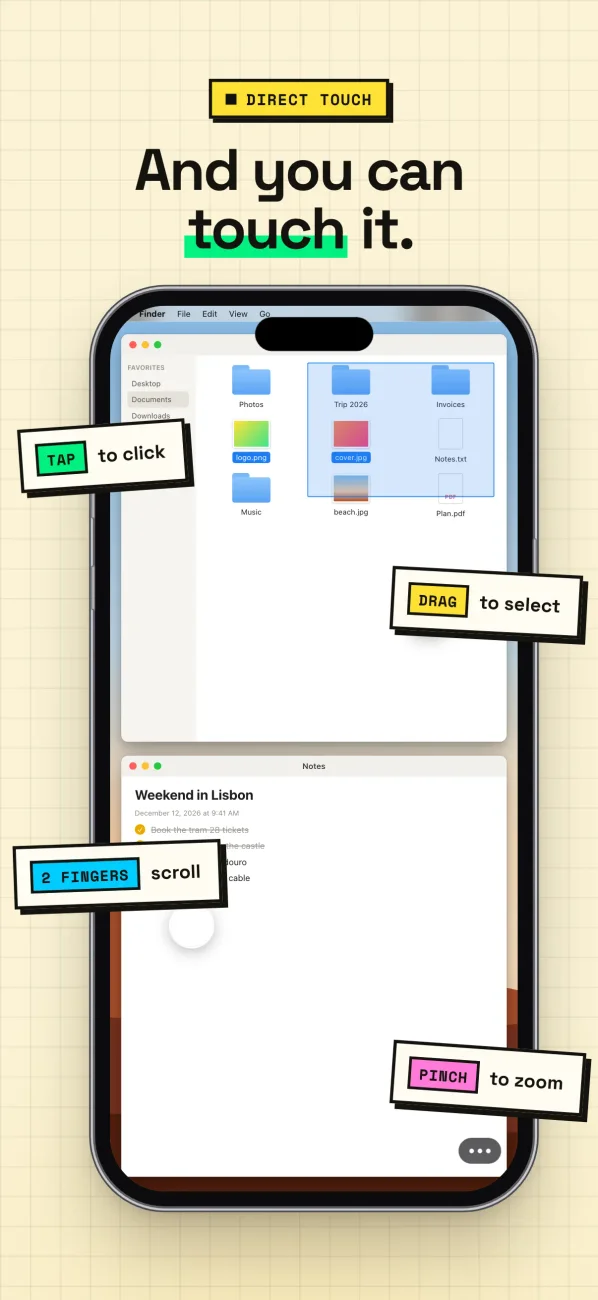
• TOUCH: tap, drag, scroll and pinch right on your Mac's windows.
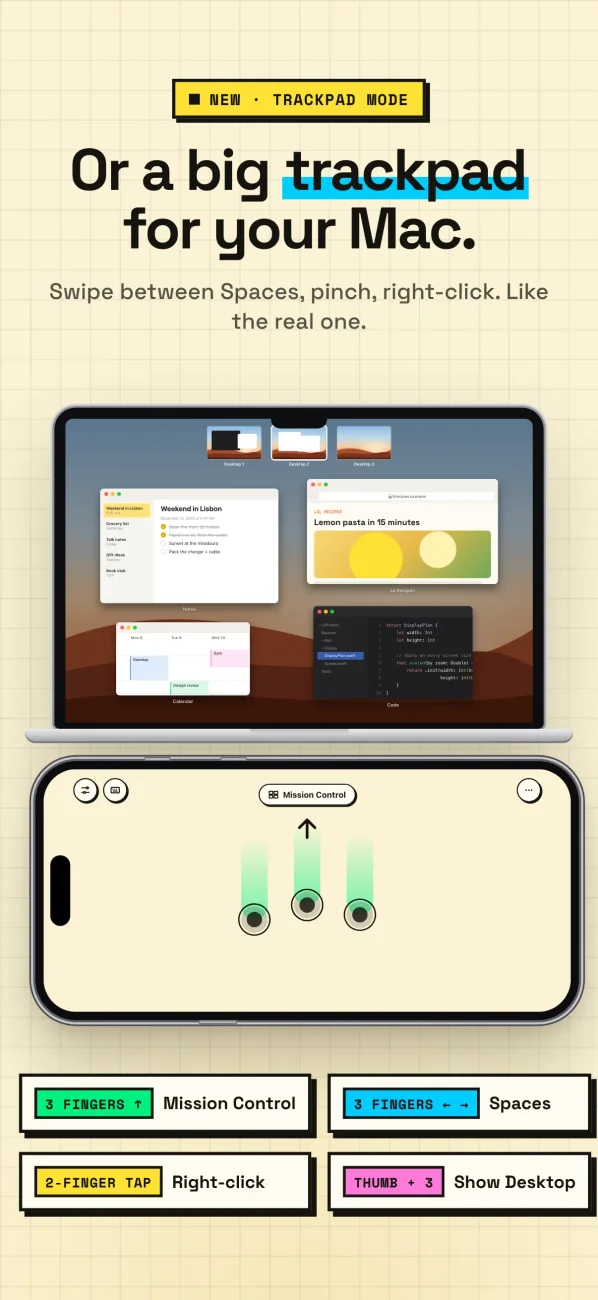
• TRACKPAD MODE: a big Mac trackpad with all the gestures.
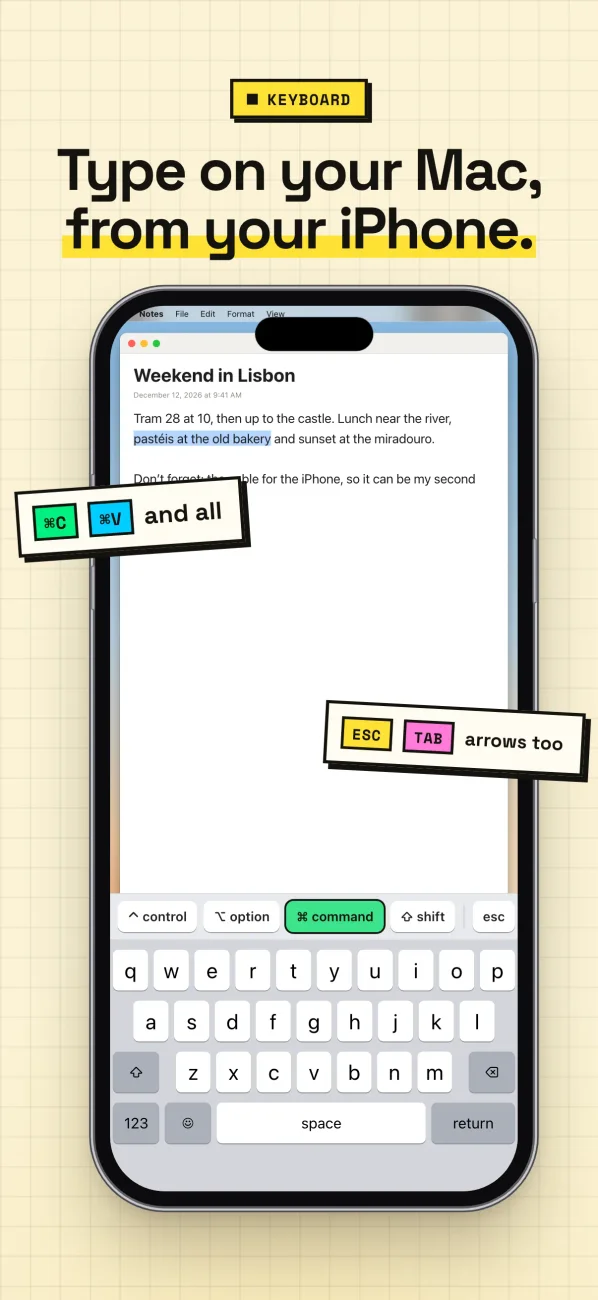
• KEYBOARD: type on your Mac, with ⌘, Esc, Tab and arrows.
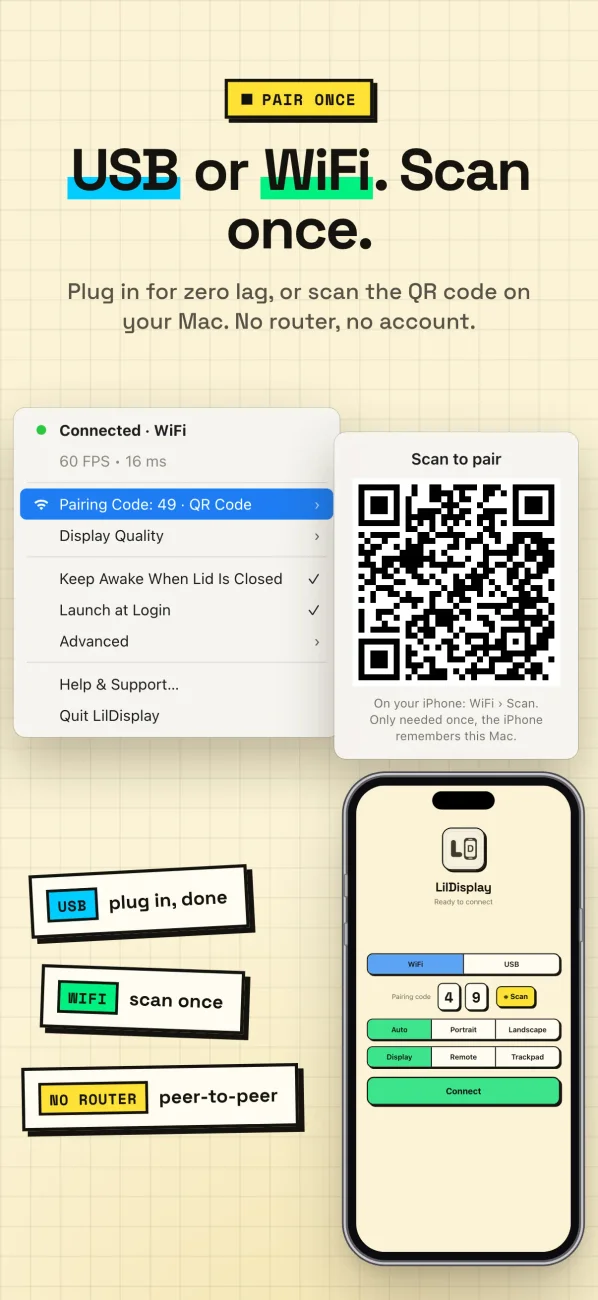
• USB OR WIFI: plug in for zero lag, or connect without a router. Scan once, then just tap Connect.
• APPLE PENCIL and IPHONE DUO supported.
• LID CLOSED: run your MacBook with the lid shut.
Private: everything stays between your devices. No account.
Try 3 sessions free, then pay once. No subscription.
Needs the free LilDisplay for Mac app (macOS 14.6+) from lilstudio.app/lildisplay.
Nouveautés
Version 3.3 · 23/11/2026
NEW
• Trackpad mode: your iPhone or iPad becomes a big Mac trackpad, with all the Mac gestures.
• Pair once: scan the QR code on your Mac, then just tap Connect.
• New gestures: back, forward, rotate and Show Desktop.
• Setup help when your Mac is missing a permission.
Needs the free LilDisplay for Mac 3.3 from lilstudio.app/lildisplay.
Confidentialité de l’application
Ce que Saeed Garmeh déclare sur l’App Store au sujet du traitement des données par cette application.
-
Données non collectées
Le développeur ne collecte aucune donnée à partir de cette application.
Les pratiques en matière de confidentialité peuvent varier, notamment en fonction des fonctionnalités que vous utilisez ou de votre âge.
Informations
- Vendeur
- Saeed Garmeh
- Catégorie
- Productivité
- Version
- 3.3
- Mis à jour
- 23/11/2026
- Publié
- 07/01/2026
- Taille
- 1,9 Mo
- Nécessite
- iOS 15.6 ou version ultérieure
- Classification d’âge
- 4+
- Prix
- Gratuit
- Achats intégrés
- Oui
- Langues
- Anglais
- Copyright
- © 2026 LilDisplay
Vous aimerez peut-être aussi
-
 Any Display: Second écraniPad : écran, stylet et webcam
-
 XeOS: Desktop Écran ExterneMode Desktop plein écran AR/VR
-
 OpenDisplayProductivité
-
 Connexion à l'ordinateurConçu pour Mac
-
 Duet Air - Remote DesktopProductivité
-
 Duet DisplayBe Twice As Productive
-
 UTM Remote Virtual MachinesProductivité
-
 DeskIn Remote DesktopProductivité
-
 RealVNC Viewer: Remote DesktopProductivité
-
 spacedesk - USB Display for PCProductivité