- 対象年齢4+
- カテゴリ仕事効率化
- 開発元Saeed Garmeh
- 言語英語
- サイズ1.9 MB
App Storeの公式ページにリンクしています
Download.orgはLilDisplayのファイルを一切ホストしていません。ボタンを押すと、Saeed Garmehが公開しているApp Storeのアプリページが開きます。ページの最終確認:2026/11/24。
スクリーンショット
概要
開発元はこのテキストをお使いの言語で提供していません。
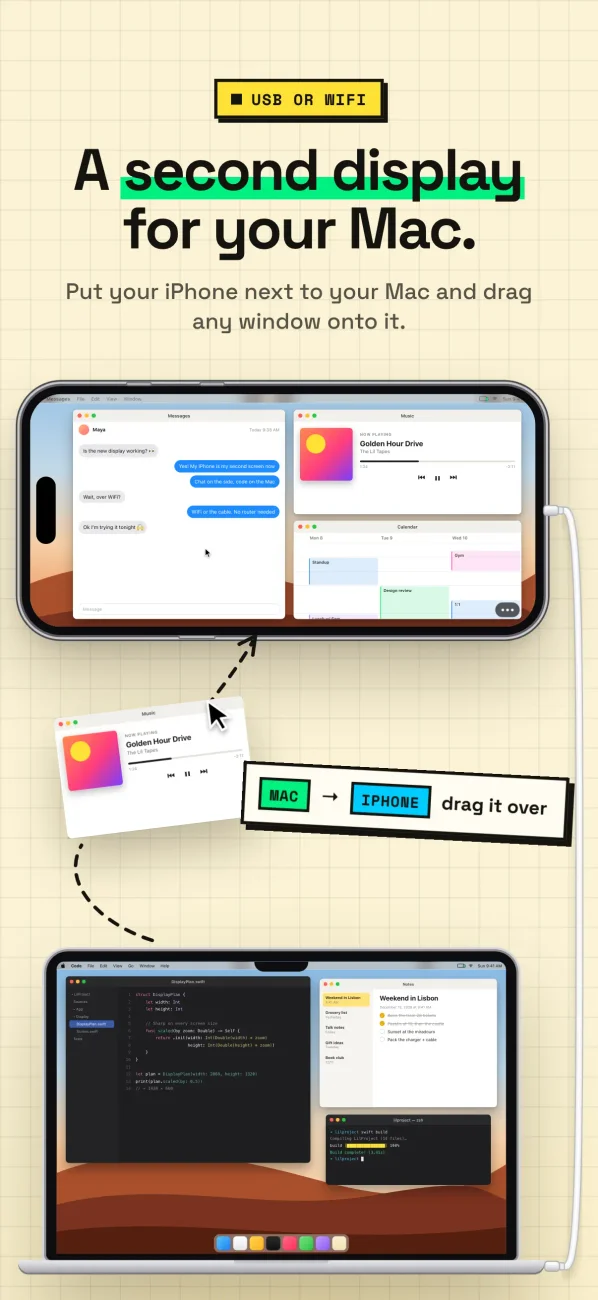
Use your iPhone or iPad as a second display for your Mac. One you can touch.
• SECOND DISPLAY: drag any window onto it. Portrait or landscape.
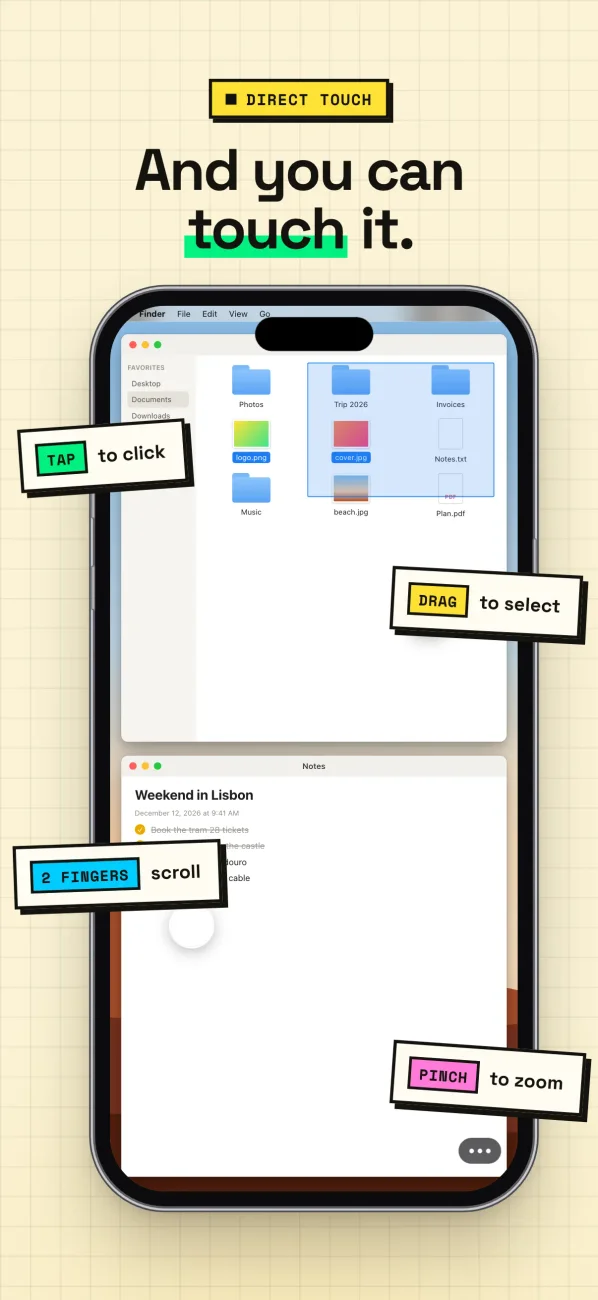
• TOUCH: tap, drag, scroll and pinch right on your Mac's windows.
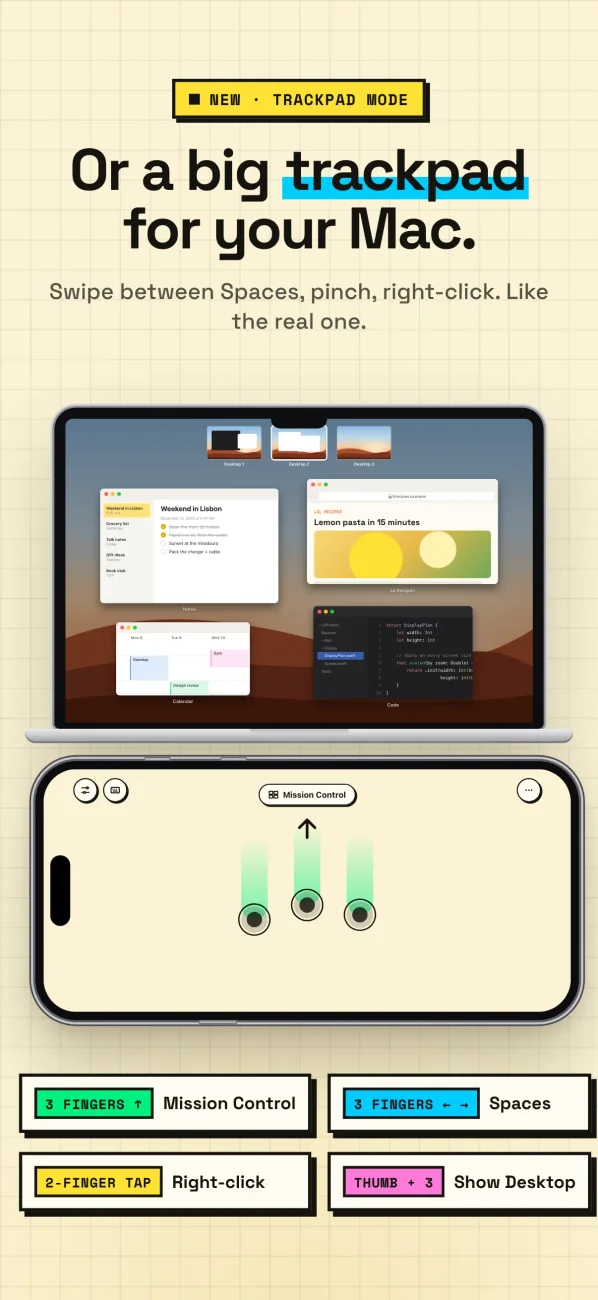
• TRACKPAD MODE: a big Mac trackpad with all the gestures.
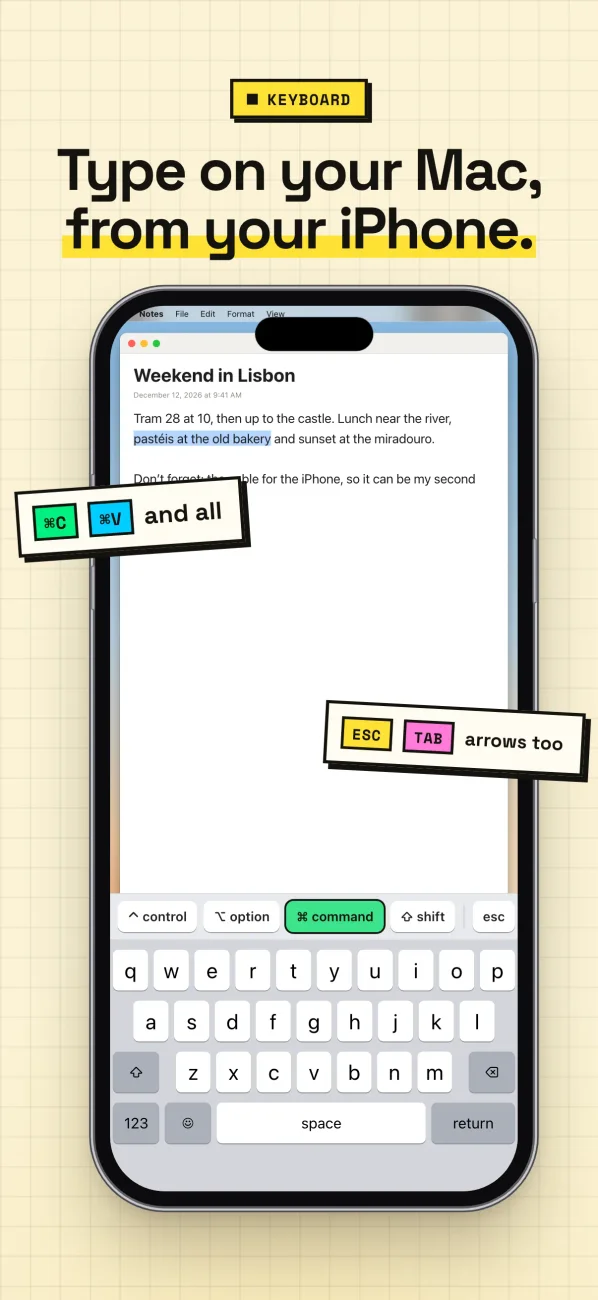
• KEYBOARD: type on your Mac, with ⌘, Esc, Tab and arrows.
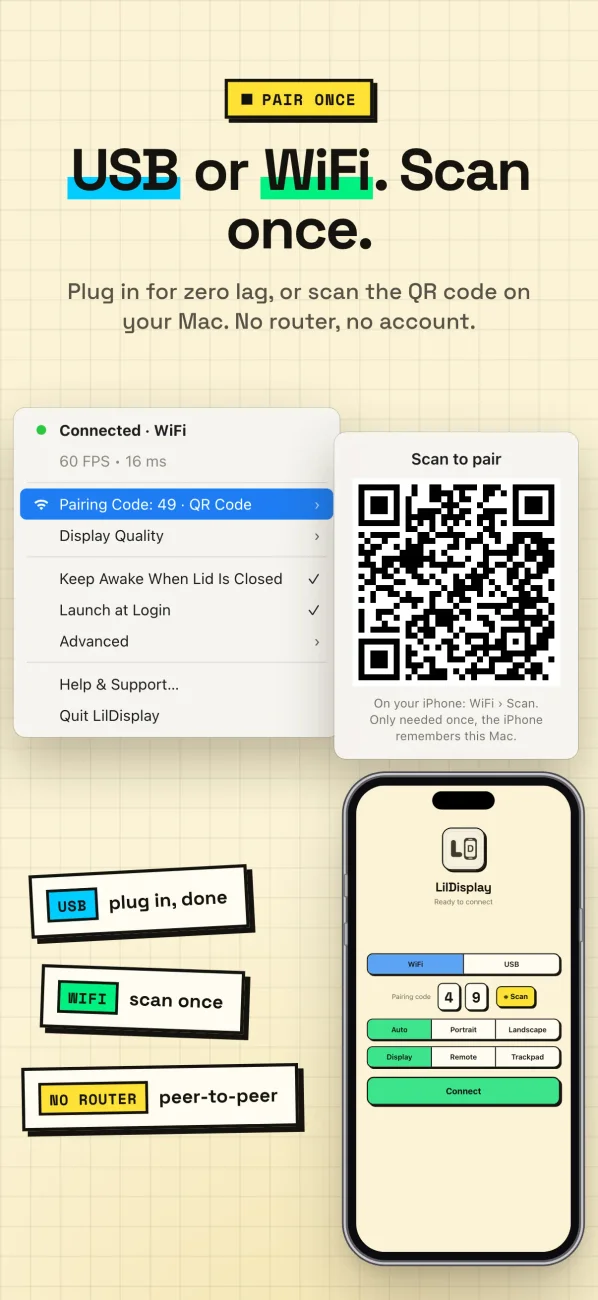
• USB OR WIFI: plug in for zero lag, or connect without a router. Scan once, then just tap Connect.
• APPLE PENCIL and IPHONE DUO supported.
• LID CLOSED: run your MacBook with the lid shut.
Private: everything stays between your devices. No account.
Try 3 sessions free, then pay once. No subscription.
Needs the free LilDisplay for Mac app (macOS 14.6+) from lilstudio.app/lildisplay.
新機能
バージョン 3.3 · 2026/11/23
NEW
• Trackpad mode: your iPhone or iPad becomes a big Mac trackpad, with all the Mac gestures.
• Pair once: scan the QR code on your Mac, then just tap Connect.
• New gestures: back, forward, rotate and Show Desktop.
• Setup help when your Mac is missing a permission.
Needs the free LilDisplay for Mac 3.3 from lilstudio.app/lildisplay.
アプリのプライバシー
このアプリのデータの取り扱いについて、Saeed GarmehがApp Storeで申告している内容です。
-
データの収集なし
開発元はこのアプリからデータを収集しません。
プライバシーの取り扱いは、ご利用の機能やお客様の年齢などに応じて異なる場合があります。
情報
- 販売元
- Saeed Garmeh
- カテゴリ
- 仕事効率化
- バージョン
- 3.3
- 更新日
- 2026/11/23
- リリース
- 2026/1/7
- サイズ
- 1.9 MB
- 必要条件
- iOS 15.6以降
- 対象年齢
- 4+
- 価格
- 無料
- アプリ内課金
- あり
- 言語
- 英語
- 著作権
- © 2026 LilDisplay
こちらもおすすめ
-
 Any Display: セカンドモニターiPadを画面・ペン・カメラに
-
 XeOS: 外部ディスプレイデスクトップ マルチタスク プロフルスクリーンデスクトップモード TV, AR/VR/3D
-
 OpenDisplay仕事効率化
-
 コンピューターに接続Mac 用に設計
-
 Duet Air - Remote Desktop仕事効率化
-
 Duet Display仕事効率化
-
 UTM Remote Virtual Machines仕事効率化
-
 DeskInリモートデスクトップスマホからすべてのデバイスを操作
-
 RealVNC Viewer: Remote Desktop仕事効率化
-
 spacedesk - USB Display for PC仕事効率化