
- Altersfreigabe4+
- KategorieDienstprogramme
- EntwicklerAlejandro Avina Anguiano
- SprachenEnglisch
- Größe1,1 MB
MachiningGuru ist bei App Store derzeit möglicherweise nicht verfügbar
Bei unserer letzten Prüfung war der Store-Eintrag nicht erreichbar. Der Link führt weiterhin zur offiziellen App Store-Seite.
Screenshots

Info
Der Entwickler hat diesen Text nicht in Ihrer Sprache bereitgestellt.
MachiningGuru
MachiningGuru is a practical CNC companion designed to help machinists, programmers, students, and manufacturing professionals calculate machining parameters, document setups, and visualize G-code directly from an iPhone.
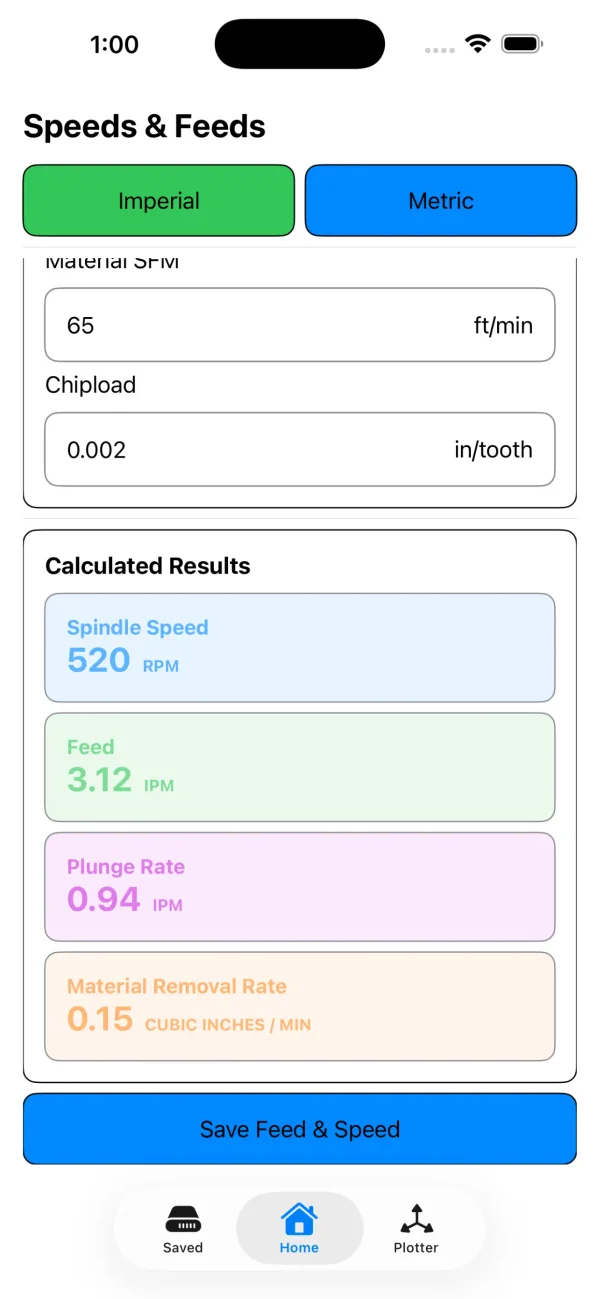
Speeds and Feeds Calculator
Quickly calculate important machining values using your tool and cutting parameters, including:
Spindle speed
Feed rate
Plunge rate
Material removal rate
Enter values such as tool diameter, number of flutes, surface speed, chip load, width of cut, and depth of cut. MachiningGuru supports both Imperial and Metric units.
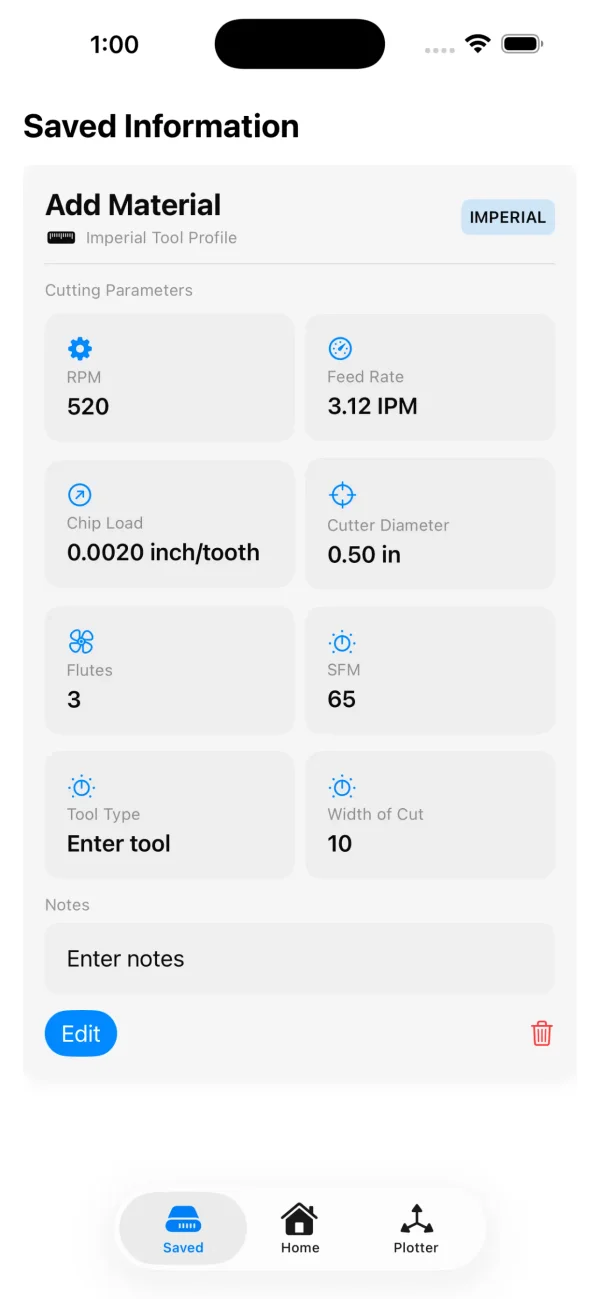
Save Machine Setups
Save speeds-and-feeds calculations for future reference. Add notes to document important setup information such as:
Machine used
Tool details
Workholding
Material
Operation notes
Recommended adjustments
Saved records make it easier to reuse successful machining setups and keep useful shop information organized.
Scan G-Code From Photos
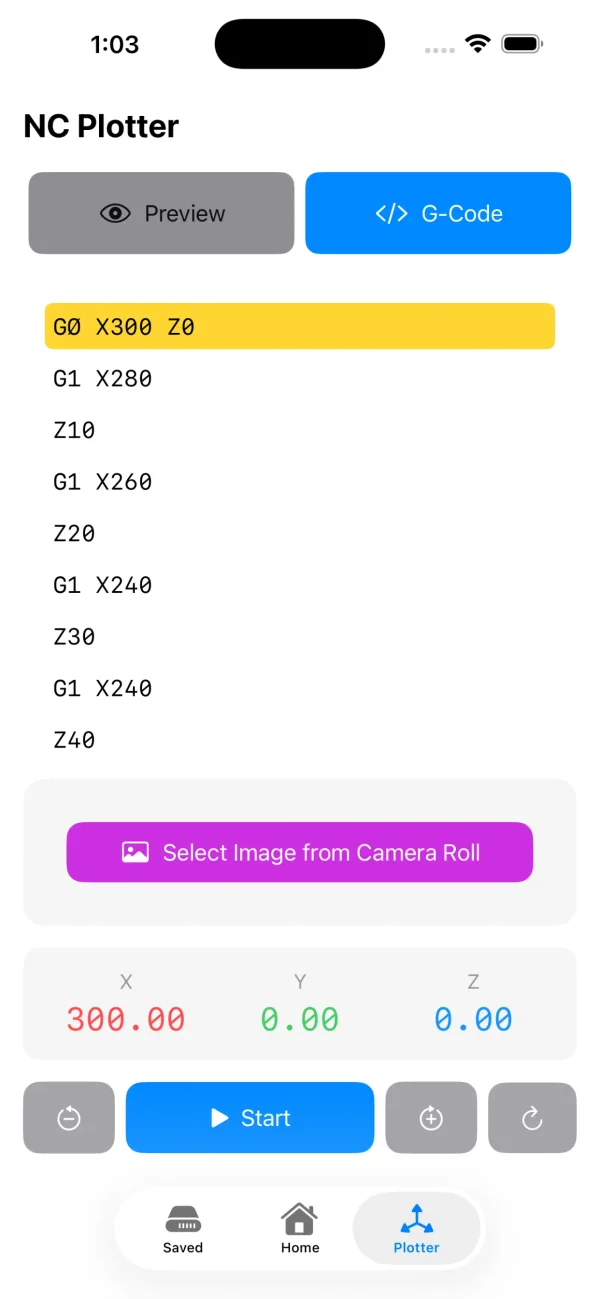
Import a photo from your phone and use optical character recognition to extract visible G-code. This is useful for reviewing printed programs, handwritten notes, screenshots, or code displayed on another device.
Recognized code can be reviewed and edited before visualization. OCR results may vary depending on image quality, lighting, text clarity, and formatting.
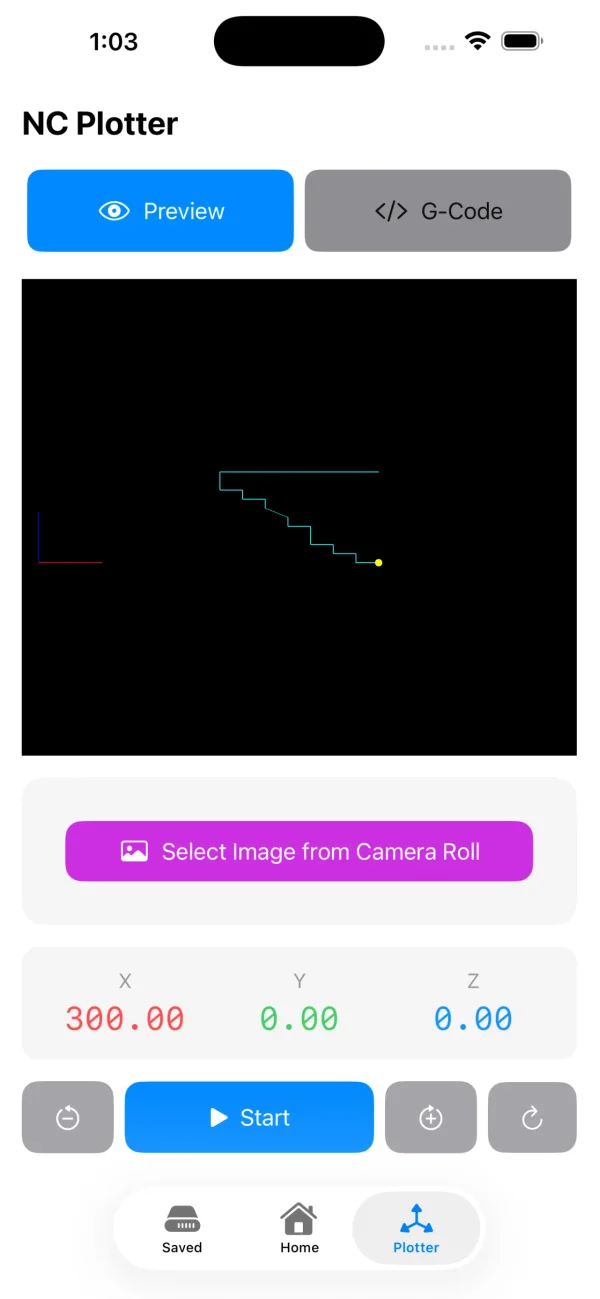
Interactive G-Code Plotter
Preview supported G-code as an interactive 3D toolpath. Rotate, pan, and zoom the view to better understand the programmed movement.
Use the plotter to:
Review toolpath shape
Inspect X, Y, and Z movement
Step through programmed points
Edit recognized or manually entered G-code
Identify potential input or formatting mistakes
MachiningGuru is intended as a reference and visualization tool. Always verify calculations, tooling limits, machine capabilities, work offsets, and CNC programs before operating machinery.
App-Datenschutz
Was Alejandro Avina Anguiano im App Store zum Umgang dieser App mit Daten angibt.
-
Keine Daten erfasst
Der Entwickler erfasst keine Daten von dieser App.
Die Datenschutzpraktiken können variieren, zum Beispiel je nach den von Ihnen verwendeten Funktionen oder Ihrem Alter.
Informationen
- Anbieter
- Alejandro Avina Anguiano
- Kategorie
- Dienstprogramme
- Version
- 1.0
- Aktualisiert
- 17.06.2026
- Veröffentlicht
- 17.06.2026
- Größe
- 1,1 MB
- Erfordert
- iOS 18.5 oder neuer
- Altersfreigabe
- 4+
- Sprachen
- Englisch
- Copyright
- © 2026 Alejandro Avina Anguiano
Das könnte Ihnen auch gefallen
-
 CutMate CNCDienstprogramme
-
 CNC Lathe Calculator proDienstprogramme
-
 CNC CONTROL PANEL: millwrightDienstprogramme
-
 Feedrate: CNC Speeds & FeedsDienstprogramme
-
 CNCMate: CNC Fräs-RechnerEinstellungen: Vorschub & RPM
-
 CutMetric: CNC VorschubDrehzahl, Gewinde, Geometrie
-
 Drill Bit ConverterDienstprogramme
-
 ROLAVIScanDienstprogramme
-
 ShopCalc: Machinist CalculatorDienstprogramme
-
 Label Print Master - PrinterDienstprogramme