
- Age rating4+
- CategoryUtilities
- DeveloperAlejandro Avina Anguiano
- LanguagesEnglish
- Size1.1 MB
Links to the official App Store page
Download.org hosts no file of MachiningGuru. The button opens its official App Store page, published by Alejandro Avina Anguiano. Listing last checked on Nov 15, 2026.
Screenshots
About
MachiningGuru
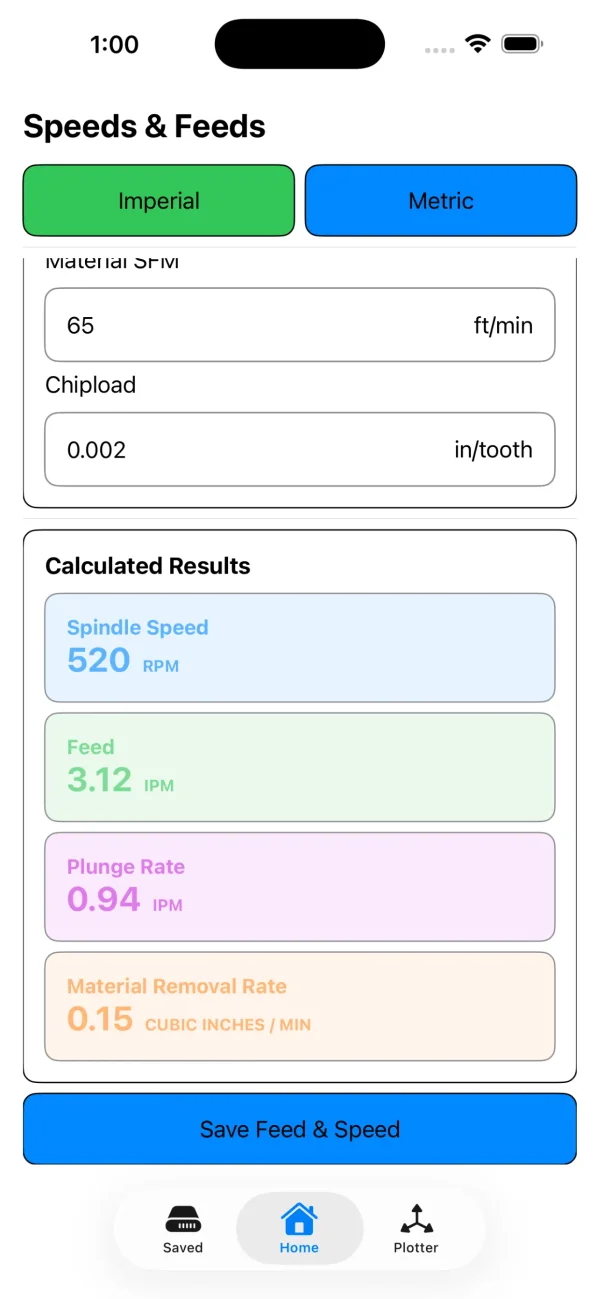
MachiningGuru is a practical CNC companion designed to help machinists, programmers, students, and manufacturing professionals calculate machining parameters, document setups, and visualize G-code directly from an iPhone.
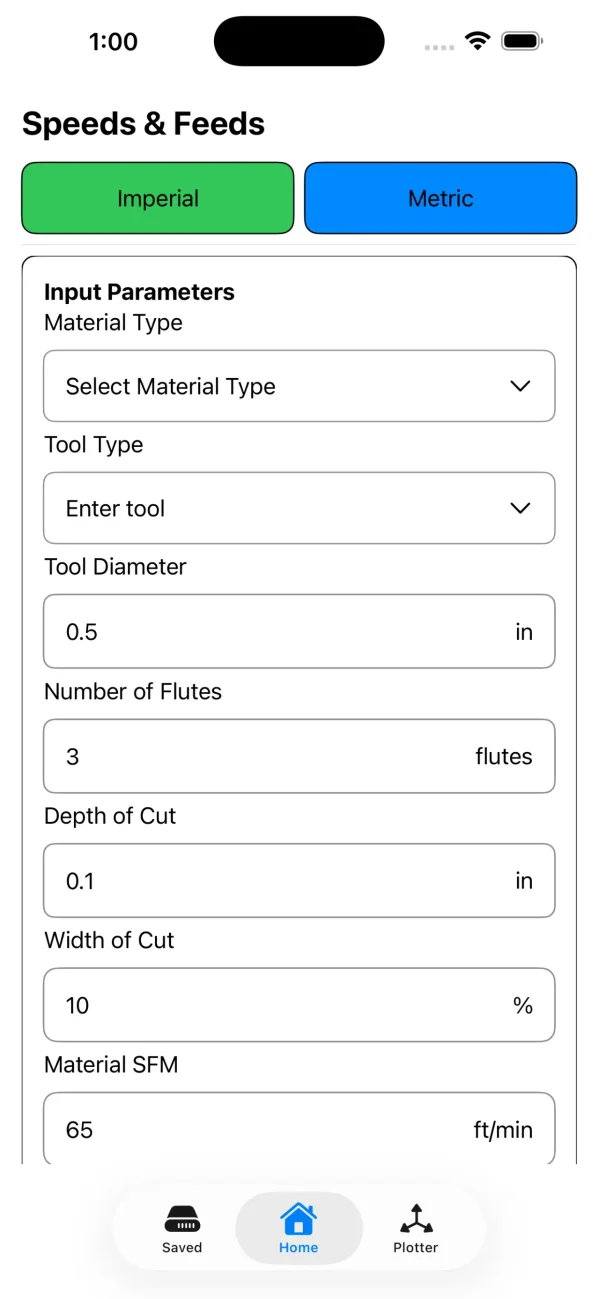
Speeds and Feeds Calculator
Quickly calculate important machining values using your tool and cutting parameters, including:
Spindle speed
Feed rate
Plunge rate
Material removal rate
Enter values such as tool diameter, number of flutes, surface speed, chip load, width of cut, and depth of cut. MachiningGuru supports both Imperial and Metric units.
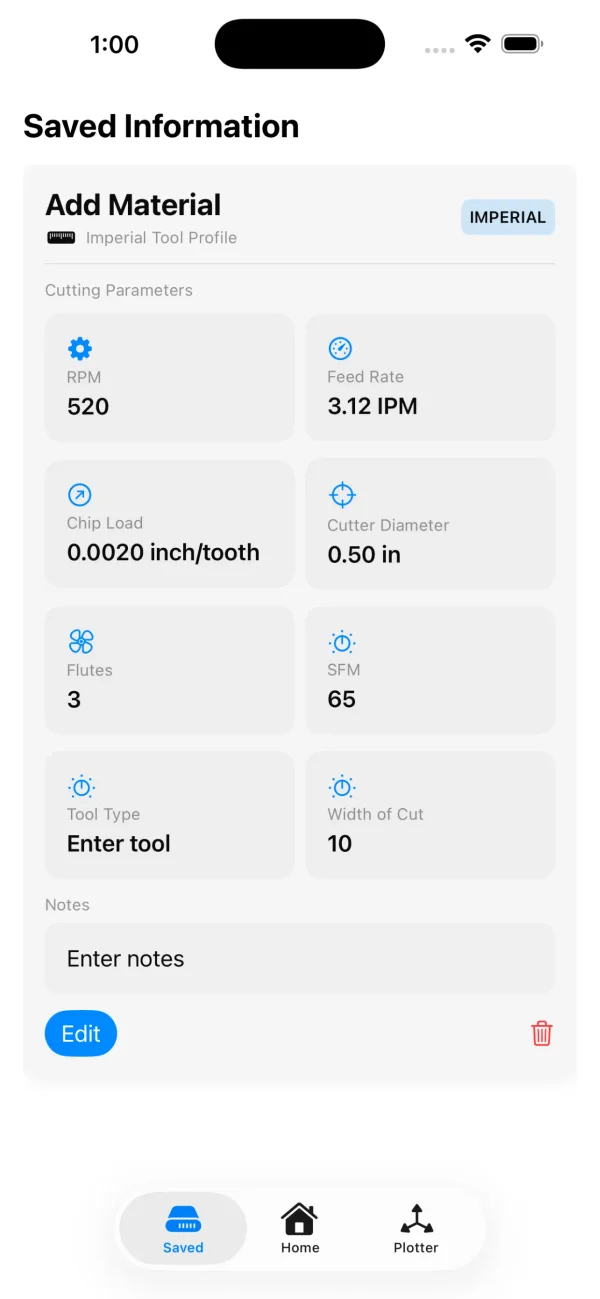
Save Machine Setups
Save speeds-and-feeds calculations for future reference. Add notes to document important setup information such as:
Machine used
Tool details
Workholding
Material
Operation notes
Recommended adjustments
Saved records make it easier to reuse successful machining setups and keep useful shop information organized.
Scan G-Code From Photos
Import a photo from your phone and use optical character recognition to extract visible G-code. This is useful for reviewing printed programs, handwritten notes, screenshots, or code displayed on another device.
Recognized code can be reviewed and edited before visualization. OCR results may vary depending on image quality, lighting, text clarity, and formatting.
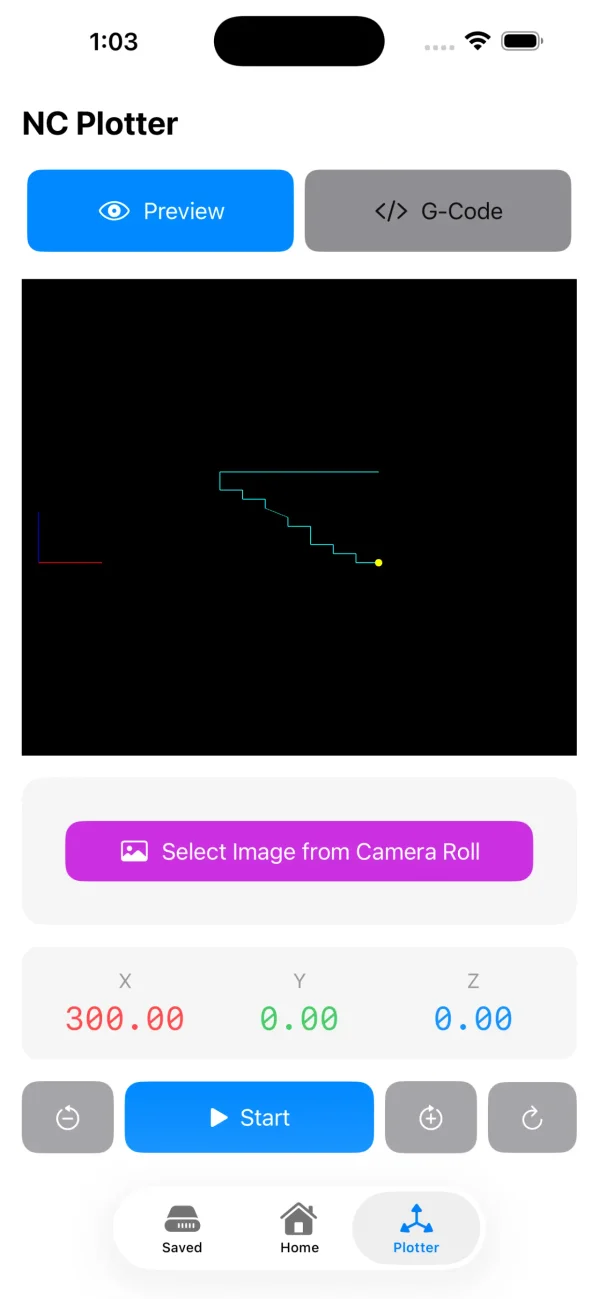
Interactive G-Code Plotter
Preview supported G-code as an interactive 3D toolpath. Rotate, pan, and zoom the view to better understand the programmed movement.
Use the plotter to:
Review toolpath shape
Inspect X, Y, and Z movement
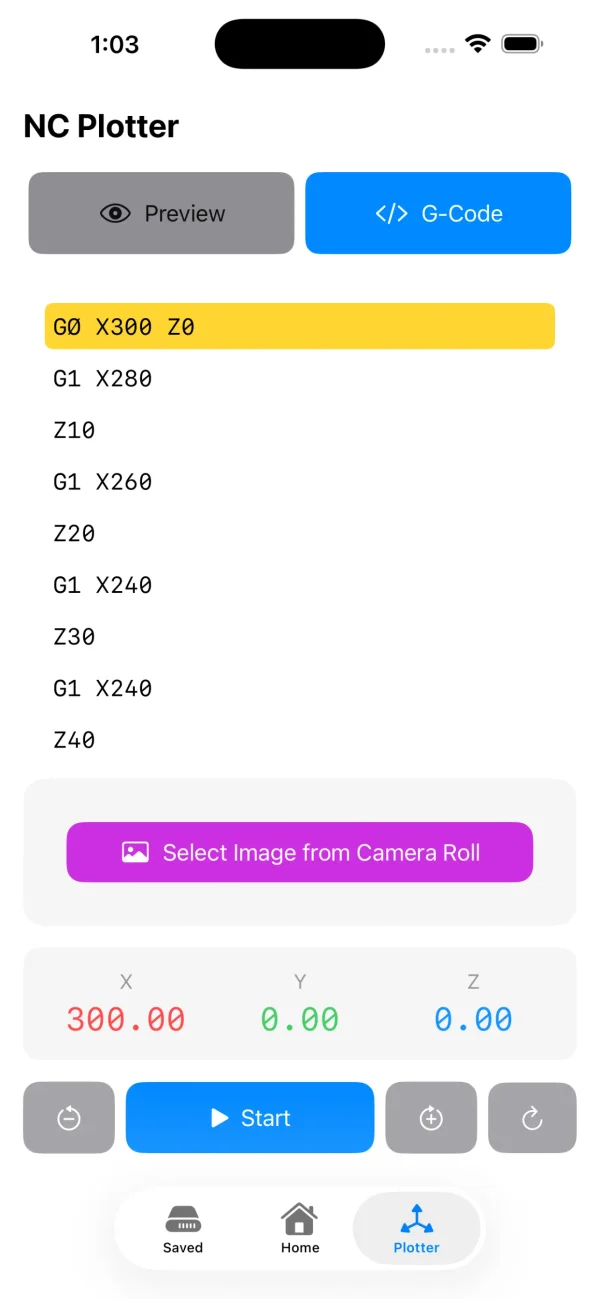
Step through programmed points
Edit recognized or manually entered G-code
Identify potential input or formatting mistakes
MachiningGuru is intended as a reference and visualization tool. Always verify calculations, tooling limits, machine capabilities, work offsets, and CNC programs before operating machinery.
App privacy
What Alejandro Avina Anguiano declares on the App Store about how this app handles data.
-
Data not collected
The developer does not collect any data from this app.
Privacy practices may vary, for example with the features you use or your age.
Information
- Seller
- Alejandro Avina Anguiano
- Category
- Utilities
- Version
- 1.0
- Updated
- Jun 17, 2026
- Released
- Jun 17, 2026
- Size
- 1.1 MB
- Requires
- iOS 18.5 or later
- Age rating
- 4+
- Languages
- English
- Copyright
- © 2026 Alejandro Avina Anguiano
You might also like
-
 CutMate CNCFeeds & Speeds Calculator
-
 CNC Lathe Calculator proUtilities
-
 CNC CONTROL PANEL: millwrightCNC Learning. Easy Machining
-
 Feedrate: CNC Speeds & FeedsMachinist Calculator & Tools
-
 CNCMate: Speeds and FeedsCNC Feeds, Speeds & Settings
-
 CutMetric: CNC Feeds & MathSpeeds, threads and geometry
-
 Drill Bit ConverterUtilities
-
 ROLAVIScanUtilities
-
 ShopCalc: Machinist CalculatorMachinist Feeds, Speeds & Tap
-
 Label Print Master - PrinterFun Mini Print Maker app