
- Altersfreigabe4+
- KategorieGrafik und Design
- EntwicklerSergei Komarov
- SprachenEnglisch
- Größe103,8 MB
Verlinkt auf die offizielle App Store-Seite
Download.org hostet keine Datei von Paintstorm Studio. Die Schaltfläche öffnet die App-Seite bei App Store, wo Sergei Komarov die App veröffentlicht. Eintrag zuletzt geprüft am 23.11.2026.
Screenshots
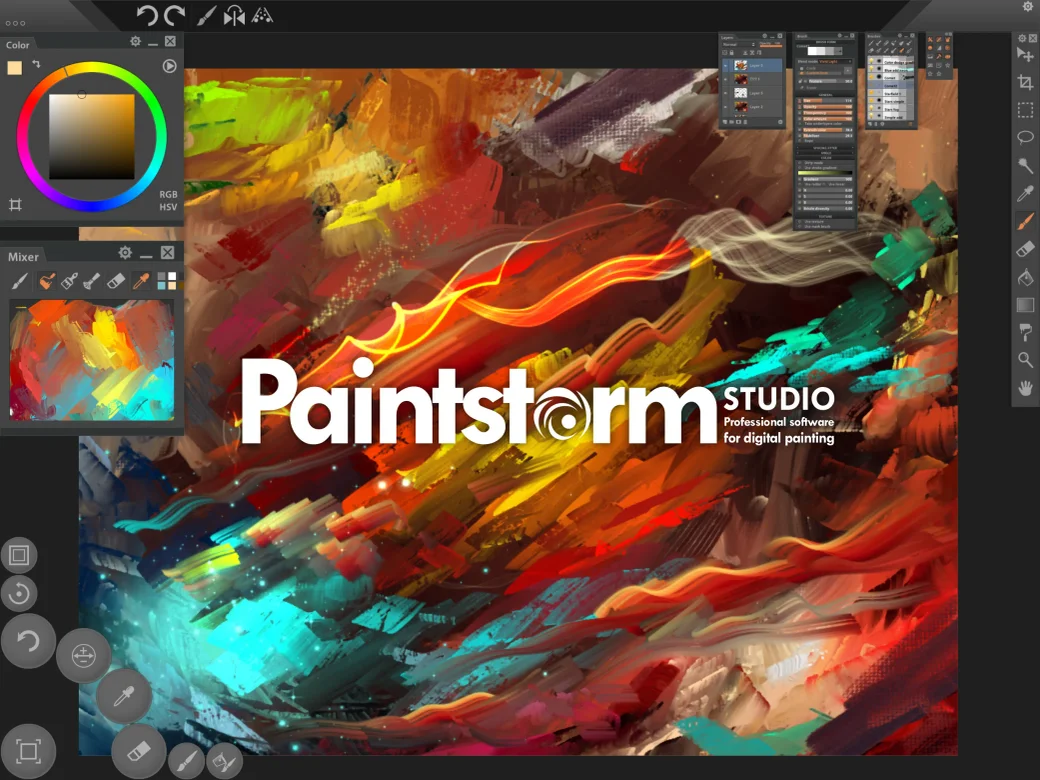

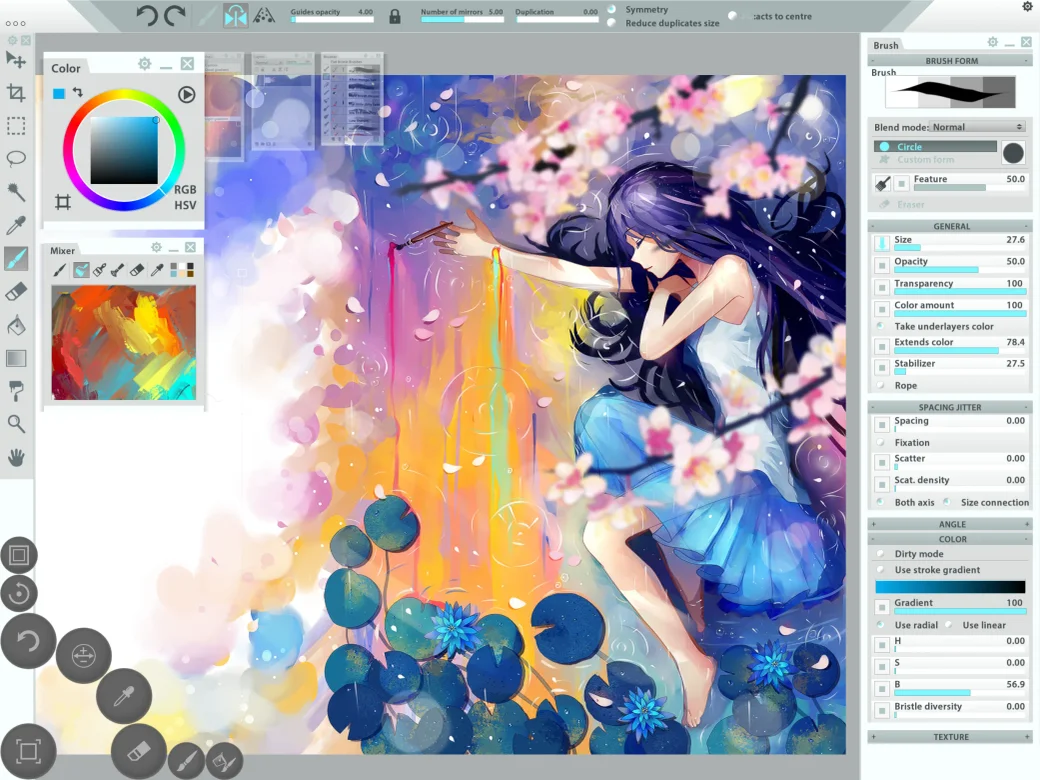

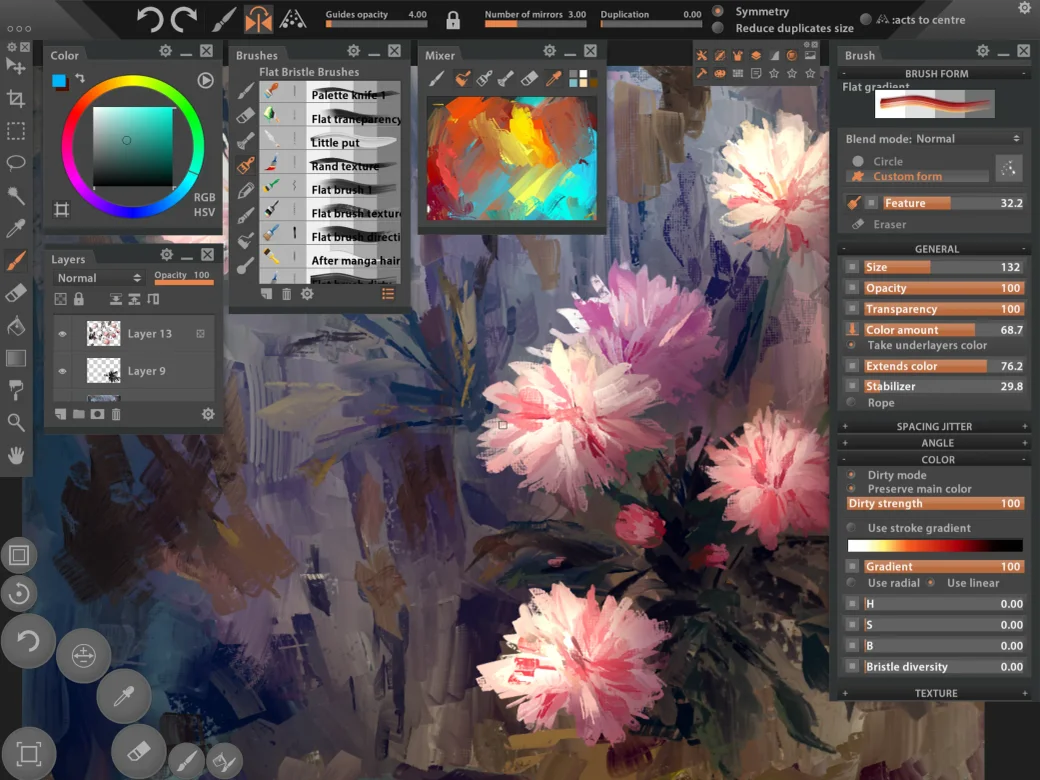
Info
Paintstorm Studio ist ein unentbehrliches Tool für Maler, das nicht nur für einfache Sketches, sondern auch für beliebig anspruchsvolle Arbeiten jeder Stilrichtung und Technik entwickelt wurde. Paintstorm Studio bringt alle Möglichkeiten von Apple Pencil zur Geltung und befördert Sie auf ein neues Malniveau. Das Schaffen der Meisterwerke der digitalen Malerei war noch nie so mobil und zugänglich.
Die wesentliche Besonderheit von Paintstorm Studio ist die Arbeit mit Pinseln und deren unglaubliche Vielfalt. Wir haben alles Erdenkliche unternommen, damit Sie leicht und schnell Ihre Pinsel finden, die die Ihrem Stil voll und ganz entsprechen.
Unser Ziel war das Kreieren eines intuitiv verständlichen und funktionell leistungsfähigen Werkzeugs, das den Prozess der digitalen Malerei auf ein qualitativ neues Niveau bringt und ihn maximal komfortabel gestaltet.
Paintstorm Studio für iPad ist eine Entsprechung der Mac-Version, was bedeutet, dass absolut alle Funktionen der Desktop-Version sorgfältig und akkurat übertragen und an den edlen iPad Bildschirm angepasst wurden.
Grundeigenschaften:
- Unglaubliche Möglichkeiten zur Einstellung von Pinseln
- Ölpinseln für jeden Geschmack
- Post-Korrektur von Pinselstrichen (nicht nur für die Strichstärke, sondern für jeden weiteren Parameter von Paintbrush)
- Koppelung der Paintbrush-Parameter an die Perspektive
- Dynamisches Interface (Möglichkeit der globalen Maßstab-, Farb-, Transparenz- und Größenänderung der Felder)
- Sie können Lieblingscontroller, Tools, Tasten und Pinseln auf ein einzelnes ganz flexibles Fenster übertragen
- Doppelter Paintbrush
- Berücksichtigung des Inhaltes von unteren Schichten bei der Farbmischung
- Qualitative Pinselstrichstabilisierung
- Gespiegeltes (spiegelsymmetrisches) Malen
- Großer Satz an Standard-Werkzeug (Lasso, Zauberstab, Framing, mit Farbe füllen, Verlauf, Klonen, Führungen, Arbeit mit Schichten, Freie Transformation und vieles mehr)
- Großer Satz an Werkzeug zur Farbkorrektur (Kurven, Verlaufsumsetzung, HSB, HSL, RGB, partielle Farbkorrektur usw.)
- Unterstützt von Dateiformaten PSD und ABR
- Vollständig unterstützt von Apple Pencil (Druck, Winkel, Ausrichtung)
Neue Funktionen
Version 3.00 · 20.11.2026
- Improved PSS saving reliability. The previous file is replaced only after the new version has been written successfully. Auto-recovery copies are saved losslessly, even when JPEG compression is selected for normal saves.
- Added "Selection → Create Colors From Selection...". Select the area of your image you want to use for the palette. In the dialog, choose "Current layer" or "Merged visible layers" as the source, set the number of colors with the "Colors" slider, and enter a folder name. The preview updates as you adjust the settings. Click "Create" to add the palette to a new folder in the "Color Library" panel, which opens automatically.
- Added the "View → Brush Size Presets" panel for switching between saved brush sizes. Click a preset to apply its size to the current brush. Shift-click a preset to store the current brush size in it. Double tap the panel to add or delete presets. Drag presets to reorder them. The panel can be resized to a single row.
- Added "Layer → Create Sprite Sheet...", also available by right-clicking in the Layers panel. Select the raster layers to use as frames, then open the command and set "Rows", "Columns", "Cell size" or "Canvas size", and "Padding". You can enable "All visible layers" and use "Reverse order" to change the frame order. The dialog includes a grid preview. The sprite sheet is created in a new document with a transparent background.
- Added HEX color display and editing to the "Color wheel" panel. Click the gear icon in the panel header and enable "Show HEX". To enter a color, double-click the code next to the wheel, enter a value in #RRGGBB format.
- Added "Filters → Motion Blur". Use "Strength" to set the blur length and "Angle" to set its direction. Enable "Preview" to see the result before applying the filter.
- Added "Remove White Fringe" to the Filters menu to remove light halos along the edges of objects with transparency. Fixed a crash when applying the filter to a selected area. Feathered selection edges are now respected.
- Added HSL mode and a preview to "Selection → Color range". A preview has also been added to "Filters → Luma To Alpha".
- The width and height of a rectangular selection are now displayed in pixels next to the cursor while you create it.
- When using "Crop", press the assigned hotkey for "Select rect tool" to turn the current crop frame into a selection.
- Increased the maximum number of open documents to 20.
- The scroll position in the Layers panel is now remembered separately for each open document.
- Added "File → Options → Performance → Maximum layers". This setting lets you increase the limit from 300 to 1000 layers per document. Restart Paintstorm to apply the change.
- Merging a folder into a single layer now preserves the folder name.
- Changes made with the text color button in the top panel are now previewed immediately on the canvas.
- Added a button to link width and height in "Image → Canvas resize" so you can resize the canvas while preserving its proportions.
- Added support for opening and saving WebP and TIFF files. Choose the format in "File → Save As". WebP is saved losslessly and supports transparency.
- PNG and JPEG exports now include image dimensions and resolution in DPI in the file metadata.
- Updated the interface translations
App-Datenschutz
Was Sergei Komarov im App Store zum Umgang dieser App mit Daten angibt.
-
Keine Daten erfasst
Der Entwickler erfasst keine Daten von dieser App.
Die Datenschutzpraktiken können variieren, zum Beispiel je nach den von Ihnen verwendeten Funktionen oder Ihrem Alter.
Informationen
- Anbieter
- Sergei Komarov
- Kategorie
- Grafik und Design
- Version
- 3.00
- Aktualisiert
- 20.11.2026
- Veröffentlicht
- 29.01.2016
- Größe
- 103,8 MB
- Erfordert
- iOS 13.1 oder neuer
- Altersfreigabe
- 4+
- Preis
- 14,99 €
- Sprachen
- Englisch
- Copyright
- © 2026 Paintstorm Studio Developers team
Das könnte Ihnen auch gefallen
-
 Realistic Paint StudioDrawing, Watercolor, Oil paint
-
 Uniform - 3D EditorGrafik und Design
-
 SketchClub: Draw & PaintGrafik und Design
-
 Zen Brush 3Grafik und Design
-
 iOrnament ProDraw creative geometry art
-
 BrushesGrafik und Design
-
 HuePaintGrafik und Design
-
 FocalPaintGrafik und Design
-
 WowPaintGrafik und Design
-
 Vesica Studio: Sacred GeometryGrafik und Design