PaperDraft
Minimalist journal & notes
Entwickelt für iPhone
Kostenlos · In-App-Käufe
- Altersfreigabe4+
- KategorieProduktivität
- EntwicklerConnor Julian-Golding
- SprachenEnglisch
- Größe743,0 KB
Verlinkt auf die offizielle App Store-Seite
Download.org hostet keine Datei von PaperDraft. Die Schaltfläche öffnet die App-Seite bei App Store, wo Connor Julian-Golding die App veröffentlicht. Eintrag zuletzt geprüft am 12.11.2026.
Screenshots
Info
Der Entwickler hat diesen Text nicht in Ihrer Sprache bereitgestellt.
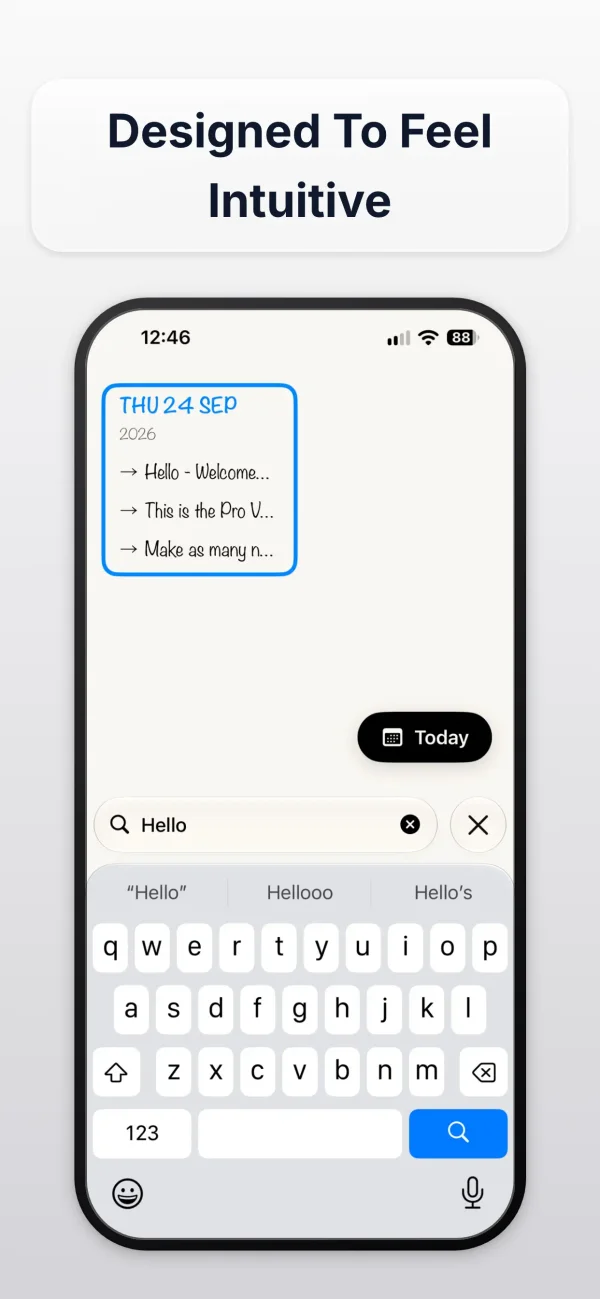
Replace the clutter of complex productivity apps with the elegant simplicity of PaperDraft. Designed to feel like a real notebook, PaperDraft is your dedicated space to jot down daily tasks, draft thoughts, and reflect on your timeline.
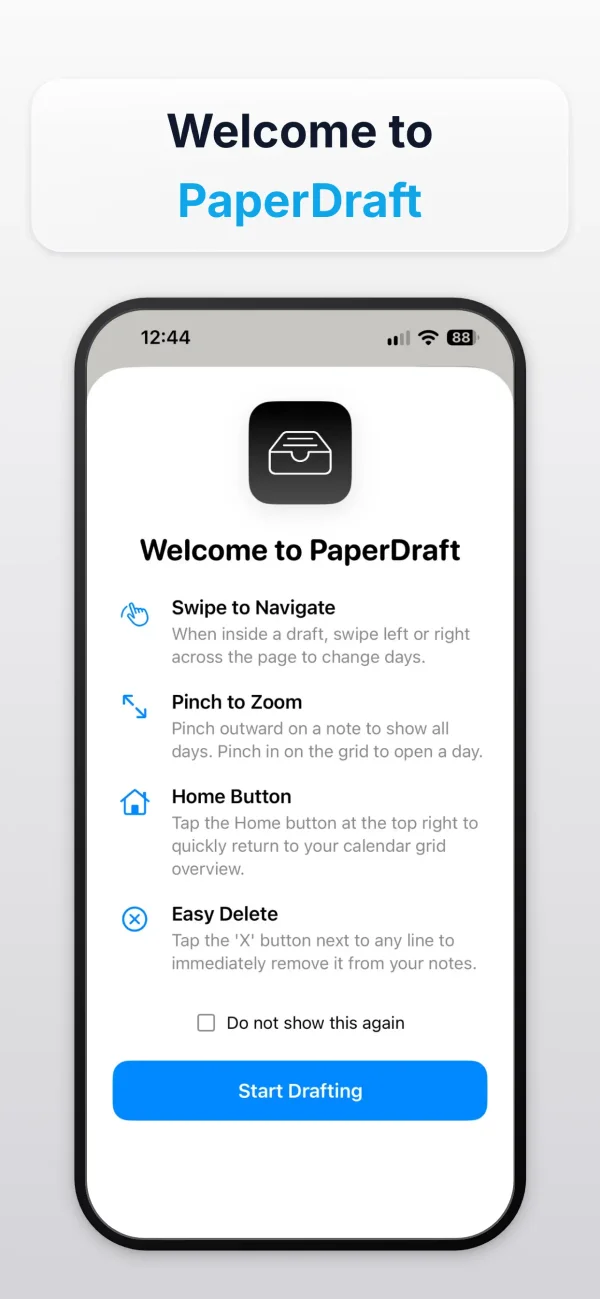
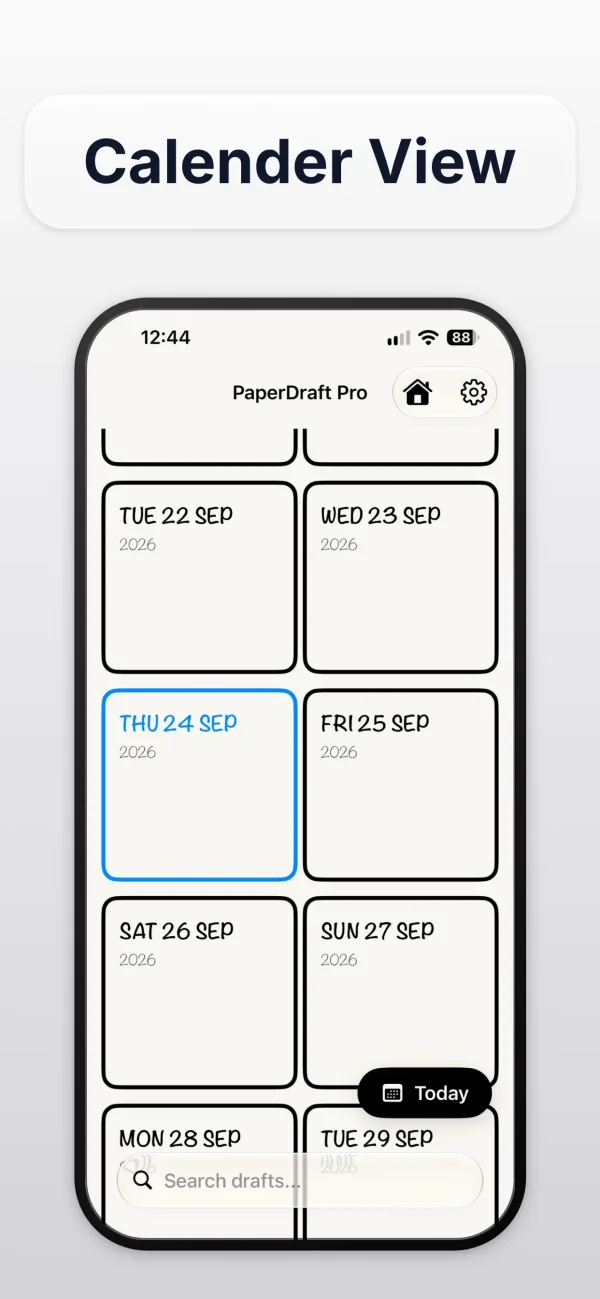
Whether you use it as a daily to-do list, a minimalist diary, or a rapid-logging journal, PaperDraft’s gesture-driven interface keeps you focused on your words. Simply swipe left or right to flip through your days, or pinch the screen to instantly zoom out to a beautiful calendar grid of your entire history.
CORE FEATURES:
• Distraction-Free Drafting: A clean, lined-paper aesthetic that puts your thoughts first.
• Effortless Navigation: Swipe smoothly between days just like turning the pages of a notebook.
• Pinch-to-Zoom Grid: Pinch out on any draft to seamlessly transition into a grid overview of all your past and future notes.
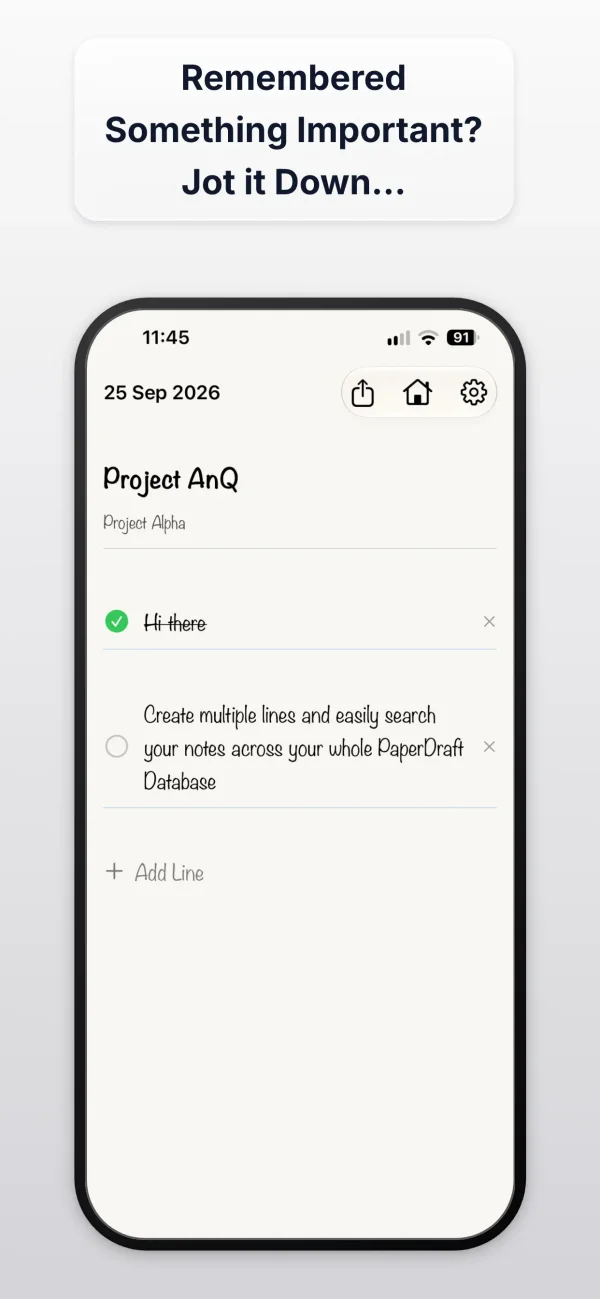
• One-Tap Tasks: Tap the circle next to any line to instantly strike it through and mark it as complete.
• Frictionless Editing: Easily add new lines or tap the 'X' to instantly remove a thought from your draft.
---------------------------------------------
PAPERDRAFT PRO:
Upgrade once and keep it forever. Unlocking PaperDraft Pro gives you access to our complete suite of premium planning tools:
• Automatic iCloud Backups: Daily drafts now silently sync to a dedicated "PaperDraft" folder in iCloud Drive as proprietary .pdfe files. (Pro).
• Privacy Lock: Secure your personal journal using Face ID or Touch ID. (Pro).
• Premium Themes: Swap the classic paper for Dark Mode, Yellow Legal Pad, or Architect Blueprint themes. (Pro).
• Unlimited Search: Instantly locate specific tasks, memories, or notes across your entire timeline. (Pro).
• Text Export: Turn your daily drafts into beautifully formatted text logs to share, AirDrop, or save to your files. (Pro).
• Custom Ink Colours: Write in Fountain Blue, Correction Red, or Highlighter Green (Pro).
• Changeable Typography: Fancy something different? No problem, pick a font you love (Pro).
• Support the Developer!
Neue Funktionen
Version 1.3 · 26.09.2026
New in Version 1.3:
---------------------------
> Automatic iCloud Backups (Pro): Daily drafts now silently sync to a dedicated "PaperDraft" folder in iCloud Drive as proprietary .pdfe files.
> Multi-File Import/Restore (Pro): A new file importer in Settings allows users to select and restore multiple past .pdfe backups simultaneously, mapping them perfectly to their correct calendar dates.
> True Rich Text (.rtf) Export Fix: Re-engineered the Share Sheet engine to generate physical .rtf files.
> Dynamic Export Labels: The export menu now intelligently reads the calendar and updates to say "Export Today's Draft" or "Export [Specific Date]" depending on the page currently being viewed.
> Expanded Premium Typography (Pro): Added three new typography choices to the font engine: Monospaced, Modern Sans (Avenir), and Typewriter.
> Instant Theme Switching Fix: Applied a hard-refresh ID tie to the Settings view, completely fixing the bug where text would become unreadable (e.g., white text on a white background) when switching between dark and light themes.
App-Datenschutz
Was Connor Julian-Golding im App Store zum Umgang dieser App mit Daten angibt.
-
Keine Daten erfasst
Der Entwickler erfasst keine Daten von dieser App.
Die Datenschutzpraktiken können variieren, zum Beispiel je nach den von Ihnen verwendeten Funktionen oder Ihrem Alter.
Informationen
- Anbieter
- Connor Julian-Golding
- Kategorie
- Produktivität
- Version
- 1.3
- Aktualisiert
- 26.09.2026
- Veröffentlicht
- 23.09.2026
- Größe
- 743,0 KB
- Erfordert
- iOS 17 oder neuer
- Altersfreigabe
- 4+
- Preis
- Kostenlos
- In-App-Käufe
- Ja
- Sprachen
- Englisch
- Copyright
- © Connor Julian-Golding
Das könnte Ihnen auch gefallen
-
 DocOne ExpressPDF-Scanner für Belege & IDs
-
 Screen Time Control - PausedBildschirmzeit & App Sperre
-
 PDFOnePDFs ordnen, füllen, signieren
-
 PutSpot: Objektfinder ZuhauseFotos, Sprachsuche, QR-Codes
-
 Nodal: KI, offline & privatLokales LLM, Stimme klonen
-
 SuperShot: Lange ScreenshotsZusammenfügen, verpixeln & OCR
-
 Falcon File ManagerVideos, Musik, Fotos & ZIP
-
 JottreMinimalistische Notizen
-
 ETasks: Aufgabenliste & AlarmeAufgabenplaner & Erinnerungen
-
 Focus Tower: KonzentrationPomodoro & App Blocker