- 対象年齢4+
- カテゴリ仕事効率化
- 開発元Connor Julian-Golding
- 言語英語
- サイズ743.0 KB
App Storeの公式ページにリンクしています
Download.orgはPaperDraftのファイルを一切ホストしていません。ボタンを押すと、Connor Julian-Goldingが公開しているApp Storeのアプリページが開きます。ページの最終確認:2026/11/12。
スクリーンショット
概要
開発元はこのテキストをお使いの言語で提供していません。
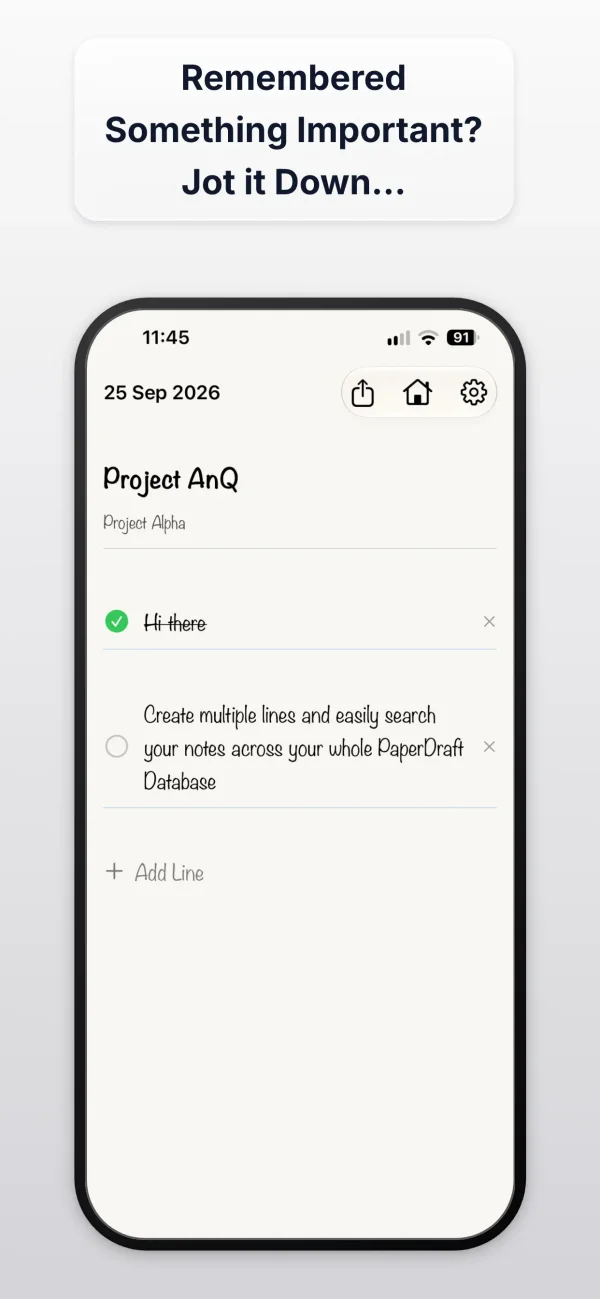
Replace the clutter of complex productivity apps with the elegant simplicity of PaperDraft. Designed to feel like a real notebook, PaperDraft is your dedicated space to jot down daily tasks, draft thoughts, and reflect on your timeline.
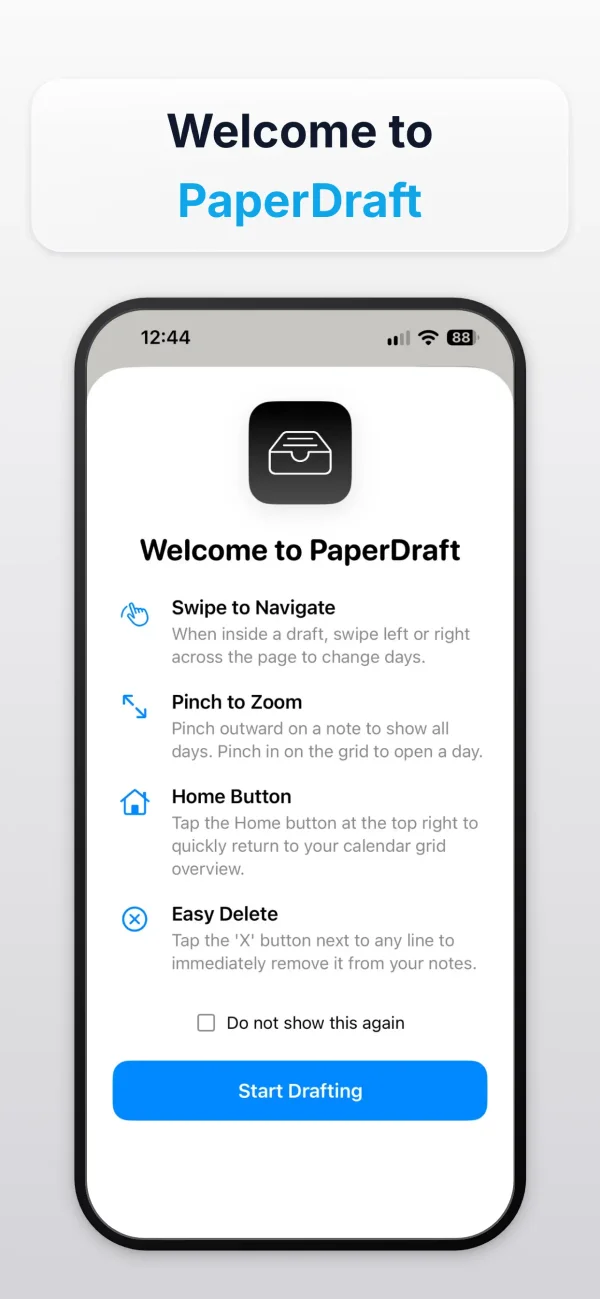
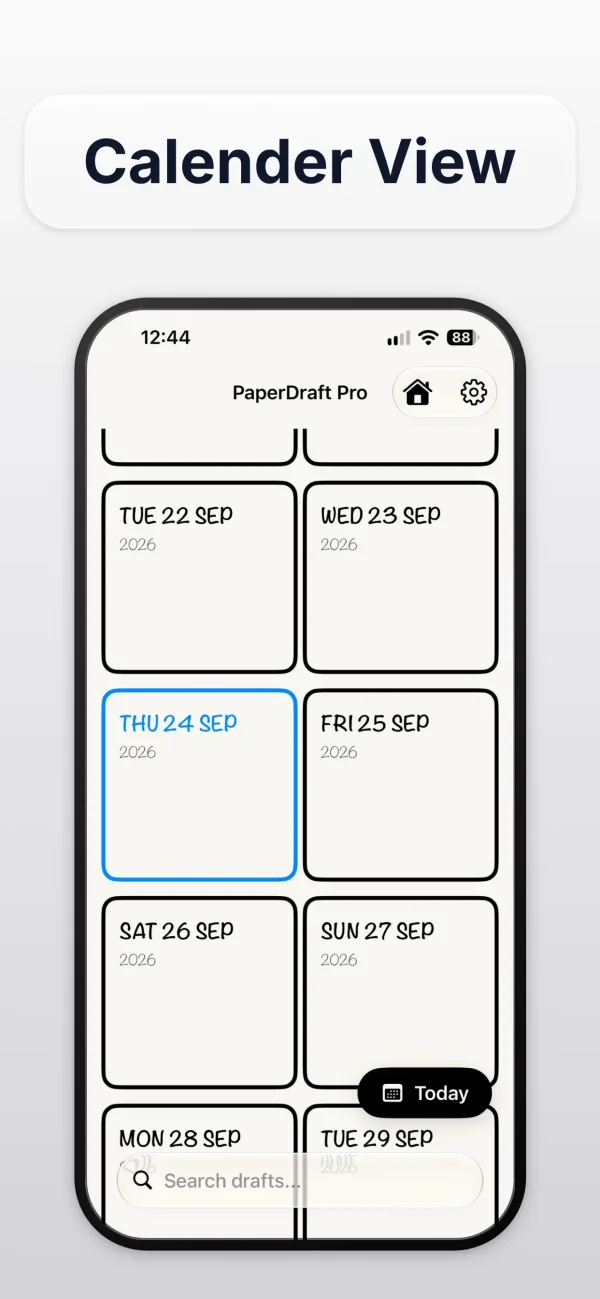
Whether you use it as a daily to-do list, a minimalist diary, or a rapid-logging journal, PaperDraft’s gesture-driven interface keeps you focused on your words. Simply swipe left or right to flip through your days, or pinch the screen to instantly zoom out to a beautiful calendar grid of your entire history.
CORE FEATURES:
• Distraction-Free Drafting: A clean, lined-paper aesthetic that puts your thoughts first.
• Effortless Navigation: Swipe smoothly between days just like turning the pages of a notebook.
• Pinch-to-Zoom Grid: Pinch out on any draft to seamlessly transition into a grid overview of all your past and future notes.
• One-Tap Tasks: Tap the circle next to any line to instantly strike it through and mark it as complete.
• Frictionless Editing: Easily add new lines or tap the 'X' to instantly remove a thought from your draft.
---------------------------------------------
PAPERDRAFT PRO:
Upgrade once and keep it forever. Unlocking PaperDraft Pro gives you access to our complete suite of premium planning tools:
• Automatic iCloud Backups: Daily drafts now silently sync to a dedicated "PaperDraft" folder in iCloud Drive as proprietary .pdfe files. (Pro).
• Privacy Lock: Secure your personal journal using Face ID or Touch ID. (Pro).
• Premium Themes: Swap the classic paper for Dark Mode, Yellow Legal Pad, or Architect Blueprint themes. (Pro).
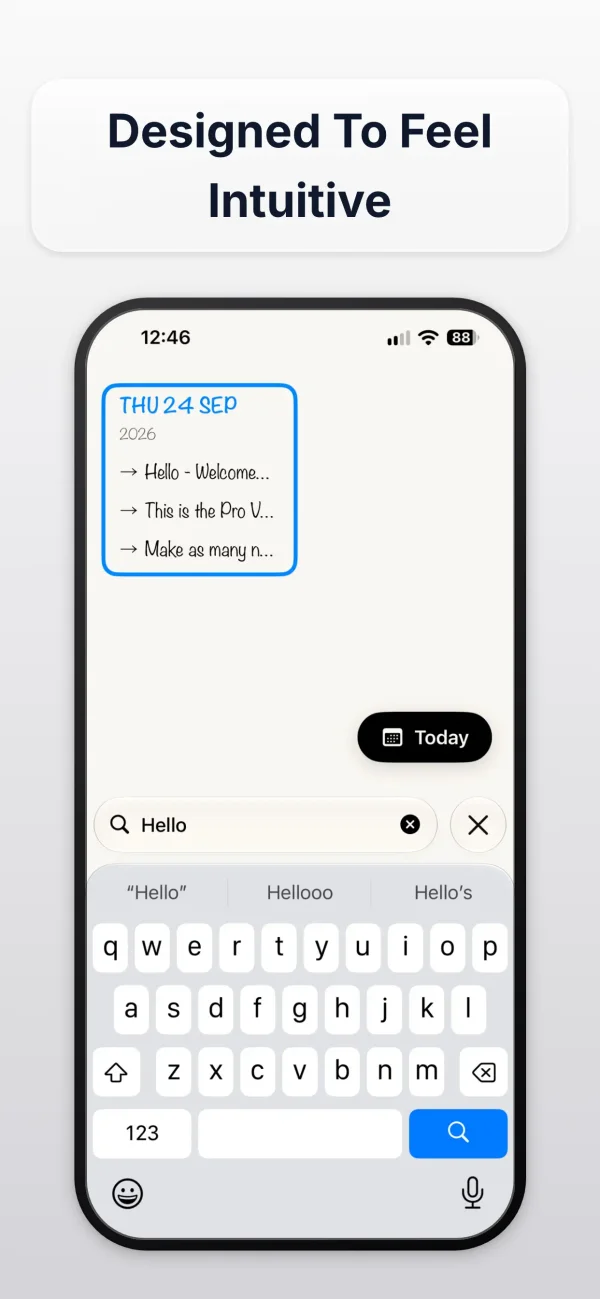
• Unlimited Search: Instantly locate specific tasks, memories, or notes across your entire timeline. (Pro).
• Text Export: Turn your daily drafts into beautifully formatted text logs to share, AirDrop, or save to your files. (Pro).
• Custom Ink Colours: Write in Fountain Blue, Correction Red, or Highlighter Green (Pro).
• Changeable Typography: Fancy something different? No problem, pick a font you love (Pro).
• Support the Developer!
新機能
バージョン 1.3 · 2026/9/26
New in Version 1.3:
---------------------------
> Automatic iCloud Backups (Pro): Daily drafts now silently sync to a dedicated "PaperDraft" folder in iCloud Drive as proprietary .pdfe files.
> Multi-File Import/Restore (Pro): A new file importer in Settings allows users to select and restore multiple past .pdfe backups simultaneously, mapping them perfectly to their correct calendar dates.
> True Rich Text (.rtf) Export Fix: Re-engineered the Share Sheet engine to generate physical .rtf files.
> Dynamic Export Labels: The export menu now intelligently reads the calendar and updates to say "Export Today's Draft" or "Export [Specific Date]" depending on the page currently being viewed.
> Expanded Premium Typography (Pro): Added three new typography choices to the font engine: Monospaced, Modern Sans (Avenir), and Typewriter.
> Instant Theme Switching Fix: Applied a hard-refresh ID tie to the Settings view, completely fixing the bug where text would become unreadable (e.g., white text on a white background) when switching between dark and light themes.
アプリのプライバシー
このアプリのデータの取り扱いについて、Connor Julian-GoldingがApp Storeで申告している内容です。
-
データの収集なし
開発元はこのアプリからデータを収集しません。
プライバシーの取り扱いは、ご利用の機能やお客様の年齢などに応じて異なる場合があります。
情報
- 販売元
- Connor Julian-Golding
- カテゴリ
- 仕事効率化
- バージョン
- 1.3
- 更新日
- 2026/9/26
- リリース
- 2026/9/23
- サイズ
- 743.0 KB
- 必要条件
- iOS 17以降
- 対象年齢
- 4+
- 価格
- 無料
- アプリ内課金
- あり
- 言語
- 英語
- 著作権
- © Connor Julian-Golding