PDFScan Go
Unlimited & Private Documents
Entwickelt für iPhone, iPad, iPod touch
Kostenlos
- Altersfreigabe4+
- KategorieProduktivität
- EntwicklerDuong Nguyen Huu
- SprachenEnglisch
- Größe41,4 MB
Verlinkt auf die offizielle App Store-Seite
Download.org hostet keine Datei von PDFScan Go. Die Schaltfläche öffnet die App-Seite bei App Store, wo Duong Nguyen Huu die App veröffentlicht. Eintrag zuletzt geprüft am 18.11.2026.
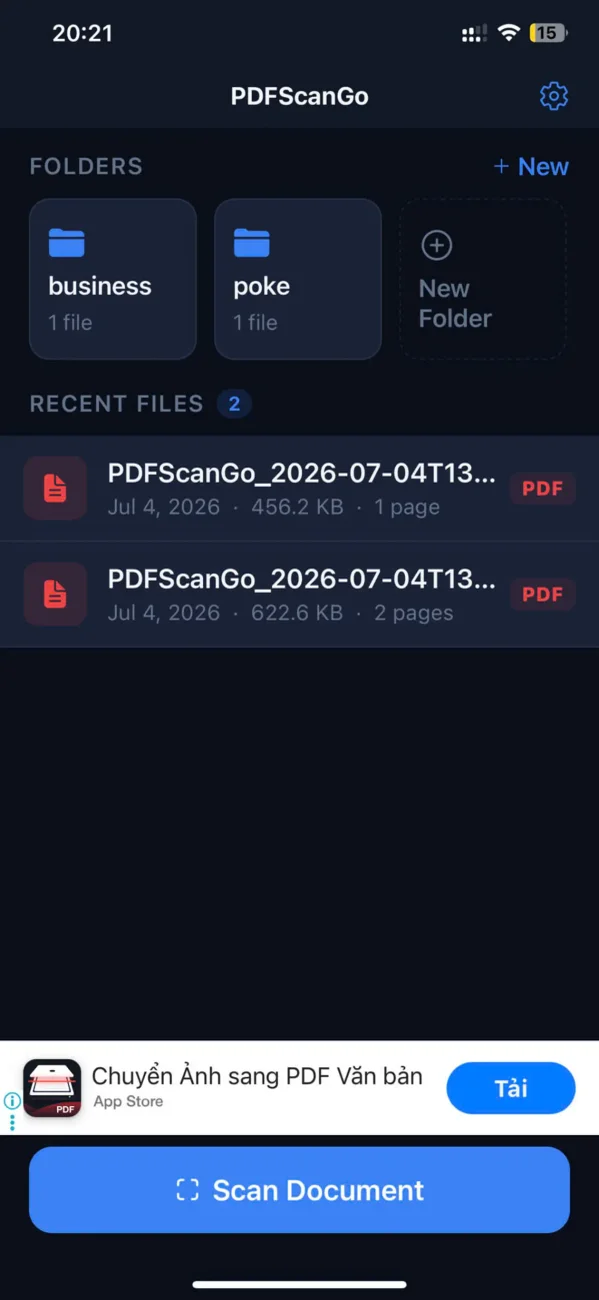
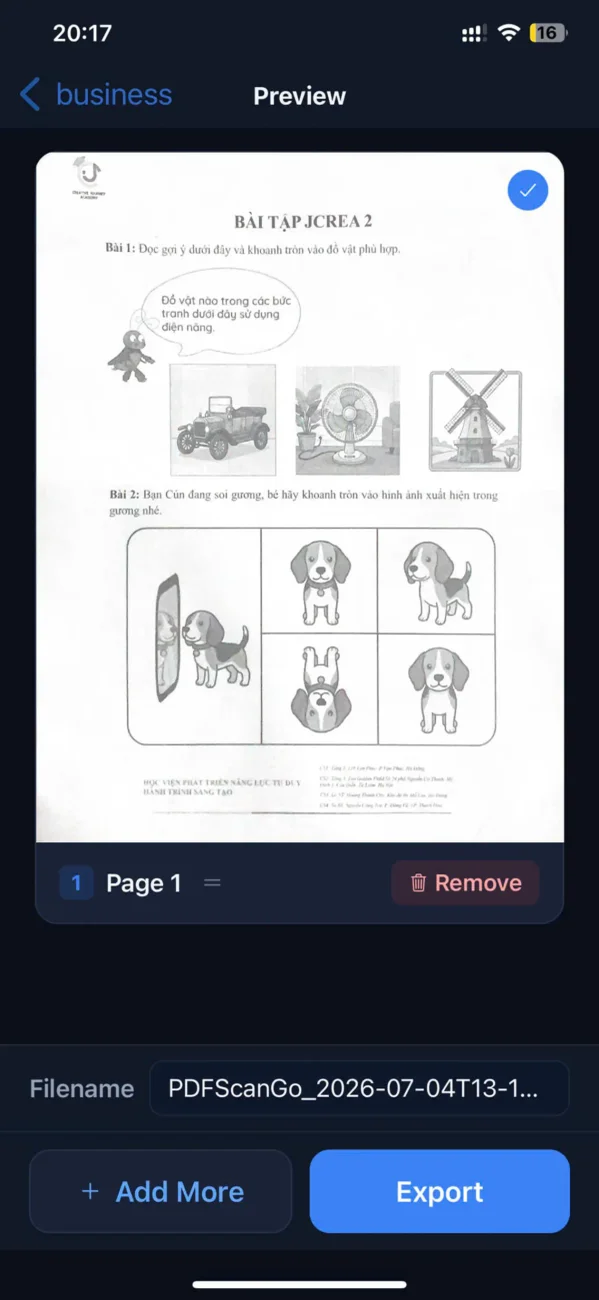
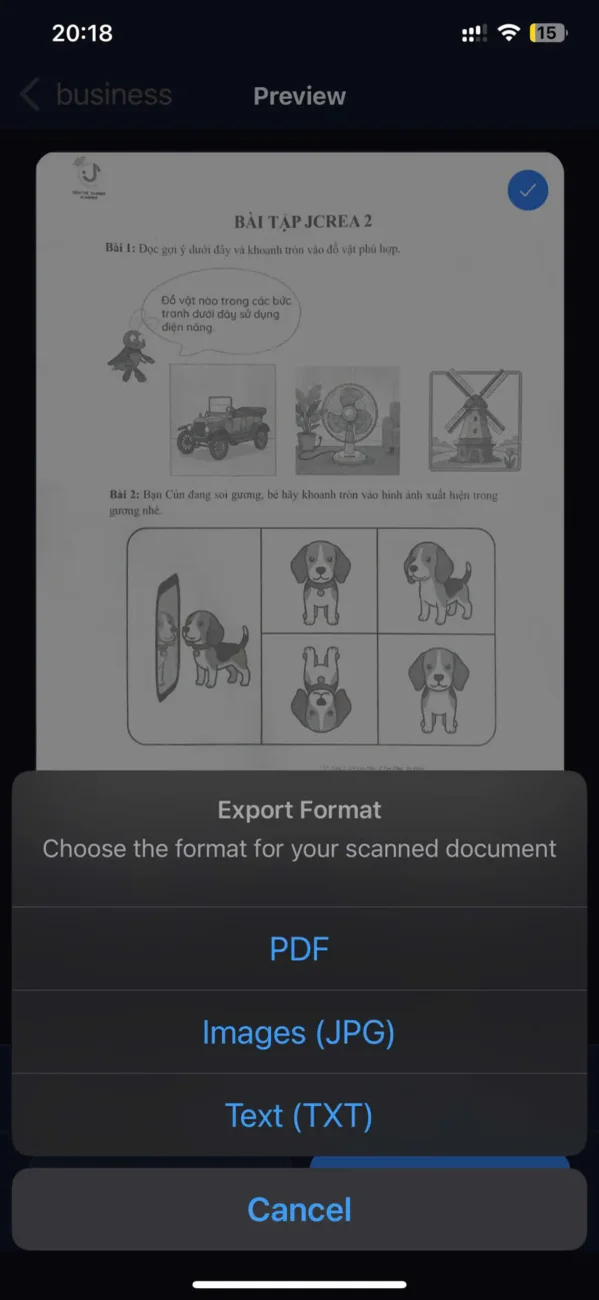
Screenshots

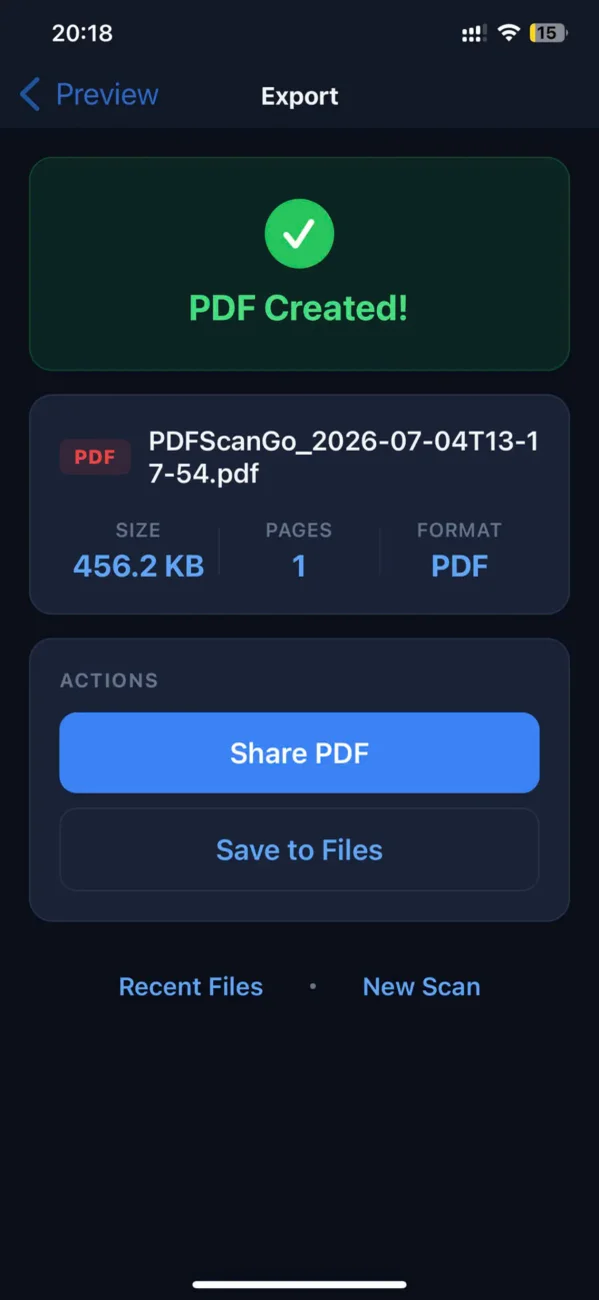
Info
Der Entwickler hat diesen Text nicht in Ihrer Sprache bereitgestellt.
pdfScan Go: Your Secure & High-Quality Document Scanner
Experience a powerful, reliable, and private way to digitize your documents. pdfScan Go is designed for users who prioritize security and efficiency, offering a seamless scanning experience without the need for accounts or cloud uploads.
PRIVACY FIRST: 100% ON-DEVICE PROCESSING
Your sensitive data stays where it belongs — on your iPhone or iPad.
Offline Processing: All document scanning and text recognition (OCR) happen locally on your device.
No Cloud Uploads: We do not store or transmit your documents to external servers.
No Account Required: Start scanning immediately. No email, no registration, and no personal data collection.
Works Offline: Perfect for secure environments or areas without internet access.
UNLIMITED SCANNING FEATURES
Enjoy full access to essential scanning tools with no page limits and no watermarks on your exports.
Smart Auto-Detection: Automatically identifies document borders and crops images for a professional look.
Multi-Format Export: Save your scans as high-quality PDF, Image (JPG), or Text (TXT) files.
On-Device OCR: Extract text from your scans using advanced built-in recognition technology.
Multi-Page Support: Combine multiple pages into a single PDF or export them individually.
Enhancement Tools: Use filters to brighten, sharpen, or convert scans to grayscale for maximum readability.
Files App Integration: Easily save directly to the iOS Files app or share via AirPlay, Email, and messaging platforms.
VERSATILE FOR EVERY NEED
Business: Scan contracts, receipts, and business cards on the go.
Education: Digitize lecture notes, textbooks, and whiteboards.
Personal: Securely store IDs, medical records, and handwritten notes.
Simple. Secure. Powerful. Transform your device into a professional-grade scanner today with pdfScan Go.
Neue Funktionen
Version 1.1 · 05.07.2026
• Added folders to organize your scanned documents.
• New Light & Dark Mode support that follows your device settings.
• Improved PDF generation with better page fitting, paper size options (A4/Letter), and smaller file sizes.
• Better scan reliability and performance with improved error handling and stability.
• Various UI improvements and bug fixes.
App-Datenschutz
Was Duong Nguyen Huu im App Store zum Umgang dieser App mit Daten angibt.
-
Daten, die zum Tracking Ihrer Person verwendet werden
Können verwendet werden, um Sie über Apps und Websites anderer Unternehmen hinweg zu verfolgen.
- Kennungen
- Nutzungsdaten
- Sonstige Daten
-
Mit Ihnen verknüpfte Daten
Können erfasst und mit Ihrer Identität verknüpft werden.
- Kennungen
-
Nicht mit Ihnen verknüpfte Daten
Können erfasst werden, sind aber nicht mit Ihrer Identität verknüpft.
- Nutzungsdaten
- Sonstige Daten
Die Datenschutzpraktiken können variieren, zum Beispiel je nach den von Ihnen verwendeten Funktionen oder Ihrem Alter.
Informationen
- Anbieter
- Duong Nguyen Huu
- Kategorie
- Produktivität
- Version
- 1.1
- Aktualisiert
- 05.07.2026
- Veröffentlicht
- 17.04.2026
- Größe
- 41,4 MB
- Erfordert
- iOS 15.1 oder neuer
- Altersfreigabe
- 4+
- Preis
- Kostenlos
- Sprachen
- Englisch
- Copyright
- © 2026 MoonCap
Das könnte Ihnen auch gefallen
-
 PixScan AI – Smart ScannerProduktivität
-
 Skanae: PDF DokumentenscannerPrivater Offline-Scanner & OCR
-
 AssistIQ - Creative AI PartnerProduktivität
-
 ScanMate: Scan, Convert, EditProduktivität
-
 ThreadFlow · ZeiterfassungArbeitszeit · mehrere Aufgaben
-
 ScanMate: PDF ScannerKein Wasserzeichen. Keine Ads
-
 Clearcan: PDF-ScannerScannen und Text durchsuchen
-
 Telic - Better productivityProduktivität
-
 PDF Converter : PDF To Word •Produktivität
-
 Adonit OneProduktivität