- 対象年齢4+
- カテゴリ仕事効率化
- 開発元Duong Nguyen Huu
- 言語英語
- サイズ41.4 MB
App Storeの公式ページにリンクしています
Download.orgはPDFScan Goのファイルを一切ホストしていません。ボタンを押すと、Duong Nguyen Huuが公開しているApp Storeのアプリページが開きます。ページの最終確認:2026/11/18。
スクリーンショット

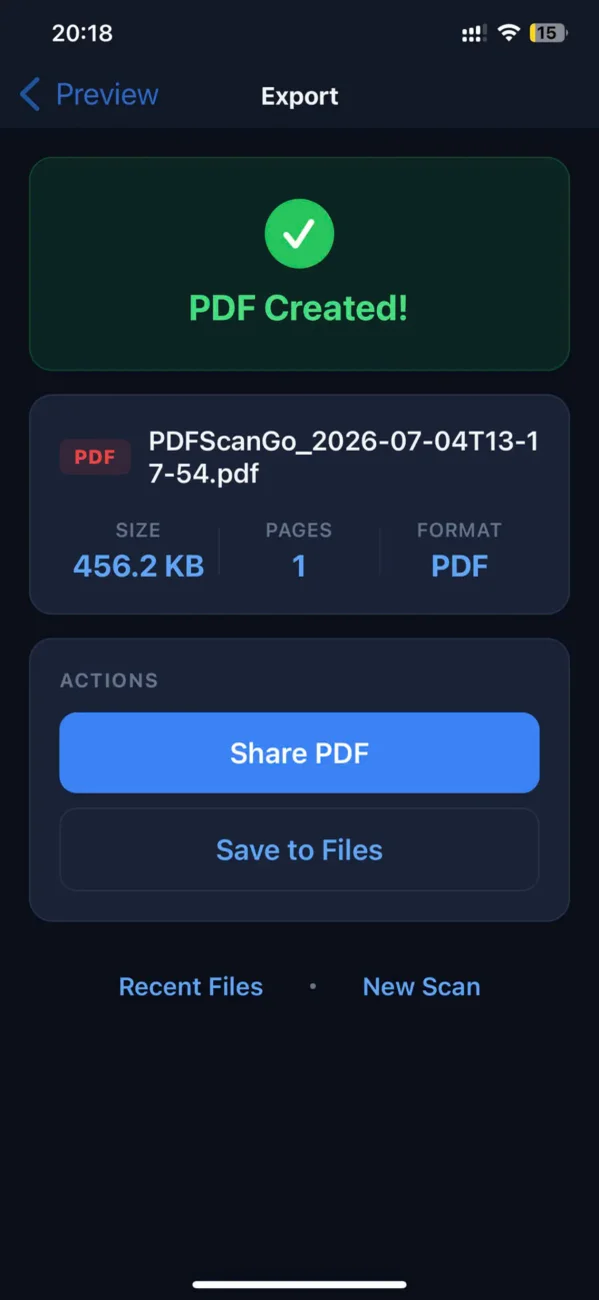
概要
開発元はこのテキストをお使いの言語で提供していません。
pdfScan Go: Your Secure & High-Quality Document Scanner
Experience a powerful, reliable, and private way to digitize your documents. pdfScan Go is designed for users who prioritize security and efficiency, offering a seamless scanning experience without the need for accounts or cloud uploads.
PRIVACY FIRST: 100% ON-DEVICE PROCESSING
Your sensitive data stays where it belongs — on your iPhone or iPad.
Offline Processing: All document scanning and text recognition (OCR) happen locally on your device.
No Cloud Uploads: We do not store or transmit your documents to external servers.
No Account Required: Start scanning immediately. No email, no registration, and no personal data collection.
Works Offline: Perfect for secure environments or areas without internet access.
UNLIMITED SCANNING FEATURES
Enjoy full access to essential scanning tools with no page limits and no watermarks on your exports.
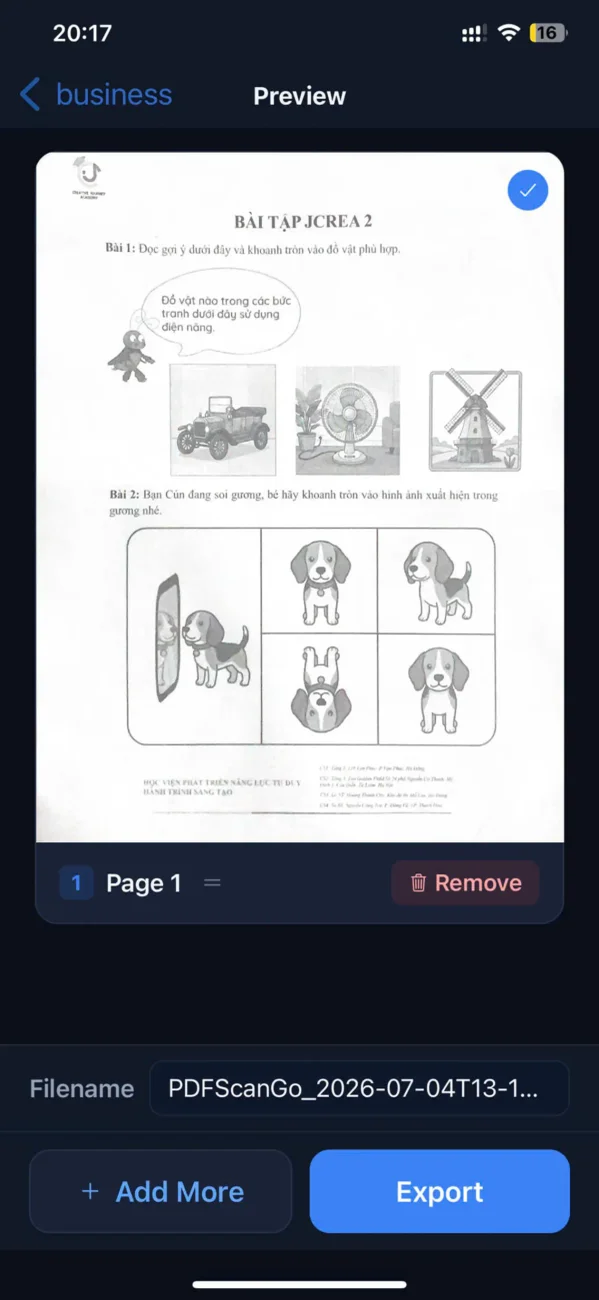
Smart Auto-Detection: Automatically identifies document borders and crops images for a professional look.
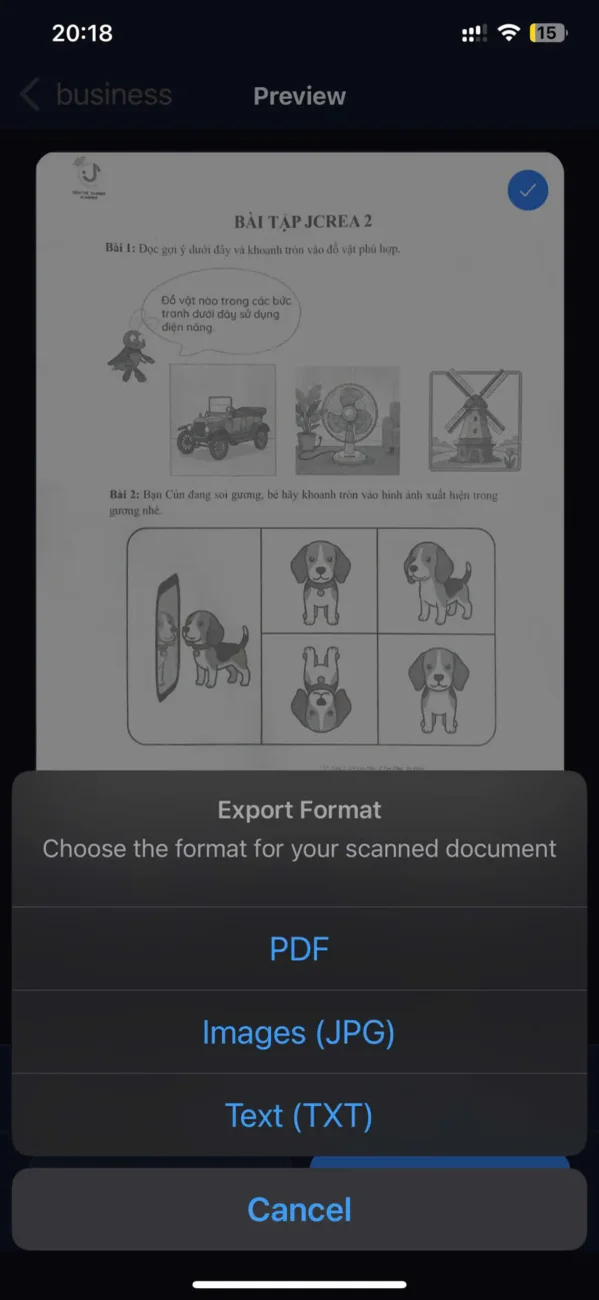
Multi-Format Export: Save your scans as high-quality PDF, Image (JPG), or Text (TXT) files.
On-Device OCR: Extract text from your scans using advanced built-in recognition technology.
Multi-Page Support: Combine multiple pages into a single PDF or export them individually.
Enhancement Tools: Use filters to brighten, sharpen, or convert scans to grayscale for maximum readability.
Files App Integration: Easily save directly to the iOS Files app or share via AirPlay, Email, and messaging platforms.
VERSATILE FOR EVERY NEED
Business: Scan contracts, receipts, and business cards on the go.
Education: Digitize lecture notes, textbooks, and whiteboards.
Personal: Securely store IDs, medical records, and handwritten notes.
Simple. Secure. Powerful. Transform your device into a professional-grade scanner today with pdfScan Go.
新機能
バージョン 1.1 · 2026/7/5
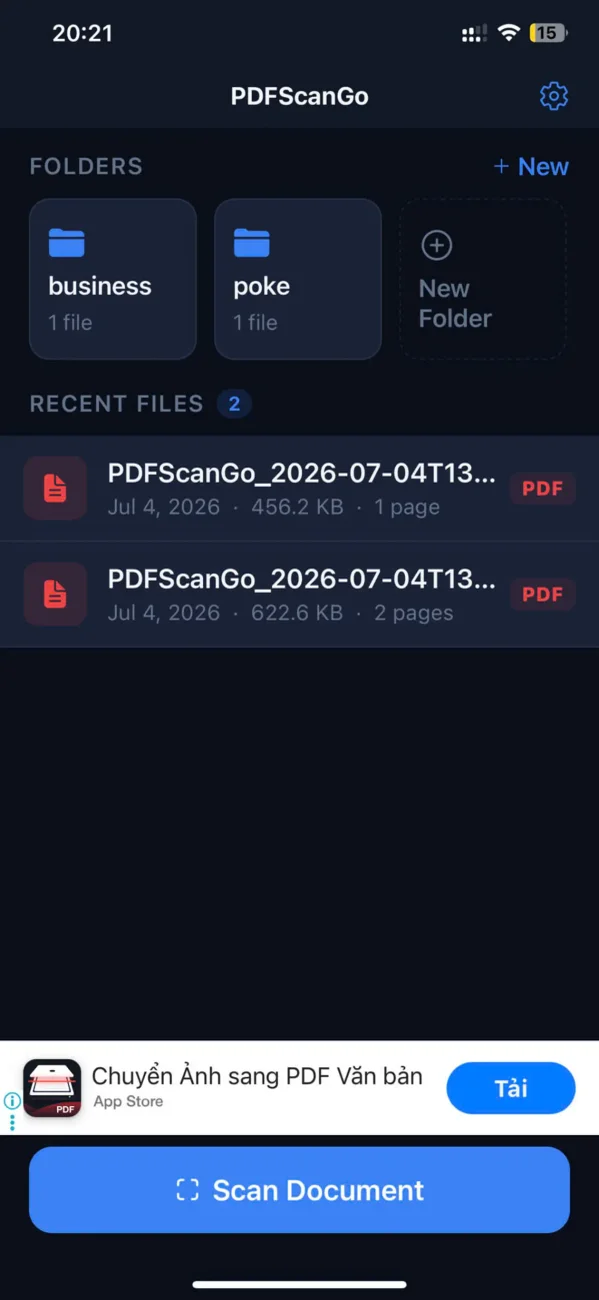
• Added folders to organize your scanned documents.
• New Light & Dark Mode support that follows your device settings.
• Improved PDF generation with better page fitting, paper size options (A4/Letter), and smaller file sizes.
• Better scan reliability and performance with improved error handling and stability.
• Various UI improvements and bug fixes.
アプリのプライバシー
このアプリのデータの取り扱いについて、Duong Nguyen HuuがApp Storeで申告している内容です。
-
ユーザーのトラッキングに使用されるデータ
他社のアプリやウェブサイトを横断してユーザーをトラッキングする目的で使用される場合があります。
- ID
- 使用状況データ
- その他のデータ
-
ユーザーに関連付けられたデータ
収集され、ユーザーの識別情報に関連付けられる場合があります。
- ID
-
ユーザーに関連付けられないデータ
収集される場合がありますが、ユーザーの識別情報には関連付けられません。
- 使用状況データ
- その他のデータ
プライバシーの取り扱いは、ご利用の機能やお客様の年齢などに応じて異なる場合があります。
情報
- 販売元
- Duong Nguyen Huu
- カテゴリ
- 仕事効率化
- バージョン
- 1.1
- 更新日
- 2026/7/5
- リリース
- 2026/4/17
- サイズ
- 41.4 MB
- 必要条件
- iOS 15.1以降
- 対象年齢
- 4+
- 価格
- 無料
- 言語
- 英語
- 著作権
- © 2026 MoonCap
こちらもおすすめ
-
 PixScan AI – Smart Scanner仕事効率化
-
 Skanae: PDF書類スキャナープライバシー重視・オフラインOCR・AI自動仕分け
-
 AssistIQ - Creative AI Partner仕事効率化
-
 ScanMate: Scan, Convert, Edit仕事効率化
-
 ThreadFlow: Parallel Timer仕事効率化
-
 ScanMate: PDFスキャナー広告なし、透かしなし。
-
 Clearcan: PDF Scanner仕事効率化
-
 Telic - Better productivity仕事効率化
-
 PDF Converter : PDF To Word •仕事効率化
-
 Adonit One仕事効率化