
Pixel Paint Pro
Sprite & bitmap image editor
Entwickelt für iPhone, iPad, Mac
0,99 €
- Altersfreigabe4+
- KategorieGrafik und Design
- EntwicklerMert Can Kus
- SprachenEnglisch
- Größe10,3 MB
Verlinkt auf die offizielle App Store-Seite
Download.org hostet keine Datei von Pixel Paint Pro. Die Schaltfläche öffnet die App-Seite bei App Store, wo Mert Can Kus die App veröffentlicht. Eintrag zuletzt geprüft am 12.11.2026.
Screenshots

Info
Der Entwickler hat diesen Text nicht in Ihrer Sprache bereitgestellt.
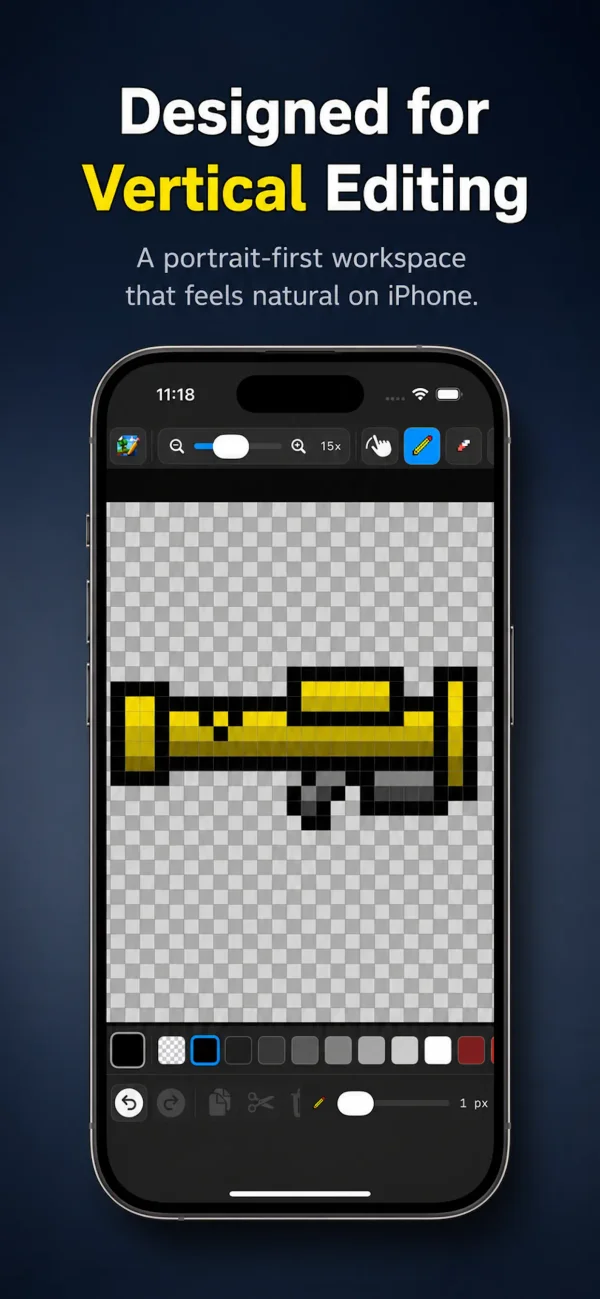
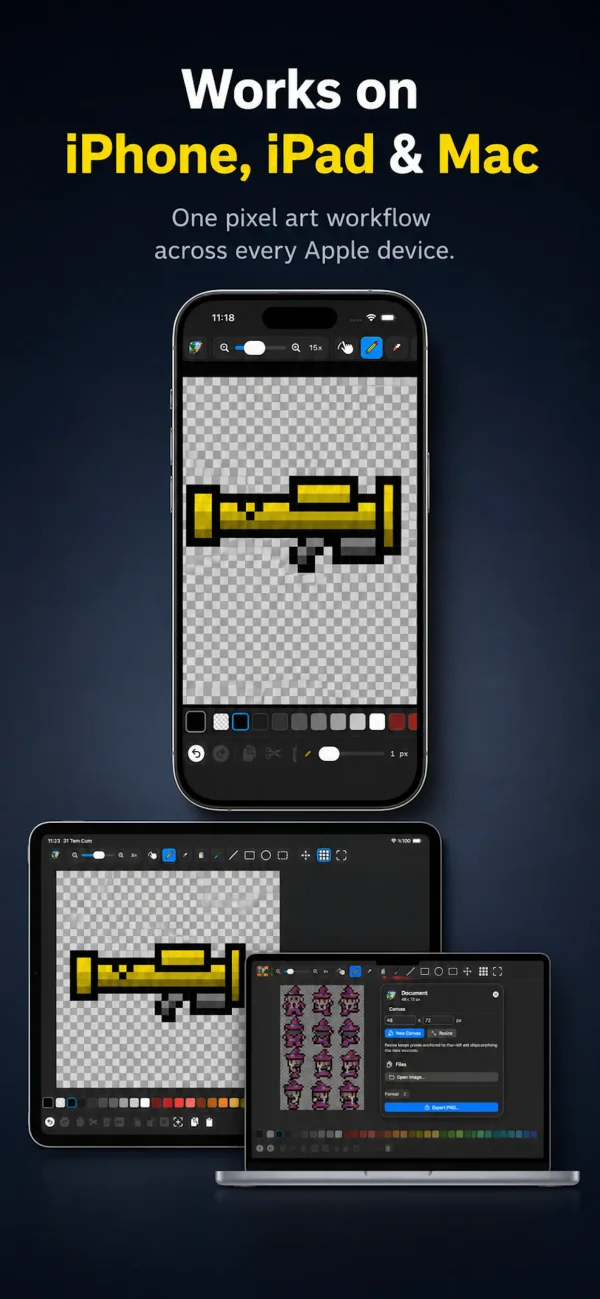
Pixel Paint Pro is a focused pixel art and bitmap editor for iPhone, iPad and Mac.
Create sprites, icons, game assets and small illustrations with precise pixel-level control. Start with a blank canvas or open an existing image, edit it and save your changes in a popular image format.
PRECISION TOOLS
• Pencil, eraser, fill and eyedropper
• Line, rectangle and ellipse tools
• Adjustable brush size
• Pixel-perfect zoom and optional grid
• Crisp nearest-neighbor canvas rendering
SELECTION AND TRANSFORM
• Select, move, cut, copy, paste and delete
• Move selected content partially outside the canvas
• Apply only the portion that remains inside the canvas
• Rotate left or right
• Flip horizontally or vertically
• Select all and deselect
COLOR CONTROL
• Expanded color palette
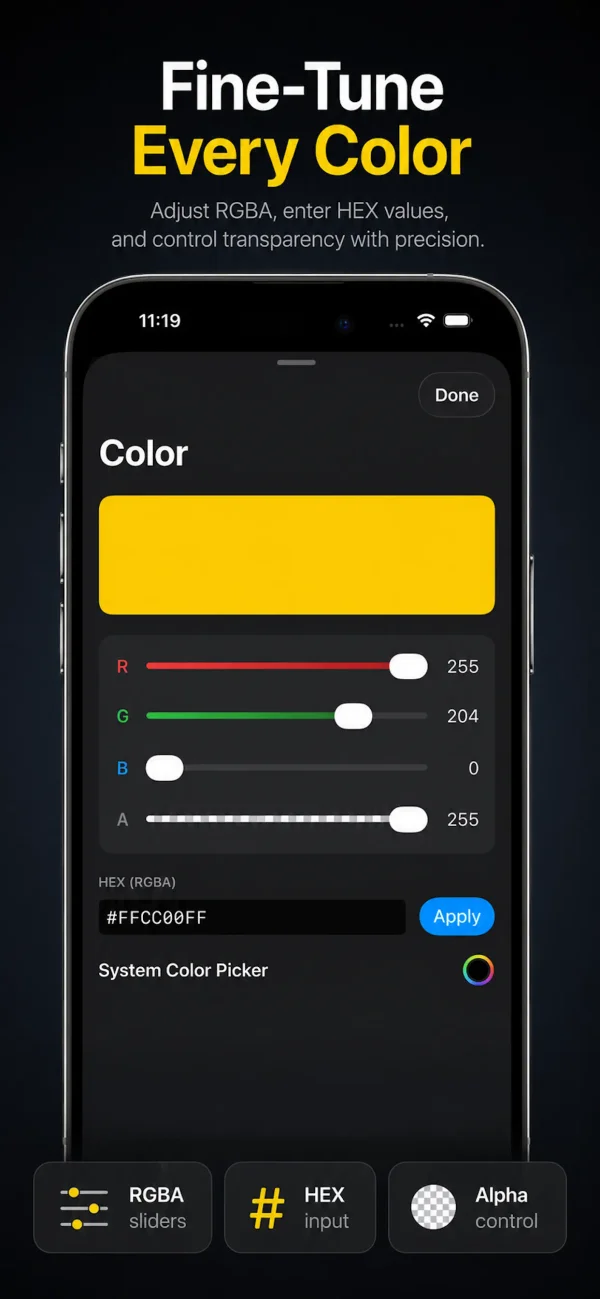
• Individual red, green, blue and alpha controls
• HEX color input
• Transparency support
• Checkerboard transparency preview
APPLE PENCIL AND NAVIGATION
On supported iPad models, Apple Pencil mode separates drawing from navigation. Draw and edit with Apple Pencil while using your fingers to pan and navigate around the canvas.
The Hand tool also provides dedicated canvas navigation without modifying your artwork.
OPEN, EDIT AND SAVE
Open existing image files, edit them directly and save your changes. Pixel Paint Pro supports popular bitmap formats including:
• PNG
• JPEG
• GIF
• BMP
• ICO
WORK FASTER
Use keyboard shortcuts with a connected keyboard on iPhone, iPad and Mac. Quickly switch tools, undo or redo changes, manage selections, adjust zoom and perform common editing actions.
Whether you are creating retro game graphics, refining a sprite, designing an icon or editing a bitmap image, Pixel Paint Pro keeps the canvas clear and the tools within reach.
App-Datenschutz
Was Mert Can Kus im App Store zum Umgang dieser App mit Daten angibt.
-
Keine Daten erfasst
Der Entwickler erfasst keine Daten von dieser App.
Die Datenschutzpraktiken können variieren, zum Beispiel je nach den von Ihnen verwendeten Funktionen oder Ihrem Alter.
Informationen
- Anbieter
- Mert Can Kus
- Kategorie
- Grafik und Design
- Version
- 1.0
- Aktualisiert
- 05.08.2026
- Veröffentlicht
- 02.08.2026
- Größe
- 10,3 MB
- Erfordert
- iOS 26.0 oder neuer
- Altersfreigabe
- 4+
- Preis
- 0,99 €
- Sprachen
- Englisch
- Copyright
- © MCK 2020-2026
Das könnte Ihnen auch gefallen
-
 Pixel Painter PlusGrafik und Design
-
 nemodot - Pixel Art EditorGrafik und Design
-
 Retro Japanese Text SenseGrafik und Design
-
 Pixel Art: Sprite EditorAnimation & 8-Bit zeichnen
-
 Collage Maker - LayoutGrafik und Design
-
 AR Builder: Pixel Art 3D VoxelErstellen Sie 3D-Modelle in AR
-
 Springs3D StudioGrafik und Design
-
 CoverForge: Thumbnail MakerPoster, Collage and Größen
-
 ArtPortGrafik und Design
-
 Mecmua: Mandala zeichnenKaleidoskop, Ebru, Buchmalerei