
Pixel Paint Pro
Sprite & bitmap image editor
Được thiết kế cho iPhone, iPad, Mac
29.000đ
- Độ tuổi4+
- Danh mụcĐồ Họa & Thiết Kế
- Nhà phát triểnMert Can Kus
- Ngôn ngữTiếng Anh
- Kích thước10,3 MB
Liên kết đến trang App Store chính thức
Download.org không lưu trữ tệp nào của Pixel Paint Pro. Nút này mở trang ứng dụng trên App Store, nơi Mert Can Kus phát hành ứng dụng. Trang được kiểm tra lần cuối: 12/11/2026.
Ảnh chụp màn hình

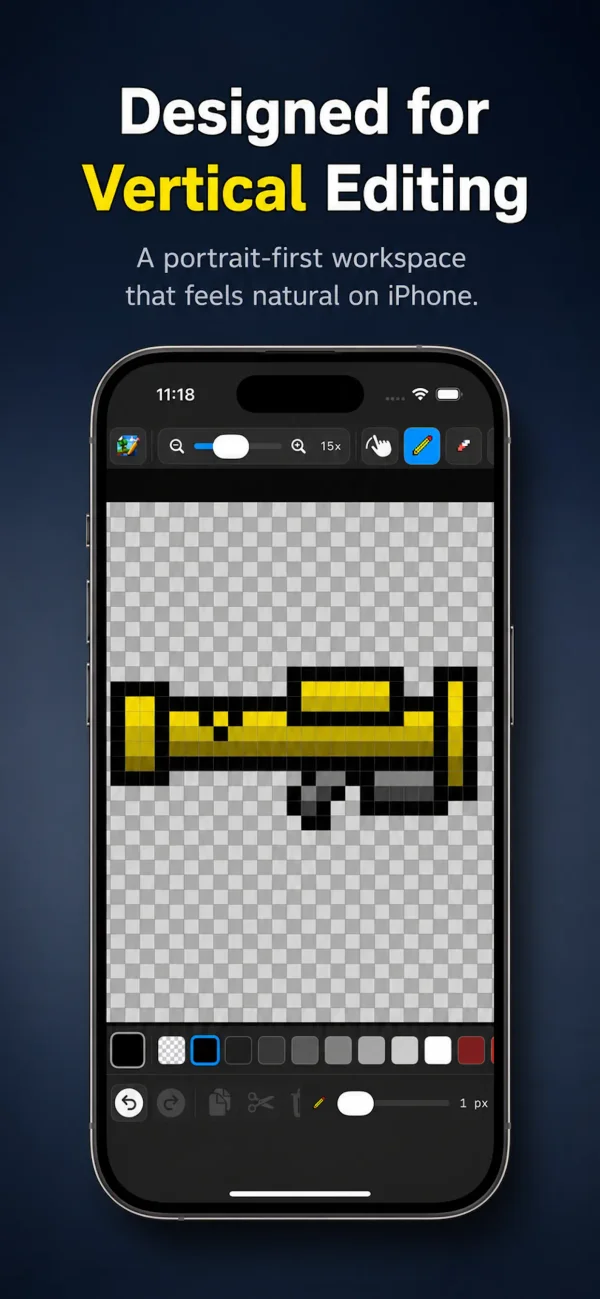
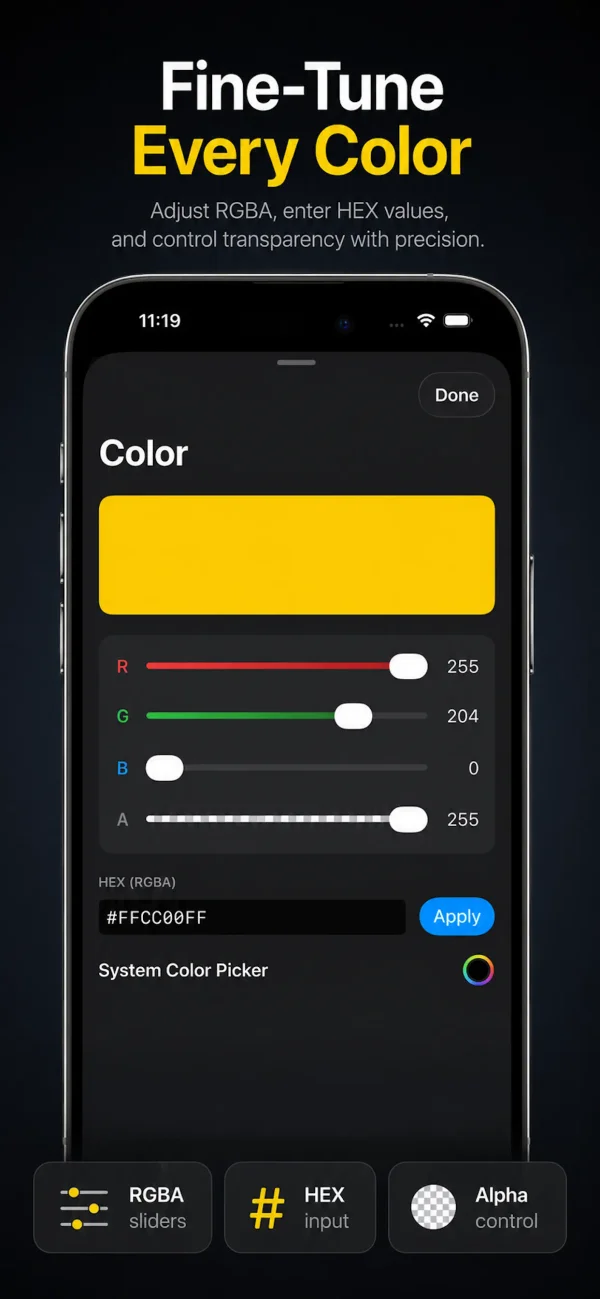
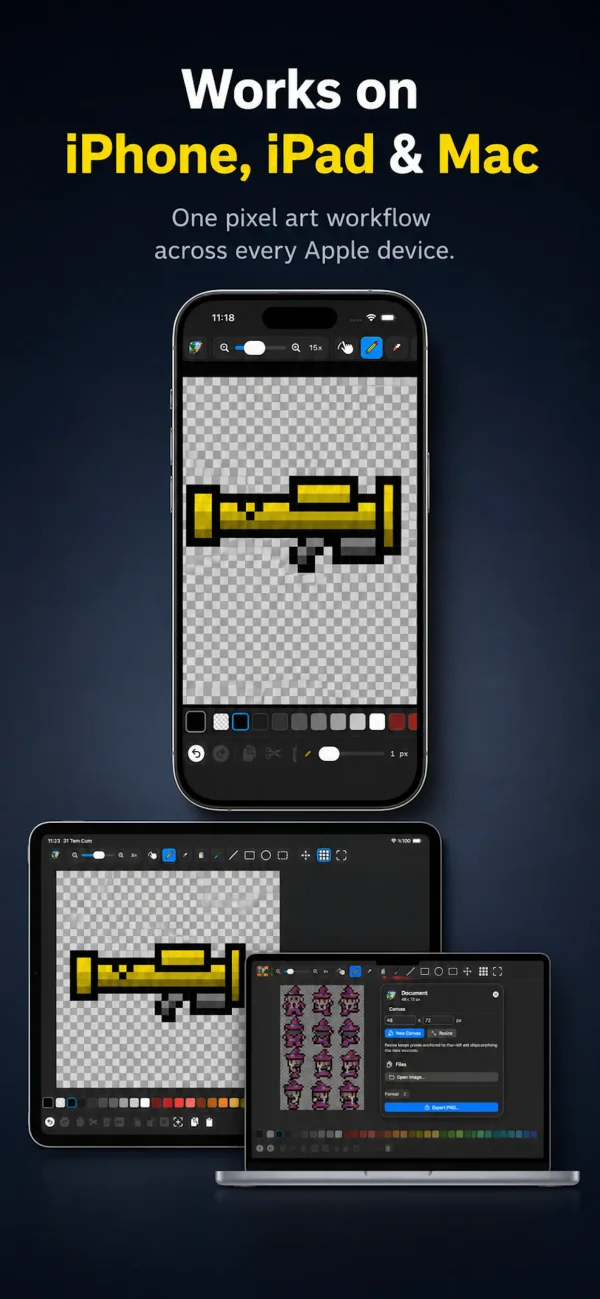
Giới thiệu
Nhà phát triển chưa cung cấp nội dung này bằng ngôn ngữ của bạn.
Pixel Paint Pro is a focused pixel art and bitmap editor for iPhone, iPad and Mac.
Create sprites, icons, game assets and small illustrations with precise pixel-level control. Start with a blank canvas or open an existing image, edit it and save your changes in a popular image format.
PRECISION TOOLS
• Pencil, eraser, fill and eyedropper
• Line, rectangle and ellipse tools
• Adjustable brush size
• Pixel-perfect zoom and optional grid
• Crisp nearest-neighbor canvas rendering
SELECTION AND TRANSFORM
• Select, move, cut, copy, paste and delete
• Move selected content partially outside the canvas
• Apply only the portion that remains inside the canvas
• Rotate left or right
• Flip horizontally or vertically
• Select all and deselect
COLOR CONTROL
• Expanded color palette
• Individual red, green, blue and alpha controls
• HEX color input
• Transparency support
• Checkerboard transparency preview
APPLE PENCIL AND NAVIGATION
On supported iPad models, Apple Pencil mode separates drawing from navigation. Draw and edit with Apple Pencil while using your fingers to pan and navigate around the canvas.
The Hand tool also provides dedicated canvas navigation without modifying your artwork.
OPEN, EDIT AND SAVE
Open existing image files, edit them directly and save your changes. Pixel Paint Pro supports popular bitmap formats including:
• PNG
• JPEG
• GIF
• BMP
• ICO
WORK FASTER
Use keyboard shortcuts with a connected keyboard on iPhone, iPad and Mac. Quickly switch tools, undo or redo changes, manage selections, adjust zoom and perform common editing actions.
Whether you are creating retro game graphics, refining a sprite, designing an icon or editing a bitmap image, Pixel Paint Pro keeps the canvas clear and the tools within reach.
Quyền riêng tư của ứng dụng
Những gì Mert Can Kus khai báo trên App Store về cách ứng dụng này xử lý dữ liệu.
-
Dữ liệu không được thu thập
Nhà phát triển không thu thập bất kỳ dữ liệu nào từ ứng dụng này.
Phương thức đảm bảo quyền riêng tư có thể khác nhau, chẳng hạn như tuỳ theo các tính năng bạn sử dụng hoặc độ tuổi của bạn.
Thông tin
- Người bán
- Mert Can Kus
- Danh mục
- Đồ Họa & Thiết Kế
- Phiên bản
- 1.0
- Cập nhật
- 05/08/2026
- Phát hành
- 02/08/2026
- Kích thước
- 10,3 MB
- Yêu cầu
- iOS 26.0 trở lên
- Độ tuổi
- 4+
- Giá
- 29.000đ
- Ngôn ngữ
- Tiếng Anh
- Bản quyền
- © MCK 2020-2026
Có thể bạn cũng thích
-
 Pixel Painter PlusĐồ Họa & Thiết Kế
-
 nemodot - Pixel Art EditorĐồ Họa & Thiết Kế
-
 Retro Japanese Text SenseĐồ Họa & Thiết Kế
-
 Vẽ Pixel Art: Tạo SpriteHoạt Hình & Vẽ Tranh 8-Bit
-
 Collage Maker - LayoutĐồ Họa & Thiết Kế
-
 Tạo Mô Hình: Xây Dựng Nhà 3DAR Builder: Xây Dựng Thành Phố
-
 Springs3D StudioĐồ Họa & Thiết Kế
-
 CoverForge: Thumbnail MakerĐồ Họa & Thiết Kế
-
 ArtPortĐồ Họa & Thiết Kế
-
 Mecmua: Vẽ Mandala Đối XứngKính vạn hoa, ebru, thư pháp