
Pixel Paint Pro
Sprite & bitmap image editor
Dirancang untuk iPhone, iPad, Mac
Rp 19ribu
- Batasan usia4+
- KategoriGrafik & Desain
- PengembangMert Can Kus
- BahasaInggris
- Ukuran10,3 MB
Tertaut ke halaman resmi App Store
Download.org tidak menyimpan file Pixel Paint Pro apa pun. Tombol ini membuka halaman aplikasi di App Store, tempat Mert Can Kus menerbitkannya. Halaman terakhir diperiksa pada 12/11/2026.
Tangkapan layar

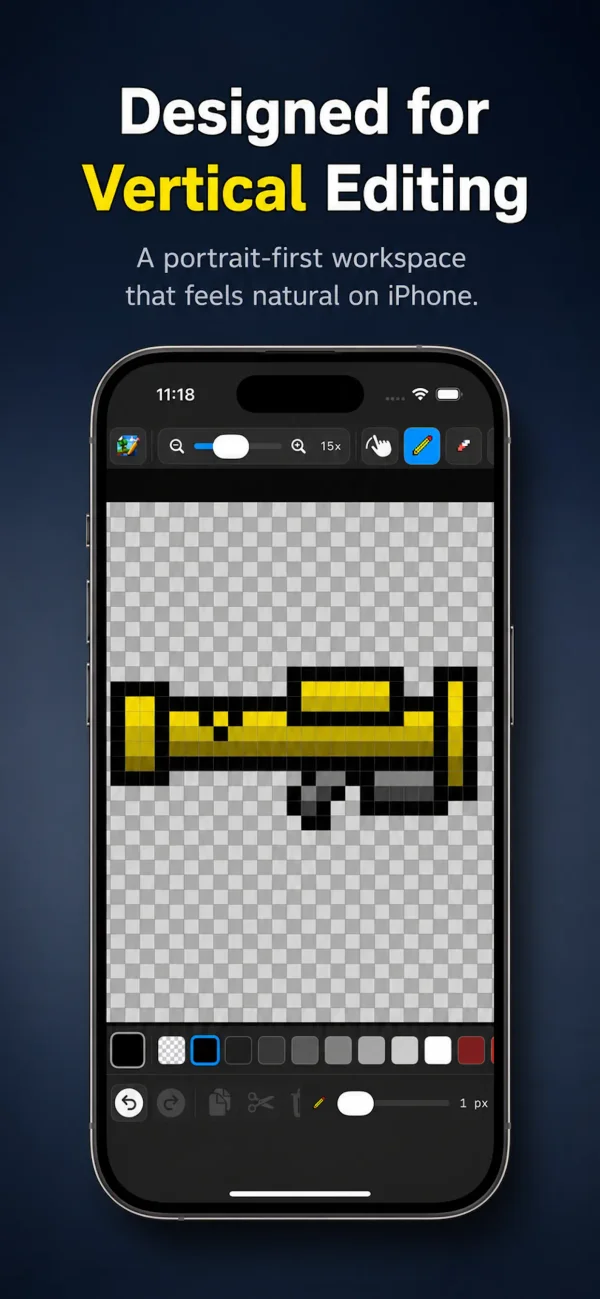
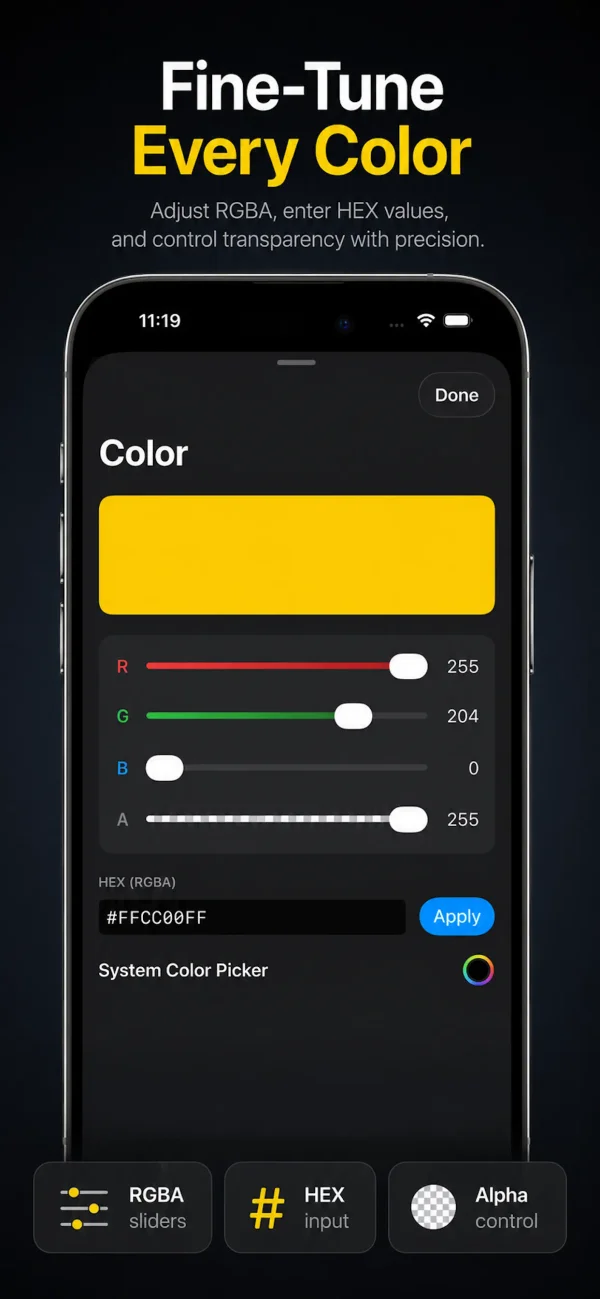
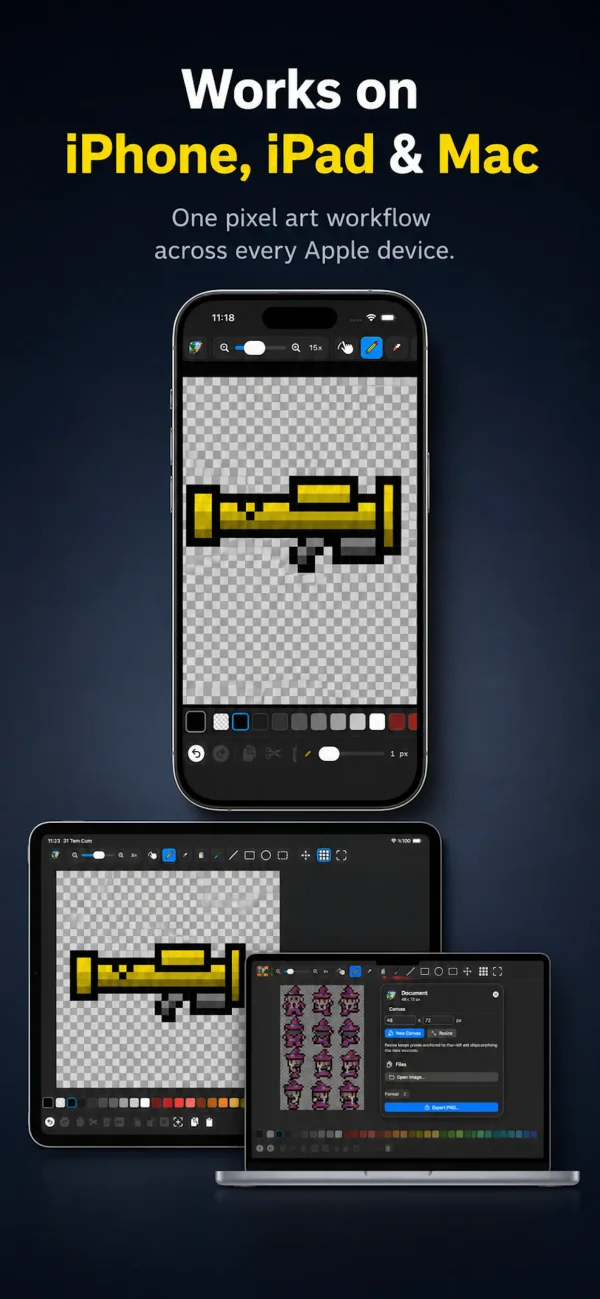
Tentang
Pengembang belum menyediakan teks ini dalam bahasa Anda.
Pixel Paint Pro is a focused pixel art and bitmap editor for iPhone, iPad and Mac.
Create sprites, icons, game assets and small illustrations with precise pixel-level control. Start with a blank canvas or open an existing image, edit it and save your changes in a popular image format.
PRECISION TOOLS
• Pencil, eraser, fill and eyedropper
• Line, rectangle and ellipse tools
• Adjustable brush size
• Pixel-perfect zoom and optional grid
• Crisp nearest-neighbor canvas rendering
SELECTION AND TRANSFORM
• Select, move, cut, copy, paste and delete
• Move selected content partially outside the canvas
• Apply only the portion that remains inside the canvas
• Rotate left or right
• Flip horizontally or vertically
• Select all and deselect
COLOR CONTROL
• Expanded color palette
• Individual red, green, blue and alpha controls
• HEX color input
• Transparency support
• Checkerboard transparency preview
APPLE PENCIL AND NAVIGATION
On supported iPad models, Apple Pencil mode separates drawing from navigation. Draw and edit with Apple Pencil while using your fingers to pan and navigate around the canvas.
The Hand tool also provides dedicated canvas navigation without modifying your artwork.
OPEN, EDIT AND SAVE
Open existing image files, edit them directly and save your changes. Pixel Paint Pro supports popular bitmap formats including:
• PNG
• JPEG
• GIF
• BMP
• ICO
WORK FASTER
Use keyboard shortcuts with a connected keyboard on iPhone, iPad and Mac. Quickly switch tools, undo or redo changes, manage selections, adjust zoom and perform common editing actions.
Whether you are creating retro game graphics, refining a sprite, designing an icon or editing a bitmap image, Pixel Paint Pro keeps the canvas clear and the tools within reach.
Privasi aplikasi
Yang dinyatakan Mert Can Kus di App Store tentang cara aplikasi ini menangani data.
-
Data tidak dikumpulkan
Pengembang tidak mengumpulkan data apa pun dari aplikasi ini.
Praktik privasi dapat bervariasi, misalnya berdasarkan fitur yang Anda gunakan atau usia Anda.
Informasi
- Penjual
- Mert Can Kus
- Kategori
- Grafik & Desain
- Versi
- 1.0
- Diperbarui
- 5/8/2026
- Dirilis
- 2/8/2026
- Ukuran
- 10,3 MB
- Memerlukan
- iOS 26.0 atau yang lebih baru
- Batasan usia
- 4+
- Harga
- Rp 19ribu
- Bahasa
- Inggris
- Hak cipta
- © MCK 2020-2026
Mungkin Anda juga suka
-
 Pixel Painter PlusGrafik & Desain
-
 nemodot - Pixel Art EditorGrafik & Desain
-
 Retro Japanese Text SenseGrafik & Desain
-
 Pixel Art: Pembuat SpriteAnimasi & Gambar Seni 8-Bit
-
 Collage Maker - LayoutGrafik & Desain
-
 AR Builder: Pixel Art 3D VoxelGrafik & Desain
-
 Springs3D StudioGrafik & Desain
-
 CoverForge: Thumbnail MakerGrafik & Desain
-
 ArtPortGrafik & Desain
-
 Mecmua: Kaligrafi & MandalaKaleidoskop & Gambar Simetri