
Pixel Paint Pro
Sprite & bitmap image editor
Conçue pour iPhone, iPad, Mac
0,99 €
- Classification d’âge4+
- CatégorieGraphisme et design
- DéveloppeurMert Can Kus
- LanguesAnglais
- Taille10,3 Mo
Renvoie vers la page App Store officielle
Download.org n’héberge aucun fichier de Pixel Paint Pro. Le bouton ouvre la page de l’application sur App Store, où Mert Can Kus la publie. Fiche vérifiée pour la dernière fois le 12/11/2026.
Captures d’écran

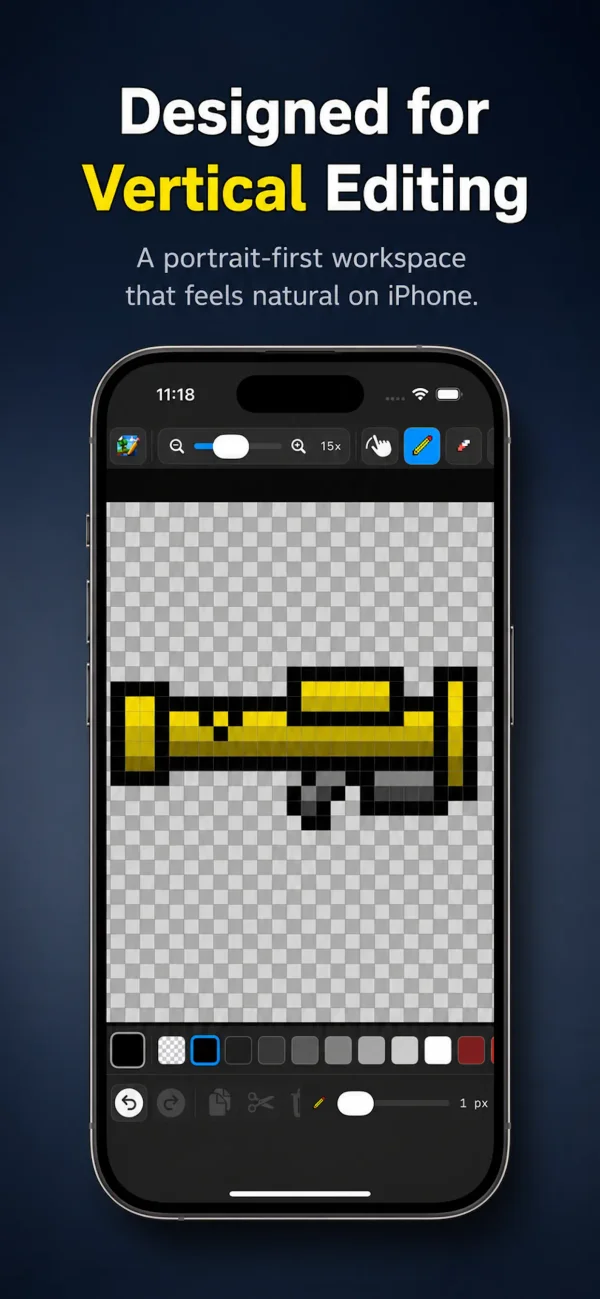
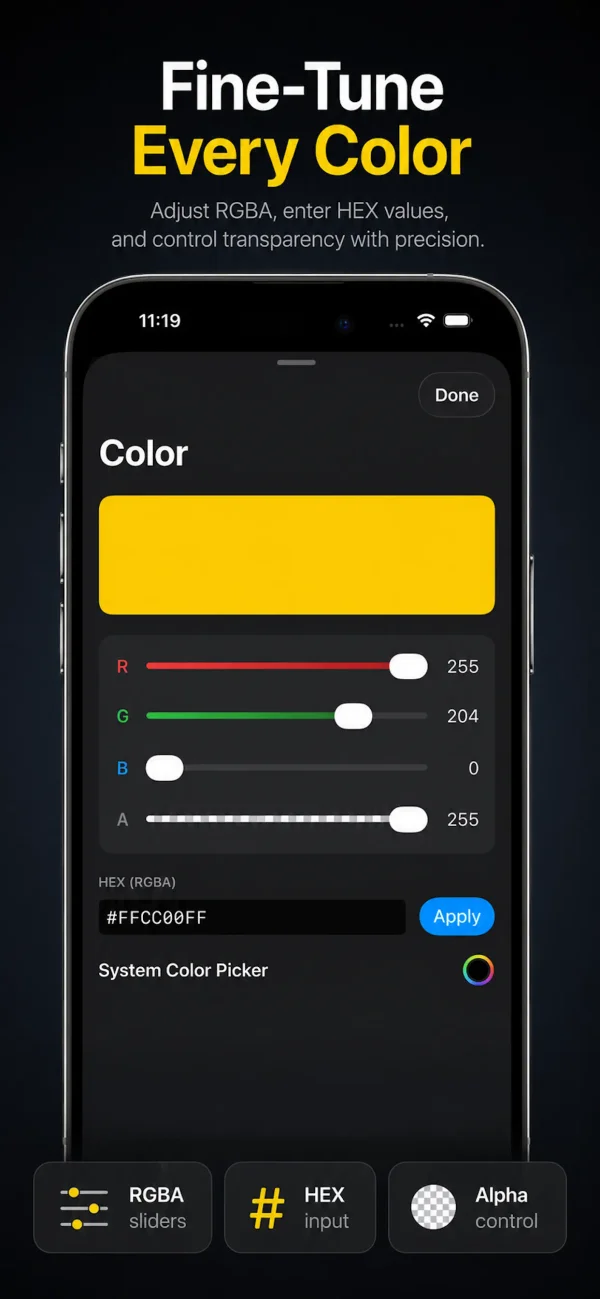
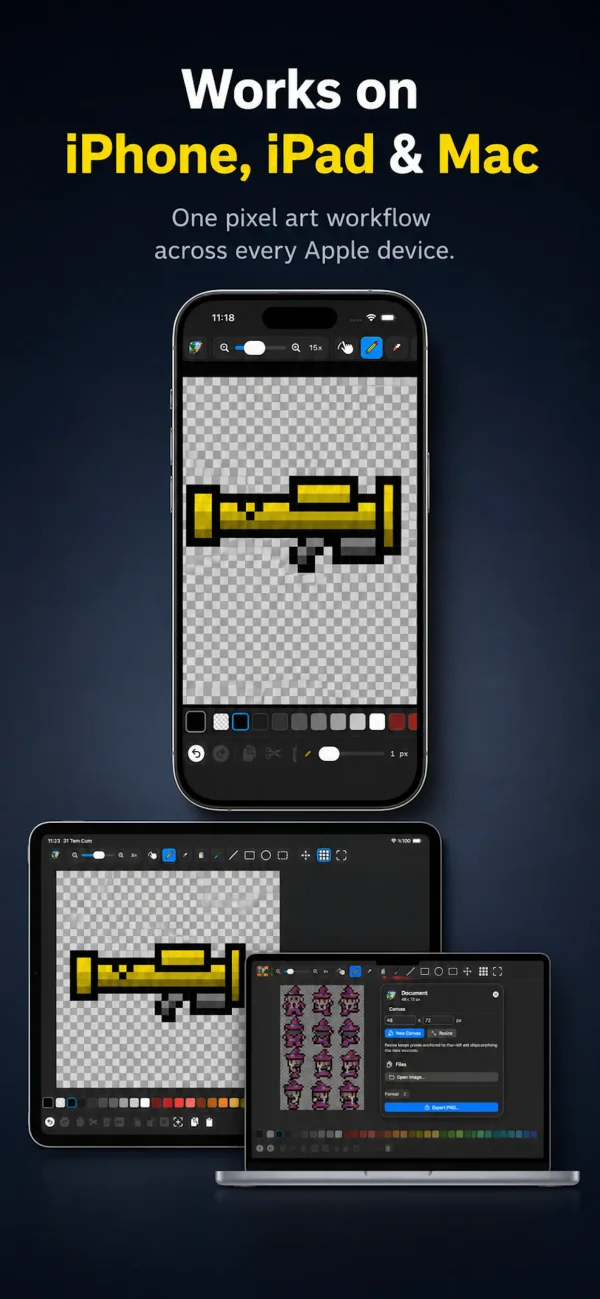
À propos
Le développeur n’a pas fourni ce texte dans votre langue.
Pixel Paint Pro is a focused pixel art and bitmap editor for iPhone, iPad and Mac.
Create sprites, icons, game assets and small illustrations with precise pixel-level control. Start with a blank canvas or open an existing image, edit it and save your changes in a popular image format.
PRECISION TOOLS
• Pencil, eraser, fill and eyedropper
• Line, rectangle and ellipse tools
• Adjustable brush size
• Pixel-perfect zoom and optional grid
• Crisp nearest-neighbor canvas rendering
SELECTION AND TRANSFORM
• Select, move, cut, copy, paste and delete
• Move selected content partially outside the canvas
• Apply only the portion that remains inside the canvas
• Rotate left or right
• Flip horizontally or vertically
• Select all and deselect
COLOR CONTROL
• Expanded color palette
• Individual red, green, blue and alpha controls
• HEX color input
• Transparency support
• Checkerboard transparency preview
APPLE PENCIL AND NAVIGATION
On supported iPad models, Apple Pencil mode separates drawing from navigation. Draw and edit with Apple Pencil while using your fingers to pan and navigate around the canvas.
The Hand tool also provides dedicated canvas navigation without modifying your artwork.
OPEN, EDIT AND SAVE
Open existing image files, edit them directly and save your changes. Pixel Paint Pro supports popular bitmap formats including:
• PNG
• JPEG
• GIF
• BMP
• ICO
WORK FASTER
Use keyboard shortcuts with a connected keyboard on iPhone, iPad and Mac. Quickly switch tools, undo or redo changes, manage selections, adjust zoom and perform common editing actions.
Whether you are creating retro game graphics, refining a sprite, designing an icon or editing a bitmap image, Pixel Paint Pro keeps the canvas clear and the tools within reach.
Confidentialité de l’application
Ce que Mert Can Kus déclare sur l’App Store au sujet du traitement des données par cette application.
-
Données non collectées
Le développeur ne collecte aucune donnée à partir de cette application.
Les pratiques en matière de confidentialité peuvent varier, notamment en fonction des fonctionnalités que vous utilisez ou de votre âge.
Informations
- Vendeur
- Mert Can Kus
- Catégorie
- Graphisme et design
- Version
- 1.0
- Mis à jour
- 05/08/2026
- Publié
- 02/08/2026
- Taille
- 10,3 Mo
- Nécessite
- iOS 26.0 ou version ultérieure
- Classification d’âge
- 4+
- Prix
- 0,99 €
- Langues
- Anglais
- Copyright
- © MCK 2020-2026
Vous aimerez peut-être aussi
-
 Pixel Painter PlusGraphisme et design
-
 nemodot - Pixel Art EditorGraphisme et design
-
 Retro Japanese Text SenseGraphisme et design
-
 Pixel Art : Éditeur de SpriteAnimation et dessin 8 bits
-
 Collage Maker - LayoutGraphisme et design
-
 AR Builder: Pixel Art 3D VoxelCréez des modèles 3D en AR
-
 Springs3D StudioGraphisme et design
-
 CoverForge: MiniaturesAffiche, collage and taille
-
 ArtPortGraphisme et design
-
 Mecmua: Dessin de mandalaKaléidoscope, ebru, enluminure