Planometer: Day Planner
Calendar, Tasks, Time Blocking
Entwickelt für iPhone, iPad, Mac, iPod touch
Kostenlos · In-App-Käufe
- Altersfreigabe4+
- KategorieProduktivität
- EntwicklerAnton Grigorevskii
- SprachenEnglisch
- Größe22,4 MB
Verlinkt auf die offizielle App Store-Seite
Download.org hostet keine Datei von Planometer: Day Planner. Die Schaltfläche öffnet die App-Seite bei App Store, wo Anton Grigorevskii die App veröffentlicht. Eintrag zuletzt geprüft am 06.11.2026.
Screenshots

Info
Der Entwickler hat diesen Text nicht in Ihrer Sprache bereitgestellt.
Planometer is a planner that measures itself.
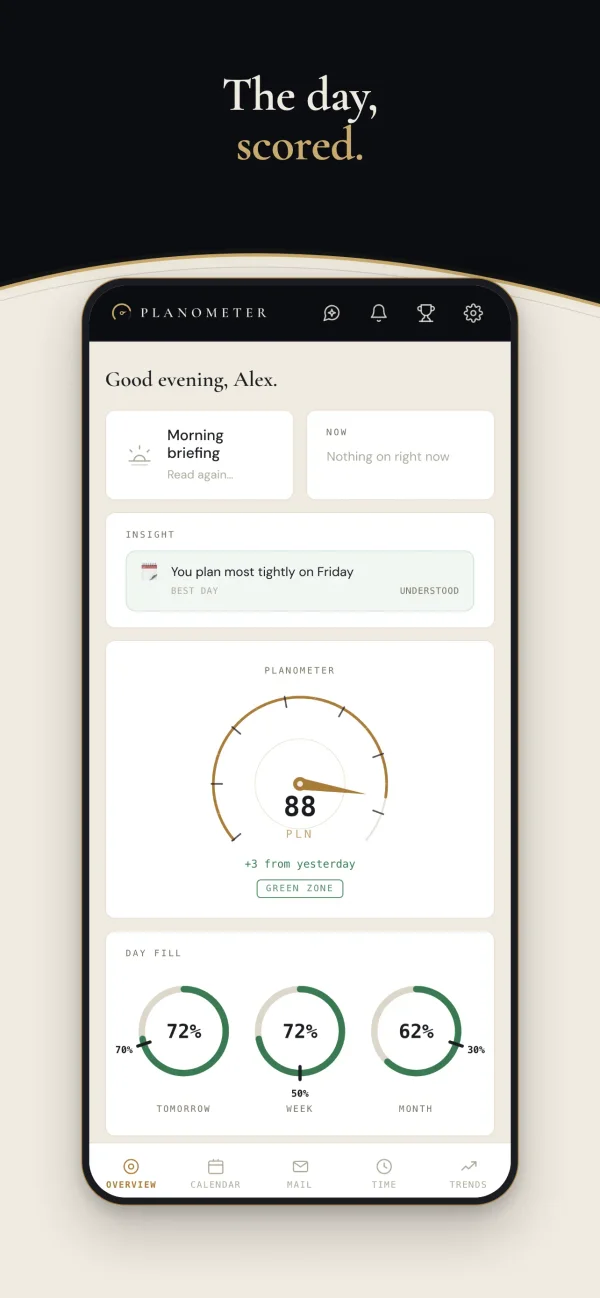
Plan your day here — events, tasks, mail — and at the end of it see how much of the day you decided in advance, and how much simply happened to you.
WHAT IT MEASURES
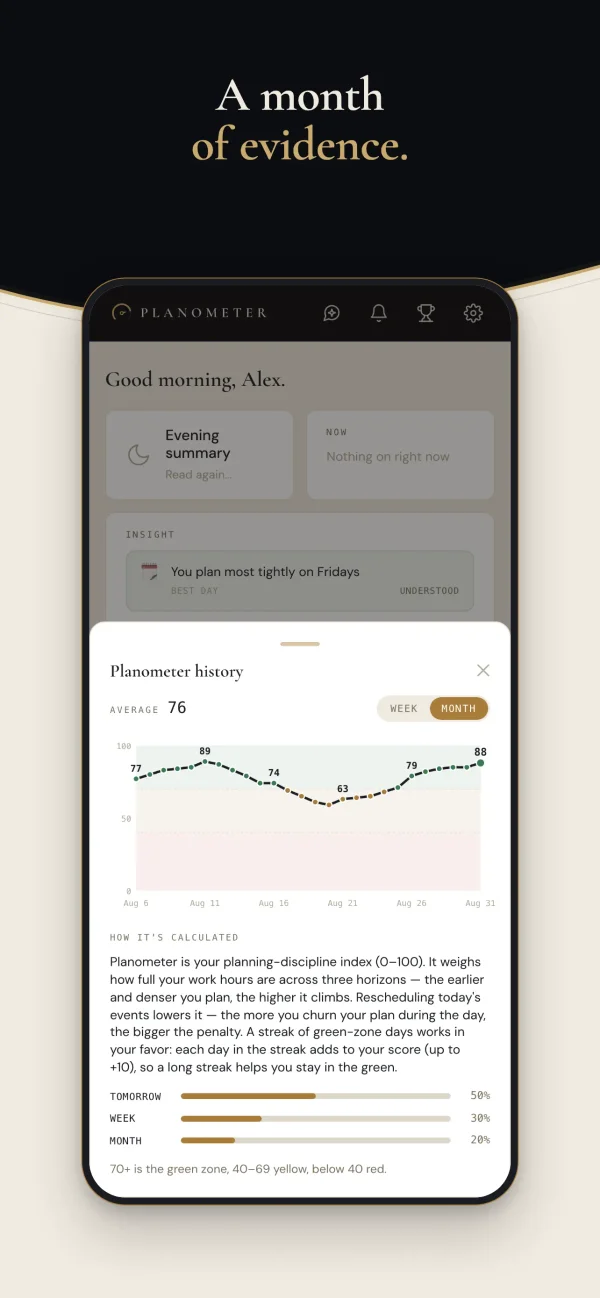
· The day's score — one number for the quality of your planning, not for your productivity.
· Reschedules — how often things move, and what they move off.
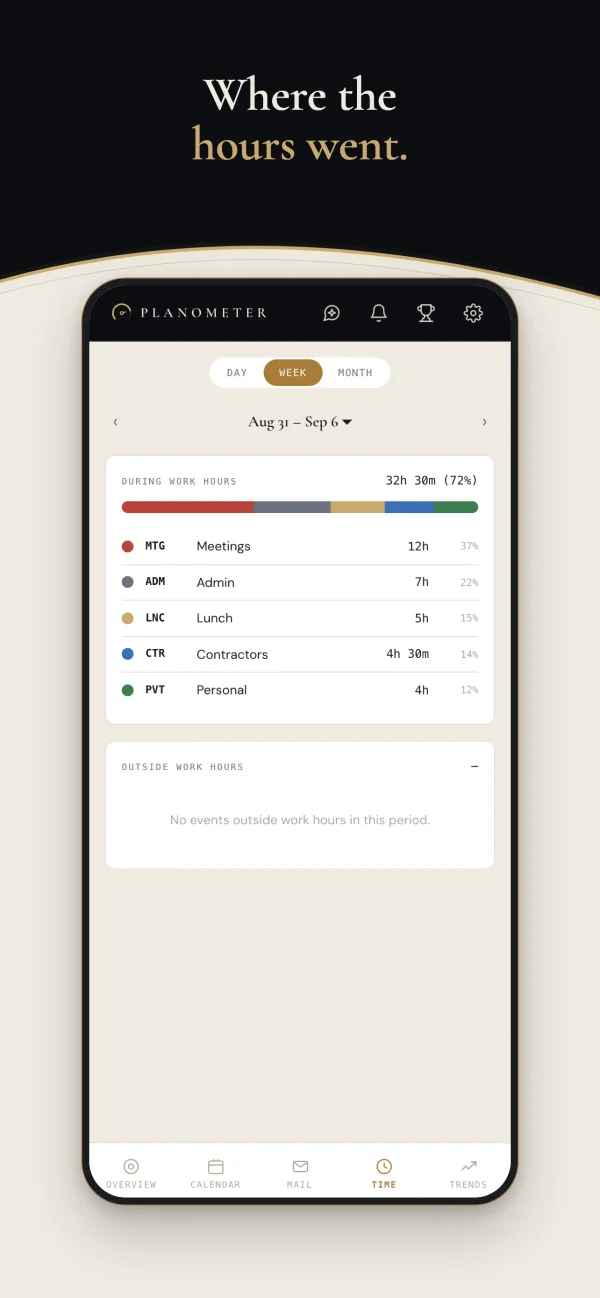
· Hours by marker — where the time actually went, under your own codes.
· How much of the day was in the plan before the day started.
MAIL LIKE A MESSENGER
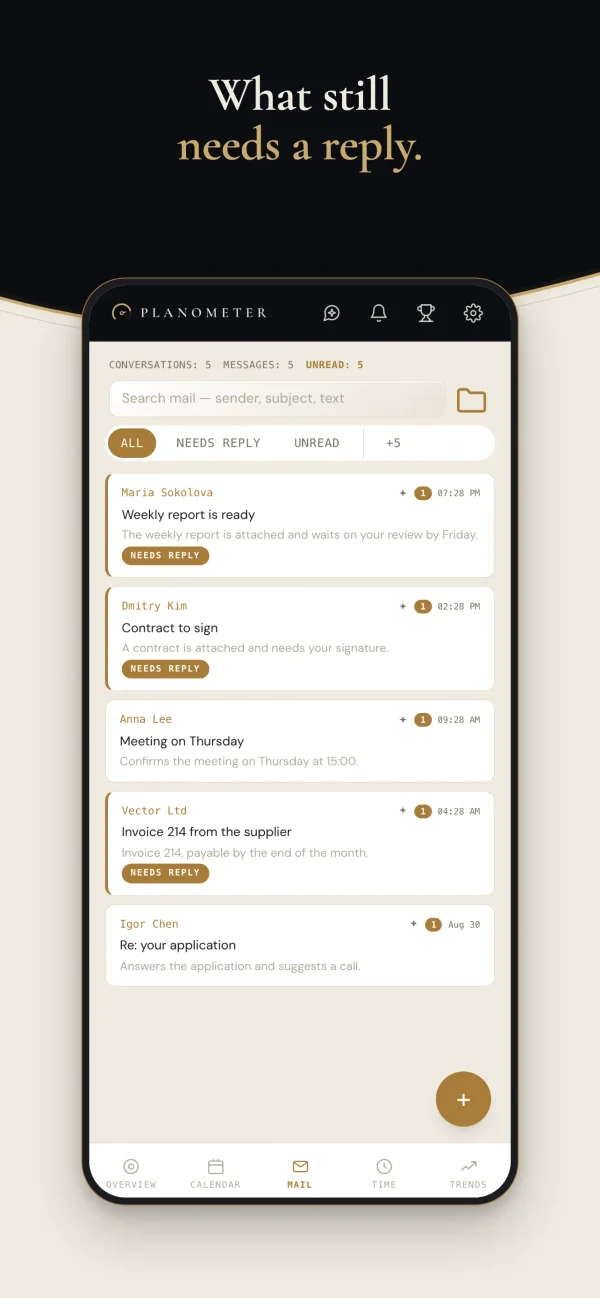
One subject, one conversation. New mail at the bottom, your reply in the same place, quotes collapsed, attachments where you left them. Swipe a message to archive it, delete it or mark it read. Search runs across every connected mailbox, and letters carry the same markers your events and tasks use.
AN ASSISTANT YOU CAN TYPE TO OR TALK TO
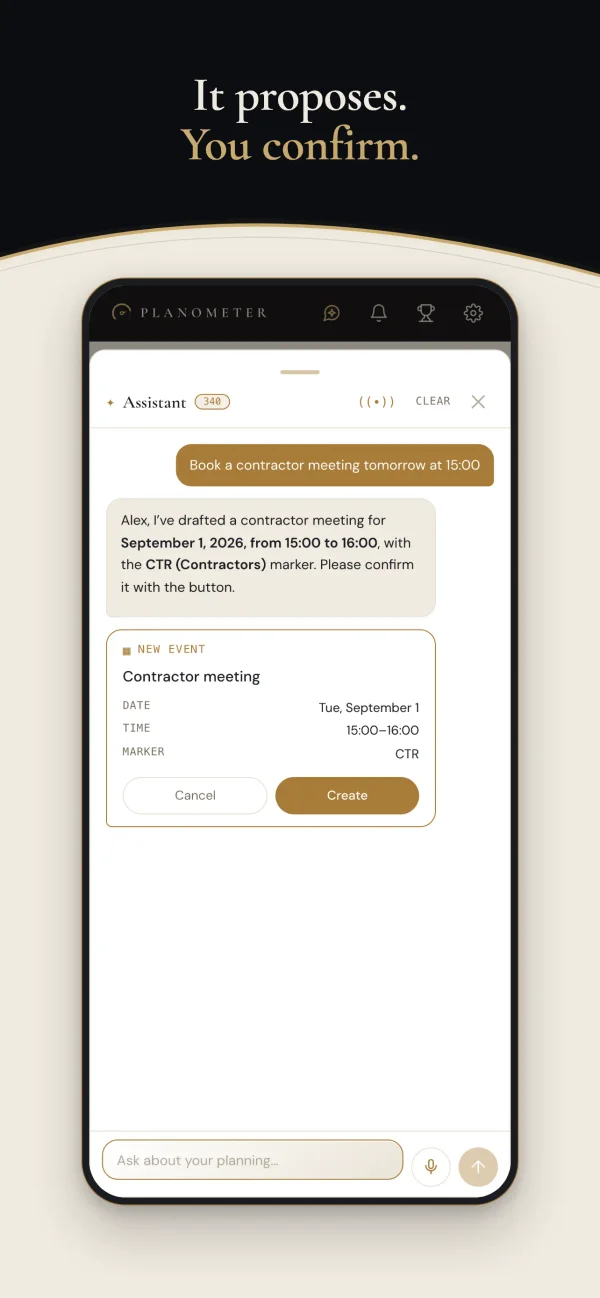
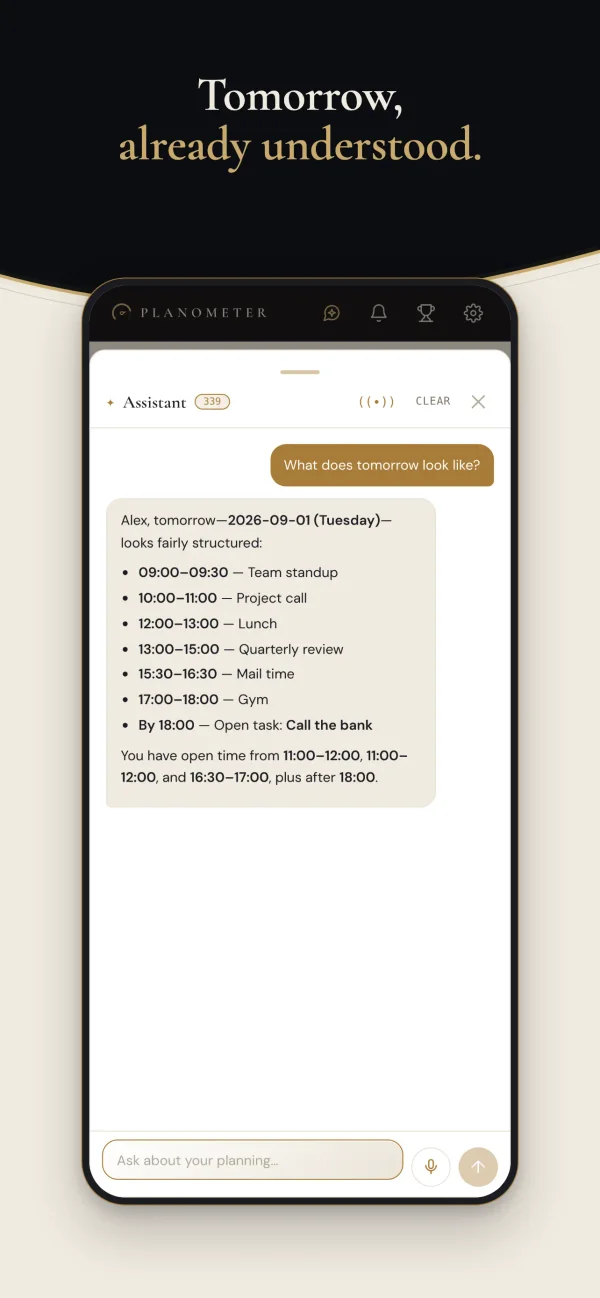
Ask what the week looks like. Have a meeting moved, a task created, a letter turned into either. Get a reply drafted straight into the message box. It always proposes and you confirm — nothing is created, changed or sent behind your back. There is a live voice mode as well, switched on in settings when you want to plan the day out loud instead of typing.
WHAT ELSE IS IN IT
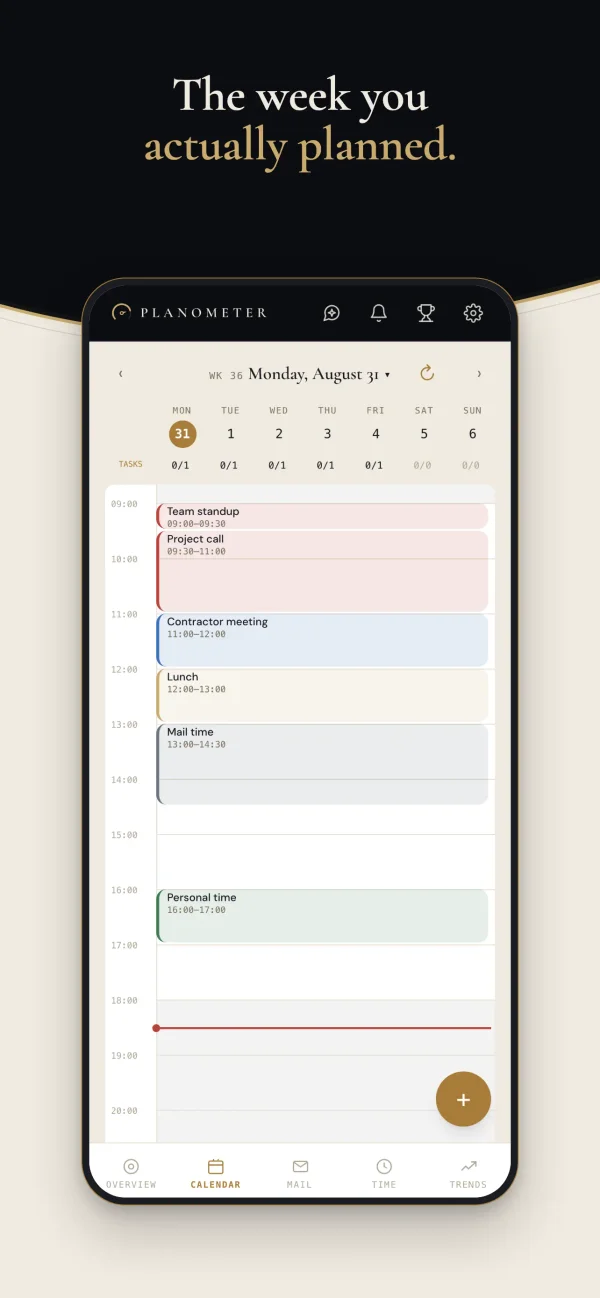
· Your calendar in full: create, move, finish. Changes go back to your own Google or Apple calendar.
· Tasks, including repeating ones, with Apple Reminders kept in step.
· Markers — your own short codes on events, tasks and letters, so hours are counted by what they were spent on.
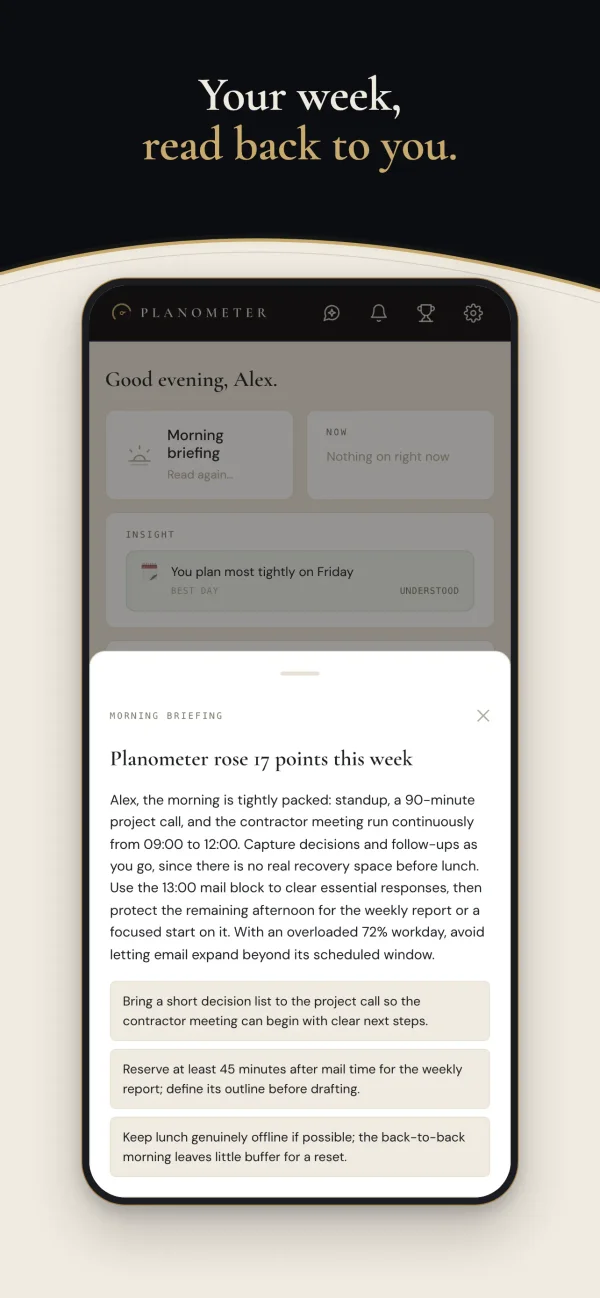
· A morning and an evening briefing, and a weekly review, written from your own week.
WHAT IT WILL NOT DO
· It will not tell you to work more. The score is about planning, not effort — a quiet day planned in advance scores better than a full one improvised.
· It will not keep a second copy of your life. Everything is read from the calendar you already use.
· It will not decide anything behind your back: an event, a task or a letter goes out only after you confirm it.
CREDITS
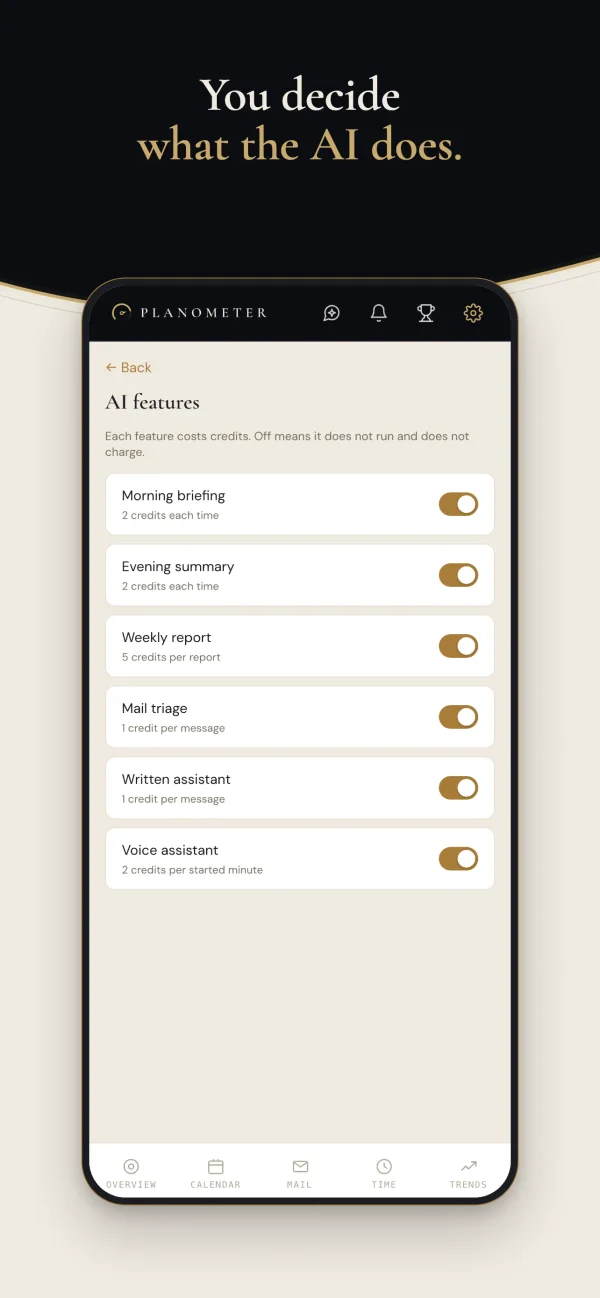
The planner, the score, the calendar, the trends and the streaks are free. The AI parts — the briefings, the assistant, the voice mode, the mail drafts — cost credits. Every green day earns credits, and packs can be bought if you want more. There is no subscription.
Neue Funktionen
Version 1.2.0 · 18.10.2026
What's new in 1.2.0
• Mail: a letter found in the archive or in folders opens as an ordinary conversation — reply, forward, markers and moving to a folder all work there.
• Forwarding keeps the letter's formatting and its pictures in place. Pictures pasted into a letter now appear among its attachments.
• Mac and iPad: the week calendar and two-column mail now start in a window half the screen wide.
• Escape in mail closes the conversation first, then clears the selection, and only then resets the search.
• Small fixes and improvements.
App-Datenschutz
Was Anton Grigorevskii im App Store zum Umgang dieser App mit Daten angibt.
-
Mit Ihnen verknüpfte Daten
Können erfasst und mit Ihrer Identität verknüpft werden.
- Käufe
- Kontaktinformationen
- Benutzerinhalte
- Kennungen
- Nutzungsdaten
- Sonstige Daten
Die Datenschutzpraktiken können variieren, zum Beispiel je nach den von Ihnen verwendeten Funktionen oder Ihrem Alter.
Informationen
- Anbieter
- Anton Grigorevskii
- Kategorie
- Produktivität
- Version
- 1.2.0
- Aktualisiert
- 18.10.2026
- Veröffentlicht
- 12.09.2026
- Größe
- 22,4 MB
- Erfordert
- iOS 15.0 oder neuer
- Altersfreigabe
- 4+
- Preis
- Kostenlos
- In-App-Käufe
- Ja
- Sprachen
- Englisch
- Copyright
- © 2026 Anton Grigorevskiy
Das könnte Ihnen auch gefallen
-
 DayFlare Studio: Indie Dev HQProduktivität
-
 Burn Timer: Focus & PomodoroProduktivität
-
 Focusen: Time TrackerProduktivität
-
 Herds: The AI Event ScannerProduktivität
-
 Task Planner: TagesplanerAufgabenplaner, Wochenplaner
-
 Zeitblöcke: Tagesplaner FokusStundenplan, Vorlagen, Analyse
-
 Storyist 4Produktivität
-
 Tagesplaner: Habit TrackerGewohnheiten & Ziele setzen
-
 Willow Dictation & AI KeyboardProduktivität
-
 Actions: To-Do-PlanerZiele, Gewohnheiten & Aufgaben