Planometer: Day Planner
Calendar, Tasks, Time Blocking
iPhone, iPad, Mac, iPod touch向けに設計
無料 · アプリ内課金
- 対象年齢4+
- カテゴリ仕事効率化
- 開発元Anton Grigorevskii
- 言語英語
- サイズ22.4 MB
App Storeの公式ページにリンクしています
Download.orgはPlanometer: Day Plannerのファイルを一切ホストしていません。ボタンを押すと、Anton Grigorevskiiが公開しているApp Storeのアプリページが開きます。ページの最終確認:2026/11/6。
スクリーンショット

概要
開発元はこのテキストをお使いの言語で提供していません。
Planometer is a planner that measures itself.
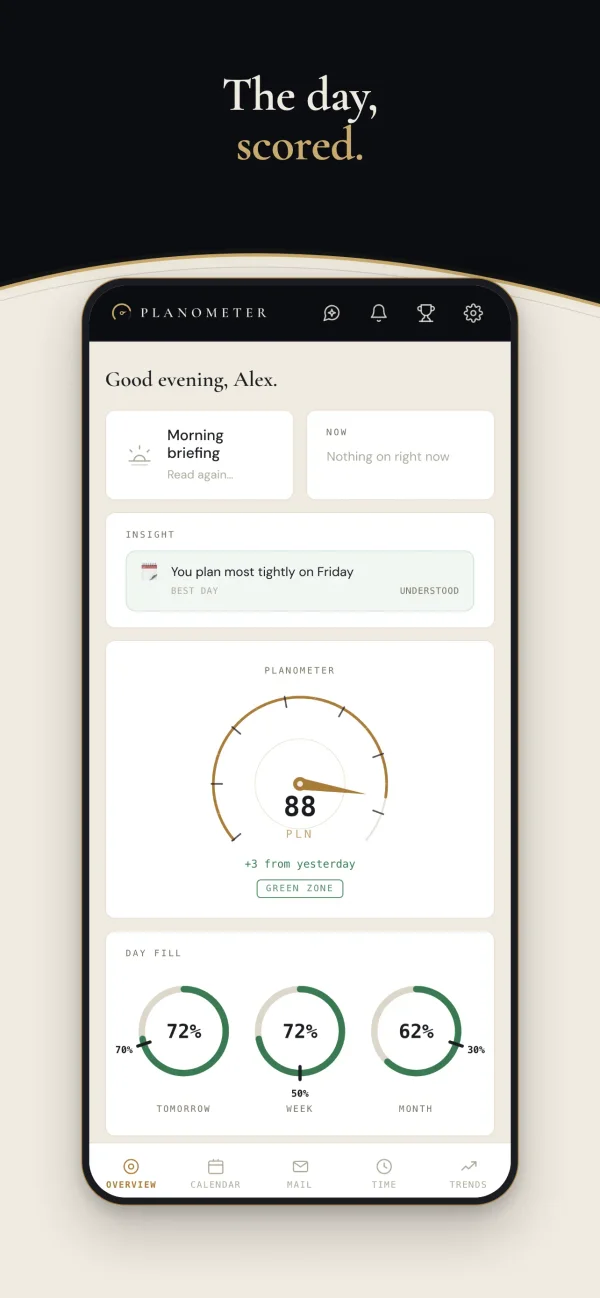
Plan your day here — events, tasks, mail — and at the end of it see how much of the day you decided in advance, and how much simply happened to you.
WHAT IT MEASURES
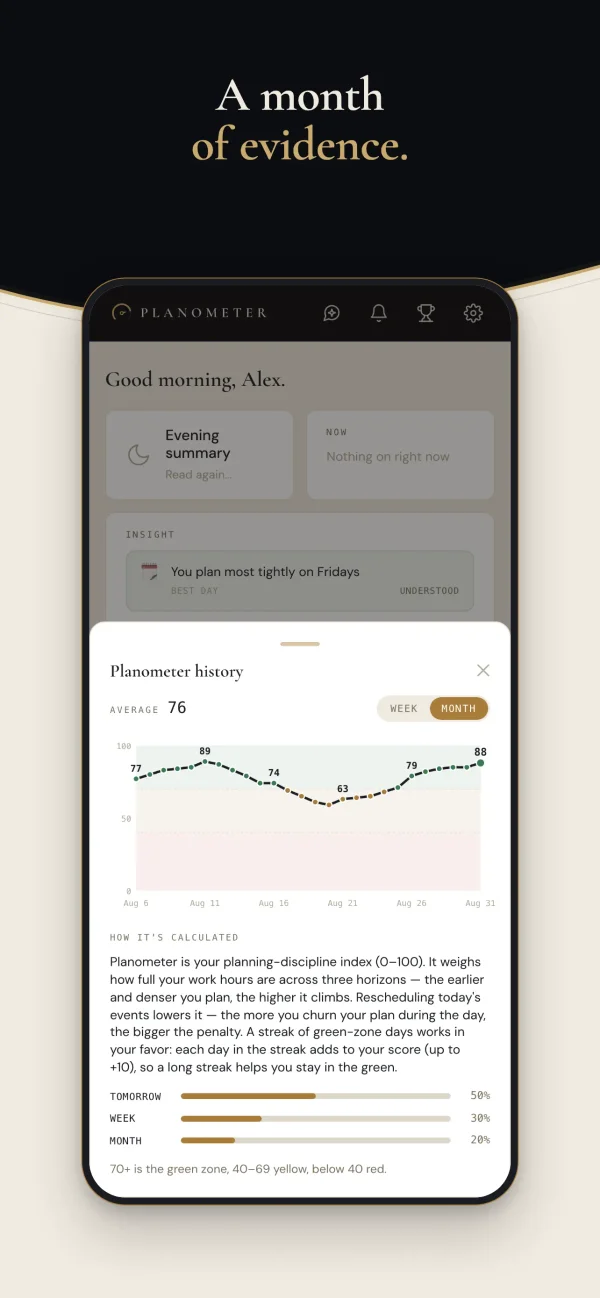
· The day's score — one number for the quality of your planning, not for your productivity.
· Reschedules — how often things move, and what they move off.
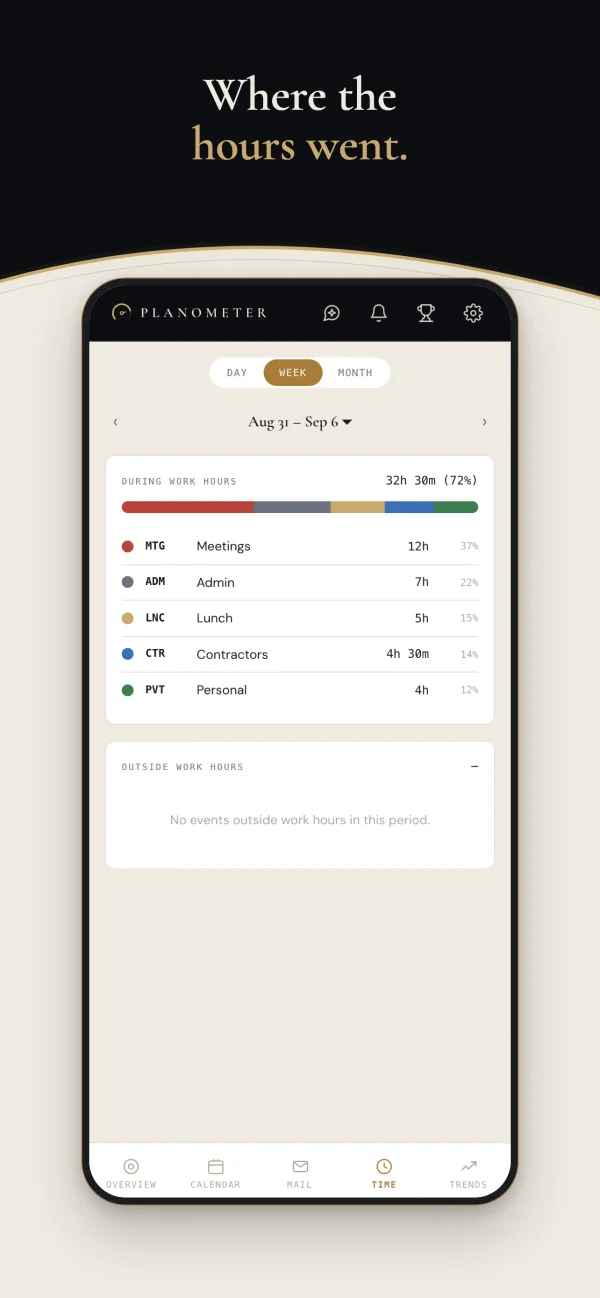
· Hours by marker — where the time actually went, under your own codes.
· How much of the day was in the plan before the day started.
MAIL LIKE A MESSENGER
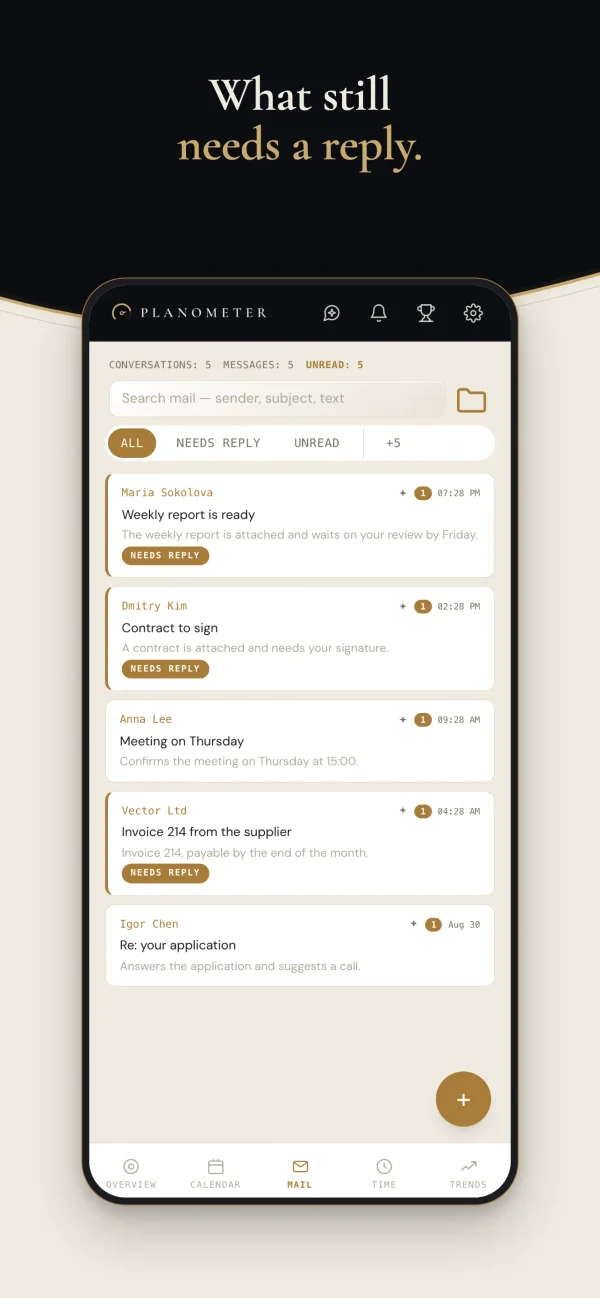
One subject, one conversation. New mail at the bottom, your reply in the same place, quotes collapsed, attachments where you left them. Swipe a message to archive it, delete it or mark it read. Search runs across every connected mailbox, and letters carry the same markers your events and tasks use.
AN ASSISTANT YOU CAN TYPE TO OR TALK TO
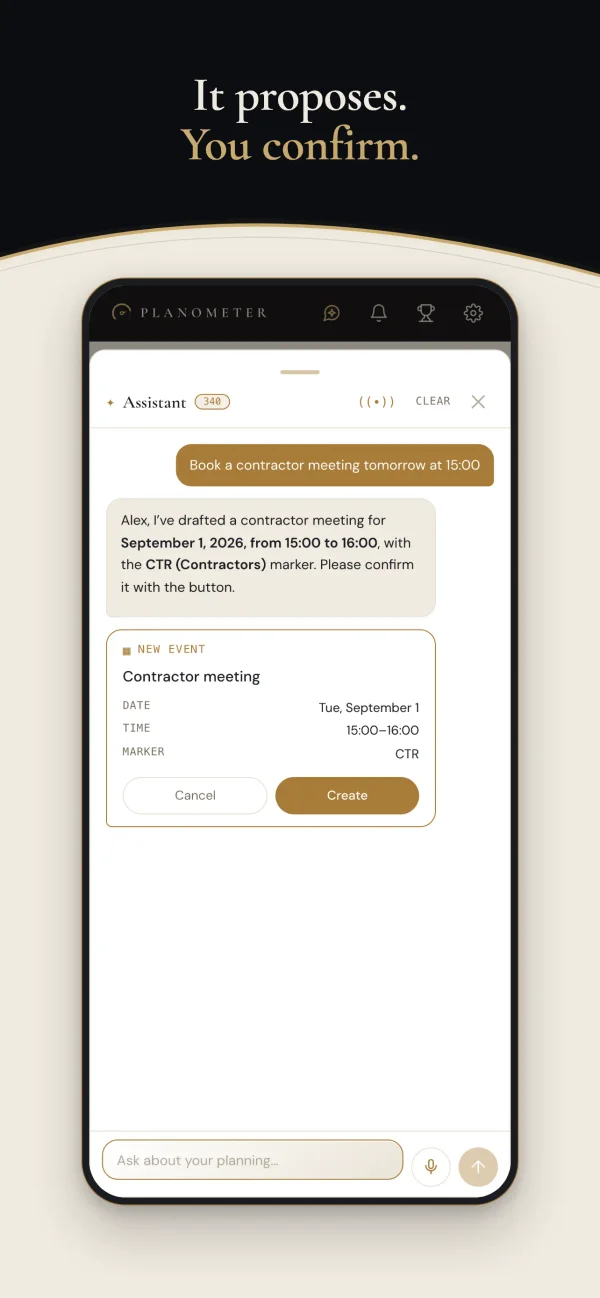
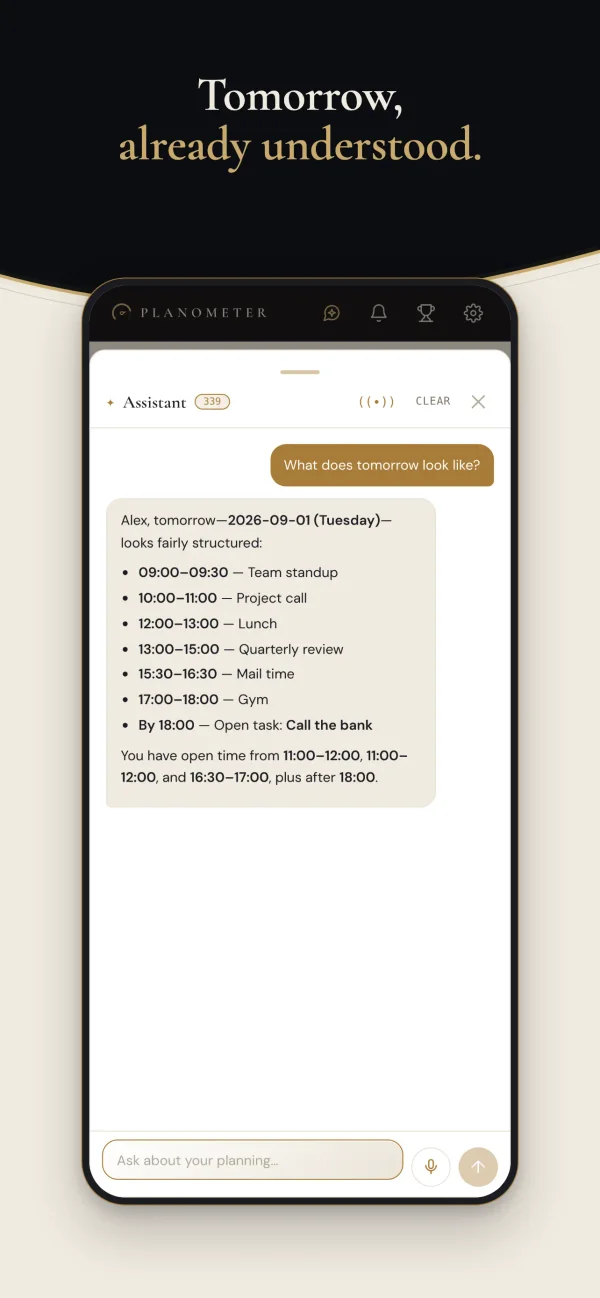
Ask what the week looks like. Have a meeting moved, a task created, a letter turned into either. Get a reply drafted straight into the message box. It always proposes and you confirm — nothing is created, changed or sent behind your back. There is a live voice mode as well, switched on in settings when you want to plan the day out loud instead of typing.
WHAT ELSE IS IN IT
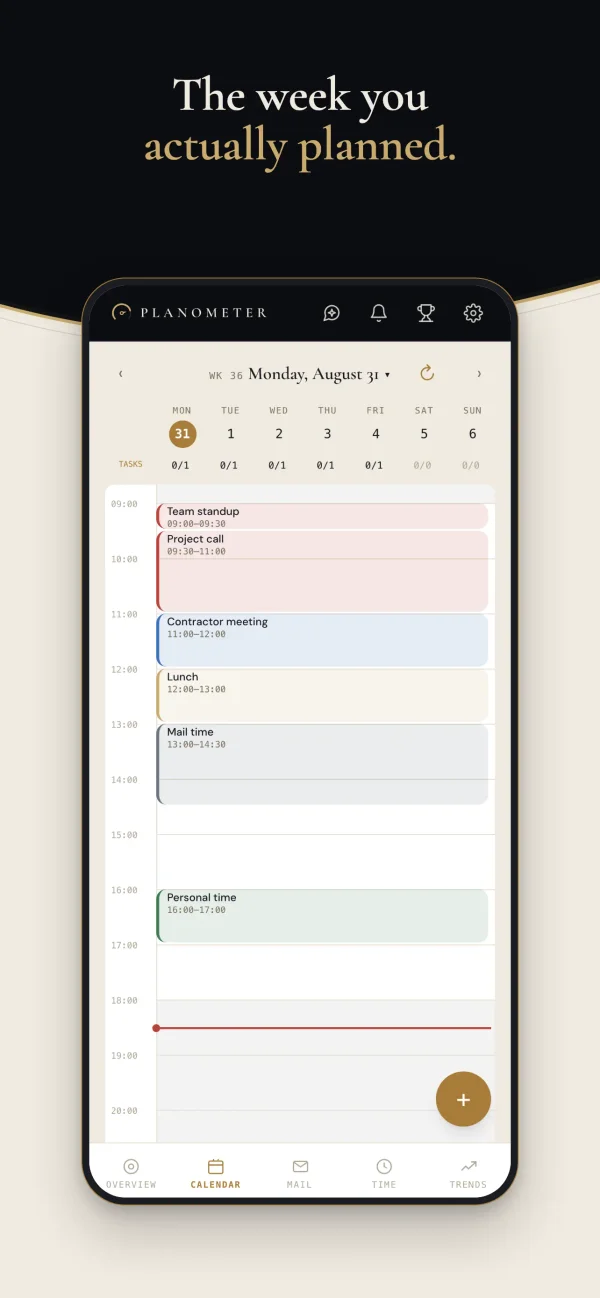
· Your calendar in full: create, move, finish. Changes go back to your own Google or Apple calendar.
· Tasks, including repeating ones, with Apple Reminders kept in step.
· Markers — your own short codes on events, tasks and letters, so hours are counted by what they were spent on.
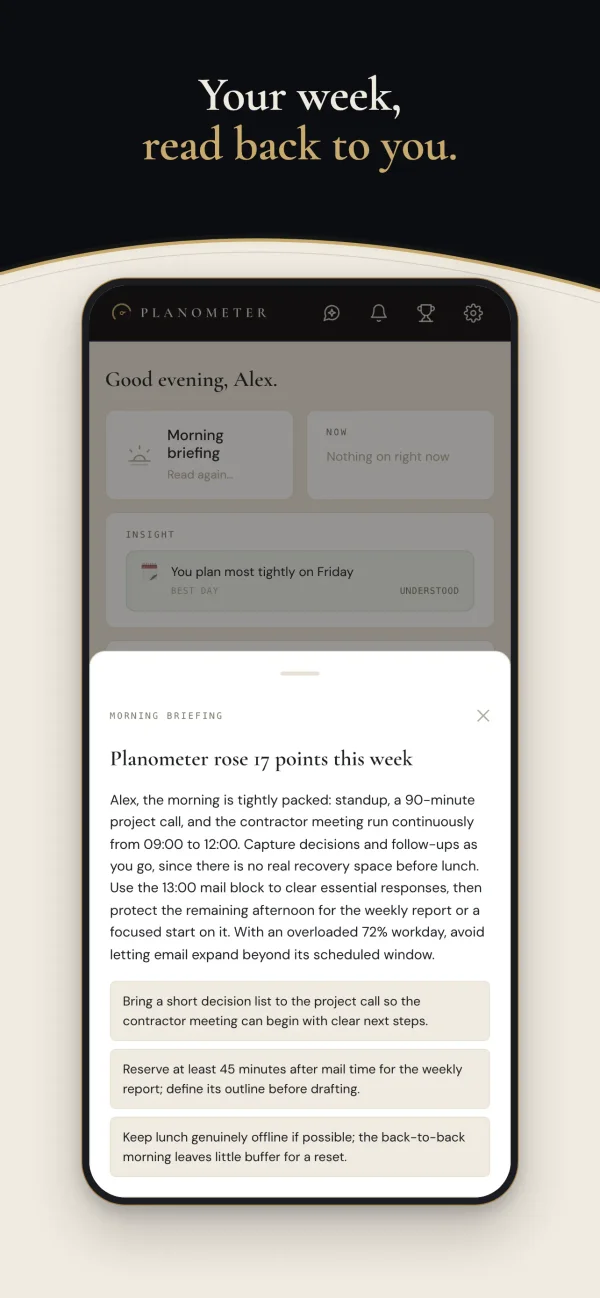
· A morning and an evening briefing, and a weekly review, written from your own week.
WHAT IT WILL NOT DO
· It will not tell you to work more. The score is about planning, not effort — a quiet day planned in advance scores better than a full one improvised.
· It will not keep a second copy of your life. Everything is read from the calendar you already use.
· It will not decide anything behind your back: an event, a task or a letter goes out only after you confirm it.
CREDITS
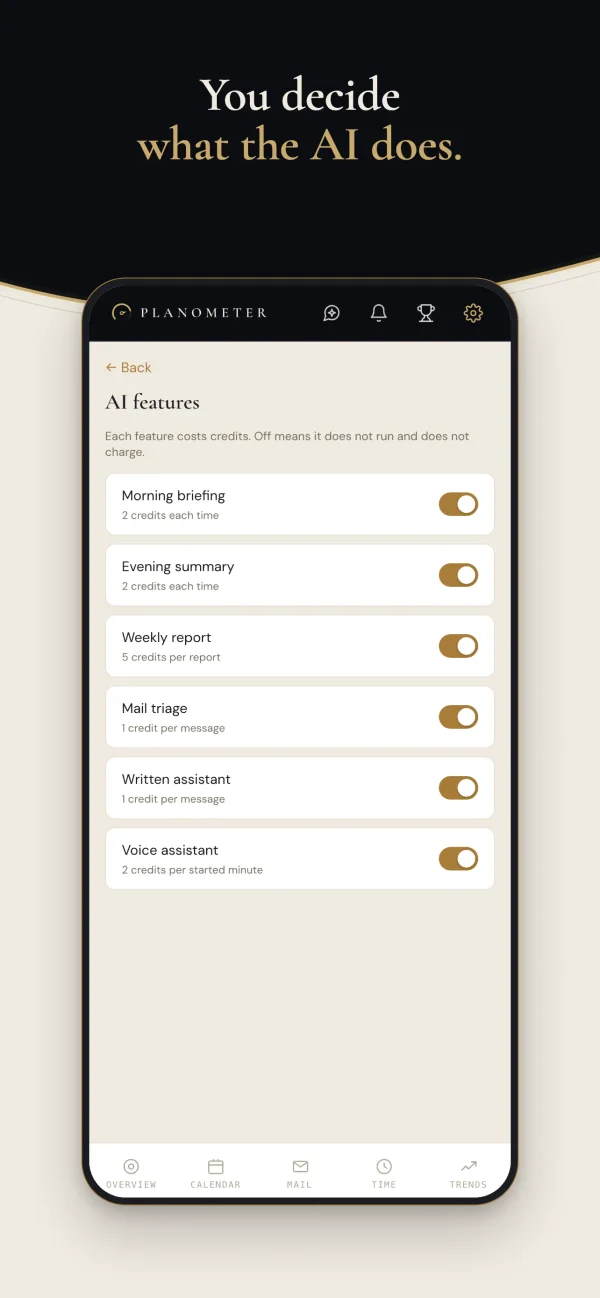
The planner, the score, the calendar, the trends and the streaks are free. The AI parts — the briefings, the assistant, the voice mode, the mail drafts — cost credits. Every green day earns credits, and packs can be bought if you want more. There is no subscription.
新機能
バージョン 1.2.0 · 2026/10/18
What's new in 1.2.0
• Mail: a letter found in the archive or in folders opens as an ordinary conversation — reply, forward, markers and moving to a folder all work there.
• Forwarding keeps the letter's formatting and its pictures in place. Pictures pasted into a letter now appear among its attachments.
• Mac and iPad: the week calendar and two-column mail now start in a window half the screen wide.
• Escape in mail closes the conversation first, then clears the selection, and only then resets the search.
• Small fixes and improvements.
アプリのプライバシー
このアプリのデータの取り扱いについて、Anton GrigorevskiiがApp Storeで申告している内容です。
-
ユーザーに関連付けられたデータ
収集され、ユーザーの識別情報に関連付けられる場合があります。
- 購入
- 連絡先情報
- ユーザーコンテンツ
- ID
- 使用状況データ
- その他のデータ
プライバシーの取り扱いは、ご利用の機能やお客様の年齢などに応じて異なる場合があります。
情報
- 販売元
- Anton Grigorevskii
- カテゴリ
- 仕事効率化
- バージョン
- 1.2.0
- 更新日
- 2026/10/18
- リリース
- 2026/9/12
- サイズ
- 22.4 MB
- 必要条件
- iOS 15.0以降
- 対象年齢
- 4+
- 価格
- 無料
- アプリ内課金
- あり
- 言語
- 英語
- 著作権
- © 2026 Anton Grigorevskiy
こちらもおすすめ
-
 DayFlare Studio: Indie Dev HQ仕事効率化
-
 Burn Timer: Focus & Pomodoro仕事効率化
-
 Focusen: Time Tracker仕事効率化
-
 Herds: The AI Event Scanner仕事効率化
-
 Task Planner: タスク管理スケジュール管理・予定表・時間管理
-
 タイムブロッキング 1日予定表 スケジュール管理手帳 週間毎日のタイムラインで集中を計画、勉強や仕事の記録に
-
 Storyist 4仕事効率化
-
 Habit Tracker 習慣管理目標達成と生産性向上
-
 Willow Dictation & AI Keyboard仕事効率化
-
 Actions: タスク管理 & ToDo目標、習慣 & チェックリスト