Planometer: Day Planner
Calendar, Tasks, Time Blocking
Được thiết kế cho iPhone, iPad, Mac, iPod touch
Miễn phí · Mua hàng trong ứng dụng
- Độ tuổi4+
- Danh mụcHiệu Suất
- Nhà phát triểnAnton Grigorevskii
- Ngôn ngữTiếng Anh
- Kích thước22,4 MB
Liên kết đến trang App Store chính thức
Download.org không lưu trữ tệp nào của Planometer: Day Planner. Nút này mở trang ứng dụng trên App Store, nơi Anton Grigorevskii phát hành ứng dụng. Trang được kiểm tra lần cuối: 06/11/2026.
Ảnh chụp màn hình

Giới thiệu
Nhà phát triển chưa cung cấp nội dung này bằng ngôn ngữ của bạn.
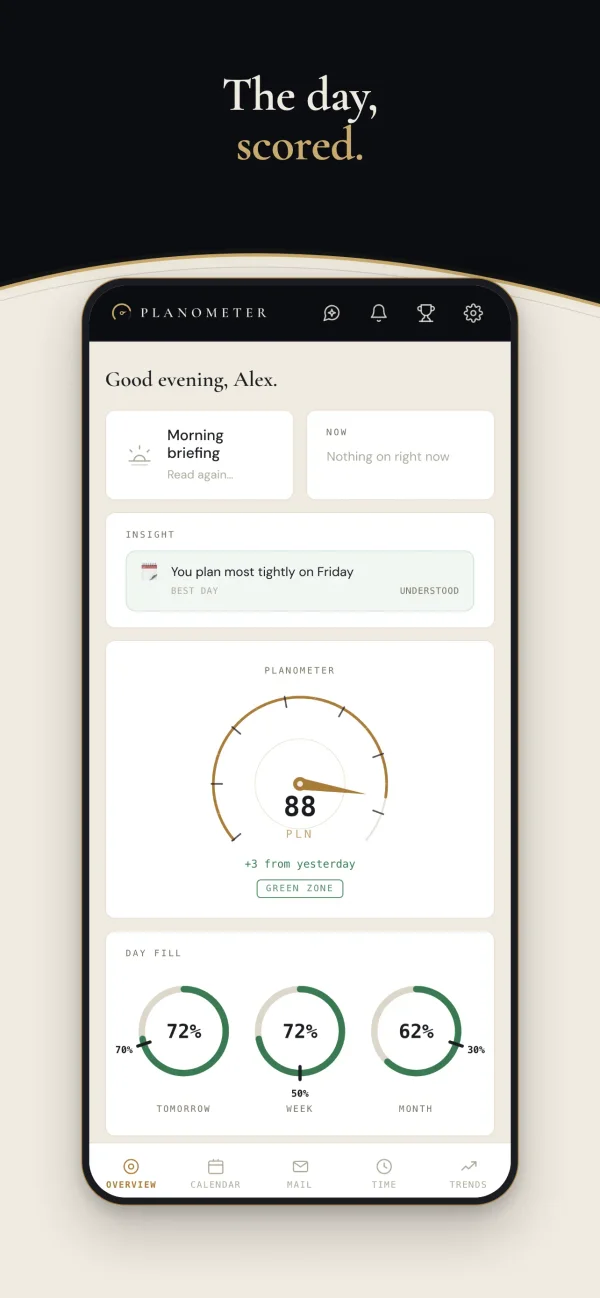
Planometer is a planner that measures itself.
Plan your day here — events, tasks, mail — and at the end of it see how much of the day you decided in advance, and how much simply happened to you.
WHAT IT MEASURES
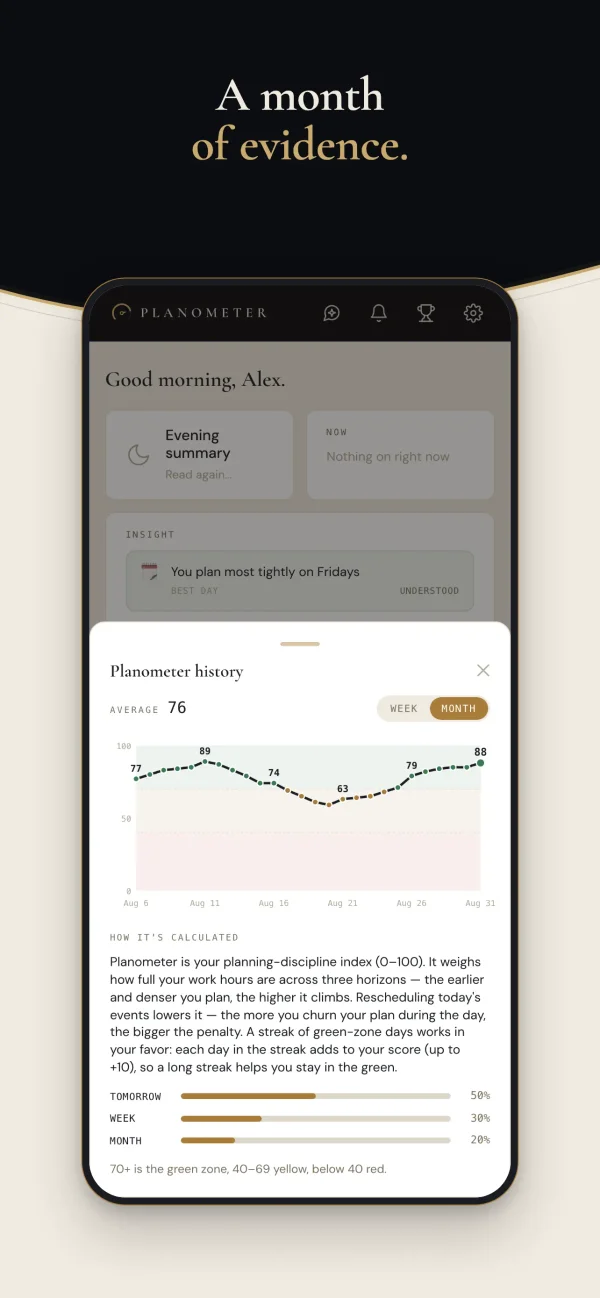
· The day's score — one number for the quality of your planning, not for your productivity.
· Reschedules — how often things move, and what they move off.
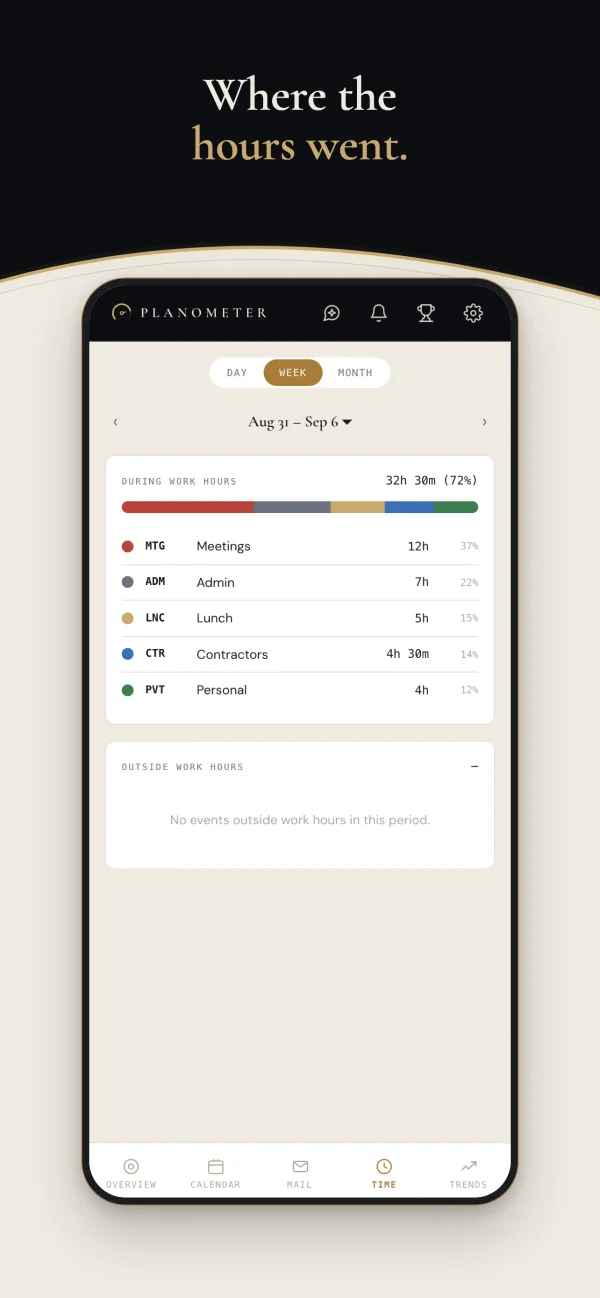
· Hours by marker — where the time actually went, under your own codes.
· How much of the day was in the plan before the day started.
MAIL LIKE A MESSENGER
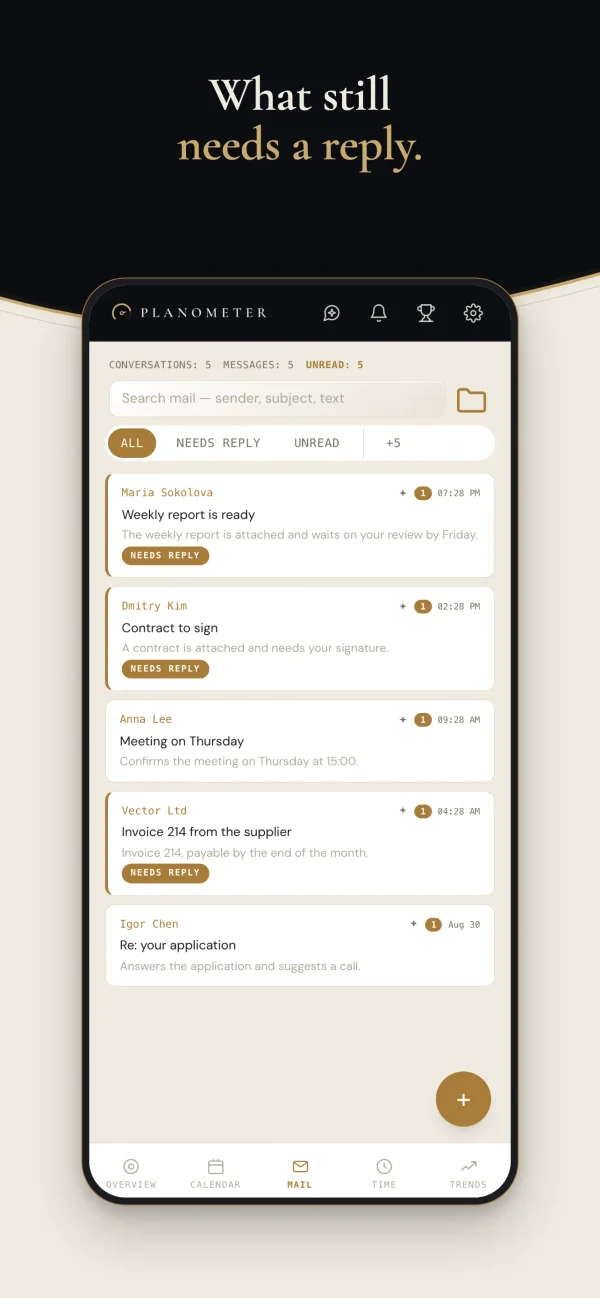
One subject, one conversation. New mail at the bottom, your reply in the same place, quotes collapsed, attachments where you left them. Swipe a message to archive it, delete it or mark it read. Search runs across every connected mailbox, and letters carry the same markers your events and tasks use.
AN ASSISTANT YOU CAN TYPE TO OR TALK TO
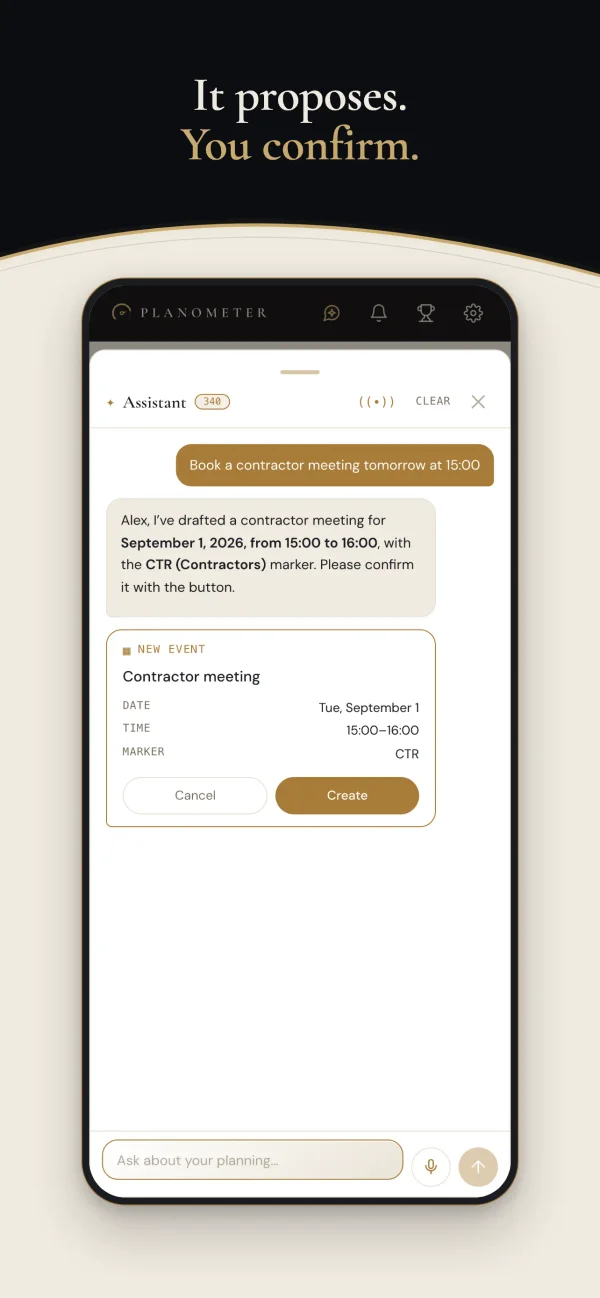
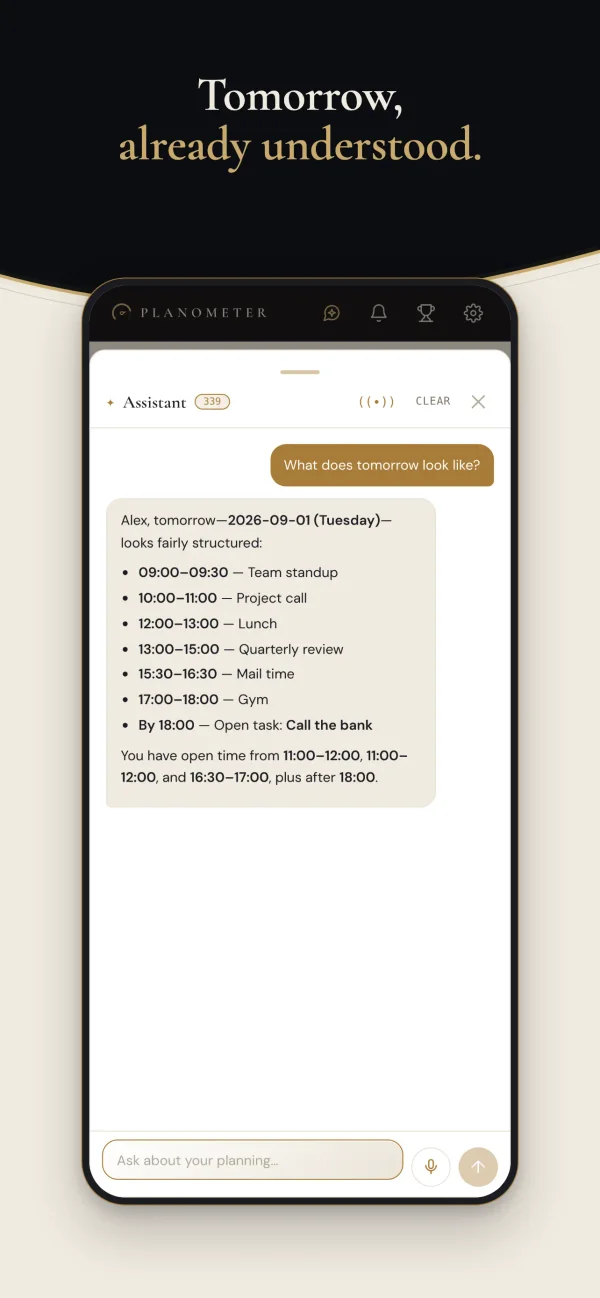
Ask what the week looks like. Have a meeting moved, a task created, a letter turned into either. Get a reply drafted straight into the message box. It always proposes and you confirm — nothing is created, changed or sent behind your back. There is a live voice mode as well, switched on in settings when you want to plan the day out loud instead of typing.
WHAT ELSE IS IN IT
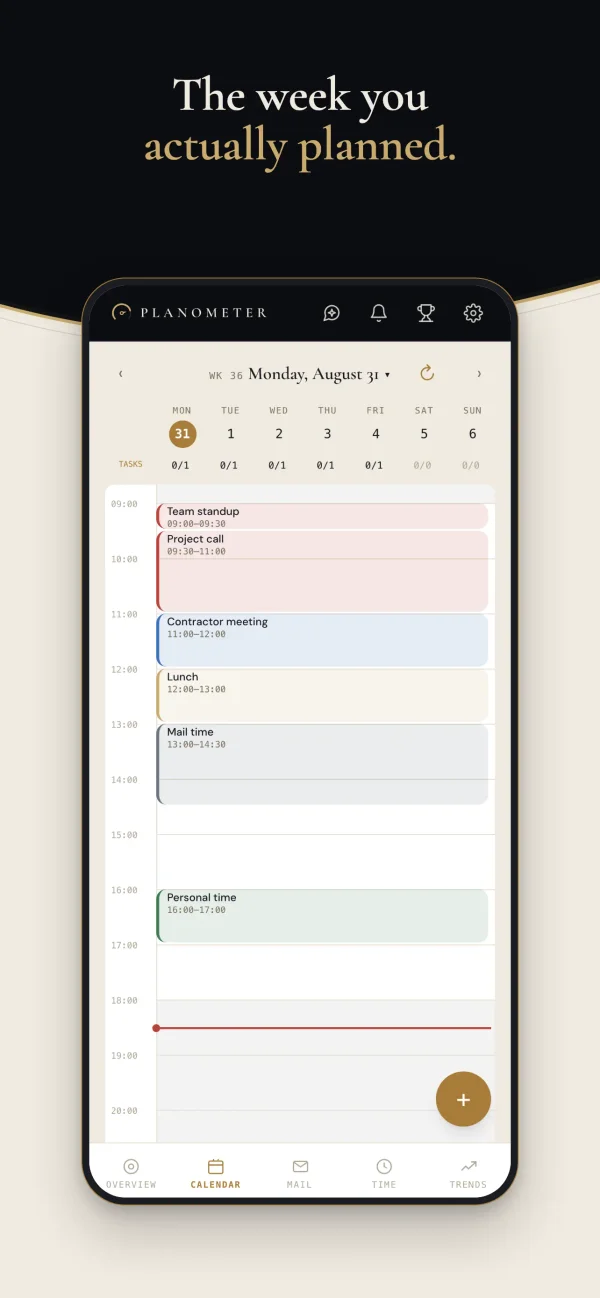
· Your calendar in full: create, move, finish. Changes go back to your own Google or Apple calendar.
· Tasks, including repeating ones, with Apple Reminders kept in step.
· Markers — your own short codes on events, tasks and letters, so hours are counted by what they were spent on.
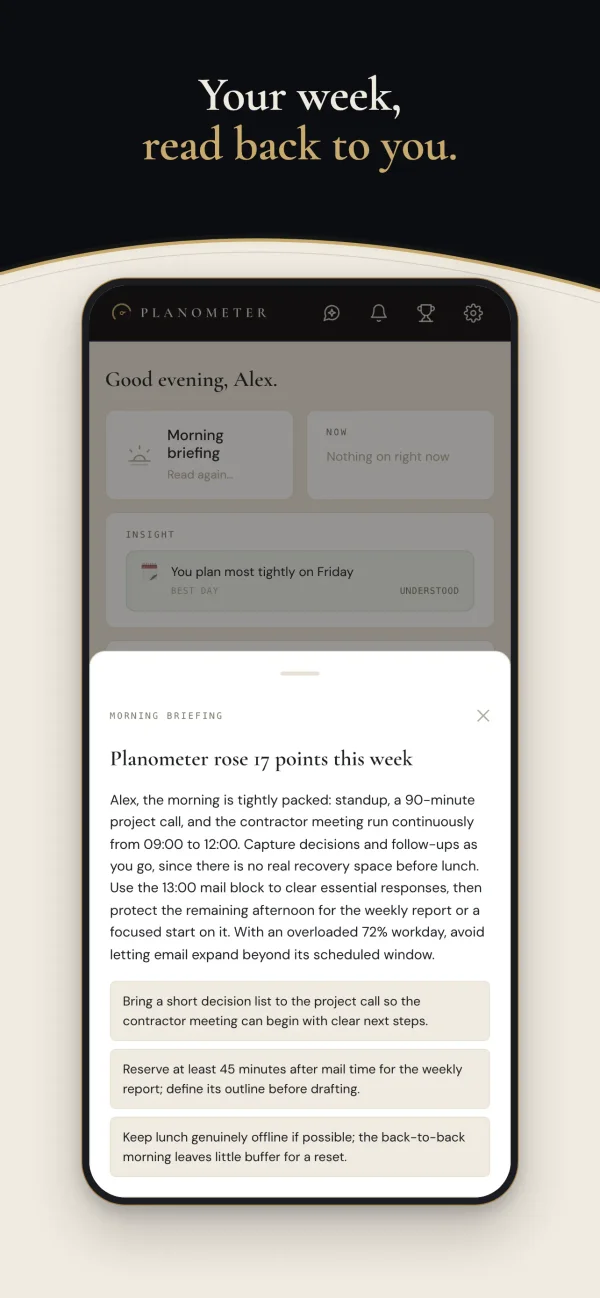
· A morning and an evening briefing, and a weekly review, written from your own week.
WHAT IT WILL NOT DO
· It will not tell you to work more. The score is about planning, not effort — a quiet day planned in advance scores better than a full one improvised.
· It will not keep a second copy of your life. Everything is read from the calendar you already use.
· It will not decide anything behind your back: an event, a task or a letter goes out only after you confirm it.
CREDITS
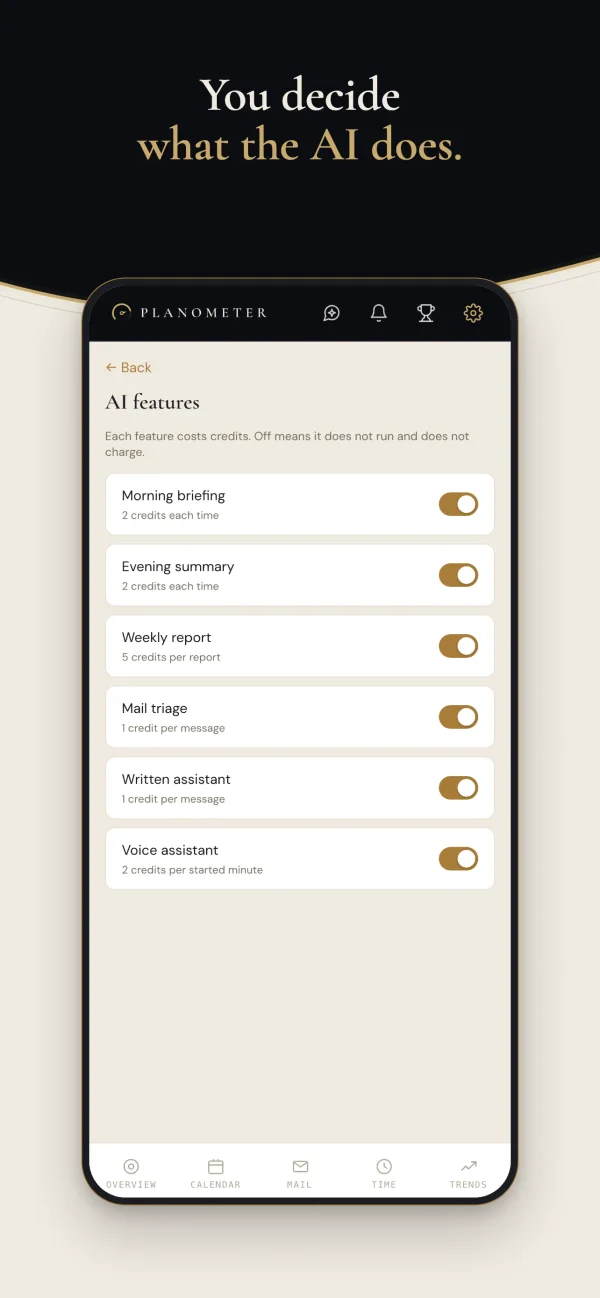
The planner, the score, the calendar, the trends and the streaks are free. The AI parts — the briefings, the assistant, the voice mode, the mail drafts — cost credits. Every green day earns credits, and packs can be bought if you want more. There is no subscription.
Có gì mới
Phiên bản 1.2.0 · 18/10/2026
What's new in 1.2.0
• Mail: a letter found in the archive or in folders opens as an ordinary conversation — reply, forward, markers and moving to a folder all work there.
• Forwarding keeps the letter's formatting and its pictures in place. Pictures pasted into a letter now appear among its attachments.
• Mac and iPad: the week calendar and two-column mail now start in a window half the screen wide.
• Escape in mail closes the conversation first, then clears the selection, and only then resets the search.
• Small fixes and improvements.
Quyền riêng tư của ứng dụng
Những gì Anton Grigorevskii khai báo trên App Store về cách ứng dụng này xử lý dữ liệu.
-
Dữ liệu liên kết với bạn
Có thể được thu thập và liên kết với danh tính của bạn.
- Mục mua
- Thông tin liên hệ
- Nội dung của người dùng
- Mã định danh
- Dữ liệu sử dụng
- Dữ liệu khác
Phương thức đảm bảo quyền riêng tư có thể khác nhau, chẳng hạn như tuỳ theo các tính năng bạn sử dụng hoặc độ tuổi của bạn.
Thông tin
- Người bán
- Anton Grigorevskii
- Danh mục
- Hiệu Suất
- Phiên bản
- 1.2.0
- Cập nhật
- 18/10/2026
- Phát hành
- 12/09/2026
- Kích thước
- 22,4 MB
- Yêu cầu
- iOS 15.0 trở lên
- Độ tuổi
- 4+
- Giá
- Miễn phí
- Mua hàng trong ứng dụng
- Có
- Ngôn ngữ
- Tiếng Anh
- Bản quyền
- © 2026 Anton Grigorevskiy
Có thể bạn cũng thích
-
 DayFlare Studio: Indie Dev HQHiệu Suất
-
 Burn Timer: Focus & PomodoroHiệu Suất
-
 Focusen: Time TrackerHiệu Suất
-
 Herds: The AI Event ScannerHiệu Suất
-
 Task Planner: Daily ScheduleHiệu Suất
-
 Lịch Ngày: Quản Lý Thời GianKế hoạch việc theo khung giờ
-
 Storyist 4Hiệu Suất
-
 Theo dõi Thói quen & Kế hoạchXây dựng thói quen mỗi ngày
-
 Willow Dictation & AI KeyboardHiệu Suất
-
 Getting Things Done (Actions)GTD Pomodoro Method Timer