Planometer: Day Planner
Calendar, Tasks, Time Blocking
Diseñada para iPhone, iPad, Mac, iPod touch
Gratis · Compras en la aplicación
- Clasificación por edad4+
- CategoríaProductividad
- DesarrolladorAnton Grigorevskii
- IdiomasInglés
- Tamaño22,4 MB
Enlaza a la página oficial de App Store
Download.org no aloja ningún archivo de Planometer: Day Planner. El botón abre la página de la aplicación en App Store, donde la publica Anton Grigorevskii. Ficha comprobada por última vez el 6/11/2026.
Capturas de pantalla

Acerca de
El desarrollador no ha proporcionado este texto en tu idioma.
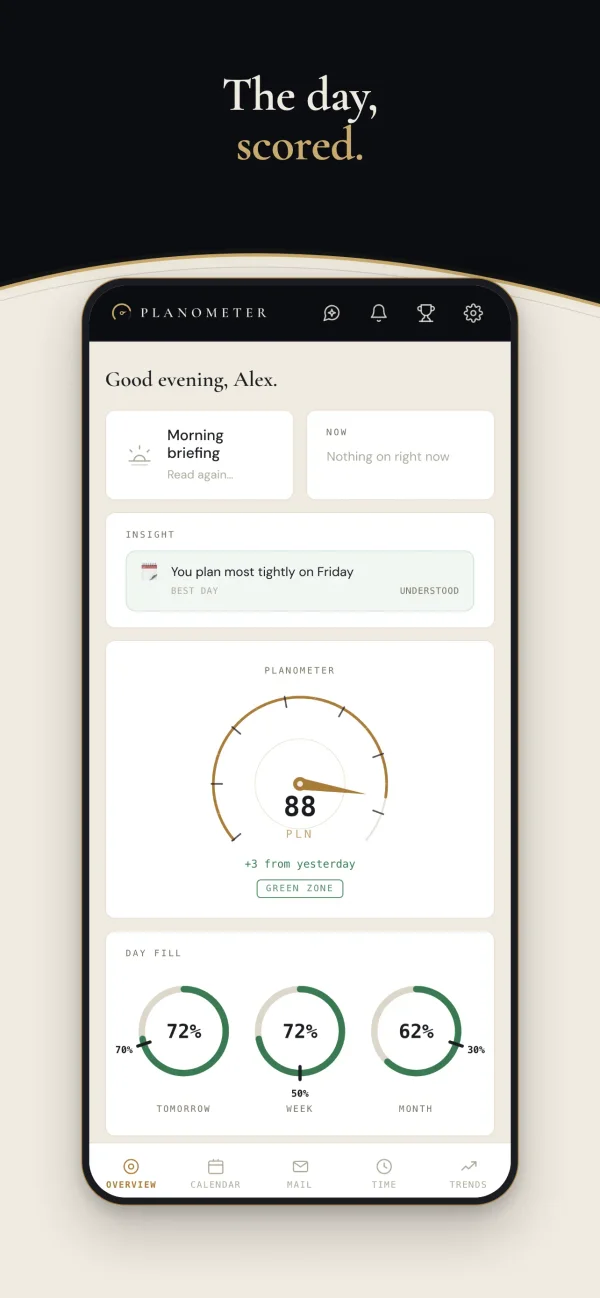
Planometer is a planner that measures itself.
Plan your day here — events, tasks, mail — and at the end of it see how much of the day you decided in advance, and how much simply happened to you.
WHAT IT MEASURES
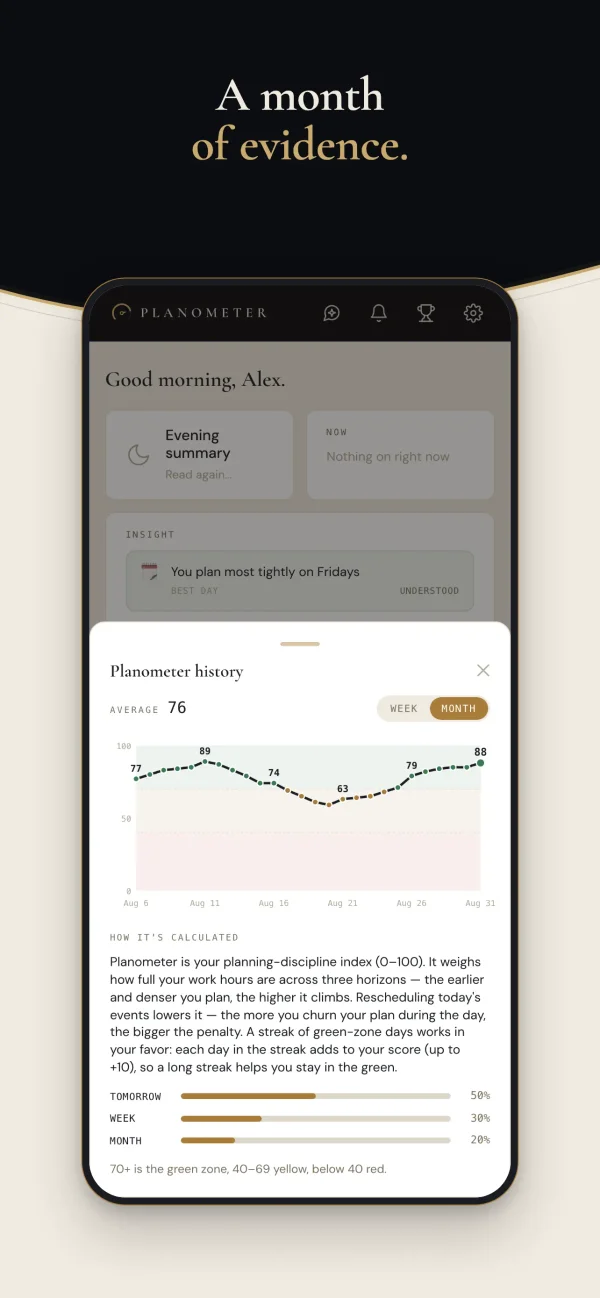
· The day's score — one number for the quality of your planning, not for your productivity.
· Reschedules — how often things move, and what they move off.
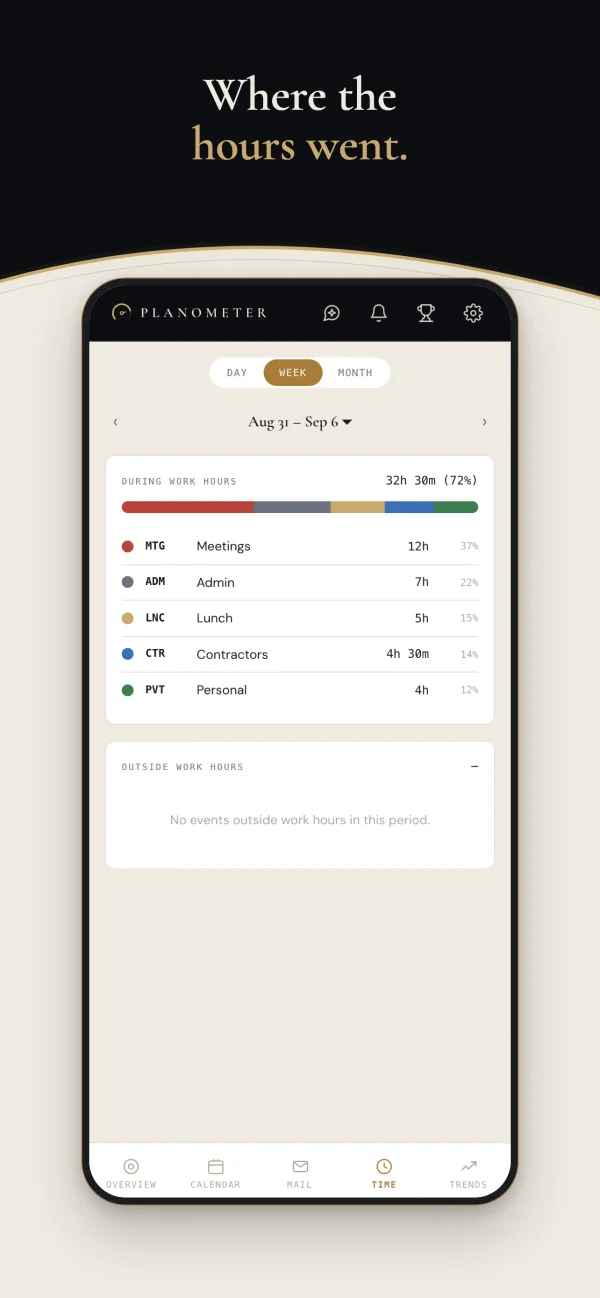
· Hours by marker — where the time actually went, under your own codes.
· How much of the day was in the plan before the day started.
MAIL LIKE A MESSENGER
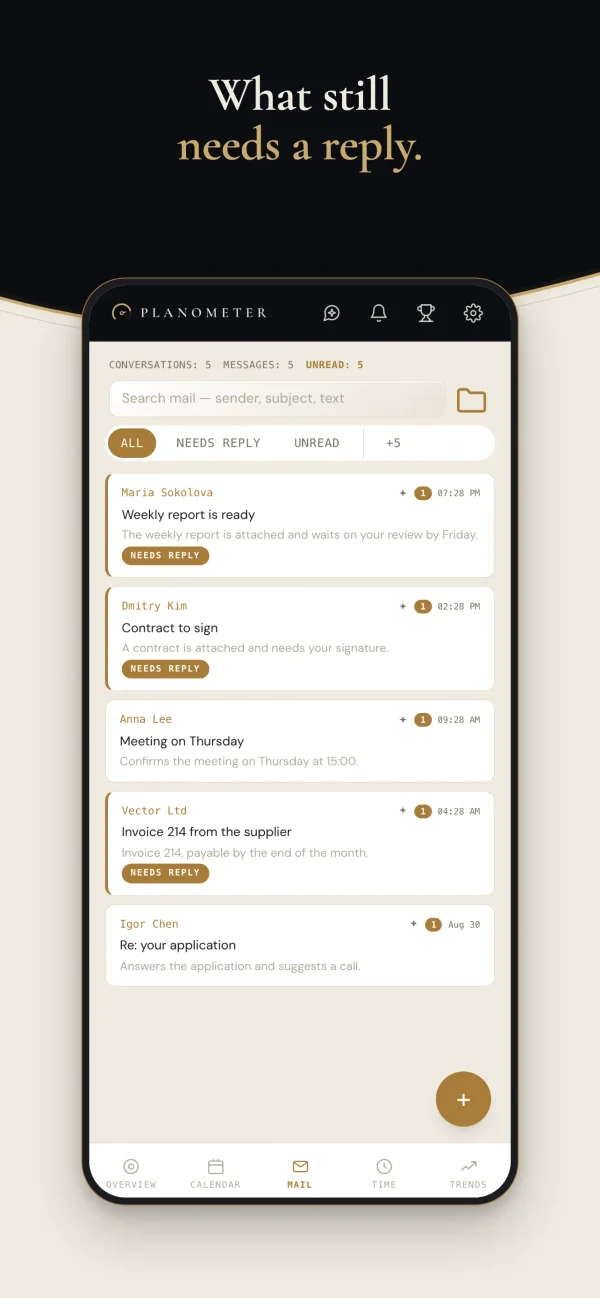
One subject, one conversation. New mail at the bottom, your reply in the same place, quotes collapsed, attachments where you left them. Swipe a message to archive it, delete it or mark it read. Search runs across every connected mailbox, and letters carry the same markers your events and tasks use.
AN ASSISTANT YOU CAN TYPE TO OR TALK TO
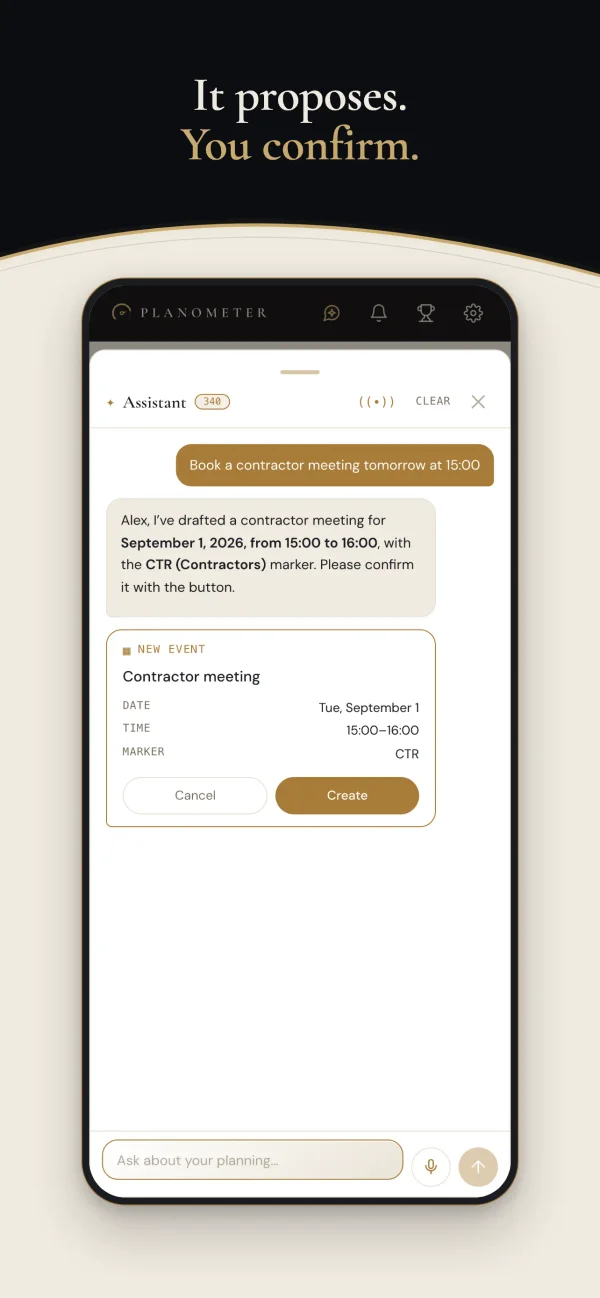
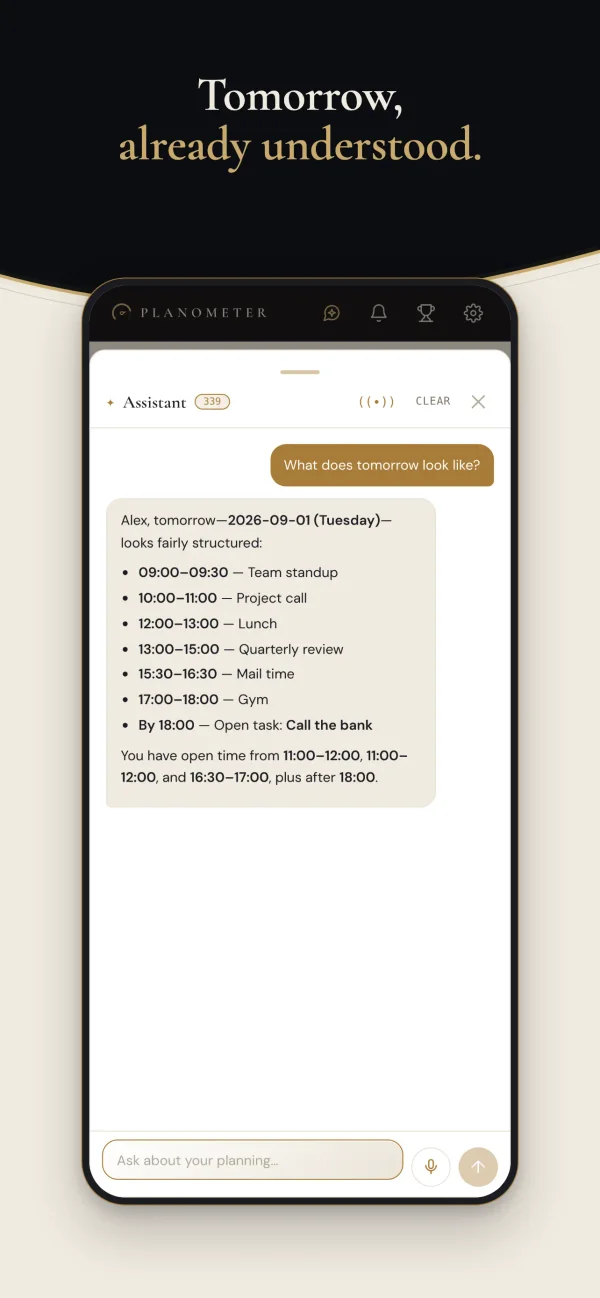
Ask what the week looks like. Have a meeting moved, a task created, a letter turned into either. Get a reply drafted straight into the message box. It always proposes and you confirm — nothing is created, changed or sent behind your back. There is a live voice mode as well, switched on in settings when you want to plan the day out loud instead of typing.
WHAT ELSE IS IN IT
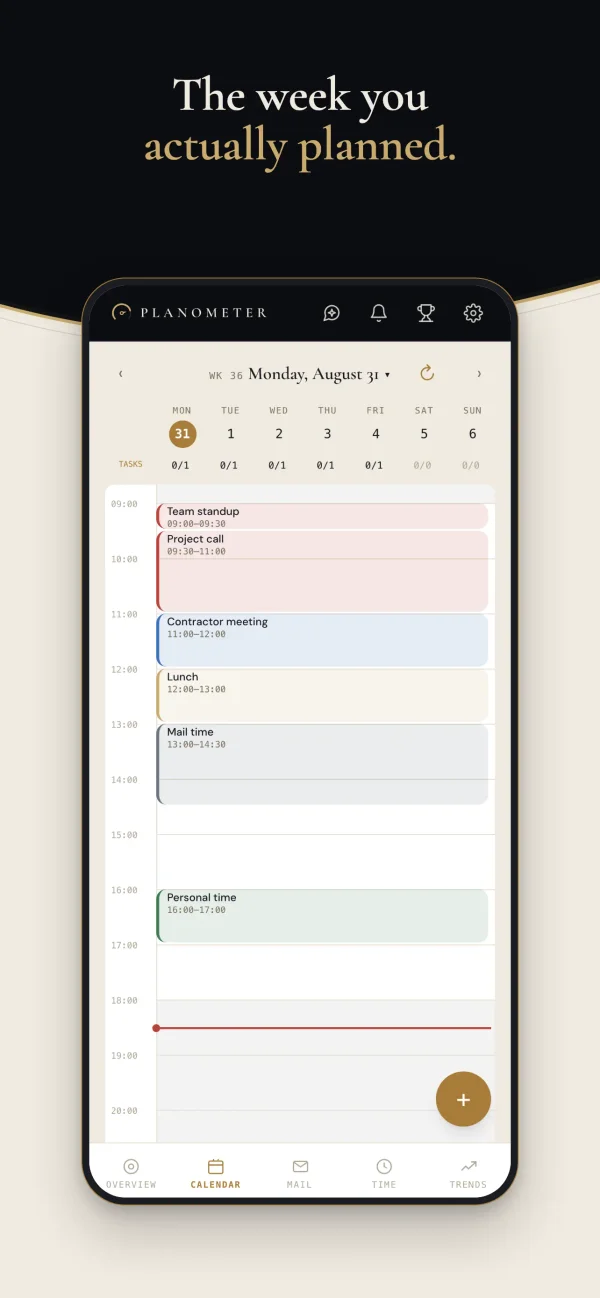
· Your calendar in full: create, move, finish. Changes go back to your own Google or Apple calendar.
· Tasks, including repeating ones, with Apple Reminders kept in step.
· Markers — your own short codes on events, tasks and letters, so hours are counted by what they were spent on.
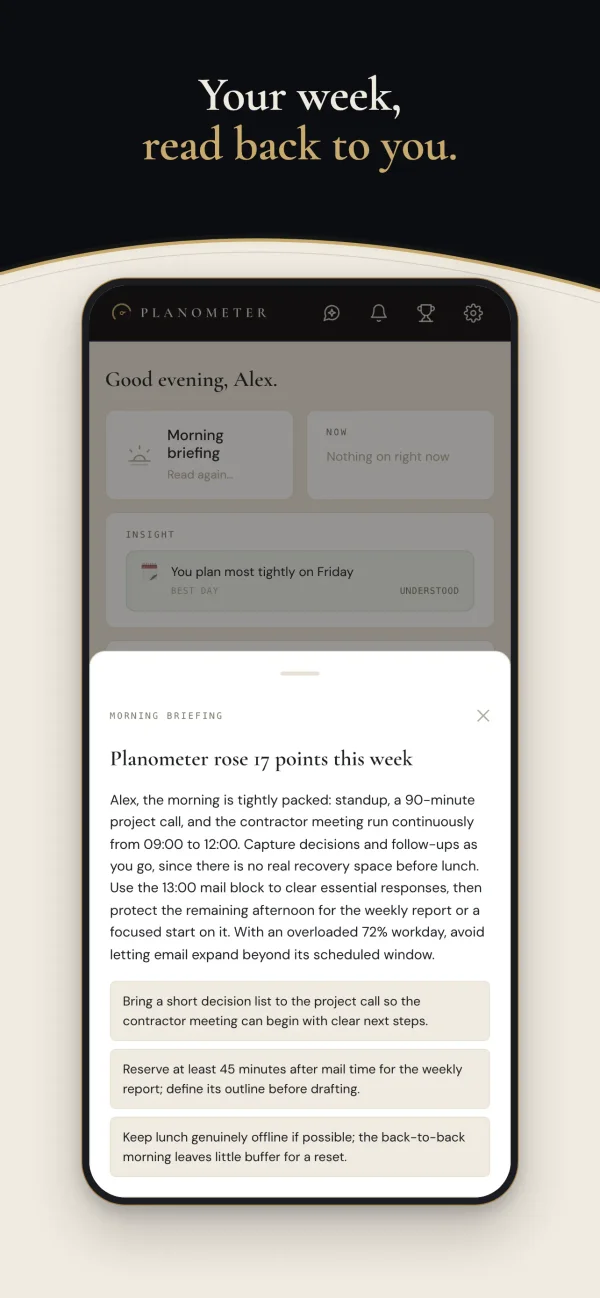
· A morning and an evening briefing, and a weekly review, written from your own week.
WHAT IT WILL NOT DO
· It will not tell you to work more. The score is about planning, not effort — a quiet day planned in advance scores better than a full one improvised.
· It will not keep a second copy of your life. Everything is read from the calendar you already use.
· It will not decide anything behind your back: an event, a task or a letter goes out only after you confirm it.
CREDITS
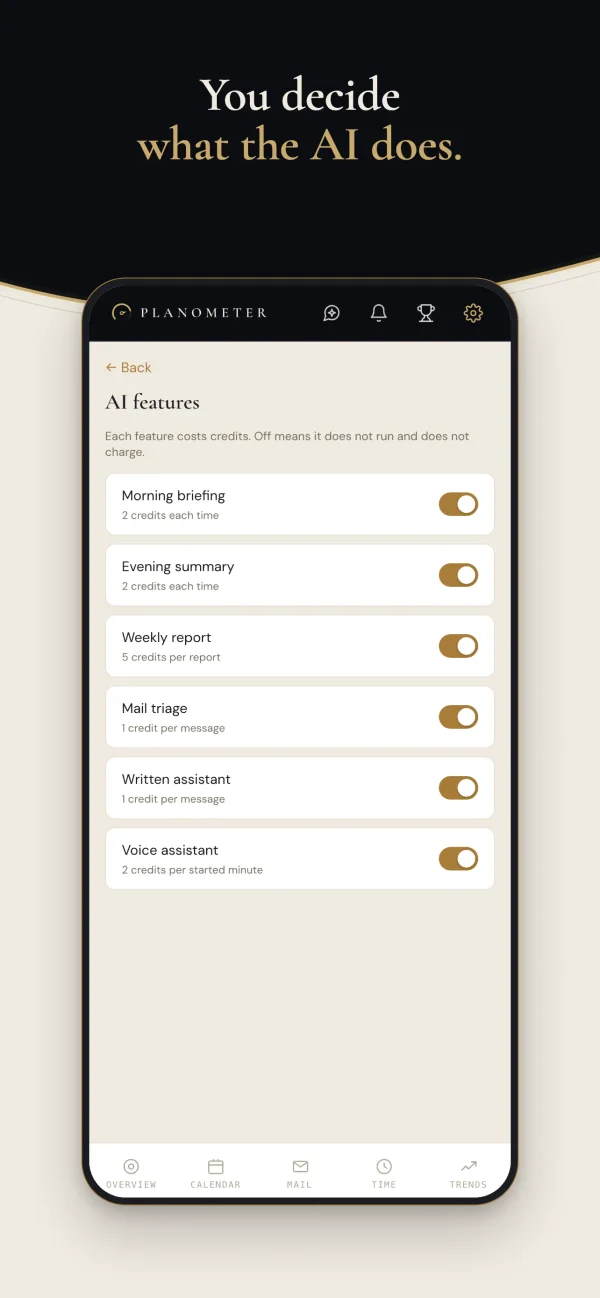
The planner, the score, the calendar, the trends and the streaks are free. The AI parts — the briefings, the assistant, the voice mode, the mail drafts — cost credits. Every green day earns credits, and packs can be bought if you want more. There is no subscription.
Novedades
Versión 1.2.0 · 18/10/2026
What's new in 1.2.0
• Mail: a letter found in the archive or in folders opens as an ordinary conversation — reply, forward, markers and moving to a folder all work there.
• Forwarding keeps the letter's formatting and its pictures in place. Pictures pasted into a letter now appear among its attachments.
• Mac and iPad: the week calendar and two-column mail now start in a window half the screen wide.
• Escape in mail closes the conversation first, then clears the selection, and only then resets the search.
• Small fixes and improvements.
Privacidad de la aplicación
Lo que Anton Grigorevskii declara en App Store sobre cómo esta aplicación gestiona los datos.
-
Datos vinculados a ti
Pueden recopilarse y vincularse a tu identidad.
- Compras
- Información de contacto
- Contenido del usuario
- Identificadores
- Datos de uso
- Otros datos
Las prácticas de privacidad pueden variar, por ejemplo, según las funciones que uses o tu edad.
Información
- Vendedor
- Anton Grigorevskii
- Categoría
- Productividad
- Versión
- 1.2.0
- Actualizado
- 18/10/2026
- Publicado
- 12/9/2026
- Tamaño
- 22,4 MB
- Requiere
- iOS 15.0 o posterior
- Clasificación por edad
- 4+
- Precio
- Gratis
- Compras en la aplicación
- Sí
- Idiomas
- Inglés
- Copyright
- © 2026 Anton Grigorevskiy
Quizá también te guste
-
 DayFlare Studio: Indie Dev HQProductividad
-
 Burn Timer: Focus & PomodoroProductividad
-
 Focusen: Time TrackerProductividad
-
 Herds: The AI Event ScannerProductividad
-
 Task Planner: PlanificadorPlan diario, tareas y horario
-
 Bloques de Tiempo: Agenda DíaPlanificador diario y horario
-
 Storyist 4Productividad
-
 Hábitos & Metas TrackerConstruye rutinas diarias
-
 Willow Dictation & AI KeyboardProductividad
-
 Actions: Lista de TareasObjetivos, Hábitos & Checklist