
- Altersfreigabe4+
- KategorieFoto und Video
- EntwicklerRobert Lefkowitz
- SprachenEnglisch
- Größe12,1 MB
QuadCropper ist bei App Store derzeit möglicherweise nicht verfügbar
Bei unserer letzten Prüfung war der Store-Eintrag nicht erreichbar. Der Link führt weiterhin zur offiziellen App Store-Seite.
Screenshots
Info
Der Entwickler hat diesen Text nicht in Ihrer Sprache bereitgestellt.
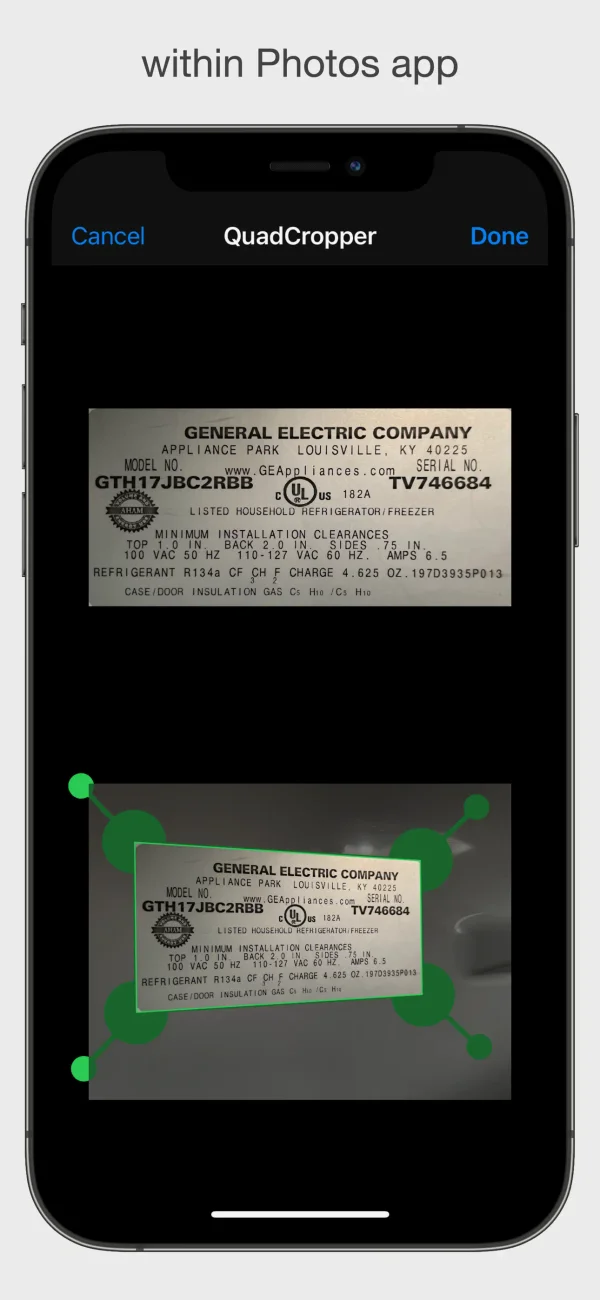
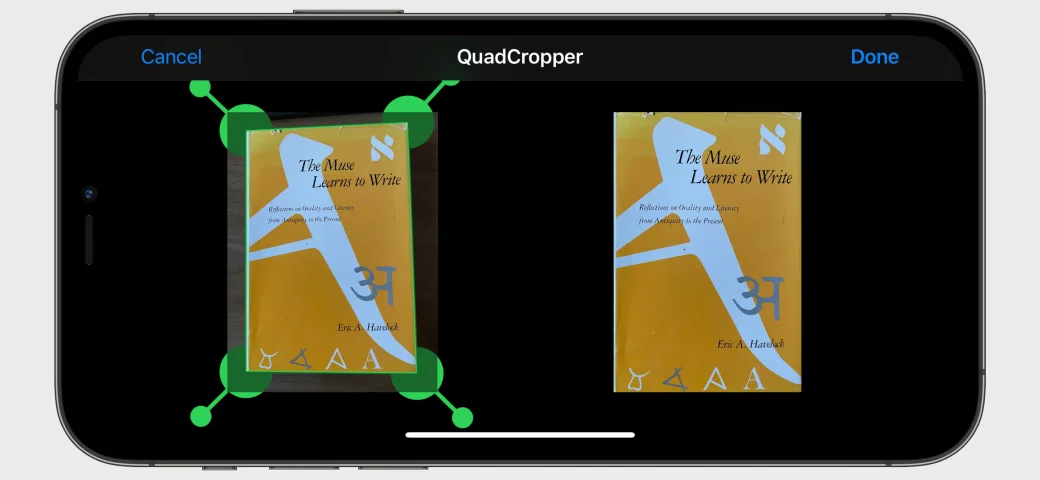
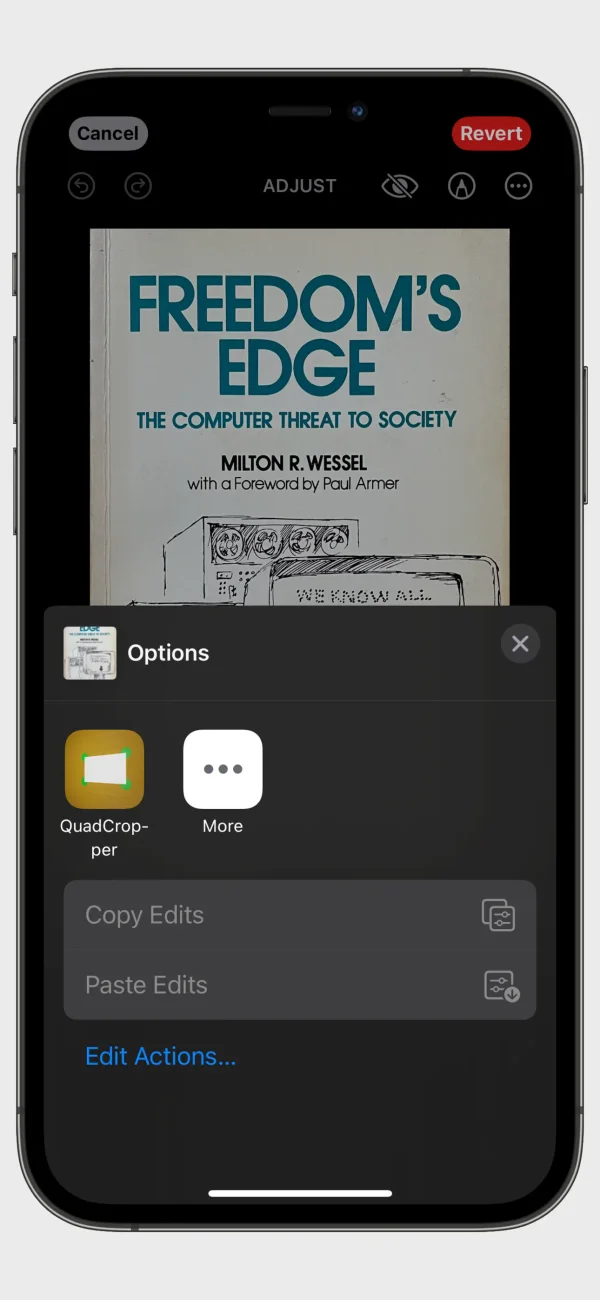
This app contains a Photos extension to crop and deskew rectangles in a photo. Since the rectangles may be skewed by perspective, the cropping tool allows individual placement of the four corners of the 2D quadrilateral -- and then deskews the contained rectangle. This is useful for business cards or slides or book covers or the like which have been photographed at an angle.
The app mimics the functionality of the Photos extension and can access the Photos library or the camera to get an image. One can also crop the image from any file. Unless the image is retrieved from the Photos library, the app will store the cropped image to a user-selected file.
Corners can be nudged by tapping on the corner circles. The corner will move by a pixel in the direction of the quadrant of the circle that was tapped on.
App-Datenschutz
Was Robert Lefkowitz im App Store zum Umgang dieser App mit Daten angibt.
-
Keine Daten erfasst
Der Entwickler erfasst keine Daten von dieser App.
Die Datenschutzpraktiken können variieren, zum Beispiel je nach den von Ihnen verwendeten Funktionen oder Ihrem Alter.
Informationen
- Anbieter
- Robert Lefkowitz
- Kategorie
- Foto und Video
- Version
- 1.0
- Aktualisiert
- 21.11.2023
- Veröffentlicht
- 20.11.2023
- Größe
- 12,1 MB
- Erfordert
- iOS 17.0 oder neuer
- Altersfreigabe
- 4+
- Sprachen
- Englisch
- Copyright
- © 2023 Robert M. Lefkowitz
Das könnte Ihnen auch gefallen
-
 PersCrop - Perspective CropFoto und Video
-
 Perspective Crop LensFoto und Video
-
 Maple: Privates FamilienalbumFotos & Videos sicher teilen
-
 Album Widget - PhotosFoto und Video
-
 PIXLpathFoto und Video
-
 DrawNova: AR Sketch TraceFoto und Video
-
 AutoAlign: Scan & BegradigenKI-Scanner: Dokumente fragen
-
 ArchCam: Perspective CameraFoto und Video
-
 PhotoSegmentFoto und Video
-
 SlideShow with TitlesFoto und Video