
- Classification d’âge4+
- CatégoriePhoto et vidéo
- DéveloppeurRobert Lefkowitz
- LanguesAnglais
- Taille12,1 Mo
QuadCropper n’est peut-être pas disponible sur App Store pour le moment
La fiche de la boutique était inaccessible lors de notre dernière vérification. Le lien mène toujours à la page App Store officielle.
Captures d’écran

À propos
Le développeur n’a pas fourni ce texte dans votre langue.
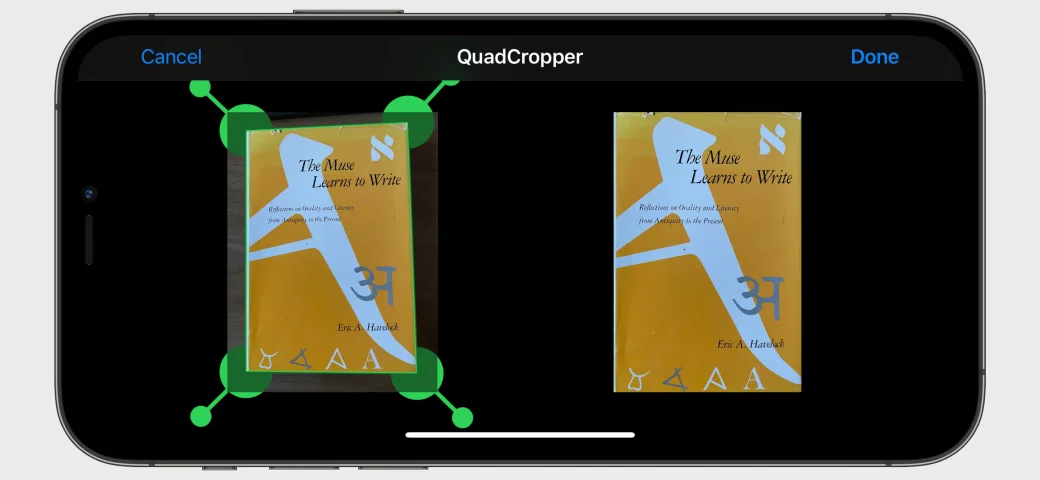
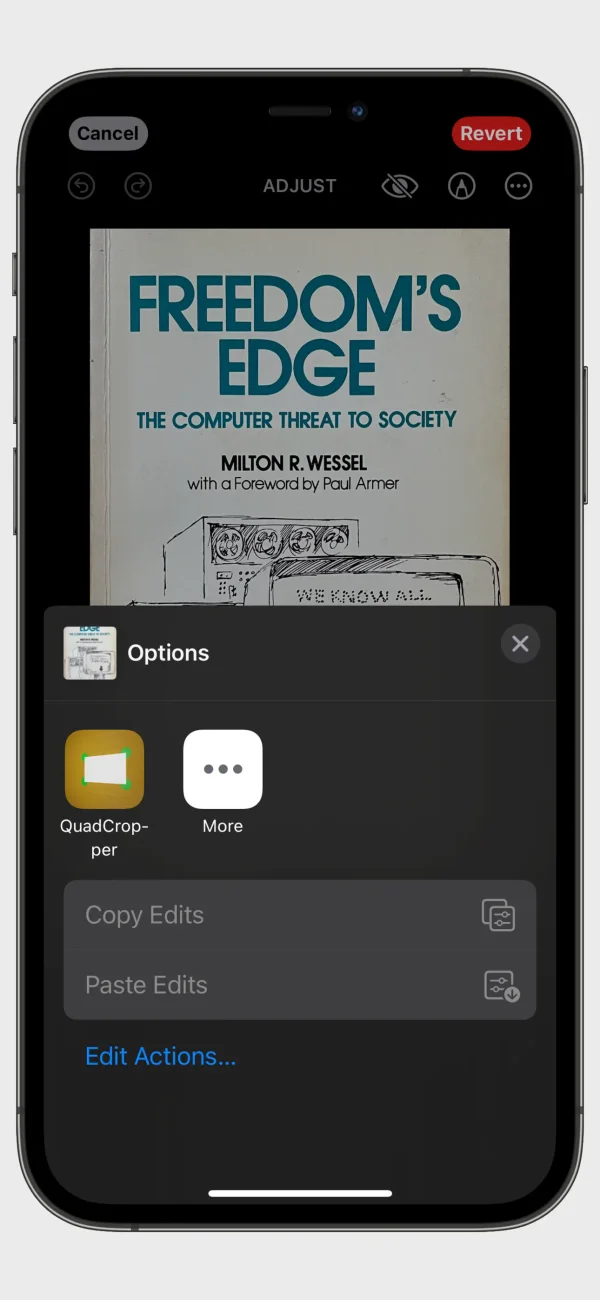
This app contains a Photos extension to crop and deskew rectangles in a photo. Since the rectangles may be skewed by perspective, the cropping tool allows individual placement of the four corners of the 2D quadrilateral -- and then deskews the contained rectangle. This is useful for business cards or slides or book covers or the like which have been photographed at an angle.
The app mimics the functionality of the Photos extension and can access the Photos library or the camera to get an image. One can also crop the image from any file. Unless the image is retrieved from the Photos library, the app will store the cropped image to a user-selected file.
Corners can be nudged by tapping on the corner circles. The corner will move by a pixel in the direction of the quadrant of the circle that was tapped on.
Confidentialité de l’application
Ce que Robert Lefkowitz déclare sur l’App Store au sujet du traitement des données par cette application.
-
Données non collectées
Le développeur ne collecte aucune donnée à partir de cette application.
Les pratiques en matière de confidentialité peuvent varier, notamment en fonction des fonctionnalités que vous utilisez ou de votre âge.
Informations
- Vendeur
- Robert Lefkowitz
- Catégorie
- Photo et vidéo
- Version
- 1.0
- Mis à jour
- 21/11/2023
- Publié
- 20/11/2023
- Taille
- 12,1 Mo
- Nécessite
- iOS 17.0 ou version ultérieure
- Classification d’âge
- 4+
- Langues
- Anglais
- Copyright
- © 2023 Robert M. Lefkowitz
Vous aimerez peut-être aussi
-
 PersCrop - Perspective CropPhoto et vidéo
-
 Perspective Crop LensPhoto et vidéo
-
 Maple : Album familial privéPhotos et vidéos chiffrées
-
 Album Widget - PhotosPhoto et vidéo
-
 PIXLpathPhoto et vidéo
-
 DrawNova: AR Sketch TracePhoto et vidéo
-
 AutoAlign : Scan & RedresserScanner IA pour vos documents
-
 ArchCam: Perspective CameraPhoto et vidéo
-
 PhotoSegmentPhoto et vidéo
-
 SlideShow with TitlesPhoto et vidéo