- Altersfreigabe4+
- KategorieFoto und Video
- EntwicklerWEI HAN YEN
- SprachenTradit. Chinesisch+ 1 weitere
- Größe8,6 MB
QuickTimeLapse ist bei App Store derzeit möglicherweise nicht verfügbar
Bei unserer letzten Prüfung war der Store-Eintrag nicht erreichbar. Der Link führt weiterhin zur offiziellen App Store-Seite.
Screenshots
Info
Der Entwickler hat diesen Text nicht in Ihrer Sprache bereitgestellt.
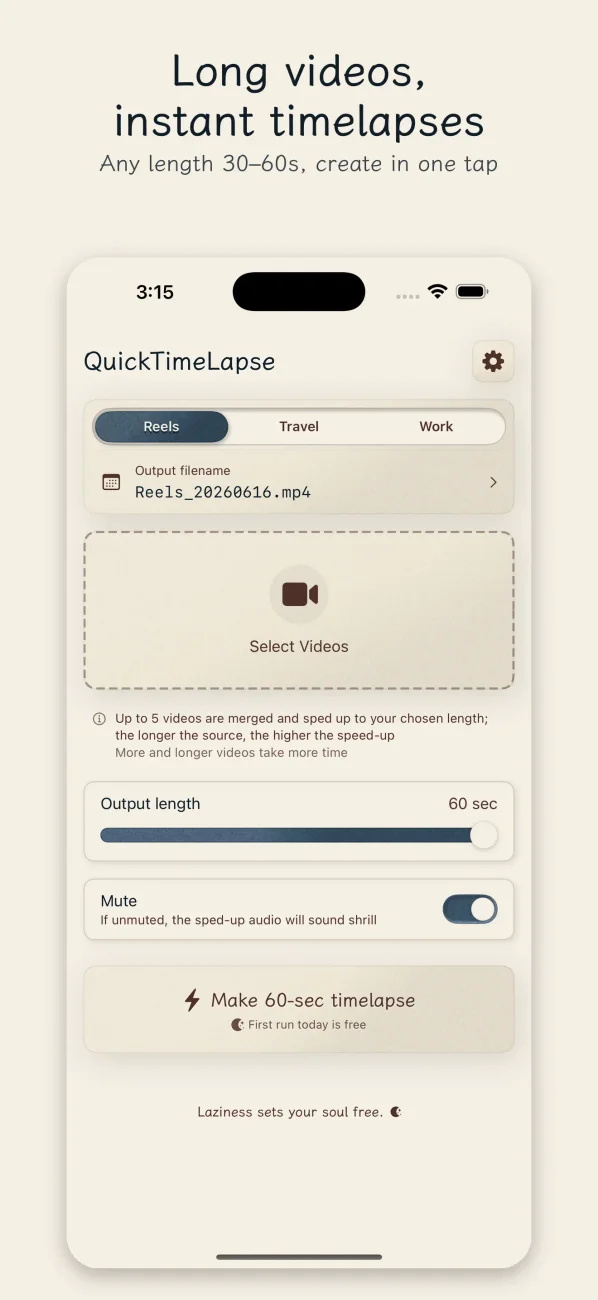
Turn long videos into 60-second timelapses, ready for Reels, TikTok, and YouTube Shorts.
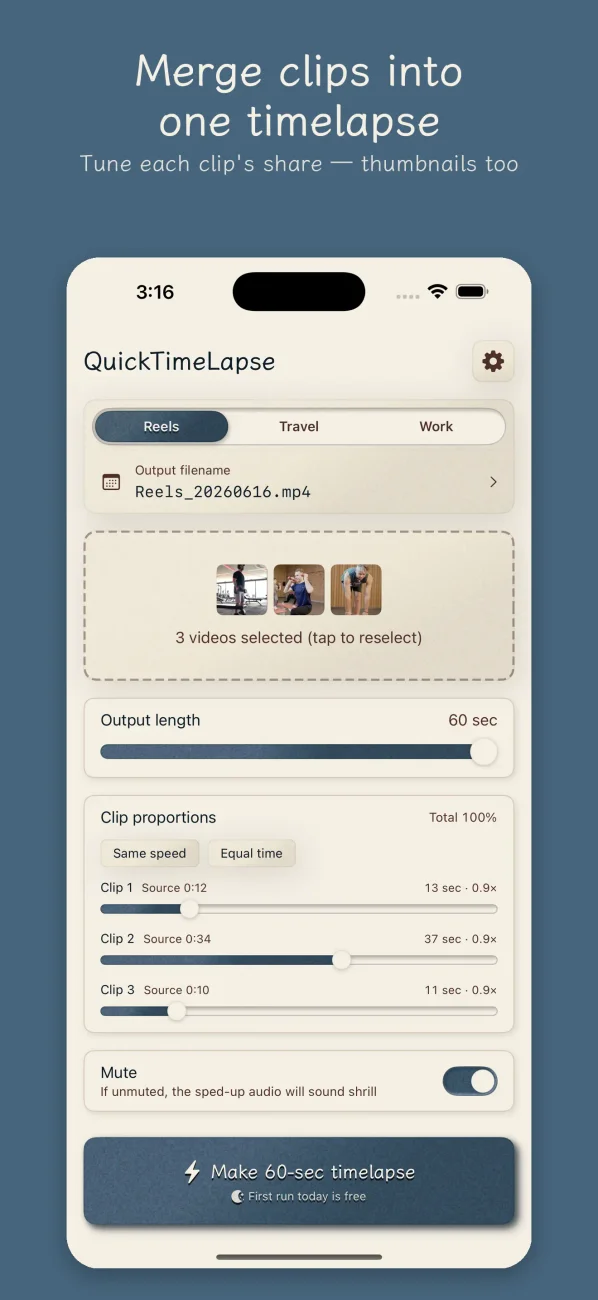
Pick 1 to 5 videos. QuickTimeLapse auto-calculates the speed and crunches them into a single 60-second clip. No sign-up, no uploads — your videos never leave your iPhone.
— Features —
• Up to 5 videos at once, auto-stitched into 60 seconds
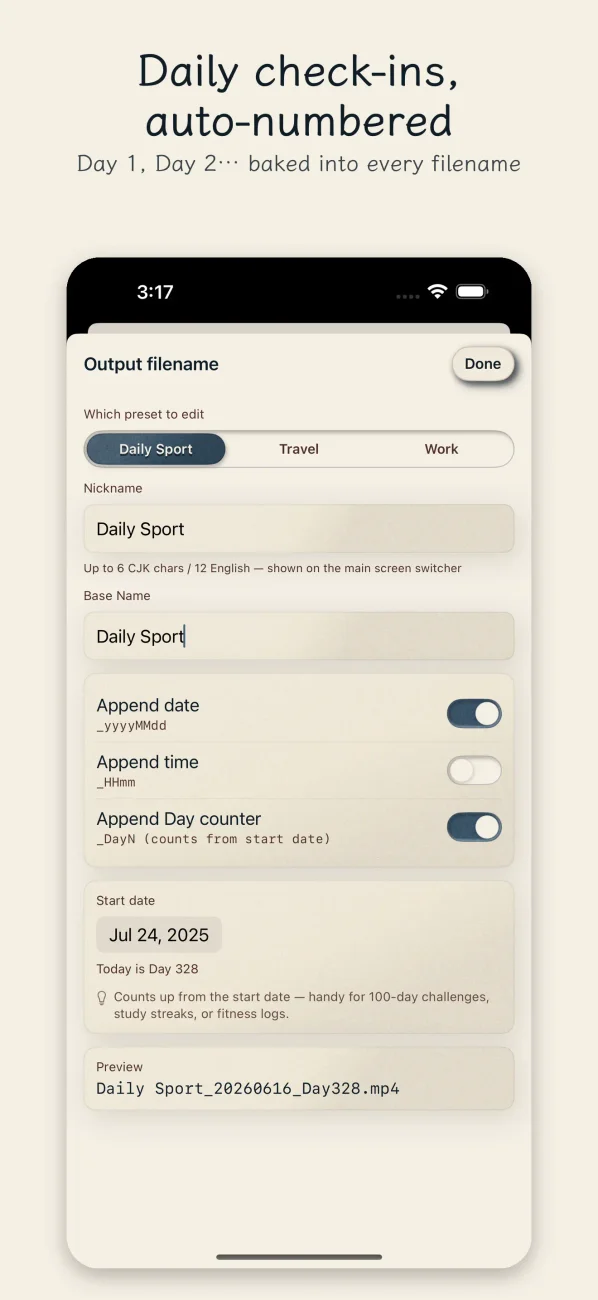
• Day Counter auto-numbering for daily check-ins (workouts, yoga, cooking, travel) — filenames carry Day 1 / Day 2 …
• Custom filename templates — mix date, sequence, and your own text
• PHPicker-based selection — no full Photos library access required
• Fully on-device — nothing uploaded
— Who it's for —
Anyone tracking daily workouts, yoga, cooking, or travel vlogs as a timelapse series.
Anyone who wants to crunch long footage into Reels, TikTok, or YouTube Shorts.
— Pricing —
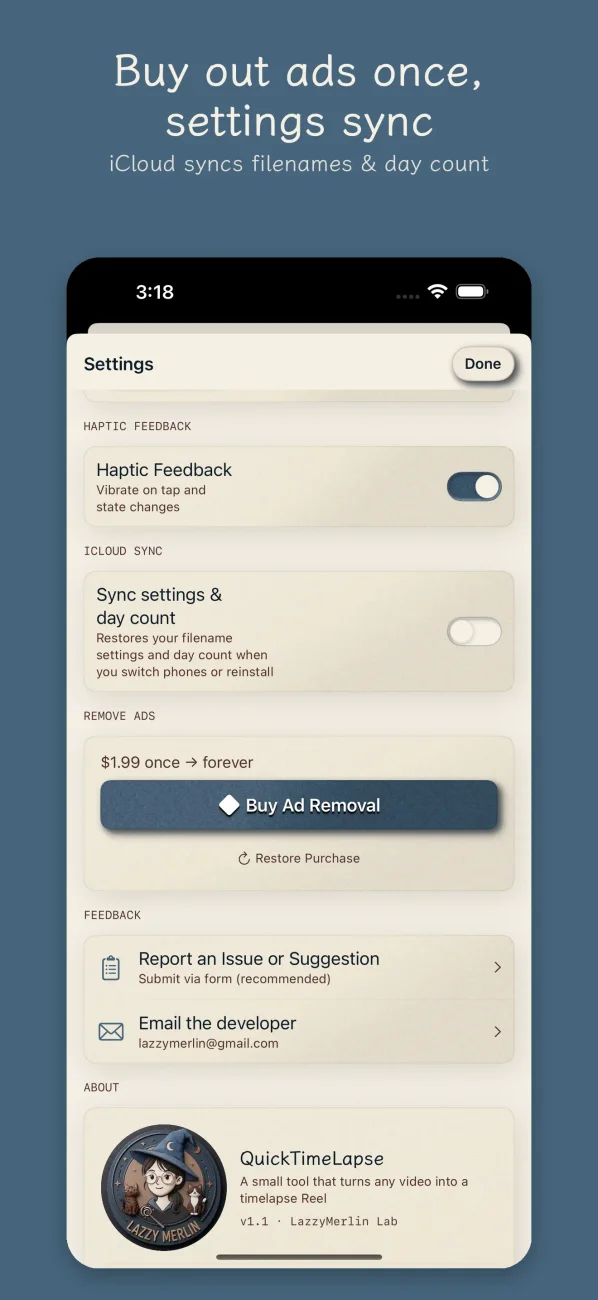
Free to download. The first conversion each day is ad-free; from the second conversion on, you'll see one ad before processing.
"Remove Ads" is a one-time purchase that removes all ads forever (no subscription).
— Story —
I film my workouts every day and wanted to compress them into 60-second timelapses for Instagram. I used to airdrop every clip to my Mac just to make a timelapse in iMovie — the back-and-forth was a hassle. I couldn't find a tool that felt right, so I vibe-coded one myself. Hope it helps if you're in the same boat.
— Feedback —
Tap Settings → Report a Problem inside the app to write to me directly. I'll do my best to reply.
Neue Funktionen
Version 1.2.1 · 12.07.2026
v1.2.1 — Stability update:
• Source videos are kept after conversion, so you can tweak settings and re-convert without picking again
• Very short clips convert more reliably and are no longer falsely flagged as failed
• Equal-split mode automatically falls back to uniform speed when a clip is too short
• Clear upfront warning when a clip is assigned too much output time
• Ads that occasionally get stuck now close automatically and return you to the app
Found a bug or want a feature? Tap Settings → Report a Problem to write to me directly. I'll do my best to reply.
App-Datenschutz
Was WEI HAN YEN im App Store zum Umgang dieser App mit Daten angibt.
-
Daten, die zum Tracking Ihrer Person verwendet werden
Können verwendet werden, um Sie über Apps und Websites anderer Unternehmen hinweg zu verfolgen.
- Standort
- Kennungen
- Nutzungsdaten
-
Mit Ihnen verknüpfte Daten
Können erfasst und mit Ihrer Identität verknüpft werden.
- Standort
- Kennungen
- Nutzungsdaten
-
Nicht mit Ihnen verknüpfte Daten
Können erfasst werden, sind aber nicht mit Ihrer Identität verknüpft.
- Diagnose
Die Datenschutzpraktiken können variieren, zum Beispiel je nach den von Ihnen verwendeten Funktionen oder Ihrem Alter.
Informationen
- Anbieter
- WEI HAN YEN
- Kategorie
- Foto und Video
- Version
- 1.2.1
- Aktualisiert
- 12.07.2026
- Veröffentlicht
- 11.06.2026
- Größe
- 8,6 MB
- Erfordert
- iOS 18.0 oder neuer
- Altersfreigabe
- 4+
- In-App-Käufe
- Ja
- Sprachen
- Tradit. Chinesisch, Englisch
- Copyright
- © 2026 LazzyMerlin Lab
Das könnte Ihnen auch gefallen
-
 ChronaFrame: Zeitraffer AppFortschritt in Fotos tracken
-
 Timelapse maker: Speed ChangerFoto und Video
-
 Framer - Photos & TimelapseFoto und Video
-
 VidTools: Video komprimierenKleinere Videos zum Versenden
-
 Gooditor - IG Story EditorTextdesign-Tool für IG Stories
-
 Slow motion : slow mo, fast moSlow & Speed Up Videos
-
 Simple Video ToolsSchneiden, konvertieren & mehr
-
 bitwave: ART-TECH CAMERAFoto und Video
-
 Photo SqueezyFoto und Video
-
 V4T - Easy TimeLapseVideoMakerFoto und Video