QuickTimeLapse
快速將任何影片轉為一分鐘縮時
Dirancang untuk iPhone
Gratis · Pembelian dalam aplikasi
- Batasan usia4+
- KategoriFoto & Video
- PengembangWEI HAN YEN
- BahasaTionghoa Tradisional+ 1 lainnya
- Ukuran8,6 MB
Tertaut ke halaman resmi App Store
Download.org tidak menyimpan file QuickTimeLapse apa pun. Tombol ini membuka halaman aplikasi di App Store, tempat WEI HAN YEN menerbitkannya. Halaman terakhir diperiksa pada 11/11/2026.
Tangkapan layar
Tentang
Pengembang belum menyediakan teks ini dalam bahasa Anda.
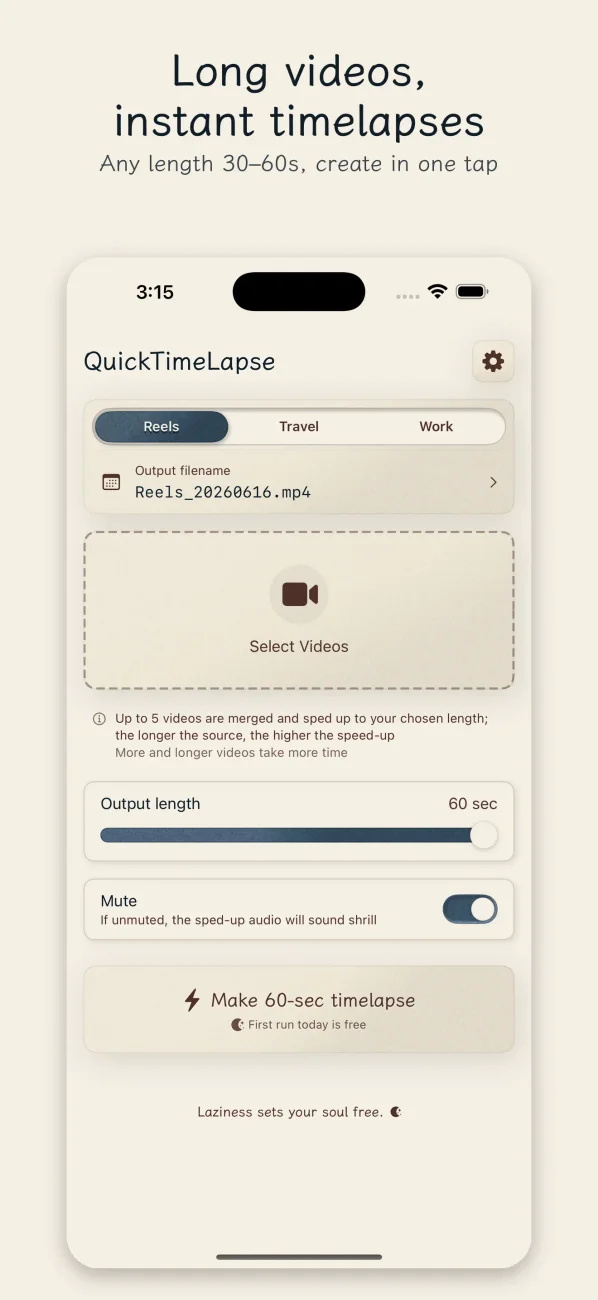
Turn long videos into 60-second timelapses, ready for Reels, TikTok, and YouTube Shorts.
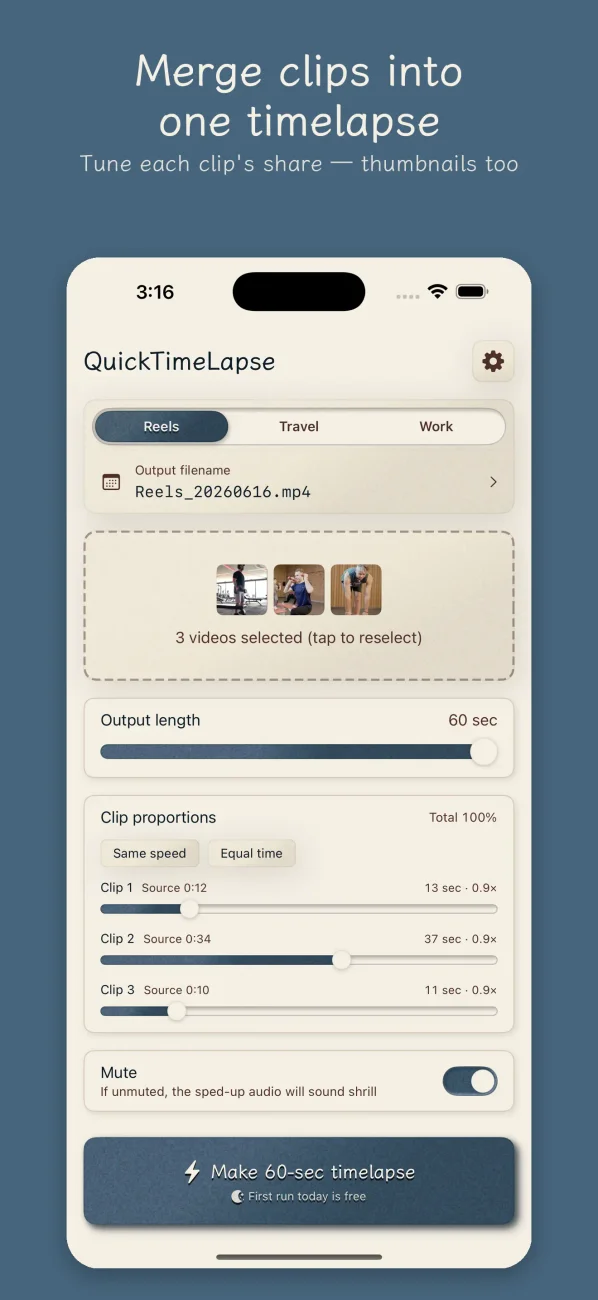
Pick 1 to 5 videos. QuickTimeLapse auto-calculates the speed and crunches them into a single 60-second clip. No sign-up, no uploads — your videos never leave your iPhone.
— Features —
• Up to 5 videos at once, auto-stitched into 60 seconds
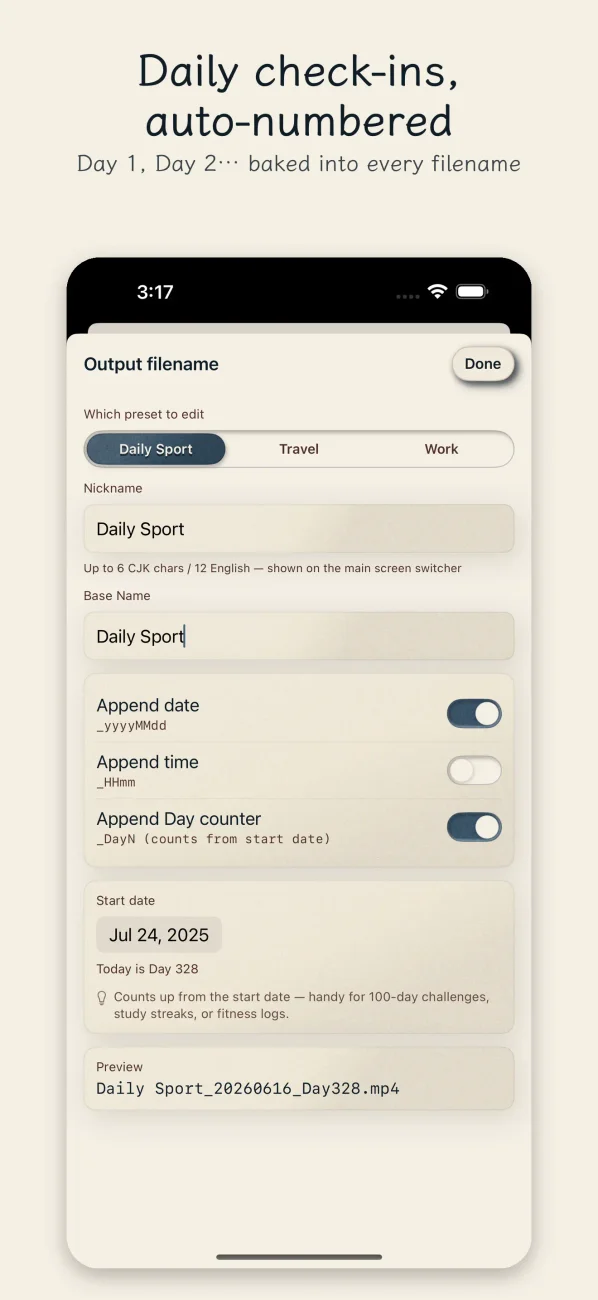
• Day Counter auto-numbering for daily check-ins (workouts, yoga, cooking, travel) — filenames carry Day 1 / Day 2 …
• Custom filename templates — mix date, sequence, and your own text
• PHPicker-based selection — no full Photos library access required
• Fully on-device — nothing uploaded
— Who it's for —
Anyone tracking daily workouts, yoga, cooking, or travel vlogs as a timelapse series.
Anyone who wants to crunch long footage into Reels, TikTok, or YouTube Shorts.
— Pricing —
Free to download. The first conversion each day is ad-free; from the second conversion on, you'll see one ad before processing.
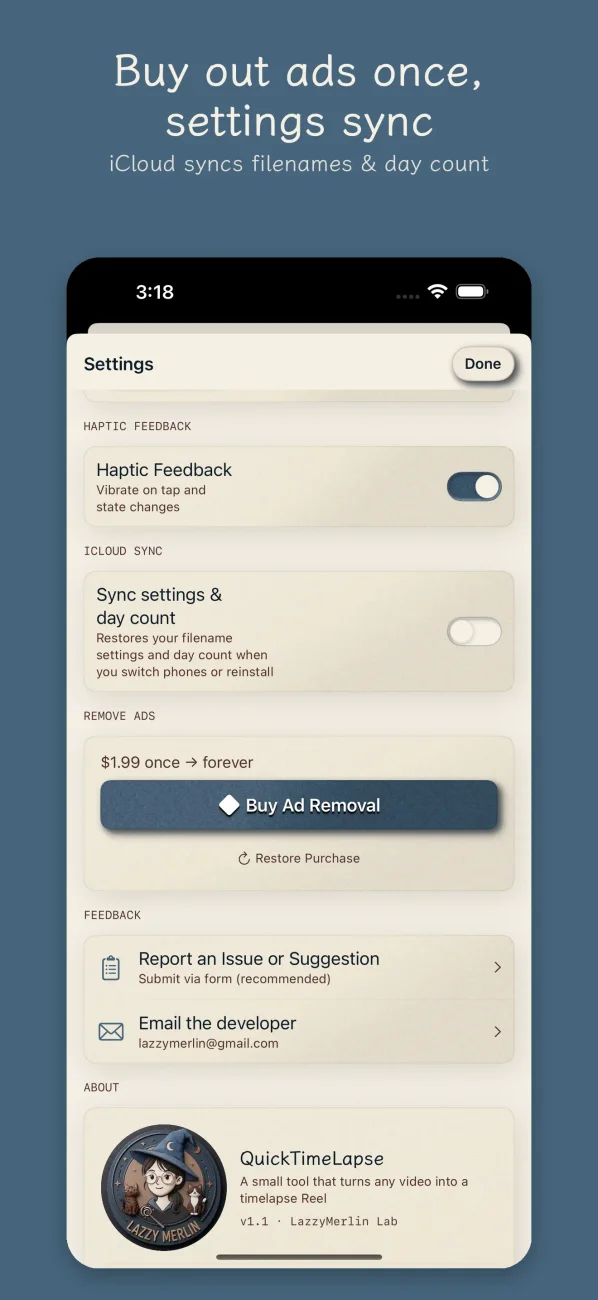
"Remove Ads" is a one-time purchase that removes all ads forever (no subscription).
— Story —
I film my workouts every day and wanted to compress them into 60-second timelapses for Instagram. I used to airdrop every clip to my Mac just to make a timelapse in iMovie — the back-and-forth was a hassle. I couldn't find a tool that felt right, so I vibe-coded one myself. Hope it helps if you're in the same boat.
— Feedback —
Tap Settings → Report a Problem inside the app to write to me directly. I'll do my best to reply.
Yang baru
Versi 1.2.1 · 12/7/2026
v1.2.1 — Stability update:
• Source videos are kept after conversion, so you can tweak settings and re-convert without picking again
• Very short clips convert more reliably and are no longer falsely flagged as failed
• Equal-split mode automatically falls back to uniform speed when a clip is too short
• Clear upfront warning when a clip is assigned too much output time
• Ads that occasionally get stuck now close automatically and return you to the app
Found a bug or want a feature? Tap Settings → Report a Problem to write to me directly. I'll do my best to reply.
Privasi aplikasi
Yang dinyatakan WEI HAN YEN di App Store tentang cara aplikasi ini menangani data.
-
Data yang digunakan untuk melacak Anda
Dapat digunakan untuk melacak Anda di aplikasi dan situs web milik perusahaan lain.
- Lokasi
- Pengenal
- Data penggunaan
-
Data yang ditautkan dengan Anda
Dapat dikumpulkan dan ditautkan dengan identitas Anda.
- Lokasi
- Pengenal
- Data penggunaan
-
Data yang tidak ditautkan dengan Anda
Dapat dikumpulkan, tetapi tidak ditautkan dengan identitas Anda.
- Diagnostik
Praktik privasi dapat bervariasi, misalnya berdasarkan fitur yang Anda gunakan atau usia Anda.
Informasi
- Penjual
- WEI HAN YEN
- Kategori
- Foto & Video
- Versi
- 1.2.1
- Diperbarui
- 12/7/2026
- Dirilis
- 11/6/2026
- Ukuran
- 8,6 MB
- Memerlukan
- iOS 18.0 atau yang lebih baru
- Batasan usia
- 4+
- Harga
- Gratis
- Pembelian dalam aplikasi
- Ya
- Bahasa
- Tionghoa Tradisional, Inggris
- Hak cipta
- © 2026 LazzyMerlin Lab
Mungkin Anda juga suka
-
 ChronaFrame: Edit TimelapsePantau Progres dengan Foto
-
 Timelapse maker: Speed ChangerFoto & Video
-
 Framer - Photos & TimelapseFoto & Video
-
 VidTools: Video CompressorFoto & Video
-
 Gooditor - IG Story EditorFoto & Video
-
 Slow motion : slow mo, fast moFoto & Video
-
 Simple Video ToolsFoto & Video
-
 bitwave: ART-TECH CAMERAFoto & Video
-
 Photo SqueezyFoto & Video
-
 V4T - Easy TimeLapseVideoMakerFoto & Video