- 対象年齢4+
- カテゴリ写真/ビデオ
- 開発元WEI HAN YEN
- 言語繁体字中国語ほか1言語
- サイズ8.6 MB
App Storeの公式ページにリンクしています
Download.orgはQuickTimeLapseのファイルを一切ホストしていません。ボタンを押すと、WEI HAN YENが公開しているApp Storeのアプリページが開きます。ページの最終確認:2026/11/11。
スクリーンショット
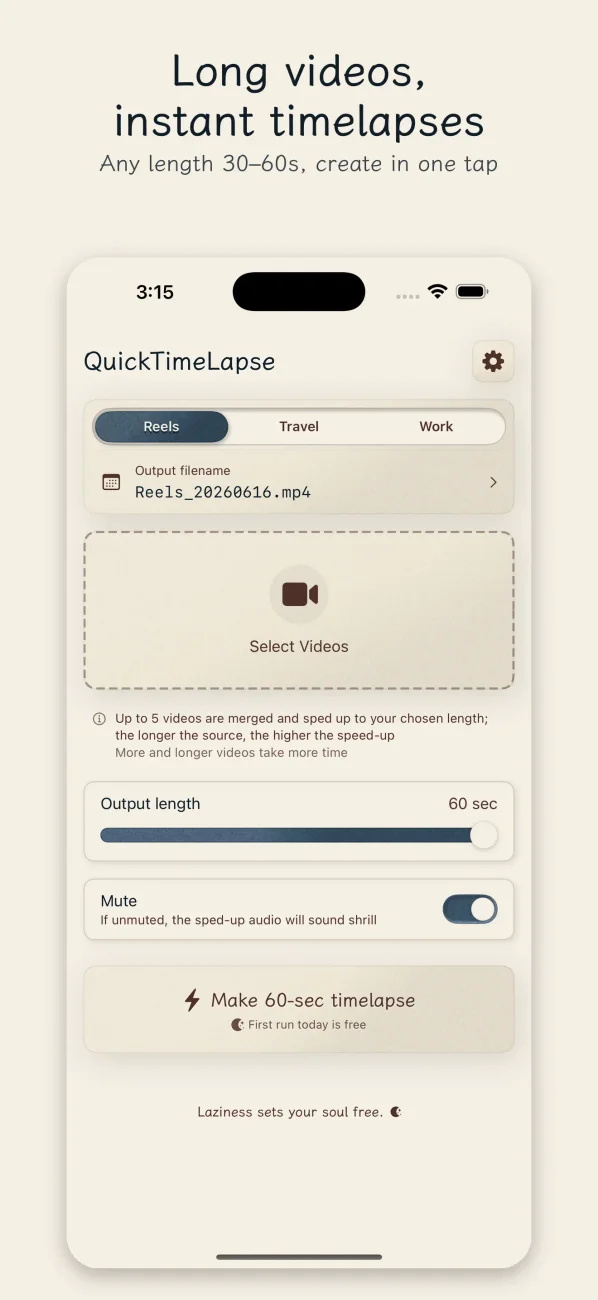
概要
開発元はこのテキストをお使いの言語で提供していません。
Turn long videos into 60-second timelapses, ready for Reels, TikTok, and YouTube Shorts.
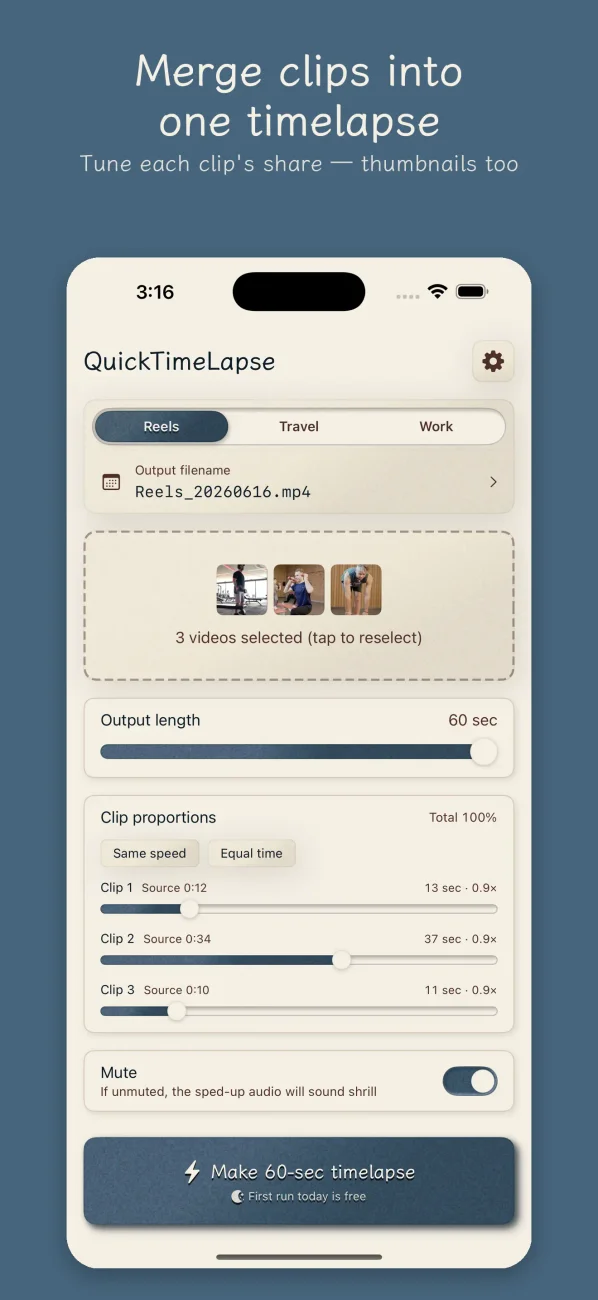
Pick 1 to 5 videos. QuickTimeLapse auto-calculates the speed and crunches them into a single 60-second clip. No sign-up, no uploads — your videos never leave your iPhone.
— Features —
• Up to 5 videos at once, auto-stitched into 60 seconds
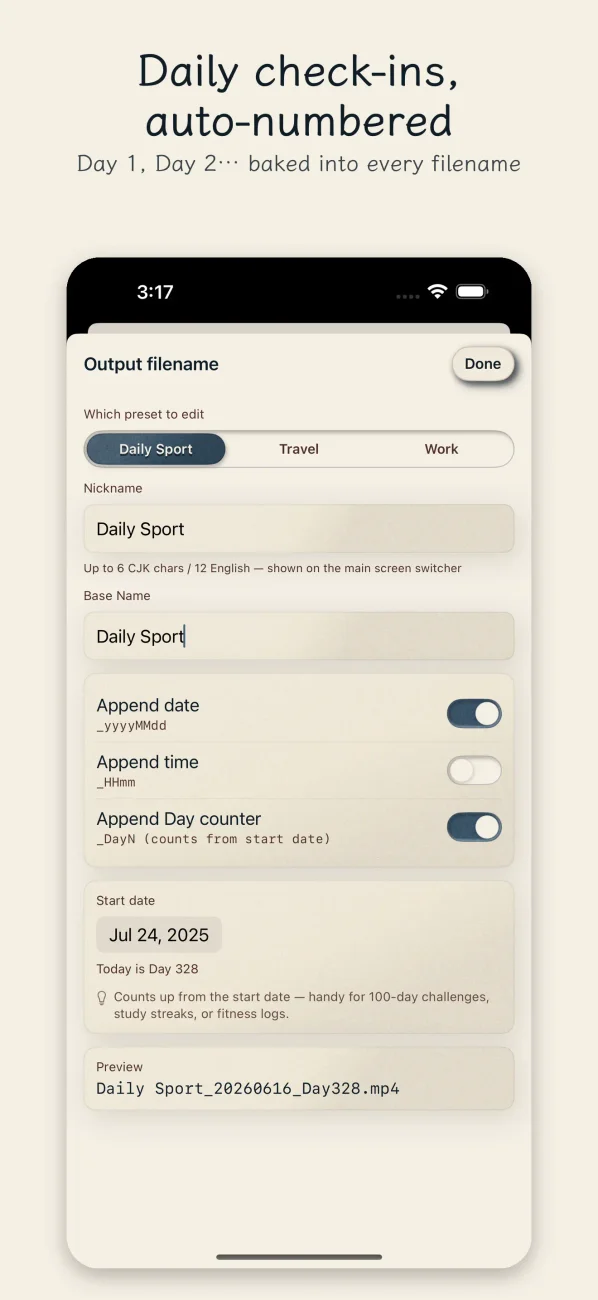
• Day Counter auto-numbering for daily check-ins (workouts, yoga, cooking, travel) — filenames carry Day 1 / Day 2 …
• Custom filename templates — mix date, sequence, and your own text
• PHPicker-based selection — no full Photos library access required
• Fully on-device — nothing uploaded
— Who it's for —
Anyone tracking daily workouts, yoga, cooking, or travel vlogs as a timelapse series.
Anyone who wants to crunch long footage into Reels, TikTok, or YouTube Shorts.
— Pricing —
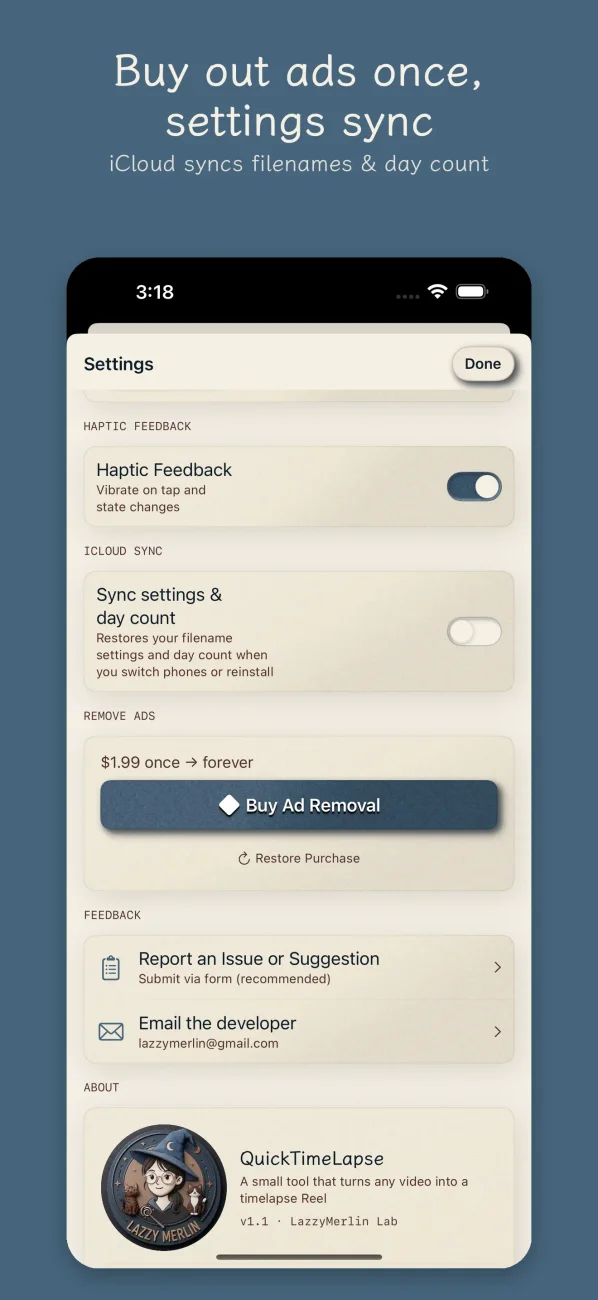
Free to download. The first conversion each day is ad-free; from the second conversion on, you'll see one ad before processing.
"Remove Ads" is a one-time purchase that removes all ads forever (no subscription).
— Story —
I film my workouts every day and wanted to compress them into 60-second timelapses for Instagram. I used to airdrop every clip to my Mac just to make a timelapse in iMovie — the back-and-forth was a hassle. I couldn't find a tool that felt right, so I vibe-coded one myself. Hope it helps if you're in the same boat.
— Feedback —
Tap Settings → Report a Problem inside the app to write to me directly. I'll do my best to reply.
新機能
バージョン 1.2.1 · 2026/7/12
v1.2.1 — Stability update:
• Source videos are kept after conversion, so you can tweak settings and re-convert without picking again
• Very short clips convert more reliably and are no longer falsely flagged as failed
• Equal-split mode automatically falls back to uniform speed when a clip is too short
• Clear upfront warning when a clip is assigned too much output time
• Ads that occasionally get stuck now close automatically and return you to the app
Found a bug or want a feature? Tap Settings → Report a Problem to write to me directly. I'll do my best to reply.
アプリのプライバシー
このアプリのデータの取り扱いについて、WEI HAN YENがApp Storeで申告している内容です。
-
ユーザーのトラッキングに使用されるデータ
他社のアプリやウェブサイトを横断してユーザーをトラッキングする目的で使用される場合があります。
- 位置情報
- ID
- 使用状況データ
-
ユーザーに関連付けられたデータ
収集され、ユーザーの識別情報に関連付けられる場合があります。
- 位置情報
- ID
- 使用状況データ
-
ユーザーに関連付けられないデータ
収集される場合がありますが、ユーザーの識別情報には関連付けられません。
- 診断
プライバシーの取り扱いは、ご利用の機能やお客様の年齢などに応じて異なる場合があります。
情報
- 販売元
- WEI HAN YEN
- カテゴリ
- 写真/ビデオ
- バージョン
- 1.2.1
- 更新日
- 2026/7/12
- リリース
- 2026/6/11
- サイズ
- 8.6 MB
- 必要条件
- iOS 18.0以降
- 対象年齢
- 4+
- 価格
- 無料
- アプリ内課金
- あり
- 言語
- 繁体字中国語, 英語
- 著作権
- © 2026 LazzyMerlin Lab
こちらもおすすめ
-
 ChronaFrame: タイムラプス作成写真で成長記録・経過観察
-
 Timelapse maker: Speed Changer写真/ビデオ
-
 Framer - Photos & Timelapse写真/ビデオ
-
 VidTools:動画圧縮動画を小さくして送信・アップロード
-
 Gooditor - IGストーリー文字編集おしゃれなIG Storyを作る文字ツール
-
 Slow motion : slow mo, fast mo写真/ビデオ
-
 Simple Video Toolsトリミング・変換・GIFなど
-
 bitwave: ART-TECH CAMERA写真/ビデオ
-
 Photo SqueezyEasier way to organize photos
-
 V4T - 動画を簡単にタイムラプスにできる動画編集アプリ感動が詰まったショートムービーとして生まれ変わります