- Age rating4+
- CategoryPhoto & Video
- DeveloperWEI HAN YEN
- LanguagesTraditional Chinese+ 1 more
- Size8.6 MB
Links to the official App Store page
Download.org hosts no file of QuickTimeLapse. The button opens its official App Store page, published by WEI HAN YEN. Listing last checked on Nov 11, 2026.
Screenshots
About
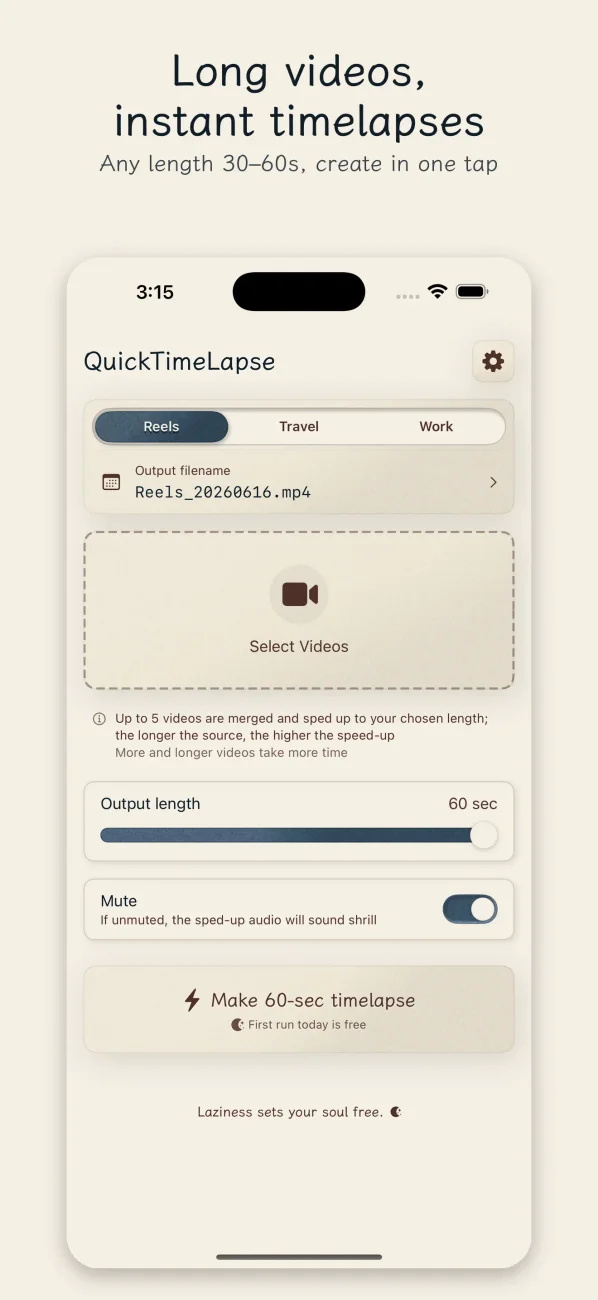
Turn long videos into 60-second timelapses, ready for Reels, TikTok, and YouTube Shorts.
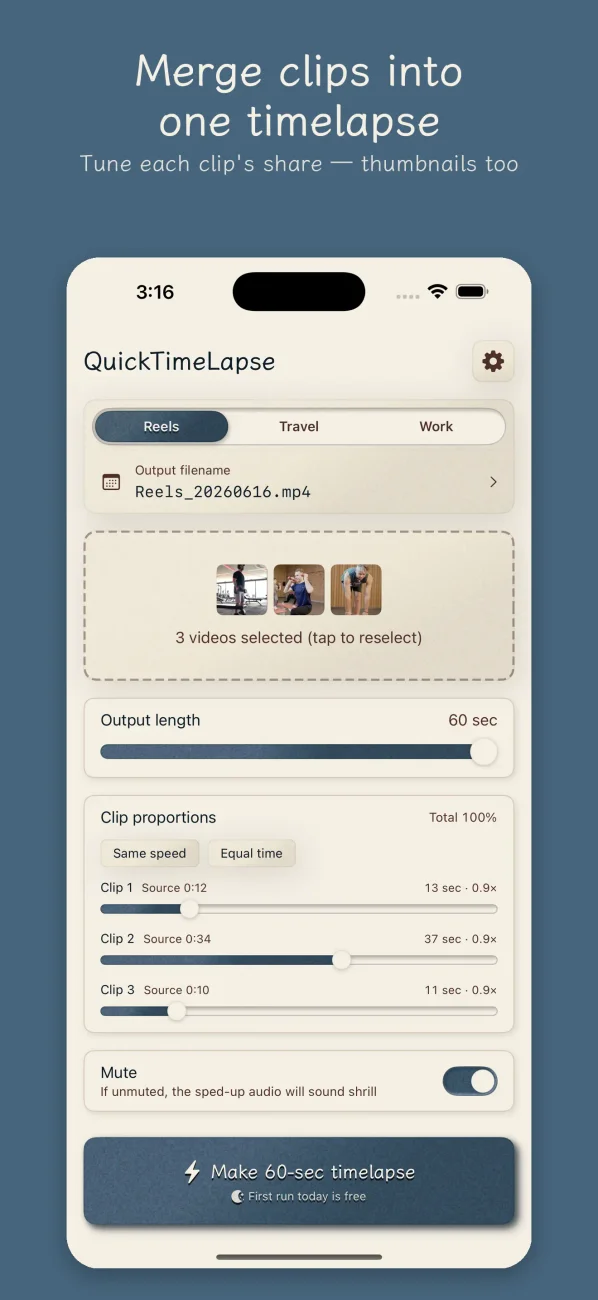
Pick 1 to 5 videos. QuickTimeLapse auto-calculates the speed and crunches them into a single 60-second clip. No sign-up, no uploads — your videos never leave your iPhone.
— Features —
• Up to 5 videos at once, auto-stitched into 60 seconds
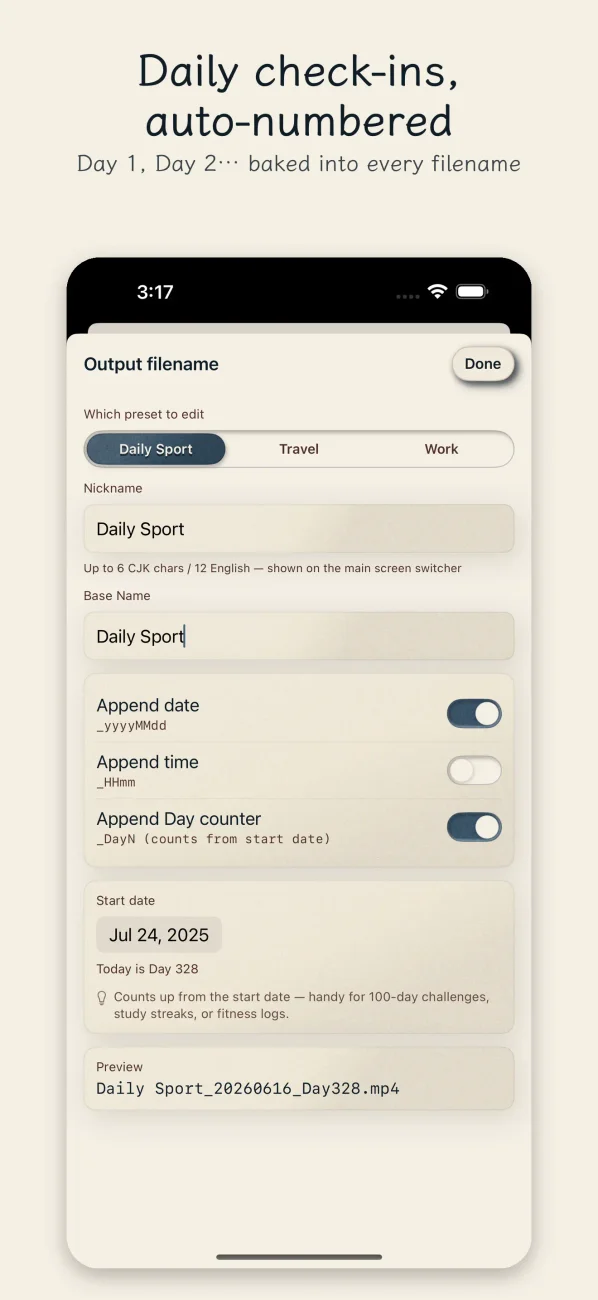
• Day Counter auto-numbering for daily check-ins (workouts, yoga, cooking, travel) — filenames carry Day 1 / Day 2 …
• Custom filename templates — mix date, sequence, and your own text
• PHPicker-based selection — no full Photos library access required
• Fully on-device — nothing uploaded
— Who it's for —
Anyone tracking daily workouts, yoga, cooking, or travel vlogs as a timelapse series.
Anyone who wants to crunch long footage into Reels, TikTok, or YouTube Shorts.
— Pricing —
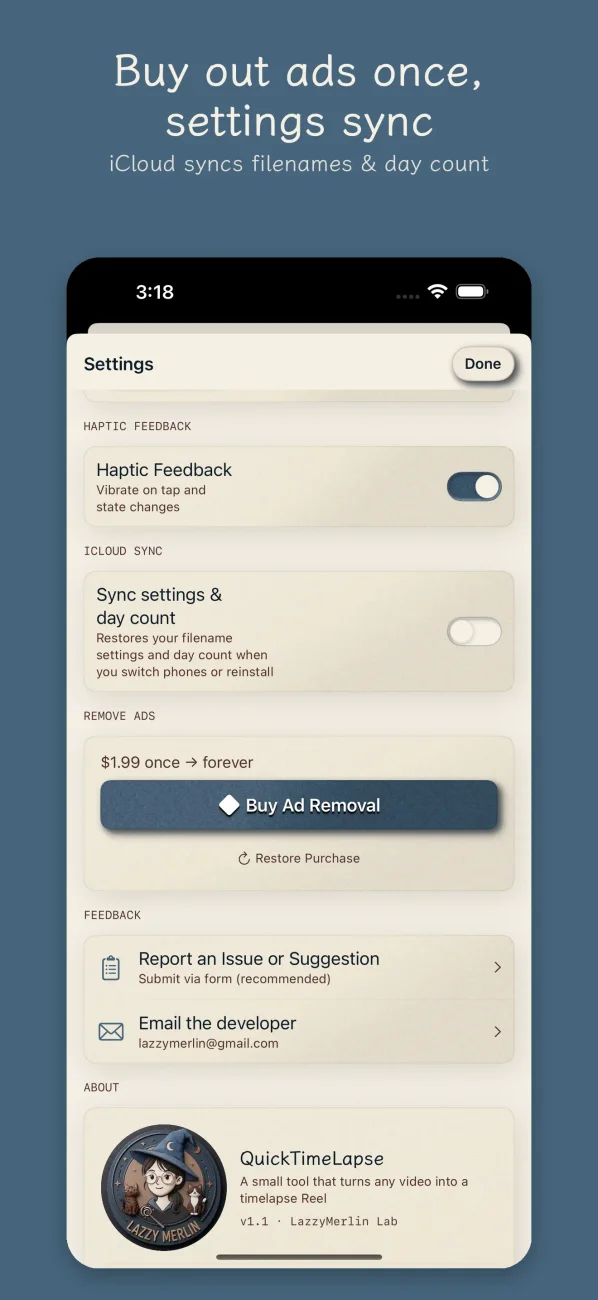
Free to download. The first conversion each day is ad-free; from the second conversion on, you'll see one ad before processing.
"Remove Ads" is a one-time purchase that removes all ads forever (no subscription).
— Story —
I film my workouts every day and wanted to compress them into 60-second timelapses for Instagram. I used to airdrop every clip to my Mac just to make a timelapse in iMovie — the back-and-forth was a hassle. I couldn't find a tool that felt right, so I vibe-coded one myself. Hope it helps if you're in the same boat.
— Feedback —
Tap Settings → Report a Problem inside the app to write to me directly. I'll do my best to reply.
What’s new
Version 1.2.1 · Jul 12, 2026
v1.2.1 — Stability update:
• Source videos are kept after conversion, so you can tweak settings and re-convert without picking again
• Very short clips convert more reliably and are no longer falsely flagged as failed
• Equal-split mode automatically falls back to uniform speed when a clip is too short
• Clear upfront warning when a clip is assigned too much output time
• Ads that occasionally get stuck now close automatically and return you to the app
Found a bug or want a feature? Tap Settings → Report a Problem to write to me directly. I'll do my best to reply.
App privacy
What WEI HAN YEN declares on the App Store about how this app handles data.
-
Data used to track you
May be used to track you across apps and websites owned by other companies.
- Location
- Identifiers
- Usage data
-
Data linked to you
May be collected and linked to your identity.
- Location
- Identifiers
- Usage data
-
Data not linked to you
May be collected but is not linked to your identity.
- Diagnostics
Privacy practices may vary, for example with the features you use or your age.
Information
- Seller
- WEI HAN YEN
- Category
- Photo & Video
- Version
- 1.2.1
- Updated
- Jul 12, 2026
- Released
- Jun 11, 2026
- Size
- 8.6 MB
- Requires
- iOS 18.0 or later
- Age rating
- 4+
- In-app purchases
- Yes
- Languages
- Traditional Chinese, English
- Copyright
- © 2026 LazzyMerlin Lab
You might also like
-
 ChronaFrame: Timelapse CreatorTrack Progress with Photos
-
 Timelapse maker: Speed ChangerVideo Speed Editor & Lapse it
-
 Framer - Photos & TimelapseRepeated photos to timelapses
-
 VidTools: Video CompressorFit clips under upload limits
-
 Gooditor - IG Story EditorIG Story text design tool
-
 Slow motion : slow mo, fast moSlow & Speed Up Videos
-
 Simple Video ToolsTrim, convert, GIF & more
-
 bitwave: ART-TECH CAMERAGlitch, ASCII & CV Effects
-
 Photo SqueezyEasier way to organize photos
-
 V4T - Easy TimeLapseVideoMakerPhoto & Video