RandomTimer - Randomized
Fixed or Randomized Countdowns
Entwickelt für iPhone, iPod touch
Kostenlos · In-App-Käufe
- Altersfreigabe4+
- KategorieDienstprogramme
- EntwicklerWanYeol Park
- SprachenEnglisch+ 9 weitere
- Größe5,6 MB
Verlinkt auf die offizielle App Store-Seite
Download.org hostet keine Datei von RandomTimer - Randomized. Die Schaltfläche öffnet die App-Seite bei App Store, wo WanYeol Park die App veröffentlicht. Eintrag zuletzt geprüft am 23.11.2026.
Screenshots


Info
Der Entwickler hat diesen Text nicht in Ihrer Sprache bereitgestellt.
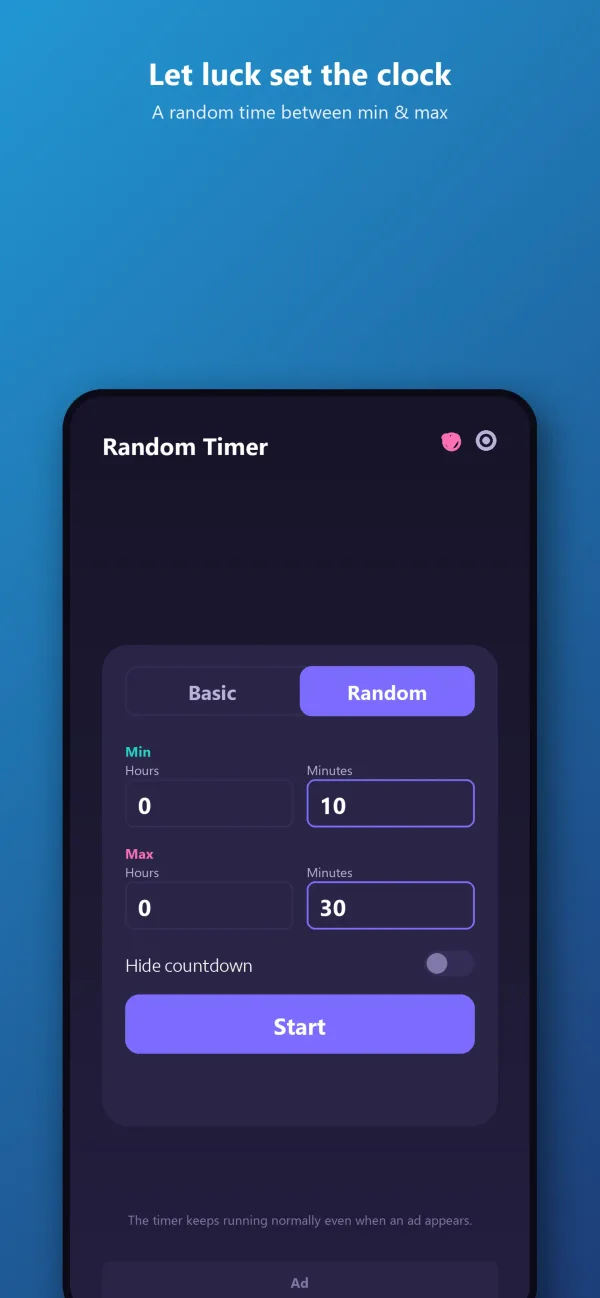
Random Timer is a countdown timer that runs for a time you set, or picks a random length within a range you choose. You can also hide the clock so you don't know when it will end.
Two modes
• Basic: enter hours and minutes and count down.
• Random: set a minimum and maximum, and the timer picks a length between them in whole minutes. What it picked can stay a surprise until it goes off.
Hide the time
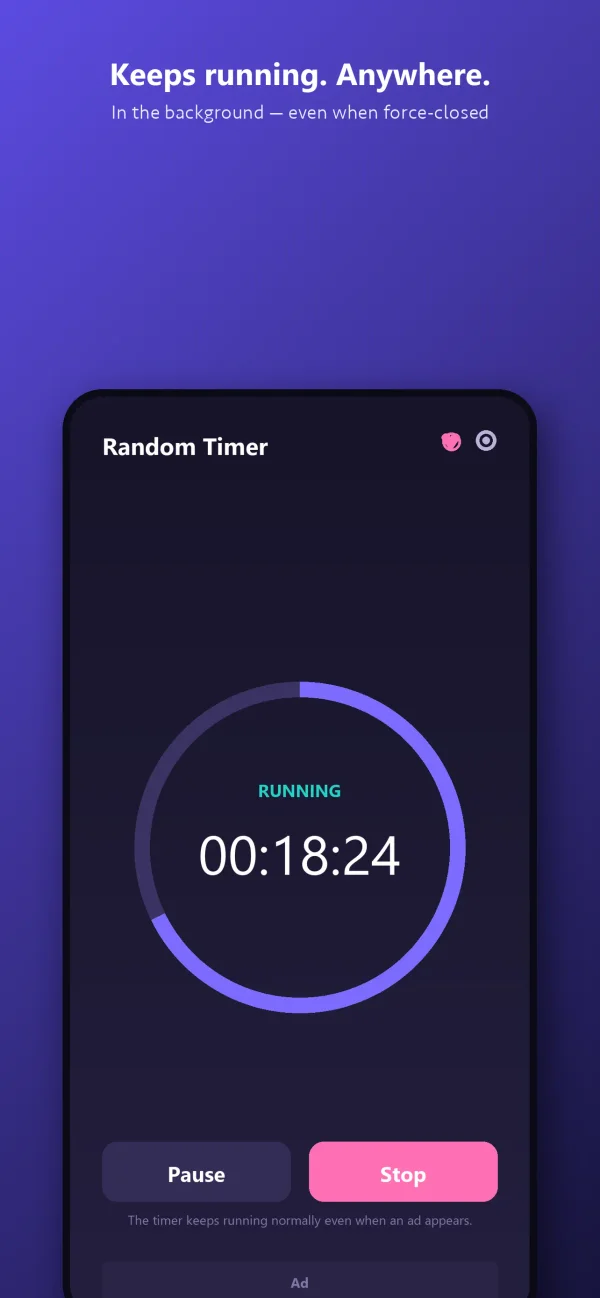
Turn on "Hide countdown" before you start, or tap to hide and show the remaining time while it runs. When hidden, the display shows only --:--:--.
When time is up
If the app is open when time runs out, sound and vibration repeat until you tap Stop. If you've left the app, on iOS 26 or later a system alarm rings if you've given alarm permission; otherwise you get a single notification.
Pause, resume and stop anytime. The countdown keeps running even if you close the app, and reopening it shows the time left. Your last mode, times and hide setting are remembered.
Good to know
• Times are set in hours and minutes (no seconds).
• Available in English, Korean, Japanese, Simplified Chinese, Spanish, French, German, Portuguese, Russian and Hindi.
• A banner ad shows at the bottom of the screen, and a full-screen ad appears every 10th launch. After every 2 hours of total timer use, an ad plays when you next start a timer; if you close that ad before it finishes, the timer won't start.
• Tap Subscribe to start a monthly auto-renewing subscription that removes all ads.
Subscription details
• Subscribe (ad removal): 1-month auto-renewing subscription
• Payment is charged to your Apple ID account.
• It renews automatically unless you cancel at least 24 hours before the current period ends.
• Manage or cancel it in Settings > Apple ID > Subscriptions.
• Terms of Use (EULA): https://www.apple.com/legal/internet-services/itunes/dev/stdeula/
• Privacy Policy: https://timer.vnamu.com/privacy.html
Neue Funktionen
Version 1.0.5 · 18.11.2026
Polished the in-app wording and improved stability.
App-Datenschutz
Was WanYeol Park im App Store zum Umgang dieser App mit Daten angibt.
-
Daten, die zum Tracking Ihrer Person verwendet werden
Können verwendet werden, um Sie über Apps und Websites anderer Unternehmen hinweg zu verfolgen.
- Nutzungsdaten
-
Nicht mit Ihnen verknüpfte Daten
Können erfasst werden, sind aber nicht mit Ihrer Identität verknüpft.
- Nutzungsdaten
Die Datenschutzpraktiken können variieren, zum Beispiel je nach den von Ihnen verwendeten Funktionen oder Ihrem Alter.
Informationen
- Anbieter
- WanYeol Park
- Kategorie
- Dienstprogramme
- Version
- 1.0.5
- Aktualisiert
- 18.11.2026
- Veröffentlicht
- 31.07.2026
- Größe
- 5,6 MB
- Erfordert
- iOS 15.0 oder neuer
- Altersfreigabe
- 4+
- Preis
- Kostenlos
- In-App-Käufe
- Ja
- Sprachen
- Englisch, Französisch, Deutsch, Hindi, Japanisch, Koreanisch, Portugiesisch, Russisch, Vereinf. Chinesisch, Spanisch
- Copyright
- © VNAMU
Das könnte Ihnen auch gefallen
-
 Kairos: Random TimerDienstprogramme
-
 RandobeepDienstprogramme
-
 Anywhen: Time CalculatorDienstprogramme
-
 Fuuuga: Multi Timer PomodoroCountdown Fokus Lernen Arbeit
-
 Dice Time!Dienstprogramme
-
 Agilezip ClockDienstprogramme
-
 DecimaDienstprogramme
-
 VisuoTimer CountdownDienstprogramme
-
 Bomben-Timer.Der coolste Countdown-Timer!
-
 Video Looper - for SafariDienstprogramme