RandomTimer - Randomized
Fixed or Randomized Countdowns
Designed for iPhone, iPod touch
Free · In-app purchases
- Age rating4+
- CategoryUtilities
- DeveloperWanYeol Park
- LanguagesEnglish+ 9 more
- Size5.6 MB
Links to the official App Store page
Download.org hosts no file of RandomTimer - Randomized. The button opens its official App Store page, published by WanYeol Park. Listing last checked on Nov 23, 2026.
Screenshots


About
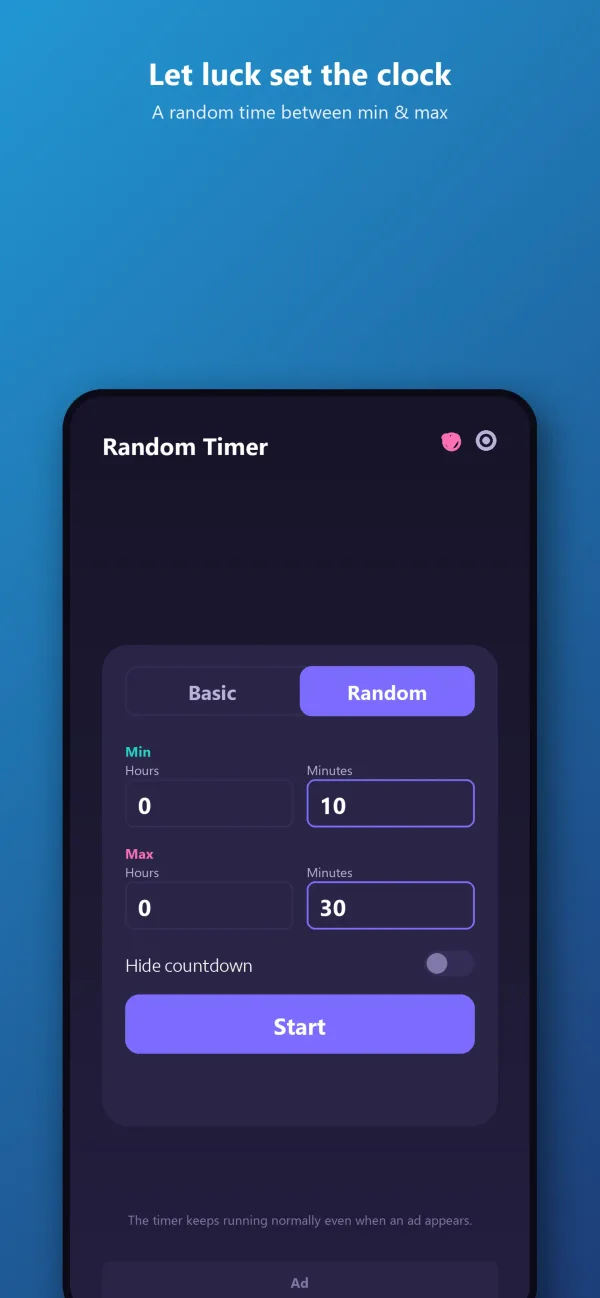
Random Timer is a countdown timer that runs for a time you set, or picks a random length within a range you choose. You can also hide the clock so you don't know when it will end.
Two modes
• Basic: enter hours and minutes and count down.
• Random: set a minimum and maximum, and the timer picks a length between them in whole minutes. What it picked can stay a surprise until it goes off.
Hide the time
Turn on "Hide countdown" before you start, or tap to hide and show the remaining time while it runs. When hidden, the display shows only --:--:--.
When time is up
If the app is open when time runs out, sound and vibration repeat until you tap Stop. If you've left the app, on iOS 26 or later a system alarm rings if you've given alarm permission; otherwise you get a single notification.
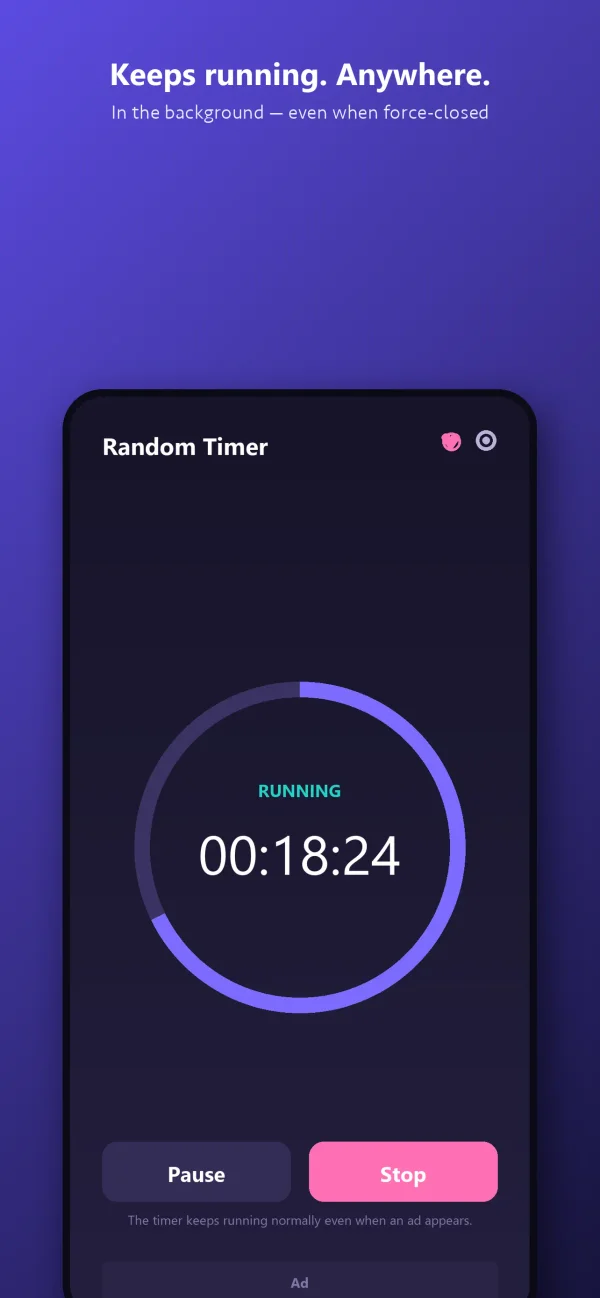
Pause, resume and stop anytime. The countdown keeps running even if you close the app, and reopening it shows the time left. Your last mode, times and hide setting are remembered.
Good to know
• Times are set in hours and minutes (no seconds).
• Available in English, Korean, Japanese, Simplified Chinese, Spanish, French, German, Portuguese, Russian and Hindi.
• A banner ad shows at the bottom of the screen, and a full-screen ad appears every 10th launch. After every 2 hours of total timer use, an ad plays when you next start a timer; if you close that ad before it finishes, the timer won't start.
• Tap Subscribe to start a monthly auto-renewing subscription that removes all ads.
Subscription details
• Subscribe (ad removal): 1-month auto-renewing subscription
• Payment is charged to your Apple ID account.
• It renews automatically unless you cancel at least 24 hours before the current period ends.
• Manage or cancel it in Settings > Apple ID > Subscriptions.
• Terms of Use (EULA): https://www.apple.com/legal/internet-services/itunes/dev/stdeula/
• Privacy Policy: https://timer.vnamu.com/privacy.html
What’s new
Version 1.0.5 · Nov 18, 2026
Polished the in-app wording and improved stability.
App privacy
What WanYeol Park declares on the App Store about how this app handles data.
-
Data used to track you
May be used to track you across apps and websites owned by other companies.
- Usage data
-
Data not linked to you
May be collected but is not linked to your identity.
- Usage data
Privacy practices may vary, for example with the features you use or your age.
Information
- Seller
- WanYeol Park
- Category
- Utilities
- Version
- 1.0.5
- Updated
- Nov 18, 2026
- Released
- Jul 31, 2026
- Size
- 5.6 MB
- Requires
- iOS 15.0 or later
- Age rating
- 4+
- Price
- Free
- In-app purchases
- Yes
- Languages
- English, French, German, Hindi, Japanese, Korean, Portuguese, Russian, Simplified Chinese, Spanish
- Copyright
- © VNAMU
You might also like
-
 Kairos: Random TimerCountdown Timer, Auto Repeat
-
 RandobeepUtilities
-
 Anywhen: Time CalculatorExact, offline, with widgets
-
 Fuuuga: Multi Interval TrackerPomodoro Timer Focus Countdown
-
 Dice Time!Roll the dice!
-
 Agilezip ClockUtilities
-
 DecimaTime keeper app
-
 VisuoTimer CountdownSimple Visual Timer
-
 Bomb Timer.The coolest countdown timer!
-
 Video Looper - for SafariLoop all videos in safari