RandomTimer - Randomized
Fixed or Randomized Countdowns
Conçue pour iPhone, iPod touch
Gratuit · Achats intégrés
- Classification d’âge4+
- CatégorieUtilitaires
- DéveloppeurWanYeol Park
- LanguesAnglais+ 9 de plus
- Taille5,6 Mo
Renvoie vers la page App Store officielle
Download.org n’héberge aucun fichier de RandomTimer - Randomized. Le bouton ouvre la page de l’application sur App Store, où WanYeol Park la publie. Fiche vérifiée pour la dernière fois le 23/11/2026.
Captures d’écran


À propos
Le développeur n’a pas fourni ce texte dans votre langue.
Random Timer is a countdown timer that runs for a time you set, or picks a random length within a range you choose. You can also hide the clock so you don't know when it will end.
Two modes
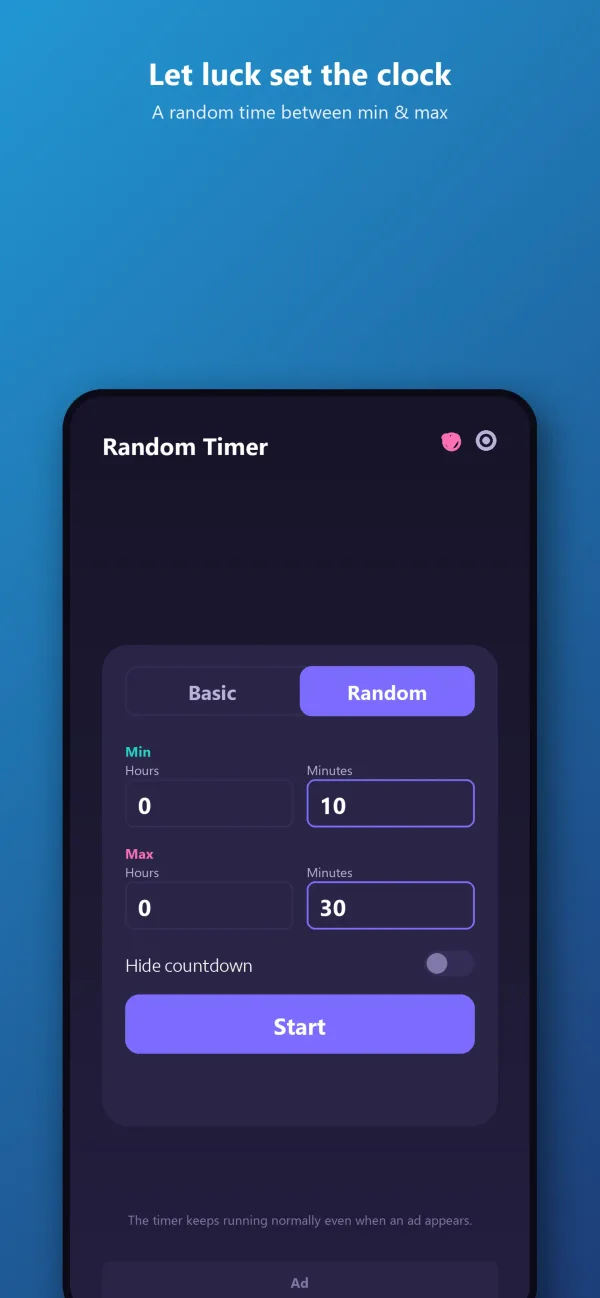
• Basic: enter hours and minutes and count down.
• Random: set a minimum and maximum, and the timer picks a length between them in whole minutes. What it picked can stay a surprise until it goes off.
Hide the time
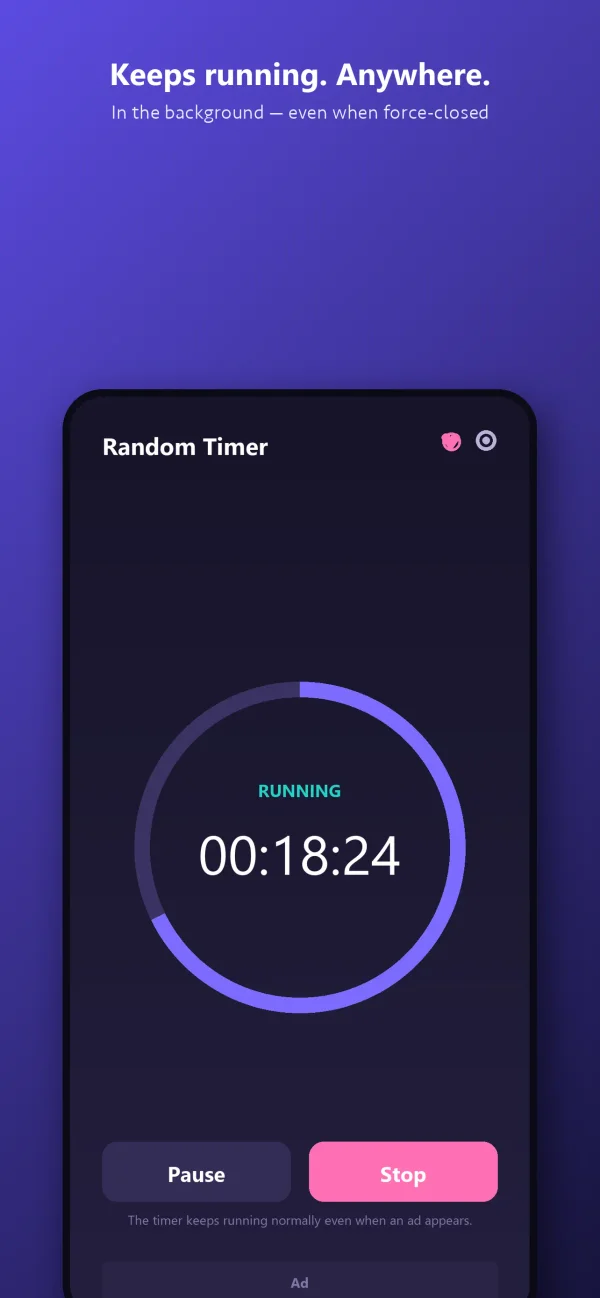
Turn on "Hide countdown" before you start, or tap to hide and show the remaining time while it runs. When hidden, the display shows only --:--:--.
When time is up
If the app is open when time runs out, sound and vibration repeat until you tap Stop. If you've left the app, on iOS 26 or later a system alarm rings if you've given alarm permission; otherwise you get a single notification.
Pause, resume and stop anytime. The countdown keeps running even if you close the app, and reopening it shows the time left. Your last mode, times and hide setting are remembered.
Good to know
• Times are set in hours and minutes (no seconds).
• Available in English, Korean, Japanese, Simplified Chinese, Spanish, French, German, Portuguese, Russian and Hindi.
• A banner ad shows at the bottom of the screen, and a full-screen ad appears every 10th launch. After every 2 hours of total timer use, an ad plays when you next start a timer; if you close that ad before it finishes, the timer won't start.
• Tap Subscribe to start a monthly auto-renewing subscription that removes all ads.
Subscription details
• Subscribe (ad removal): 1-month auto-renewing subscription
• Payment is charged to your Apple ID account.
• It renews automatically unless you cancel at least 24 hours before the current period ends.
• Manage or cancel it in Settings > Apple ID > Subscriptions.
• Terms of Use (EULA): https://www.apple.com/legal/internet-services/itunes/dev/stdeula/
• Privacy Policy: https://timer.vnamu.com/privacy.html
Nouveautés
Version 1.0.5 · 18/11/2026
Polished the in-app wording and improved stability.
Confidentialité de l’application
Ce que WanYeol Park déclare sur l’App Store au sujet du traitement des données par cette application.
-
Données utilisées pour vous suivre
Peuvent être utilisées pour vous suivre sur des applications et des sites web appartenant à d’autres sociétés.
- Données d’utilisation
-
Données n’établissant aucun lien avec vous
Peuvent être collectées, mais ne sont pas liées à votre identité.
- Données d’utilisation
Les pratiques en matière de confidentialité peuvent varier, notamment en fonction des fonctionnalités que vous utilisez ou de votre âge.
Informations
- Vendeur
- WanYeol Park
- Catégorie
- Utilitaires
- Version
- 1.0.5
- Mis à jour
- 18/11/2026
- Publié
- 31/07/2026
- Taille
- 5,6 Mo
- Nécessite
- iOS 15.0 ou version ultérieure
- Classification d’âge
- 4+
- Prix
- Gratuit
- Achats intégrés
- Oui
- Langues
- Anglais, Français, Allemand, Hindi, Japonais, Coréen, Portugais, Russe, Chinois simplifié, Espagnol
- Copyright
- © VNAMU
Vous aimerez peut-être aussi
-
 Kairos: Random TimerUtilitaires
-
 RandobeepUtilitaires
-
 Anywhen: Time CalculatorUtilitaires
-
 Fuuuga: Minuteur Multi ÉtudePomodoro Focus Compte rebours
-
 Dice Time!Utilitaires
-
 Agilezip ClockUtilitaires
-
 DecimaUtilitaires
-
 VisuoTimer CountdownUtilitaires
-
 Minuteur de Bombe.Le minuteur le plus cool !
-
 Video Looper - for SafariUtilitaires