RandomTimer - Randomized
Fixed or Randomized Countdowns
Diseñada para iPhone, iPod touch
Gratis · Compras en la aplicación
- Clasificación por edad4+
- CategoríaUtilidades
- DesarrolladorWanYeol Park
- IdiomasInglés+ 9 más
- Tamaño5,6 MB
Enlaza a la página oficial de App Store
Download.org no aloja ningún archivo de RandomTimer - Randomized. El botón abre la página de la aplicación en App Store, donde la publica WanYeol Park. Ficha comprobada por última vez el 23/11/2026.
Capturas de pantalla


Acerca de
El desarrollador no ha proporcionado este texto en tu idioma.
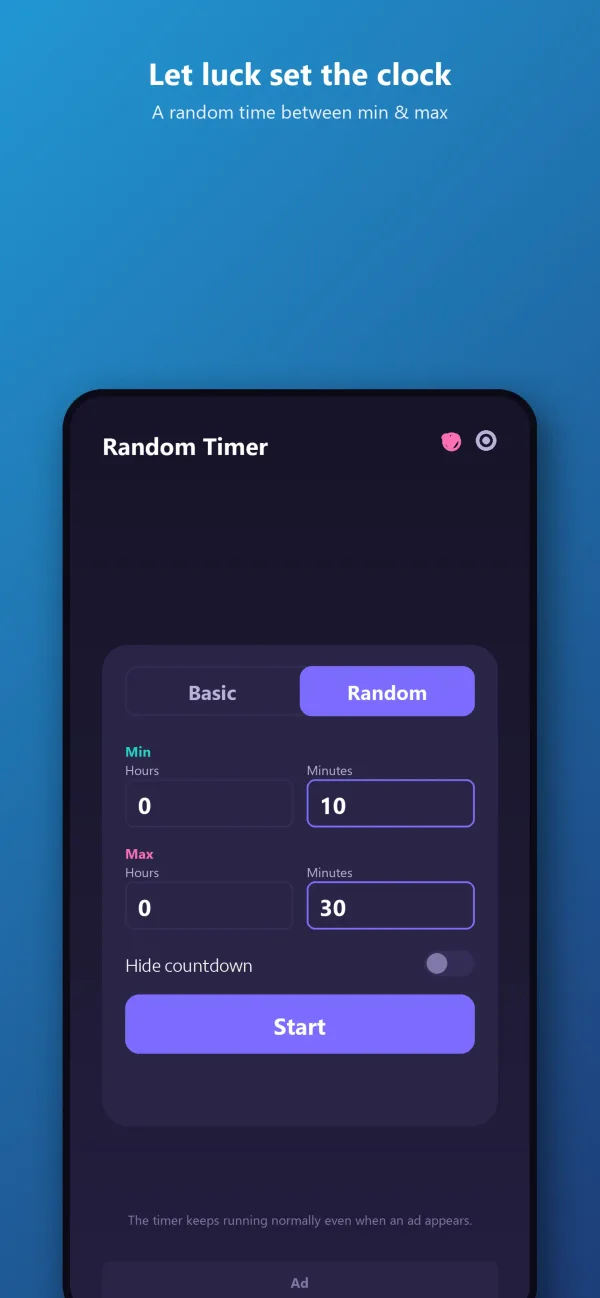
Random Timer is a countdown timer that runs for a time you set, or picks a random length within a range you choose. You can also hide the clock so you don't know when it will end.
Two modes
• Basic: enter hours and minutes and count down.
• Random: set a minimum and maximum, and the timer picks a length between them in whole minutes. What it picked can stay a surprise until it goes off.
Hide the time
Turn on "Hide countdown" before you start, or tap to hide and show the remaining time while it runs. When hidden, the display shows only --:--:--.
When time is up
If the app is open when time runs out, sound and vibration repeat until you tap Stop. If you've left the app, on iOS 26 or later a system alarm rings if you've given alarm permission; otherwise you get a single notification.
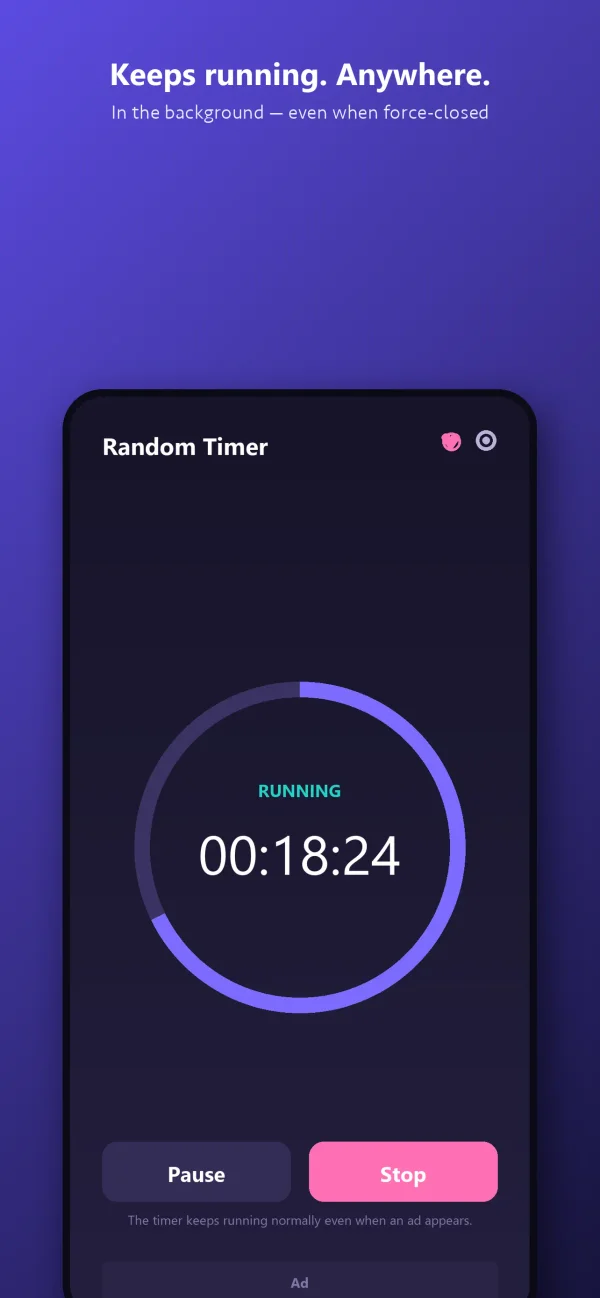
Pause, resume and stop anytime. The countdown keeps running even if you close the app, and reopening it shows the time left. Your last mode, times and hide setting are remembered.
Good to know
• Times are set in hours and minutes (no seconds).
• Available in English, Korean, Japanese, Simplified Chinese, Spanish, French, German, Portuguese, Russian and Hindi.
• A banner ad shows at the bottom of the screen, and a full-screen ad appears every 10th launch. After every 2 hours of total timer use, an ad plays when you next start a timer; if you close that ad before it finishes, the timer won't start.
• Tap Subscribe to start a monthly auto-renewing subscription that removes all ads.
Subscription details
• Subscribe (ad removal): 1-month auto-renewing subscription
• Payment is charged to your Apple ID account.
• It renews automatically unless you cancel at least 24 hours before the current period ends.
• Manage or cancel it in Settings > Apple ID > Subscriptions.
• Terms of Use (EULA): https://www.apple.com/legal/internet-services/itunes/dev/stdeula/
• Privacy Policy: https://timer.vnamu.com/privacy.html
Novedades
Versión 1.0.5 · 18/11/2026
Polished the in-app wording and improved stability.
Privacidad de la aplicación
Lo que WanYeol Park declara en App Store sobre cómo esta aplicación gestiona los datos.
-
Datos usados para rastrearte
Pueden usarse para rastrearte en aplicaciones y sitios web propiedad de otras empresas.
- Datos de uso
-
Datos no vinculados a ti
Pueden recopilarse, pero no se vinculan a tu identidad.
- Datos de uso
Las prácticas de privacidad pueden variar, por ejemplo, según las funciones que uses o tu edad.
Información
- Vendedor
- WanYeol Park
- Categoría
- Utilidades
- Versión
- 1.0.5
- Actualizado
- 18/11/2026
- Publicado
- 31/7/2026
- Tamaño
- 5,6 MB
- Requiere
- iOS 15.0 o posterior
- Clasificación por edad
- 4+
- Precio
- Gratis
- Compras en la aplicación
- Sí
- Idiomas
- Inglés, Francés, Alemán, Hindi, Japonés, Coreano, Portugués, Ruso, Chino simplificado, Español
- Copyright
- © VNAMU
Quizá también te guste
-
 Kairos: Random TimerUtilidades
-
 RandobeepUtilidades
-
 Anywhen: Time CalculatorUtilidades
-
 Fuuuga: Temporizador PomodoroCuenta atrás estudio trabajo
-
 Dice Time!Utilidades
-
 Agilezip ClockUtilidades
-
 DecimaUtilidades
-
 VisuoTimer CountdownUtilidades
-
 Temporizador de Bomba.¡El temporizador más genial!
-
 Video Looper - for SafariUtilidades