
Resize Image - Batch Resizer
Instantly resize your photos
Entwickelt für iPhone, iPad, iPod touch
Kostenlos
- Altersfreigabe4+
- KategorieFoto und Video
- EntwicklerChun Yu Leung
- SprachenEnglisch
- Größe25,8 MB
Verlinkt auf die offizielle App Store-Seite
Download.org hostet keine Datei von Resize Image - Batch Resizer. Die Schaltfläche öffnet die App-Seite bei App Store, wo Chun Yu Leung die App veröffentlicht. Eintrag zuletzt geprüft am 20.11.2026.
Screenshots
Info
Der Entwickler hat diesen Text nicht in Ihrer Sprache bereitgestellt.
Resize Image - Batch Resizer makes it quick and simple to resize one photo or multiple images at once. Choose exact pixel dimensions or resize by percentage, preview the results, then save or share your resized images in just a few taps.
Whether you need smaller photos for websites, social media, email, online forms, storage, or everyday sharing, this easy-to-use image resizer helps you get the dimensions you need without a complicated photo editor.
KEY FEATURES
• Batch image resizing
Select multiple photos and resize them together using the same settings. Save time when processing an entire group of images.
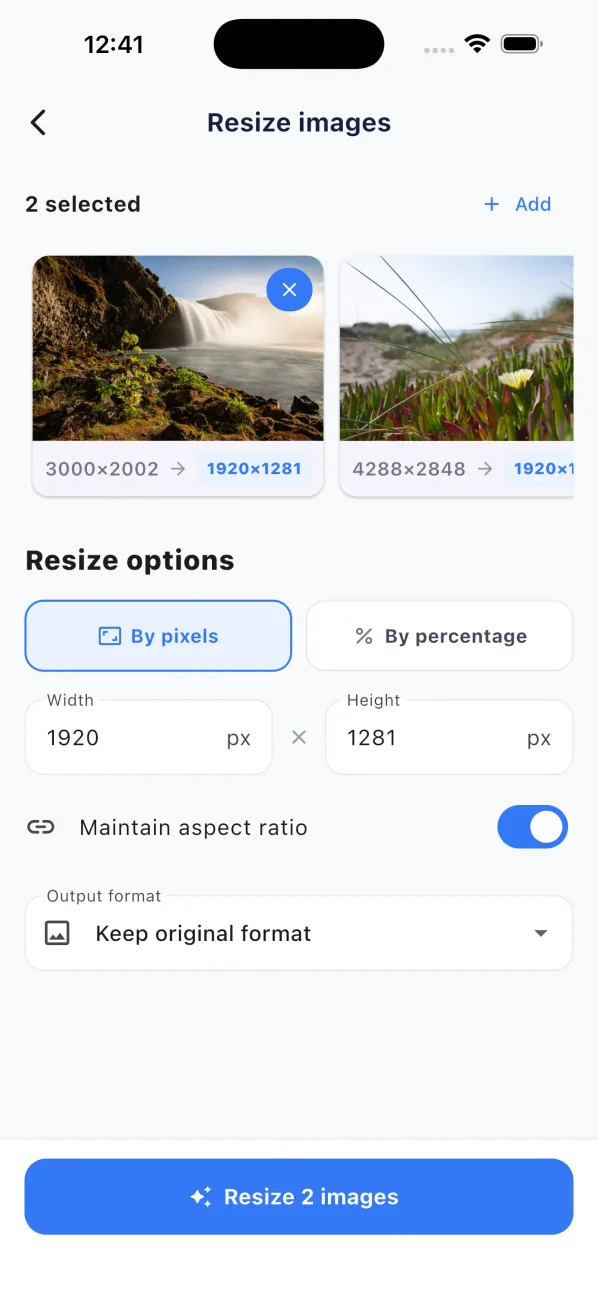
• Resize by pixels
Enter your preferred width and height for precise image dimensions.
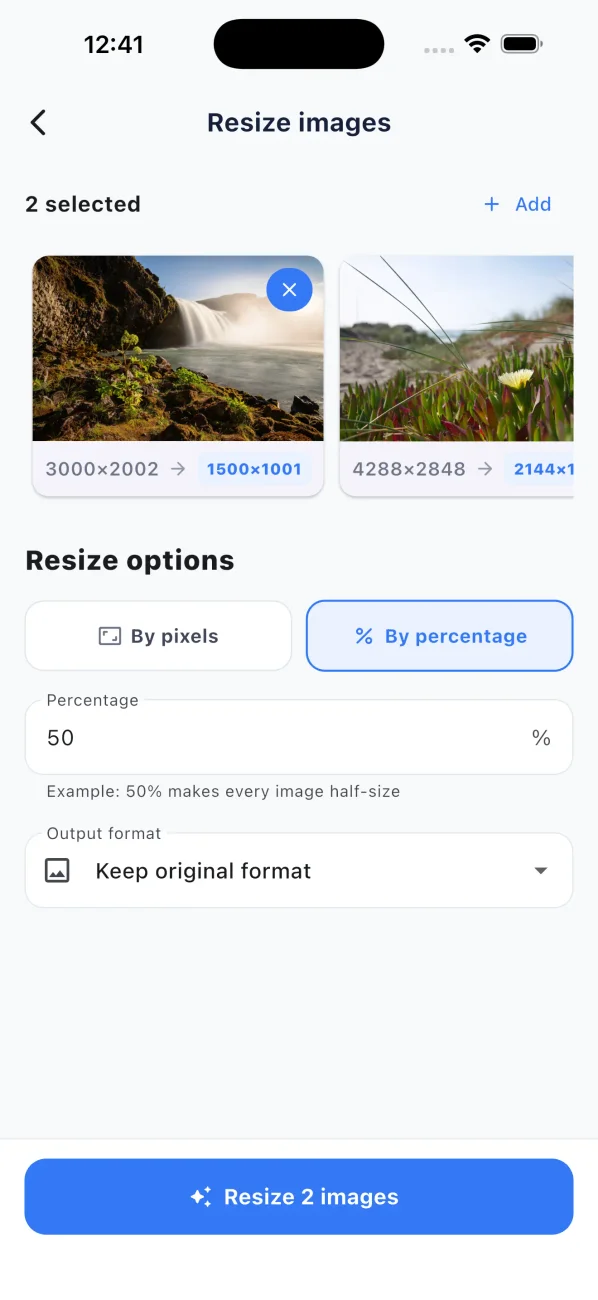
• Resize by percentage
Quickly scale photos from 1% to 400%. For example, choose 50% to make each image half its original width and height.
• Maintain aspect ratio
Keep photos proportional while resizing to help prevent unwanted stretching or distortion.
• Choose your output format
Keep the original image format or convert resized photos to JPG or PNG.
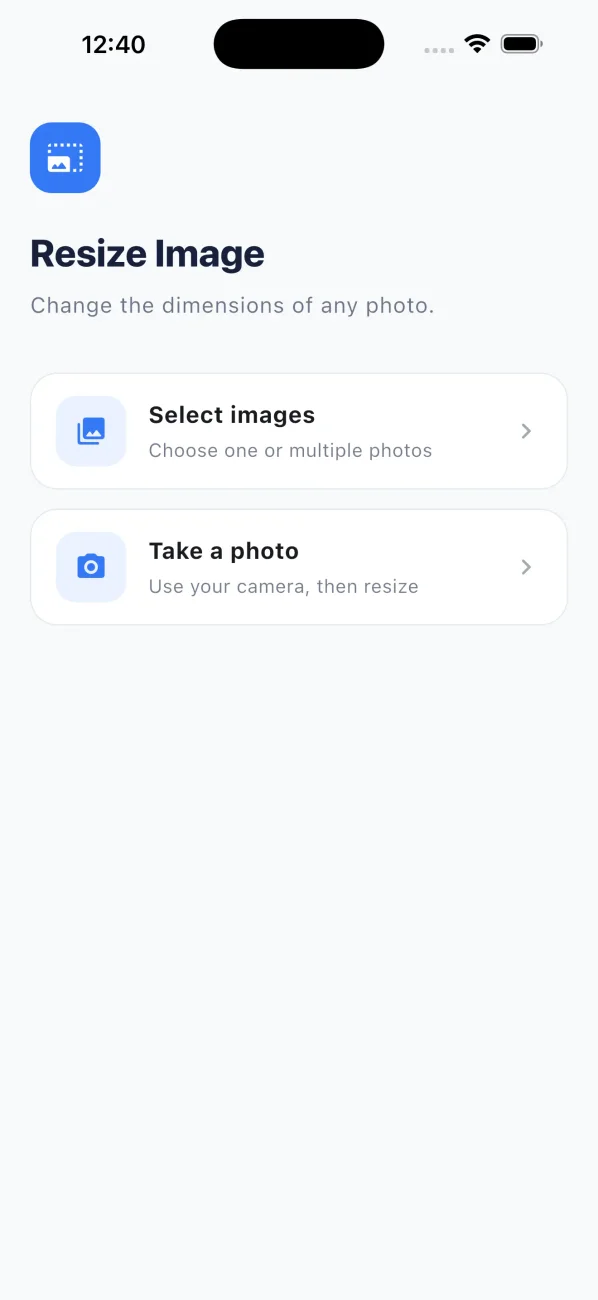
• Select photos or use the camera
Choose one or multiple images from your device, or take a new photo and resize it immediately.
• Preview dimensions before resizing
See the original and target dimensions for each selected image before processing.
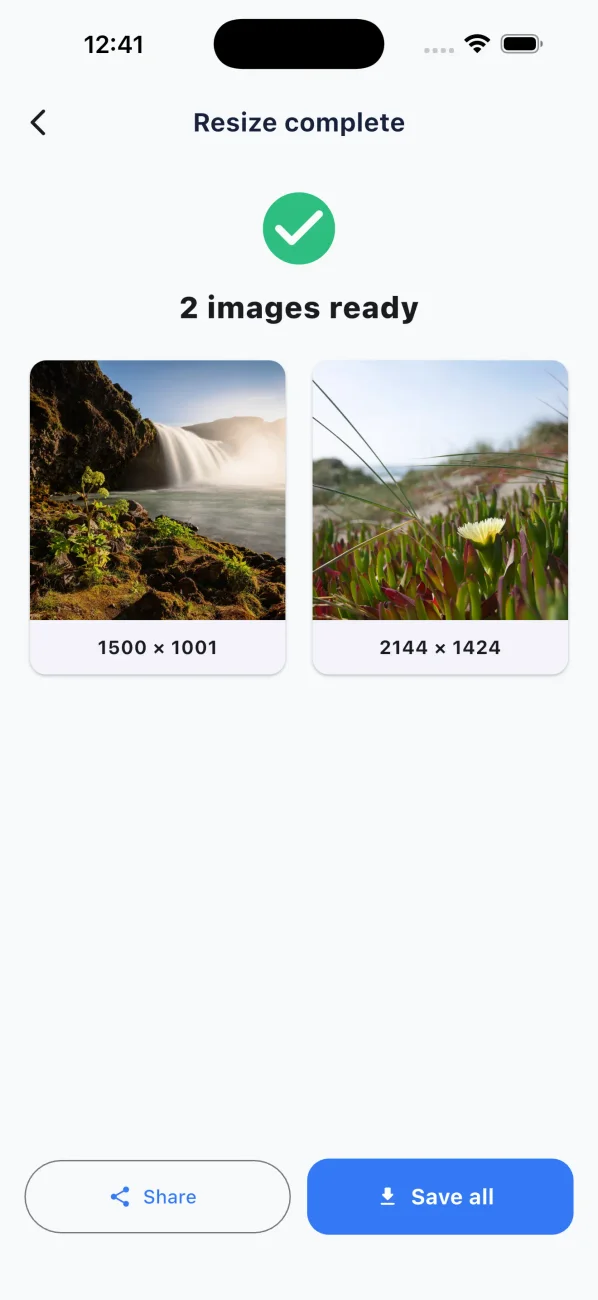
• Review your results
View all resized photos and their final dimensions before saving or sharing.
• Save all images at once
Save the complete batch directly to your photo gallery.
• Easy sharing
Share your resized images with other apps, contacts, or services from the results screen.
FAST AND SIMPLE WORKFLOW
1. Select one or multiple photos, or take a new picture.
2. Choose resizing by pixels or percentage.
3. Select JPG, PNG, or the original format.
4. Resize your images.
5. Save all results or share them instantly.
USE RESIZE IMAGE FOR
• Resizing photos for websites and blogs
• Preparing images for social media
• Reducing photo dimensions for email and messaging
• Creating images with specific pixel dimensions
• Batch resizing multiple pictures
• Converting photos to JPG or PNG
• Making images easier to store and share
Resize Image - Batch Resizer focuses on the tools you need without a complicated editing process. Photo resizing is performed on your device, and your original images remain unchanged.
Resize photos quickly, accurately, and effortlessly. Download Resize Image - Batch Resizer and simplify your image resizing workflow today.
Neue Funktionen
Version 1.5 · 10.08.2026
Added in-app review
App-Datenschutz
Was Chun Yu Leung im App Store zum Umgang dieser App mit Daten angibt.
-
Daten, die zum Tracking Ihrer Person verwendet werden
Können verwendet werden, um Sie über Apps und Websites anderer Unternehmen hinweg zu verfolgen.
- Standort
- Kennungen
- Nutzungsdaten
- Diagnose
-
Mit Ihnen verknüpfte Daten
Können erfasst und mit Ihrer Identität verknüpft werden.
- Standort
- Kennungen
- Nutzungsdaten
- Diagnose
-
Nicht mit Ihnen verknüpfte Daten
Können erfasst werden, sind aber nicht mit Ihrer Identität verknüpft.
- Diagnose
Die Datenschutzpraktiken können variieren, zum Beispiel je nach den von Ihnen verwendeten Funktionen oder Ihrem Alter.
Informationen
- Anbieter
- Chun Yu Leung
- Kategorie
- Foto und Video
- Version
- 1.5
- Aktualisiert
- 10.08.2026
- Veröffentlicht
- 05.08.2026
- Größe
- 25,8 MB
- Erfordert
- iOS 13.0 oder neuer
- Altersfreigabe
- 4+
- Preis
- Kostenlos
- Sprachen
- Englisch
- Copyright
- © 2026 lcyu
Das könnte Ihnen auch gefallen
-
 Video Komprimieren & ResizeZuschneiden, Verkleinern, Zip
-
 PanimeFoto und Video
-
 Time Warp Scan: Live CameraFoto und Video
-
 Gesichter verpixeln: VideoFotos, Text & Kennzeichen
-
 Downsizer: Photo & VideoFoto und Video
-
 Stitch - ScreenShot StitcherFoto und Video
-
 Swish: Swipe to Clean PhotosTidy your camera roll fast
-
 Photo Editor Pro-Collage MakerRetusche, Filter & Collagen
-
 Teleprompter Video: CueText beim Filmen ablesen
-
 DuoShot: Dual Camera RecorderFoto und Video