
Resize Image - Batch Resizer
Instantly resize your photos
Conçue pour iPhone, iPad, iPod touch
Gratuit
- Classification d’âge4+
- CatégoriePhoto et vidéo
- DéveloppeurChun Yu Leung
- LanguesAnglais
- Taille25,8 Mo
Renvoie vers la page App Store officielle
Download.org n’héberge aucun fichier de Resize Image - Batch Resizer. Le bouton ouvre la page de l’application sur App Store, où Chun Yu Leung la publie. Fiche vérifiée pour la dernière fois le 27/11/2026.
Captures d’écran
À propos
Le développeur n’a pas fourni ce texte dans votre langue.
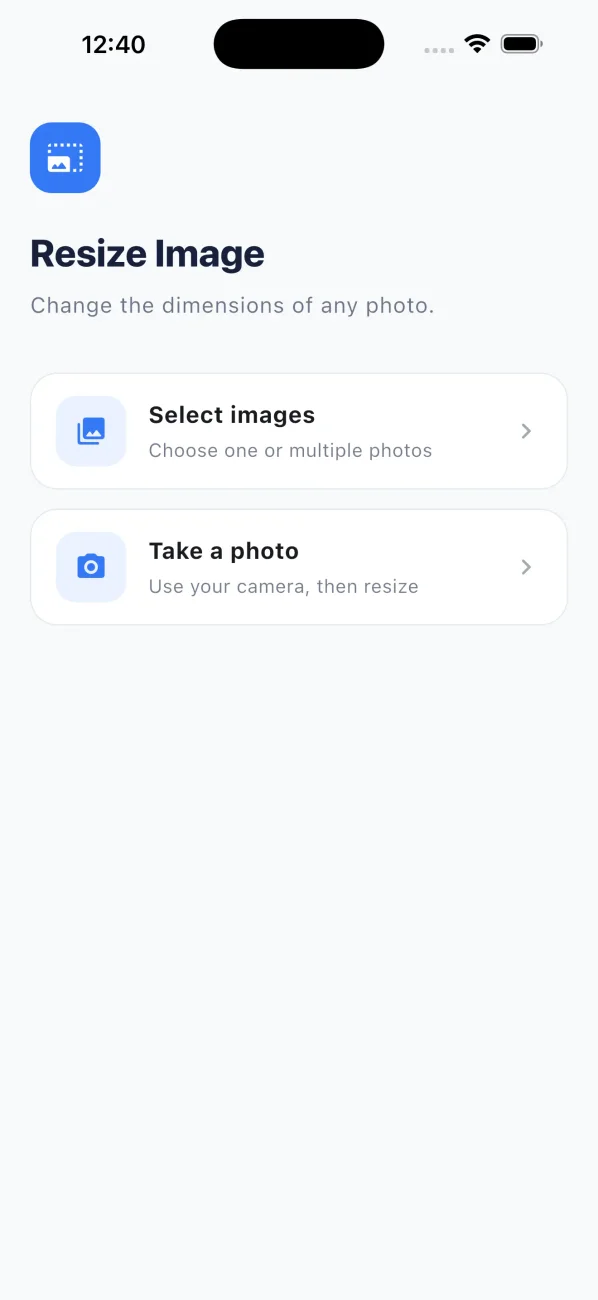
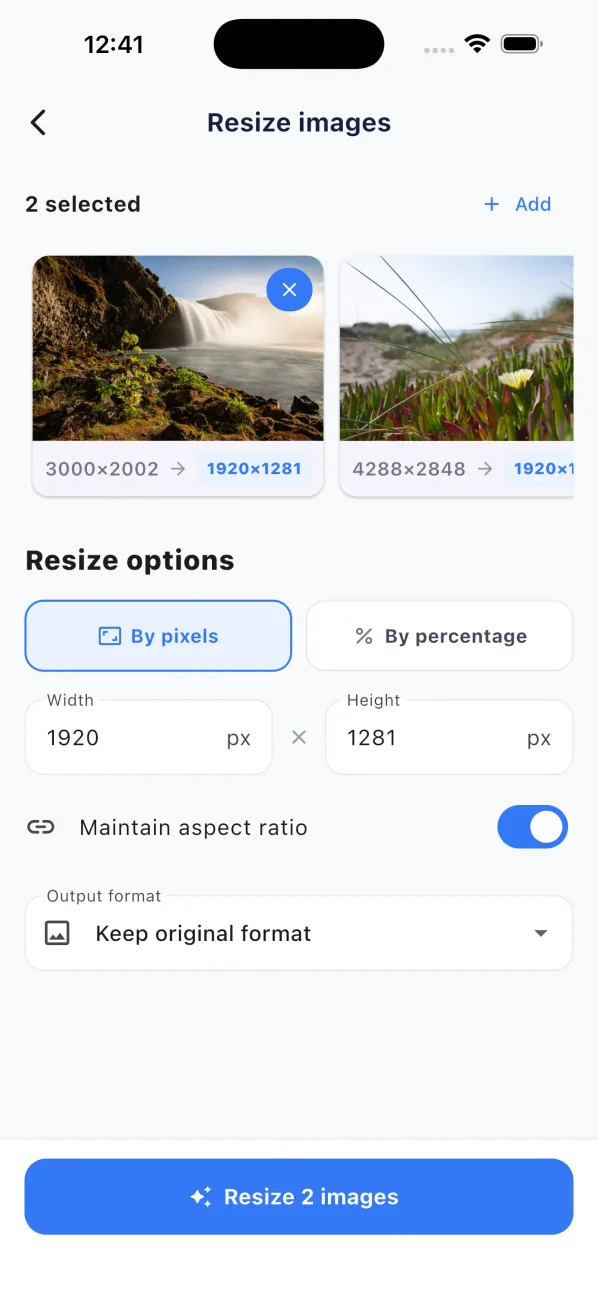
Resize Image - Batch Resizer makes it quick and simple to resize one photo or multiple images at once. Choose exact pixel dimensions or resize by percentage, preview the results, then save or share your resized images in just a few taps.
Whether you need smaller photos for websites, social media, email, online forms, storage, or everyday sharing, this easy-to-use image resizer helps you get the dimensions you need without a complicated photo editor.
KEY FEATURES
• Batch image resizing
Select multiple photos and resize them together using the same settings. Save time when processing an entire group of images.
• Resize by pixels
Enter your preferred width and height for precise image dimensions.
• Resize by percentage
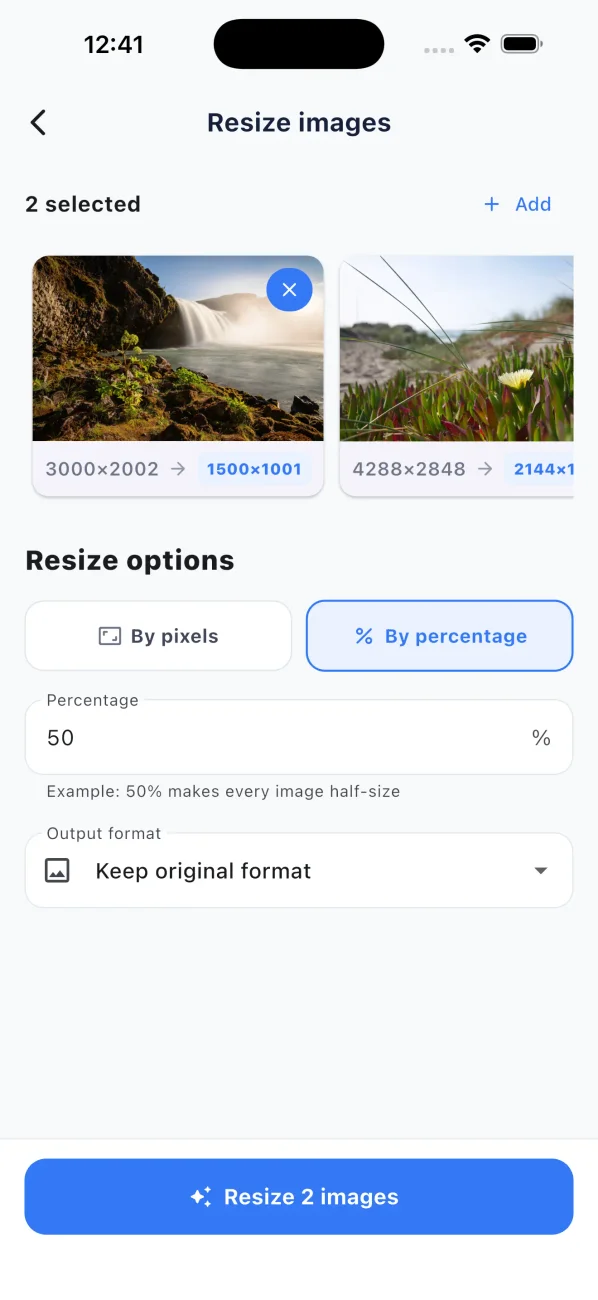
Quickly scale photos from 1% to 400%. For example, choose 50% to make each image half its original width and height.
• Maintain aspect ratio
Keep photos proportional while resizing to help prevent unwanted stretching or distortion.
• Choose your output format
Keep the original image format or convert resized photos to JPG or PNG.
• Select photos or use the camera
Choose one or multiple images from your device, or take a new photo and resize it immediately.
• Preview dimensions before resizing
See the original and target dimensions for each selected image before processing.
• Review your results
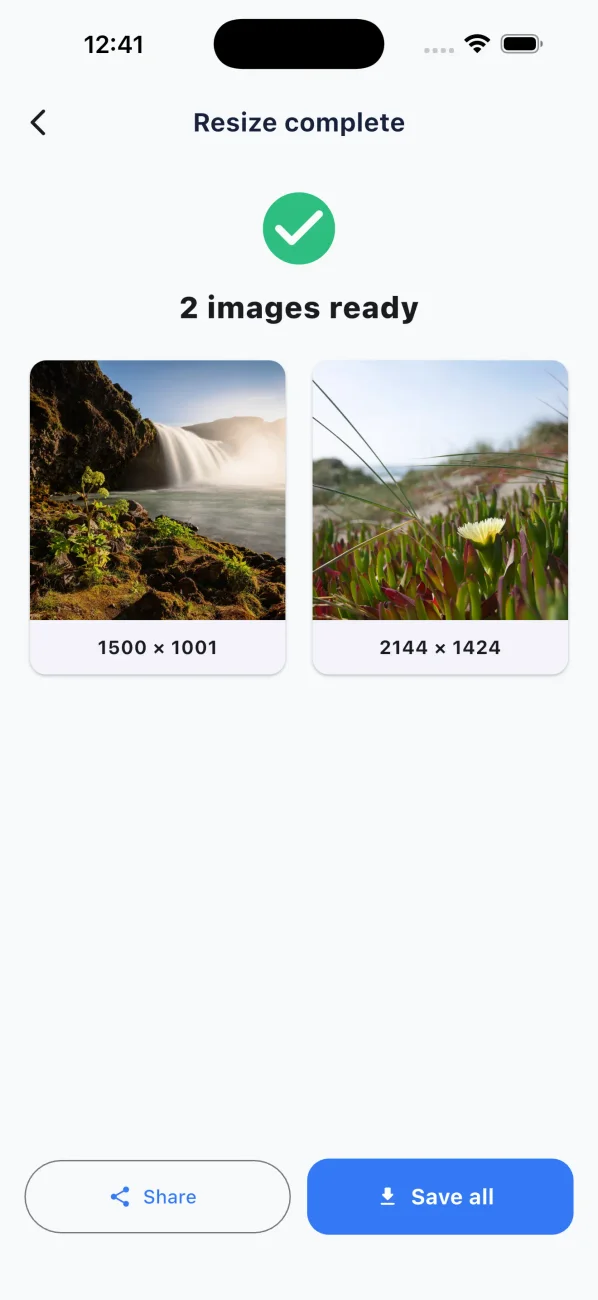
View all resized photos and their final dimensions before saving or sharing.
• Save all images at once
Save the complete batch directly to your photo gallery.
• Easy sharing
Share your resized images with other apps, contacts, or services from the results screen.
FAST AND SIMPLE WORKFLOW
1. Select one or multiple photos, or take a new picture.
2. Choose resizing by pixels or percentage.
3. Select JPG, PNG, or the original format.
4. Resize your images.
5. Save all results or share them instantly.
USE RESIZE IMAGE FOR
• Resizing photos for websites and blogs
• Preparing images for social media
• Reducing photo dimensions for email and messaging
• Creating images with specific pixel dimensions
• Batch resizing multiple pictures
• Converting photos to JPG or PNG
• Making images easier to store and share
Resize Image - Batch Resizer focuses on the tools you need without a complicated editing process. Photo resizing is performed on your device, and your original images remain unchanged.
Resize photos quickly, accurately, and effortlessly. Download Resize Image - Batch Resizer and simplify your image resizing workflow today.
Nouveautés
Version 1.5 · 10/08/2026
Added in-app review
Confidentialité de l’application
Ce que Chun Yu Leung déclare sur l’App Store au sujet du traitement des données par cette application.
-
Données utilisées pour vous suivre
Peuvent être utilisées pour vous suivre sur des applications et des sites web appartenant à d’autres sociétés.
- Emplacement
- Identifiants
- Données d’utilisation
- Diagnostic
-
Données établissant un lien avec vous
Peuvent être collectées et liées à votre identité.
- Emplacement
- Identifiants
- Données d’utilisation
- Diagnostic
-
Données n’établissant aucun lien avec vous
Peuvent être collectées, mais ne sont pas liées à votre identité.
- Diagnostic
Les pratiques en matière de confidentialité peuvent varier, notamment en fonction des fonctionnalités que vous utilisez ou de votre âge.
Informations
- Vendeur
- Chun Yu Leung
- Catégorie
- Photo et vidéo
- Version
- 1.5
- Mis à jour
- 10/08/2026
- Publié
- 05/08/2026
- Taille
- 25,8 Mo
- Nécessite
- iOS 13.0 ou version ultérieure
- Classification d’âge
- 4+
- Prix
- Gratuit
- Langues
- Anglais
- Copyright
- © 2026 lcyu
Vous aimerez peut-être aussi
-
 Compresser Vidéo & RecadrerRéduire, Redimensionner Taille
-
 PanimePhoto et vidéo
-
 Time Warp Scan: Live CameraPhoto et vidéo
-
 Flouter Visages – VidéoMasquez plaques, texte & ID
-
 Downsizer: Photo & VideoPhoto et vidéo
-
 Stitch - ScreenShot StitcherPhoto et vidéo
-
 Swish: Swipe to Clean PhotosTidy your camera roll fast
-
 Photo Editor Pro-Collage MakerRetouche, filtres et collages
-
 Téléprompteur Caméra: CueLisez votre texte en filmant
-
 DuoShot: Dual Camera RecorderPhoto et vidéo