ScanChat PDF
PDF Scanner, Editor & AI
Entwickelt für iPhone, iPad
Kostenlos · In-App-Käufe
- Altersfreigabe4+
- KategorieProduktivität
- EntwicklerChirag Gohil
- SprachenEnglisch+ 16 weitere
- Größe14,3 MB
Verlinkt auf die offizielle App Store-Seite
Download.org hostet keine Datei von ScanChat PDF. Die Schaltfläche öffnet die App-Seite bei App Store, wo Chirag Gohil die App veröffentlicht. Eintrag zuletzt geprüft am 12.11.2026.
Screenshots

Info
Der Entwickler hat diesen Text nicht in Ihrer Sprache bereitgestellt.
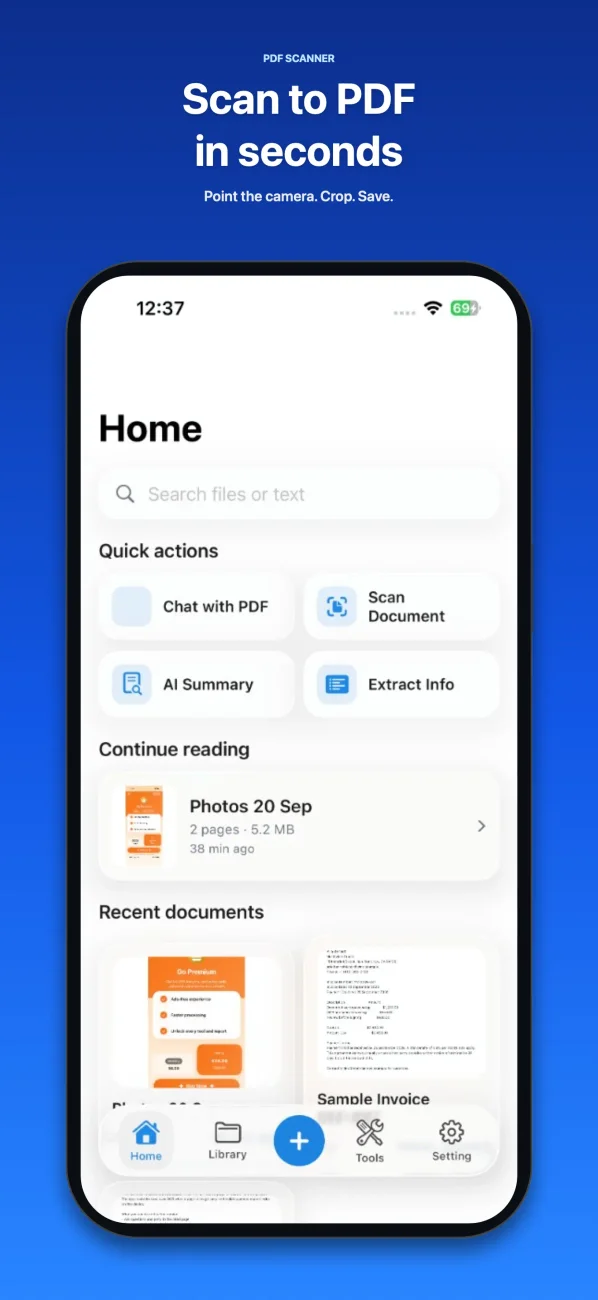
ScanChat PDF is a scanner, PDF editor and on-device AI reader. Scan a page, open a file, ask a question, sign it, or stamp a watermark — without creating an account.
SCAN & SEARCH
• Scan documents with the camera and turn pages into searchable PDFs
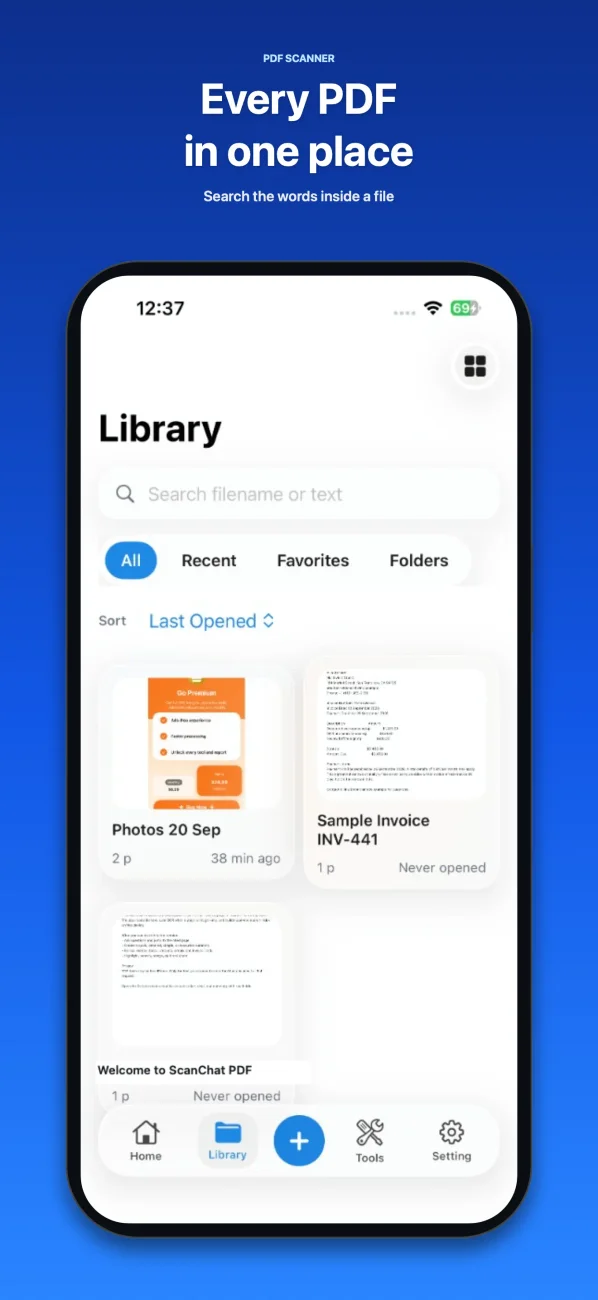
• Import PDFs from Files, or build a PDF from photos
• Search file names and text inside your library
• OCR runs on this device when a page has little text
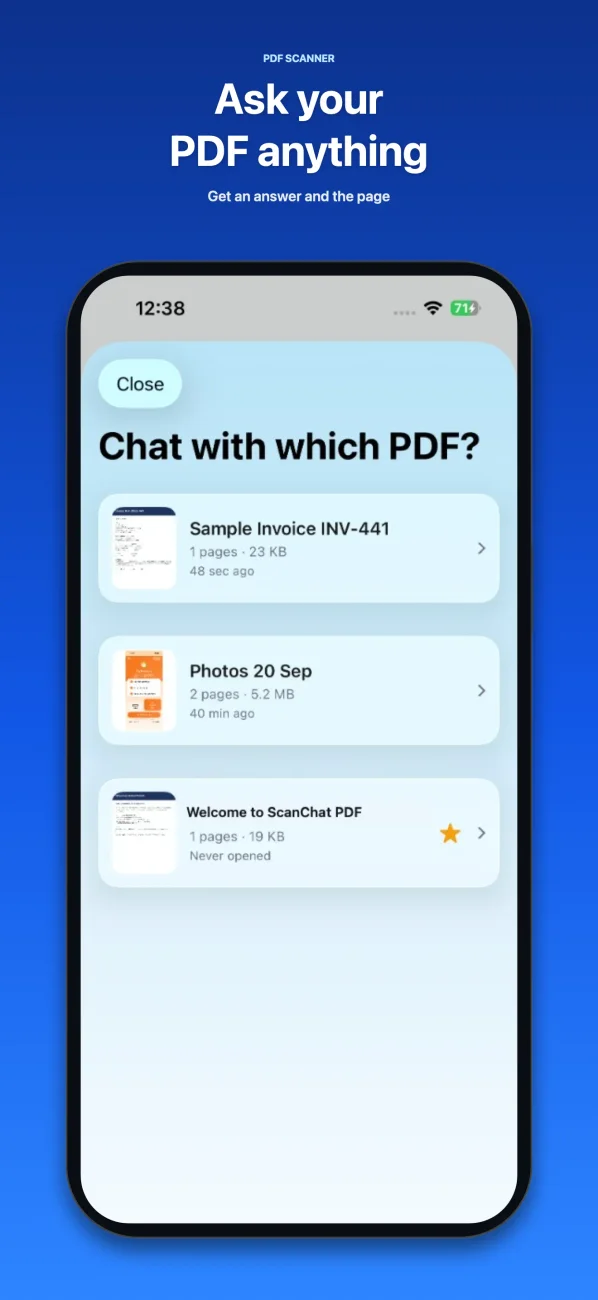
CHAT WITH ANY PDF
• Ask a question and jump to the page
• Summarize, extract names, dates, amounts and invoice fields
• Conversations stay with the document
• The message box stays above the keyboard while you type
• No cloud login for chat or search
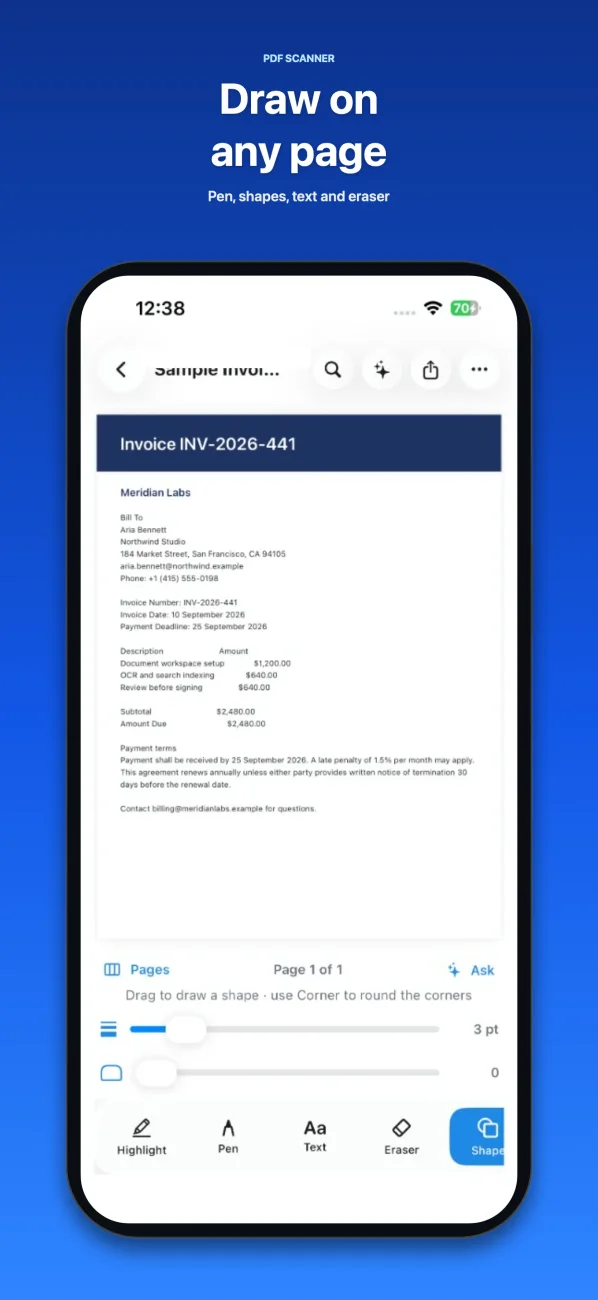
EDIT & MARKUP
• Highlight, pen, text, eraser and shapes
• Draw on any page, then share or export
• Ask the PDF while you read
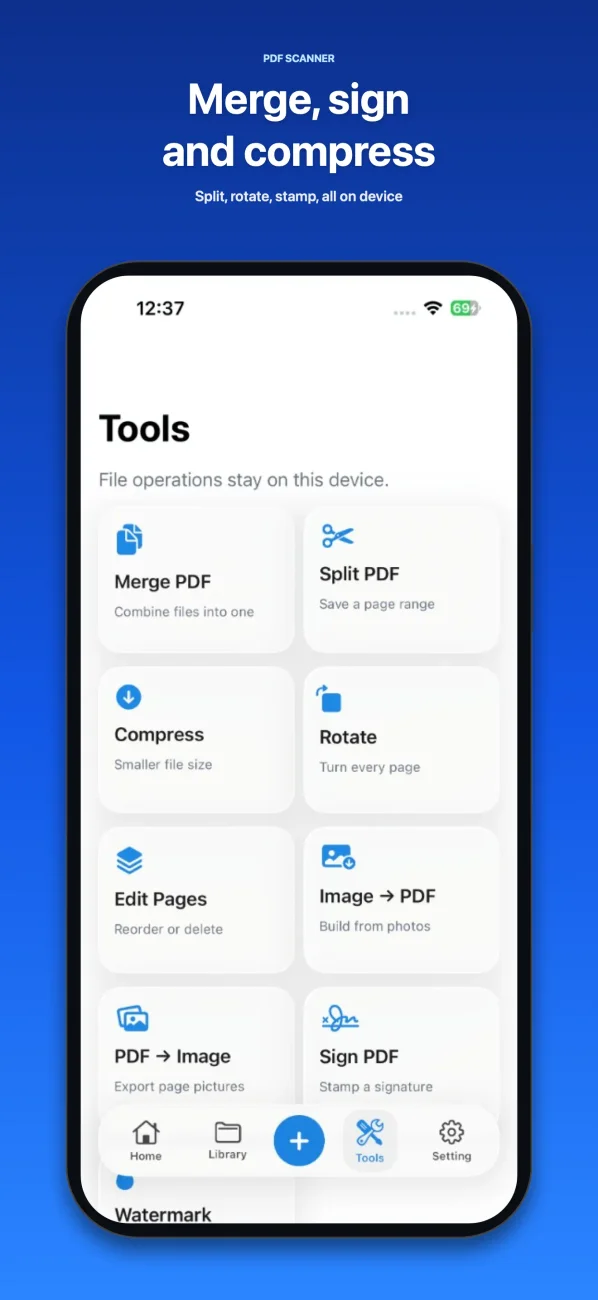
PDF TOOLS ON THIS DEVICE
• Merge two or more PDFs
• Split a page range into a new file
• Compress with a clear quality percent
• Rotate pages one by one
• Edit pages: reorder, delete, move
• Image to PDF and PDF to image
• Draw a signature, drag it into place, save
• Watermark: large diagonal text, pick font and size
PRIVATE BY DESIGN
• Documents, OCR text, notes and chat stay on this iPhone or iPad
• Camera is used only when you scan
• Photos are used only when you import or export images
• Ads may appear in the free version. Go Premium to remove them. Your documents stay on this device.
Made for work, study and everyday paperwork — invoices, IDs, notes, contracts and scans — in one simple library.
Terms of Use (EULA):
https://www.apple.com/legal/internet-services/itunes/dev/stdeula/
Privacy Policy:
https://gohilchirag.blogspot.com/2026/09/scanchat-pdf.html
Neue Funktionen
Version 1.3 · 14.10.2026
This update makes everyday PDF work smoother.
• The AI chat box now stays above the keyboard
• Adding a file from the camera, Files, or Photos is cleaner
• Fixes across reading, signing, and PDF tools
App-Datenschutz
Was Chirag Gohil im App Store zum Umgang dieser App mit Daten angibt.
-
Daten, die zum Tracking Ihrer Person verwendet werden
Können verwendet werden, um Sie über Apps und Websites anderer Unternehmen hinweg zu verfolgen.
- Nutzungsdaten
-
Nicht mit Ihnen verknüpfte Daten
Können erfasst werden, sind aber nicht mit Ihrer Identität verknüpft.
- Nutzungsdaten
- Sonstige Daten
Die Datenschutzpraktiken können variieren, zum Beispiel je nach den von Ihnen verwendeten Funktionen oder Ihrem Alter.
Informationen
- Anbieter
- Chirag Gohil
- Kategorie
- Produktivität
- Version
- 1.3
- Aktualisiert
- 14.10.2026
- Veröffentlicht
- 23.09.2026
- Größe
- 14,3 MB
- Erfordert
- iOS 16.0 oder neuer
- Altersfreigabe
- 4+
- Preis
- Kostenlos
- In-App-Käufe
- Ja
- Sprachen
- Englisch, Afrikaans, Arabisch, Dänisch, Filipino, Französisch, Hindi, Indonesisch, Italienisch, Japanisch, Koreanisch, Portugiesisch + 5 weitere
- Copyright
- © Chirag R Gohil
Das könnte Ihnen auch gefallen
-
 Yomine - Notes & Read AloudProduktivität
-
 Compress PDF: VerkleinernPDF für E-Mail verkleinern
-
 Color Scanner - PaletixProduktivität
-
 PDF Reader Pro - Ebook ReaderProduktivität
-
 Remove PDF Pages : PDF ToolsProduktivität
-
 Dokumenten Scanner: Foto PDFBilder Scannen, PDF Umwandeln
-
 PDF Scanner: Doc & OCRProduktivität
-
 FreePDF: PDF Scanner & WandlerScannen, umwandeln, verbinden
-
 Scan & Sign PDF ScannerProduktivität
-
 PDF Viewer - All PDF ReaderProduktivität