ScanChat PDF
PDF Scanner, Editor & AI
Conçue pour iPhone, iPad
Gratuit · Achats intégrés
- Classification d’âge4+
- CatégorieProductivité
- DéveloppeurChirag Gohil
- LanguesAnglais+ 16 de plus
- Taille14,3 Mo
Renvoie vers la page App Store officielle
Download.org n’héberge aucun fichier de ScanChat PDF. Le bouton ouvre la page de l’application sur App Store, où Chirag Gohil la publie. Fiche vérifiée pour la dernière fois le 12/11/2026.
Captures d’écran

À propos
Le développeur n’a pas fourni ce texte dans votre langue.
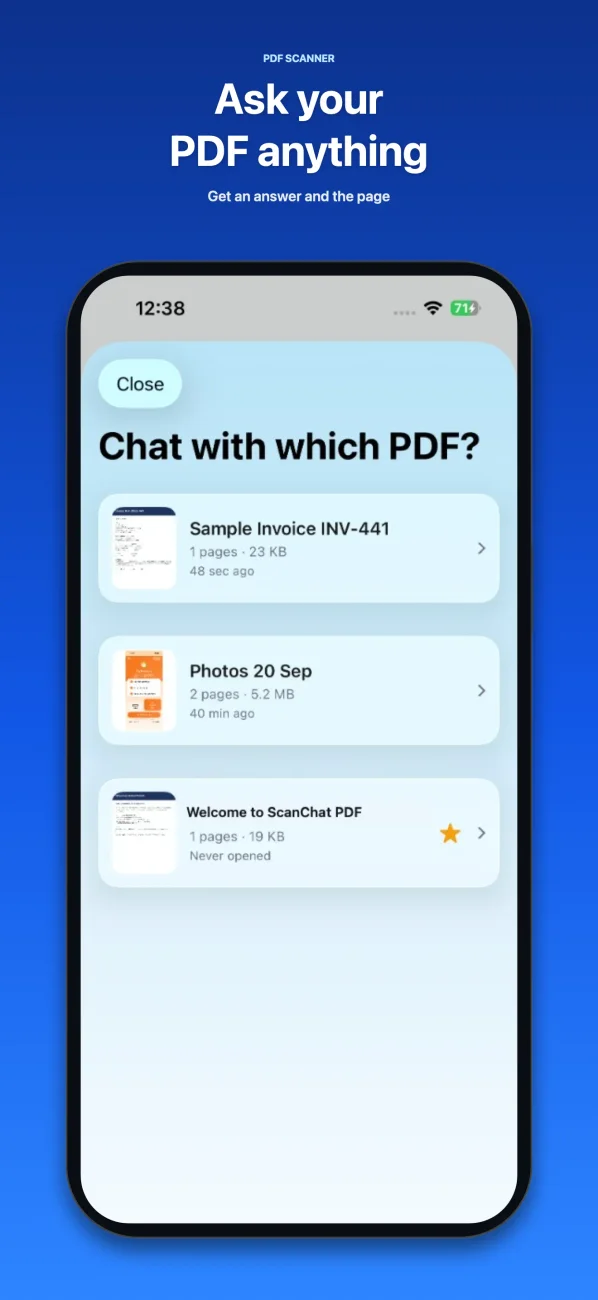
ScanChat PDF is a scanner, PDF editor and on-device AI reader. Scan a page, open a file, ask a question, sign it, or stamp a watermark — without creating an account.
SCAN & SEARCH
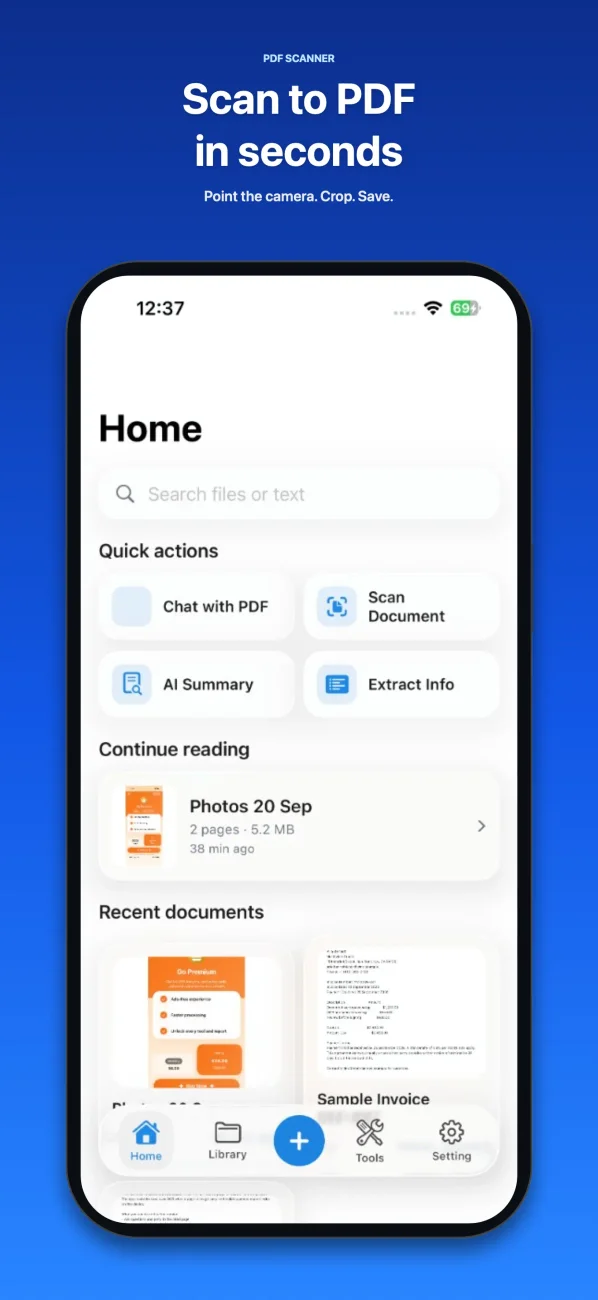
• Scan documents with the camera and turn pages into searchable PDFs
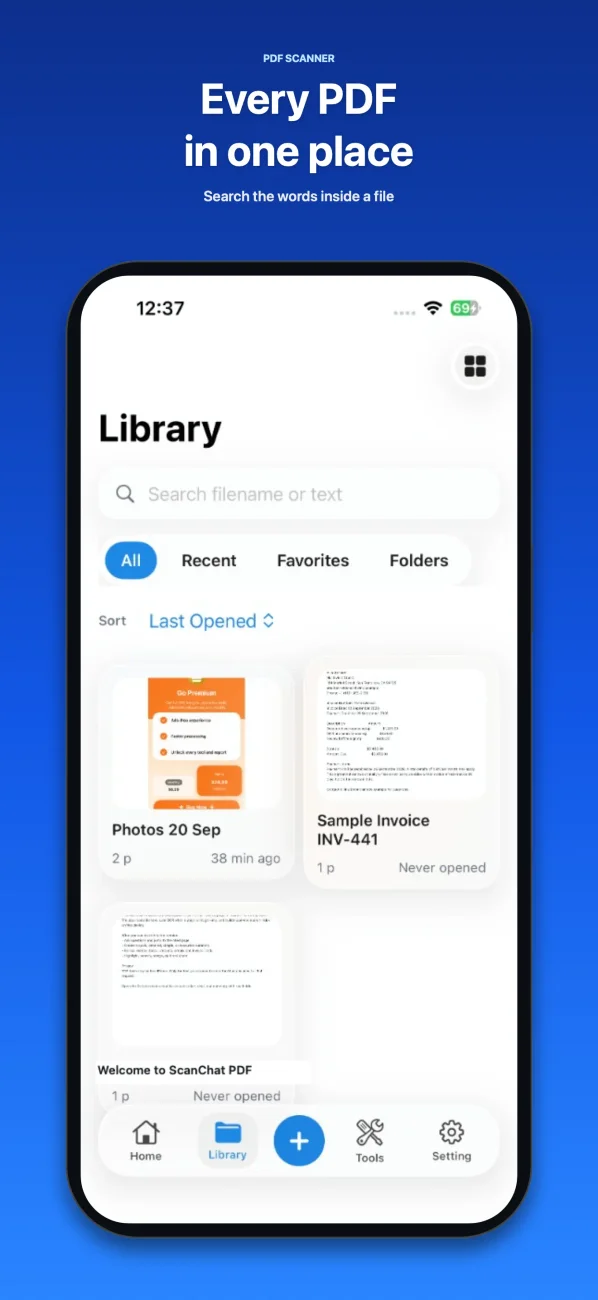
• Import PDFs from Files, or build a PDF from photos
• Search file names and text inside your library
• OCR runs on this device when a page has little text
CHAT WITH ANY PDF
• Ask a question and jump to the page
• Summarize, extract names, dates, amounts and invoice fields
• Conversations stay with the document
• The message box stays above the keyboard while you type
• No cloud login for chat or search
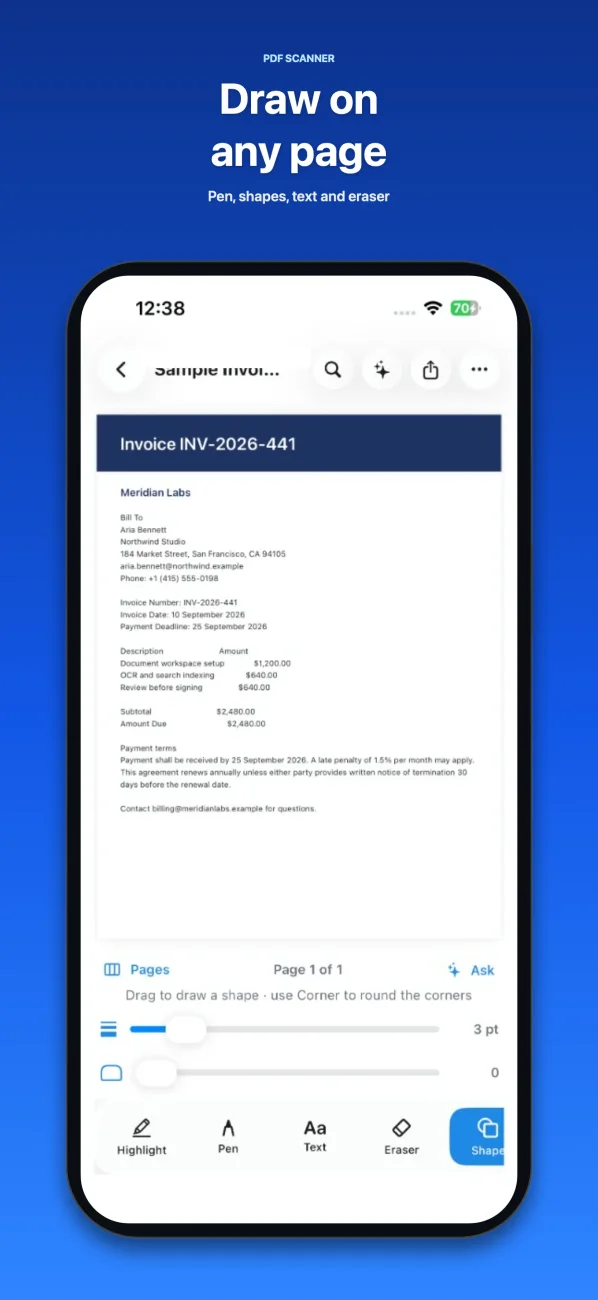
EDIT & MARKUP
• Highlight, pen, text, eraser and shapes
• Draw on any page, then share or export
• Ask the PDF while you read
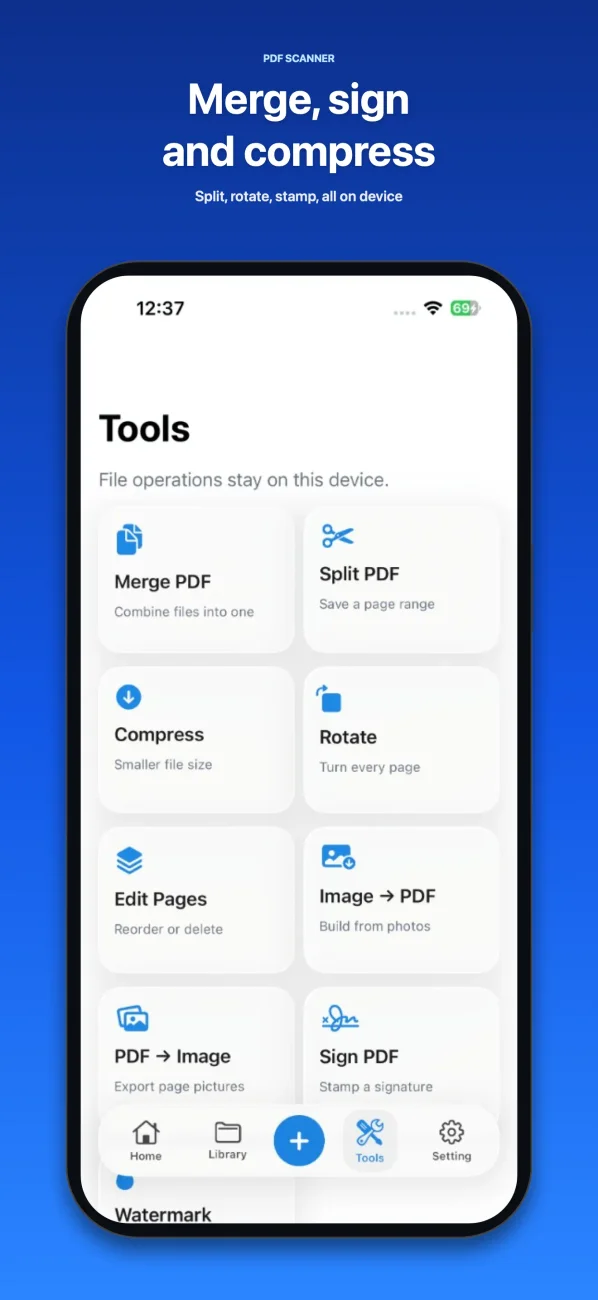
PDF TOOLS ON THIS DEVICE
• Merge two or more PDFs
• Split a page range into a new file
• Compress with a clear quality percent
• Rotate pages one by one
• Edit pages: reorder, delete, move
• Image to PDF and PDF to image
• Draw a signature, drag it into place, save
• Watermark: large diagonal text, pick font and size
PRIVATE BY DESIGN
• Documents, OCR text, notes and chat stay on this iPhone or iPad
• Camera is used only when you scan
• Photos are used only when you import or export images
• Ads may appear in the free version. Go Premium to remove them. Your documents stay on this device.
Made for work, study and everyday paperwork — invoices, IDs, notes, contracts and scans — in one simple library.
Terms of Use (EULA):
https://www.apple.com/legal/internet-services/itunes/dev/stdeula/
Privacy Policy:
https://gohilchirag.blogspot.com/2026/09/scanchat-pdf.html
Nouveautés
Version 1.3 · 14/10/2026
This update makes everyday PDF work smoother.
• The AI chat box now stays above the keyboard
• Adding a file from the camera, Files, or Photos is cleaner
• Fixes across reading, signing, and PDF tools
Confidentialité de l’application
Ce que Chirag Gohil déclare sur l’App Store au sujet du traitement des données par cette application.
-
Données utilisées pour vous suivre
Peuvent être utilisées pour vous suivre sur des applications et des sites web appartenant à d’autres sociétés.
- Données d’utilisation
-
Données n’établissant aucun lien avec vous
Peuvent être collectées, mais ne sont pas liées à votre identité.
- Données d’utilisation
- Autres données
Les pratiques en matière de confidentialité peuvent varier, notamment en fonction des fonctionnalités que vous utilisez ou de votre âge.
Informations
- Vendeur
- Chirag Gohil
- Catégorie
- Productivité
- Version
- 1.3
- Mis à jour
- 14/10/2026
- Publié
- 23/09/2026
- Taille
- 14,3 Mo
- Nécessite
- iOS 16.0 ou version ultérieure
- Classification d’âge
- 4+
- Prix
- Gratuit
- Achats intégrés
- Oui
- Langues
- Anglais, Afrikaans, Arabe, Danois, Filipino, Français, Hindi, Indonésien, Italien, Japonais, Coréen, Portugais + 5 de plus
- Copyright
- © Chirag R Gohil
Vous aimerez peut-être aussi
-
 Yomine - Notes & Read AloudProductivité
-
 Compress PDF : RéduireRéduire un PDF pour un e-mail
-
 Color Scanner - PaletixProductivité
-
 PDF Reader Pro - Ebook ReaderProductivité
-
 PDF Page Remover: Delete PagesProductivité
-
 Scanner PDF - Scan DocumentNumériser et Convertir en PDF
-
 PDF Scanner: Doc & OCRProductivité
-
 FreePDF : Scan & Convertir PDFScanner, convertir, fusionner
-
 Scan & Sign PDF ScannerProductivité
-
 PDF Viewer - All PDF ReaderProductivité