ScanChat PDF
PDF Scanner, Editor & AI
Diseñada para iPhone, iPad
Gratis · Compras en la aplicación
- Clasificación por edad4+
- CategoríaProductividad
- DesarrolladorChirag Gohil
- IdiomasInglés+ 16 más
- Tamaño14,3 MB
Enlaza a la página oficial de App Store
Download.org no aloja ningún archivo de ScanChat PDF. El botón abre la página de la aplicación en App Store, donde la publica Chirag Gohil. Ficha comprobada por última vez el 12/11/2026.
Capturas de pantalla

Acerca de
El desarrollador no ha proporcionado este texto en tu idioma.
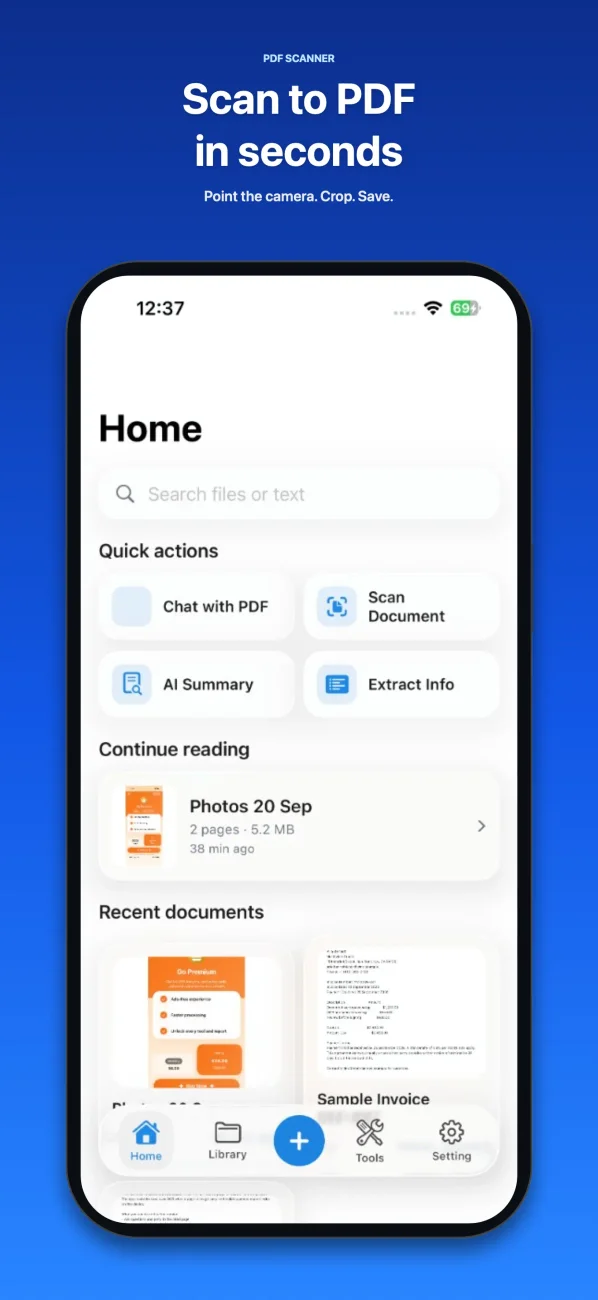
ScanChat PDF is a scanner, PDF editor and on-device AI reader. Scan a page, open a file, ask a question, sign it, or stamp a watermark — without creating an account.
SCAN & SEARCH
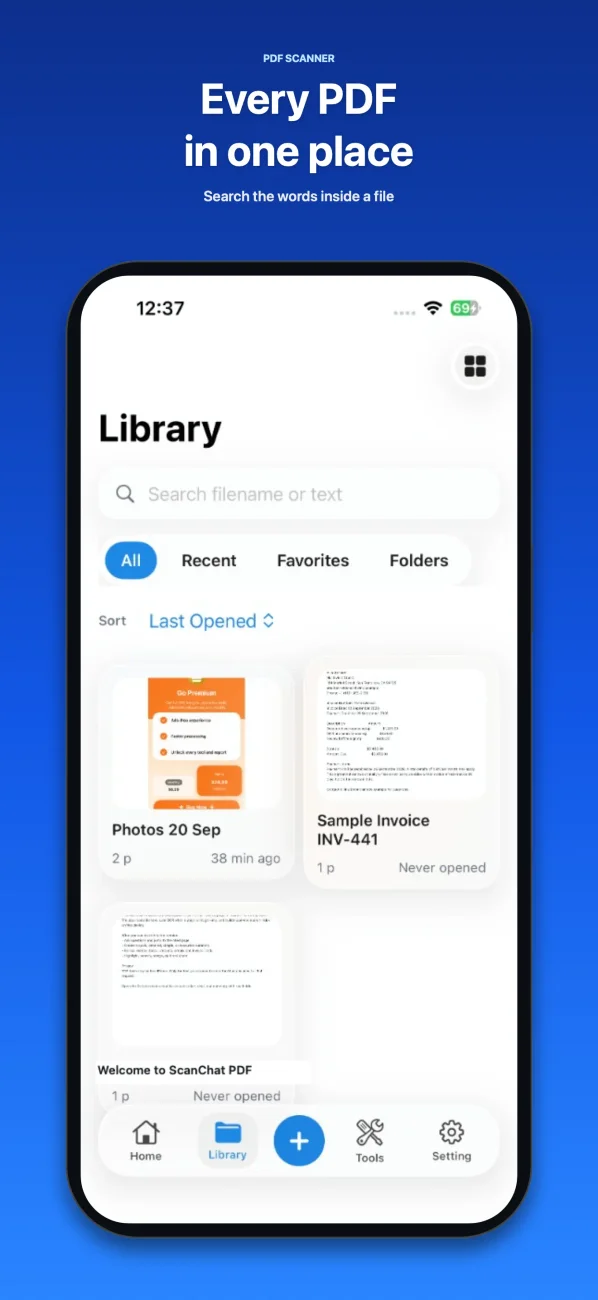
• Scan documents with the camera and turn pages into searchable PDFs
• Import PDFs from Files, or build a PDF from photos
• Search file names and text inside your library
• OCR runs on this device when a page has little text
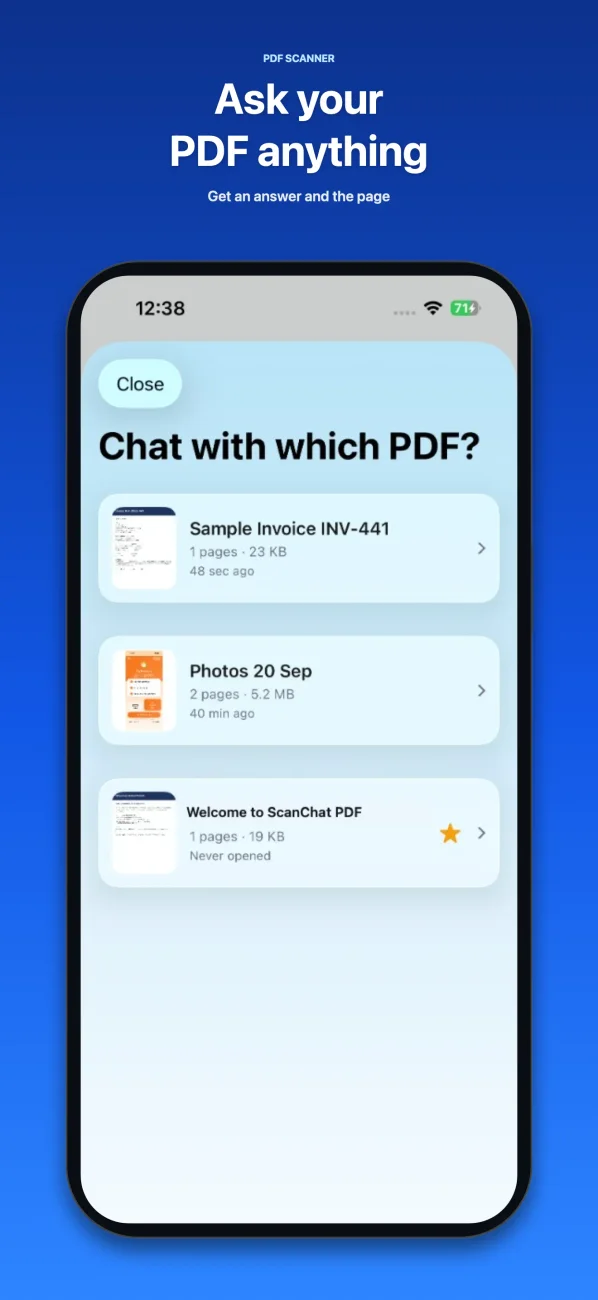
CHAT WITH ANY PDF
• Ask a question and jump to the page
• Summarize, extract names, dates, amounts and invoice fields
• Conversations stay with the document
• The message box stays above the keyboard while you type
• No cloud login for chat or search
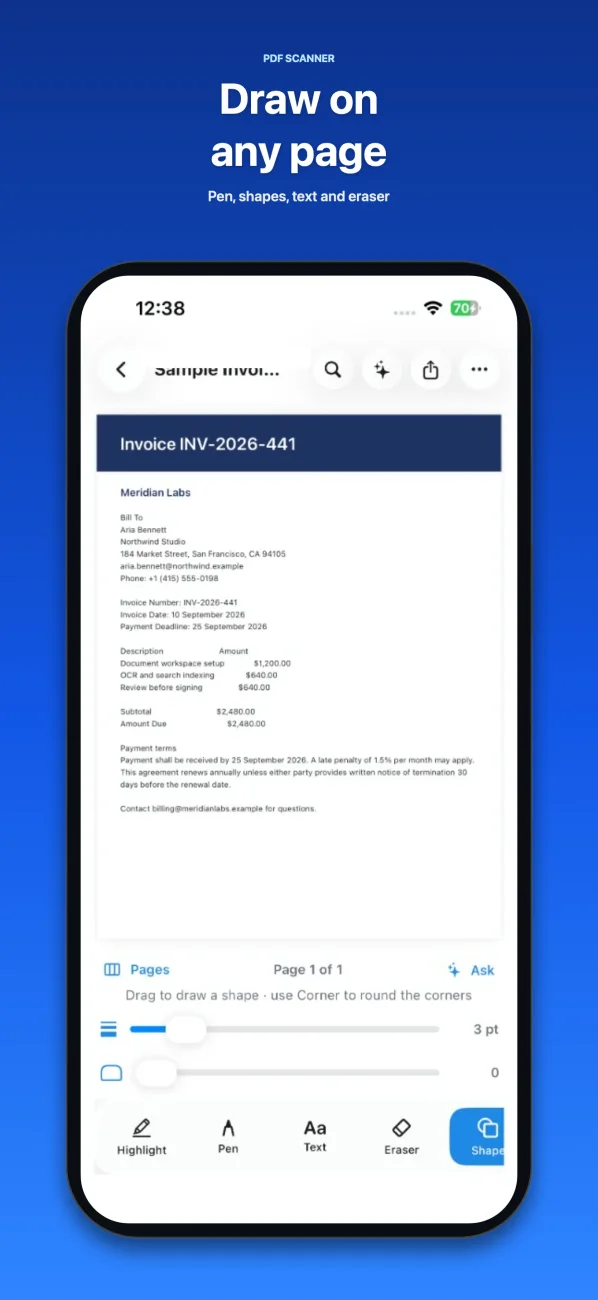
EDIT & MARKUP
• Highlight, pen, text, eraser and shapes
• Draw on any page, then share or export
• Ask the PDF while you read
PDF TOOLS ON THIS DEVICE
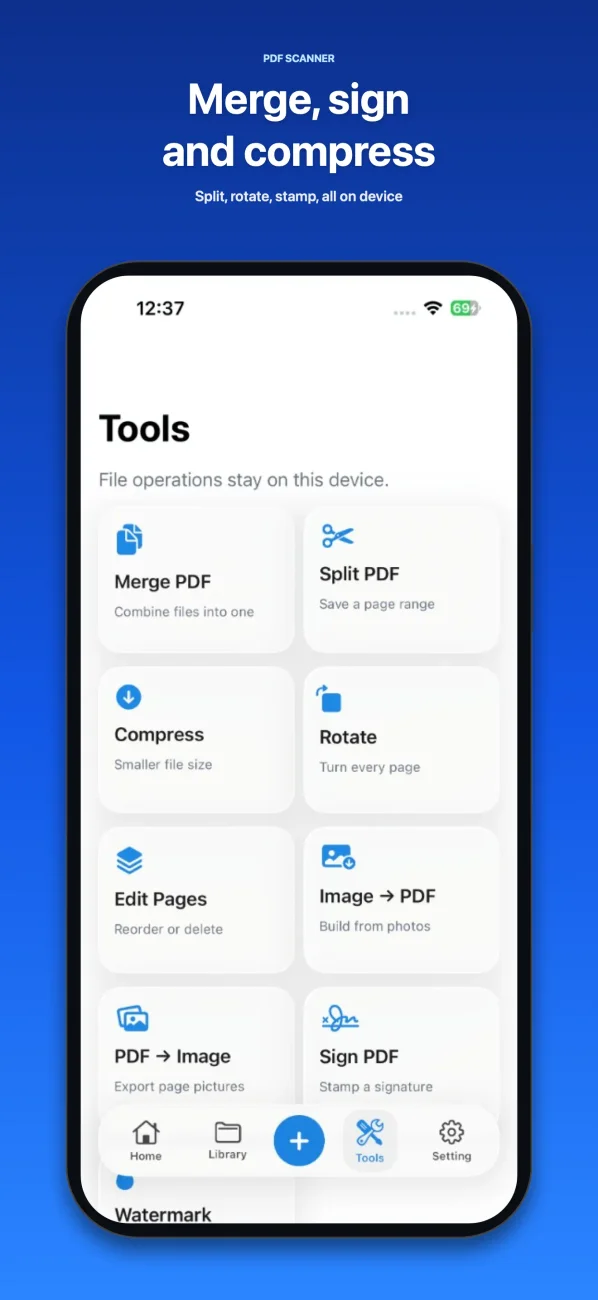
• Merge two or more PDFs
• Split a page range into a new file
• Compress with a clear quality percent
• Rotate pages one by one
• Edit pages: reorder, delete, move
• Image to PDF and PDF to image
• Draw a signature, drag it into place, save
• Watermark: large diagonal text, pick font and size
PRIVATE BY DESIGN
• Documents, OCR text, notes and chat stay on this iPhone or iPad
• Camera is used only when you scan
• Photos are used only when you import or export images
• Ads may appear in the free version. Go Premium to remove them. Your documents stay on this device.
Made for work, study and everyday paperwork — invoices, IDs, notes, contracts and scans — in one simple library.
Terms of Use (EULA):
https://www.apple.com/legal/internet-services/itunes/dev/stdeula/
Privacy Policy:
https://gohilchirag.blogspot.com/2026/09/scanchat-pdf.html
Novedades
Versión 1.3 · 14/10/2026
This update makes everyday PDF work smoother.
• The AI chat box now stays above the keyboard
• Adding a file from the camera, Files, or Photos is cleaner
• Fixes across reading, signing, and PDF tools
Privacidad de la aplicación
Lo que Chirag Gohil declara en App Store sobre cómo esta aplicación gestiona los datos.
-
Datos usados para rastrearte
Pueden usarse para rastrearte en aplicaciones y sitios web propiedad de otras empresas.
- Datos de uso
-
Datos no vinculados a ti
Pueden recopilarse, pero no se vinculan a tu identidad.
- Datos de uso
- Otros datos
Las prácticas de privacidad pueden variar, por ejemplo, según las funciones que uses o tu edad.
Información
- Vendedor
- Chirag Gohil
- Categoría
- Productividad
- Versión
- 1.3
- Actualizado
- 14/10/2026
- Publicado
- 23/9/2026
- Tamaño
- 14,3 MB
- Requiere
- iOS 16.0 o posterior
- Clasificación por edad
- 4+
- Precio
- Gratis
- Compras en la aplicación
- Sí
- Idiomas
- Inglés, AfriKaans, Árabe, Danés, Filipino, Francés, Hindi, Indonesio, Italiano, Japonés, Coreano, Portugués + 5 más
- Copyright
- © Chirag R Gohil
Quizá también te guste
-
 Yomine - Notes & Read AloudProductividad
-
 Compress PDF: Reducir PDFReduce el PDF para enviarlo
-
 Color Scanner - PaletixProductividad
-
 PDF Reader Pro - Ebook ReaderProductividad
-
 PDF Page Remover: Delete PagesProductividad
-
 Escanear Documentos: Crear PDFEscaner, Convertir Foto en PDF
-
 PDF Scanner: Doc & OCRProductividad
-
 FreePDF: Escáner y ConversorEscanea, convierte y une PDF
-
 Scan & SignEscaner, PDF y firma
-
 PDF Viewer - All PDF ReaderProductividad