- 対象年齢4+
- カテゴリ仕事効率化
- 開発元Chirag Gohil
- 言語英語ほか16言語
- サイズ14.3 MB
App Storeの公式ページにリンクしています
Download.orgはScanChat PDFのファイルを一切ホストしていません。ボタンを押すと、Chirag Gohilが公開しているApp Storeのアプリページが開きます。ページの最終確認:2026/11/12。
スクリーンショット

概要
開発元はこのテキストをお使いの言語で提供していません。
ScanChat PDF is a scanner, PDF editor and on-device AI reader. Scan a page, open a file, ask a question, sign it, or stamp a watermark — without creating an account.
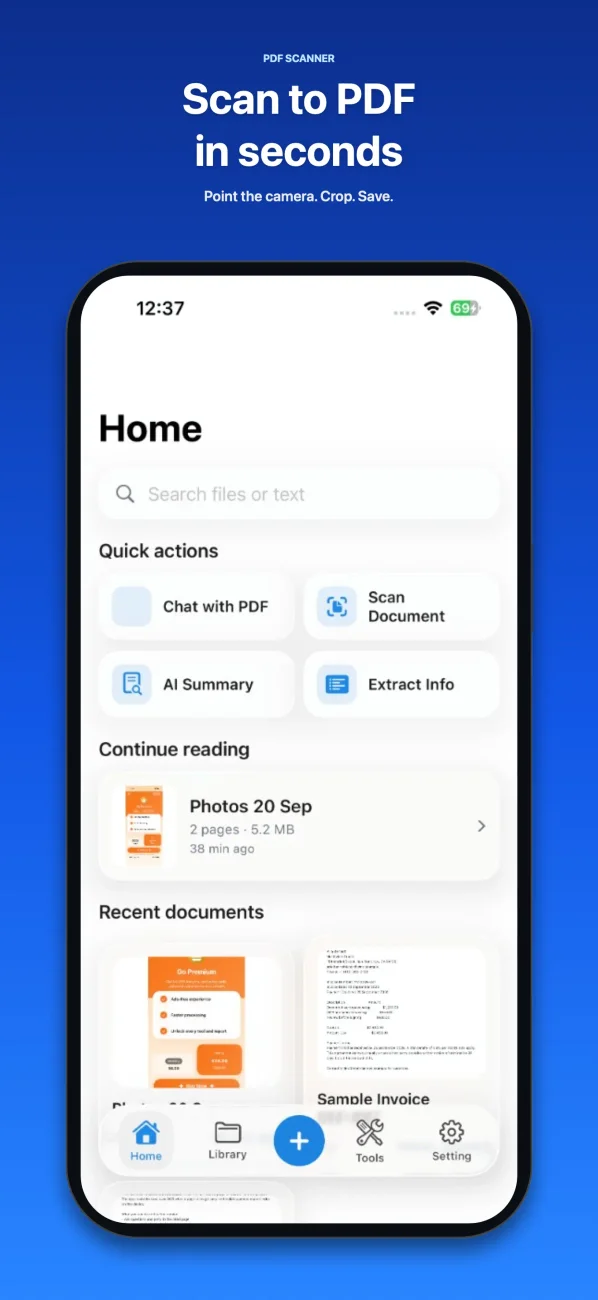
SCAN & SEARCH
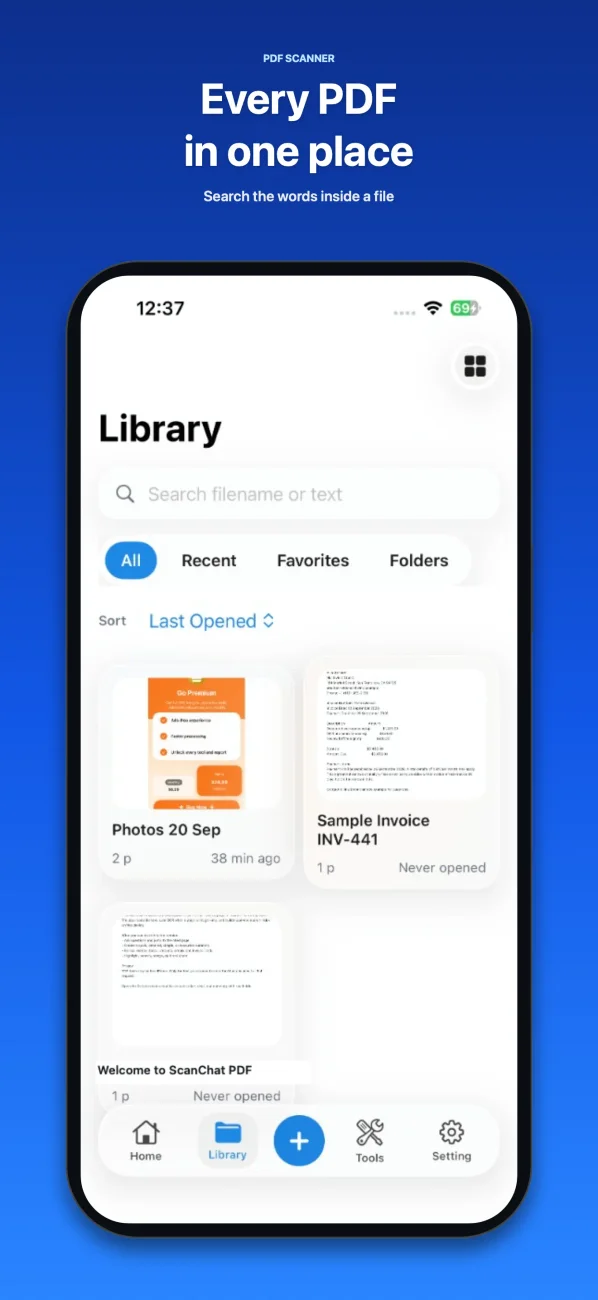
• Scan documents with the camera and turn pages into searchable PDFs
• Import PDFs from Files, or build a PDF from photos
• Search file names and text inside your library
• OCR runs on this device when a page has little text
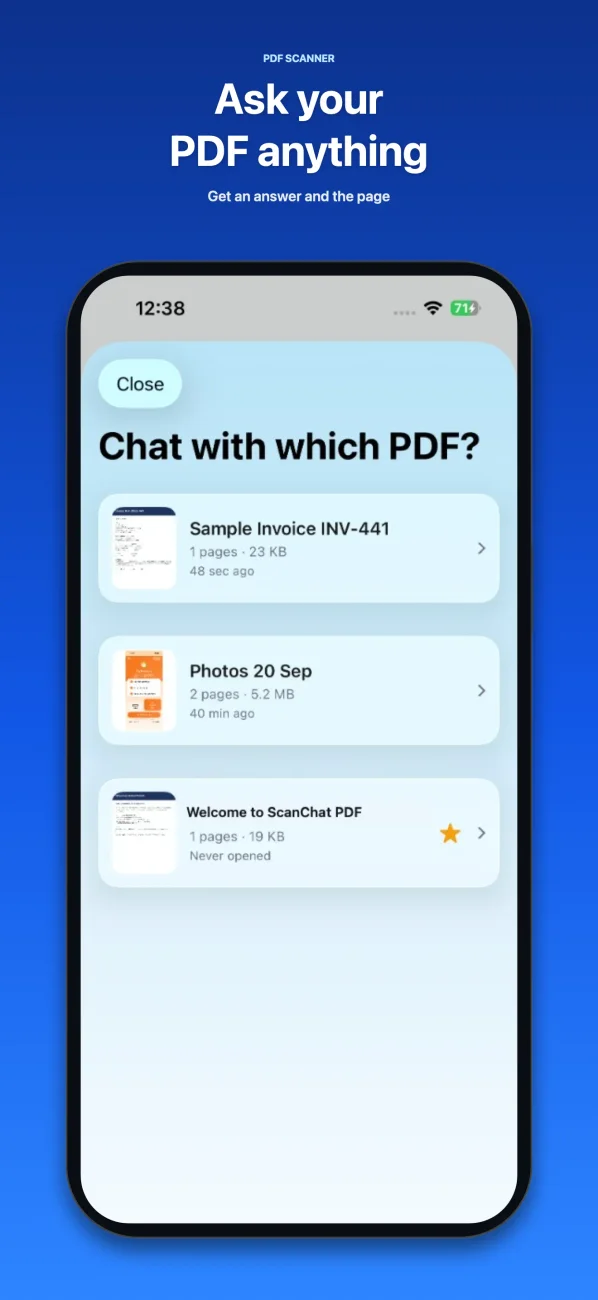
CHAT WITH ANY PDF
• Ask a question and jump to the page
• Summarize, extract names, dates, amounts and invoice fields
• Conversations stay with the document
• The message box stays above the keyboard while you type
• No cloud login for chat or search
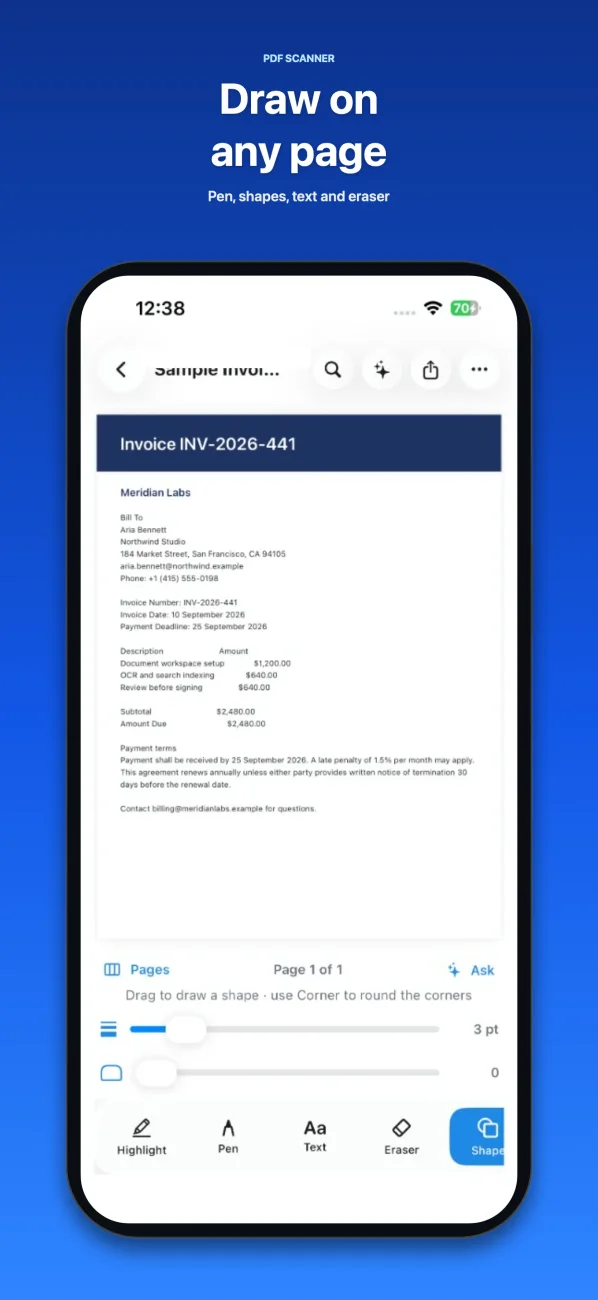
EDIT & MARKUP
• Highlight, pen, text, eraser and shapes
• Draw on any page, then share or export
• Ask the PDF while you read
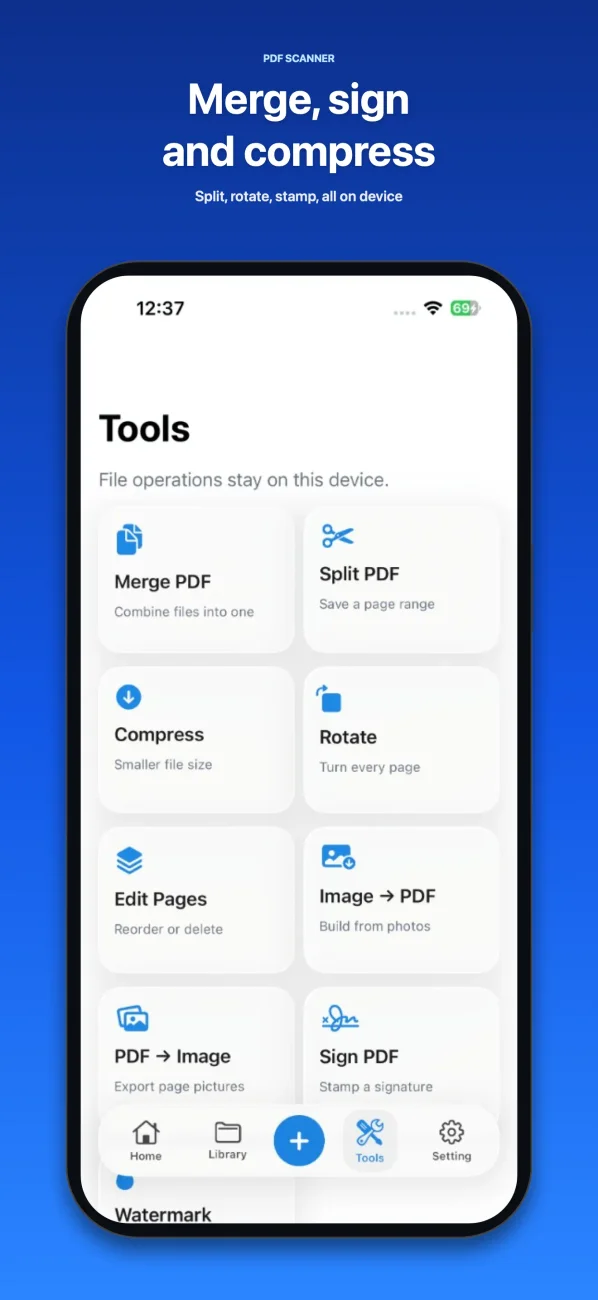
PDF TOOLS ON THIS DEVICE
• Merge two or more PDFs
• Split a page range into a new file
• Compress with a clear quality percent
• Rotate pages one by one
• Edit pages: reorder, delete, move
• Image to PDF and PDF to image
• Draw a signature, drag it into place, save
• Watermark: large diagonal text, pick font and size
PRIVATE BY DESIGN
• Documents, OCR text, notes and chat stay on this iPhone or iPad
• Camera is used only when you scan
• Photos are used only when you import or export images
• Ads may appear in the free version. Go Premium to remove them. Your documents stay on this device.
Made for work, study and everyday paperwork — invoices, IDs, notes, contracts and scans — in one simple library.
Terms of Use (EULA):
https://www.apple.com/legal/internet-services/itunes/dev/stdeula/
Privacy Policy:
https://gohilchirag.blogspot.com/2026/09/scanchat-pdf.html
新機能
バージョン 1.3 · 2026/10/14
This update makes everyday PDF work smoother.
• The AI chat box now stays above the keyboard
• Adding a file from the camera, Files, or Photos is cleaner
• Fixes across reading, signing, and PDF tools
アプリのプライバシー
このアプリのデータの取り扱いについて、Chirag GohilがApp Storeで申告している内容です。
-
ユーザーのトラッキングに使用されるデータ
他社のアプリやウェブサイトを横断してユーザーをトラッキングする目的で使用される場合があります。
- 使用状況データ
-
ユーザーに関連付けられないデータ
収集される場合がありますが、ユーザーの識別情報には関連付けられません。
- 使用状況データ
- その他のデータ
プライバシーの取り扱いは、ご利用の機能やお客様の年齢などに応じて異なる場合があります。
情報
- 販売元
- Chirag Gohil
- カテゴリ
- 仕事効率化
- バージョン
- 1.3
- 更新日
- 2026/10/14
- リリース
- 2026/9/23
- サイズ
- 14.3 MB
- 必要条件
- iOS 16.0以降
- 対象年齢
- 4+
- 価格
- 無料
- アプリ内課金
- あり
- 言語
- 英語, アフリカーンス語, アラビア語, デンマーク語, フィリピン語, フランス語, ヒンディー語, インドネシア語, イタリア語, 日本語, 韓国語, ポルトガル語 ほか5言語
- 著作権
- © Chirag R Gohil
こちらもおすすめ
-
 読み音 - メモ・ノート・文章読み上げ書き留めて聴く。フォルダ整理とバックアップ
-
 Compress PDF PDFを圧縮メール添付用にPDFを軽く
-
 Color Scanner - Paletix仕事効率化
-
 PDF Reader Pro - Ebook Reader仕事効率化
-
 PDF Page Remover: Delete Pages仕事効率化
-
 スキャナーアプリ: 書類スキャンと写真PDF変換PDF作成、テキスト 、文書とOCR 付フォトスキャン
-
 PDF Scanner: Doc & OCR仕事効率化
-
 FreePDF:書類スキャン&PDF変換PDFの変換・結合・分割に対応
-
 Scan & Sign PDF Scanner仕事効率化
-
 PDF Viewer - All PDF Reader仕事効率化