
Shopper's Note
Daily Shopping Support
Entwickelt für iPhone, iPad, iPod touch
Kostenlos · In-App-Käufe
- Altersfreigabe17+
- KategorieLifestyle
- EntwicklerKenji Minoshima
- SprachenEnglisch+ 1 weitere
- Größe11,3 MB
Verlinkt auf die offizielle App Store-Seite
Download.org hostet keine Datei von Shopper's Note. Die Schaltfläche öffnet die App-Seite bei App Store, wo Kenji Minoshima die App veröffentlicht. Eintrag zuletzt geprüft am 12.11.2026.
Screenshots
Info
Der Entwickler hat diesen Text nicht in Ihrer Sprache bereitgestellt.
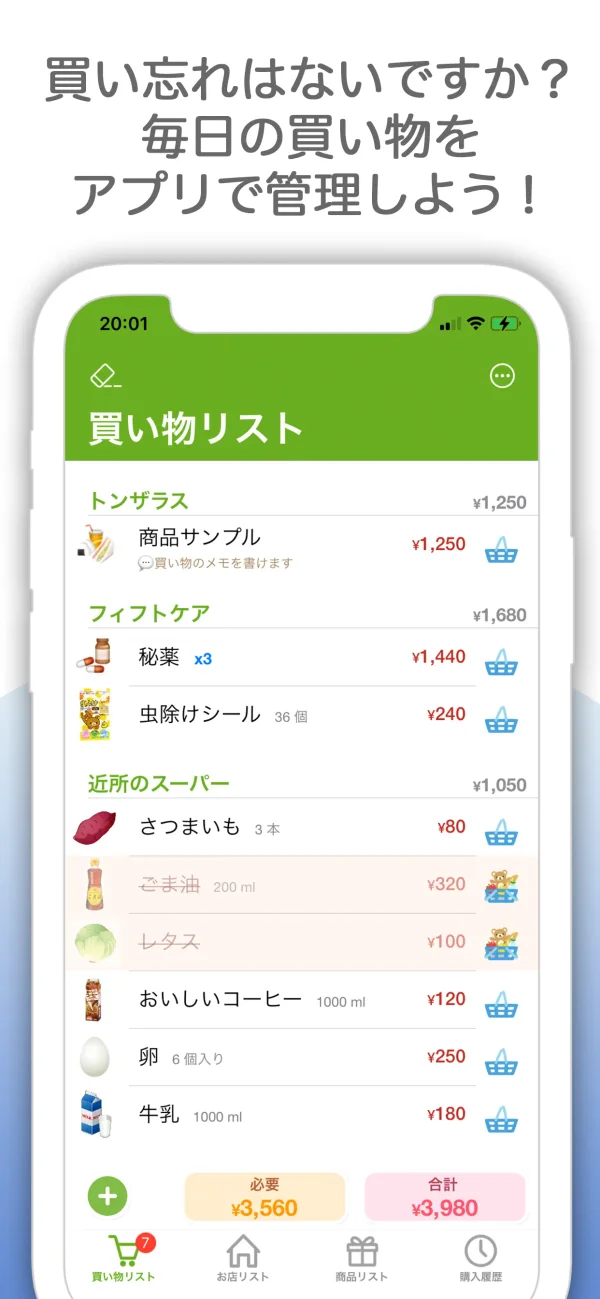
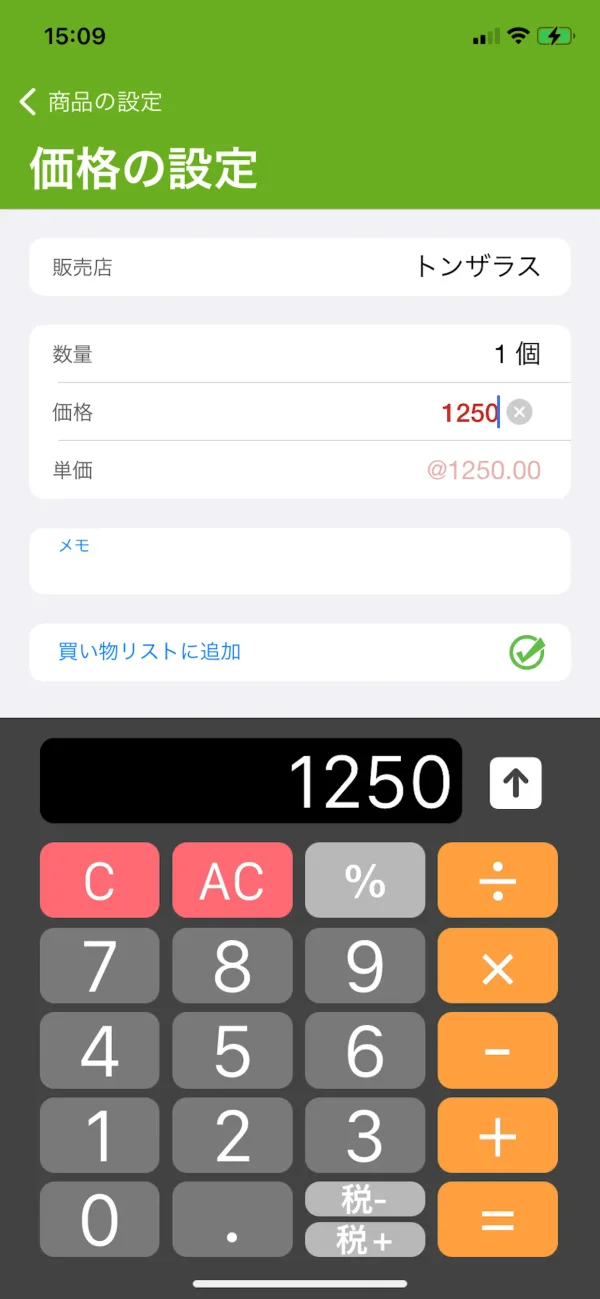
"Shopper's Note" is a simple and convenient shopping support app. You can easily add and edit items, stores, and shopping lists, as well as compare prices with simple operations. Additionally, it supports shopping by allowing you to write shopping memos, compile meal ingredients, and check monthly expenses from purchase history.
[Key Features]
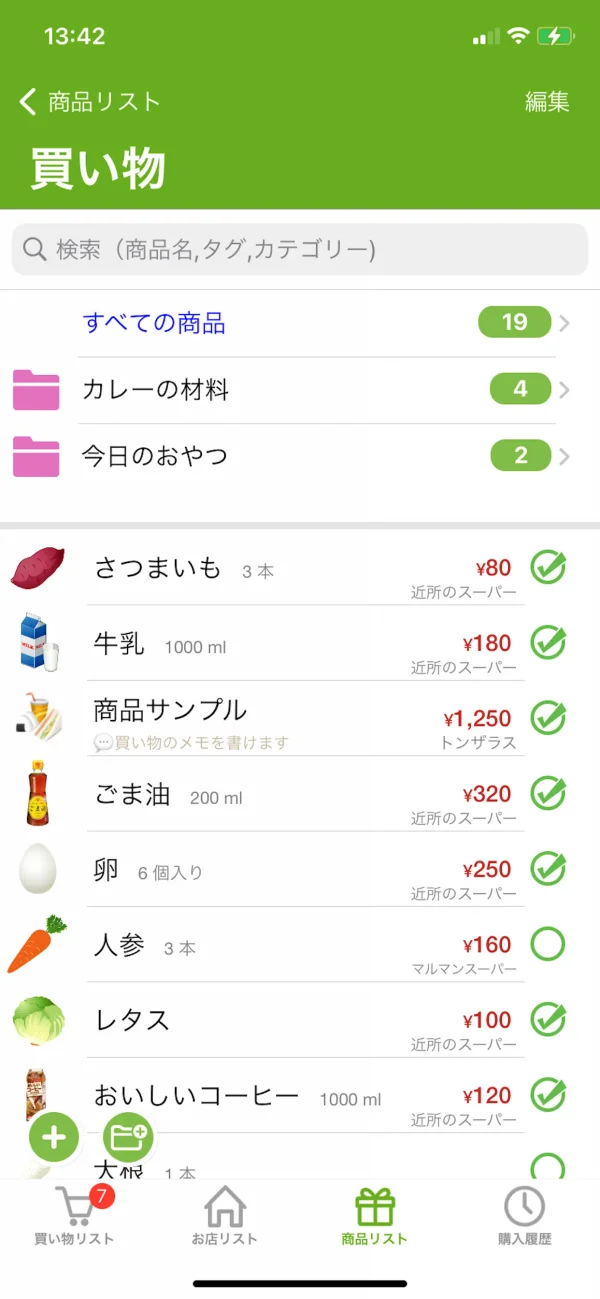
- Easily add and edit items by category. Items can belong to multiple categories.
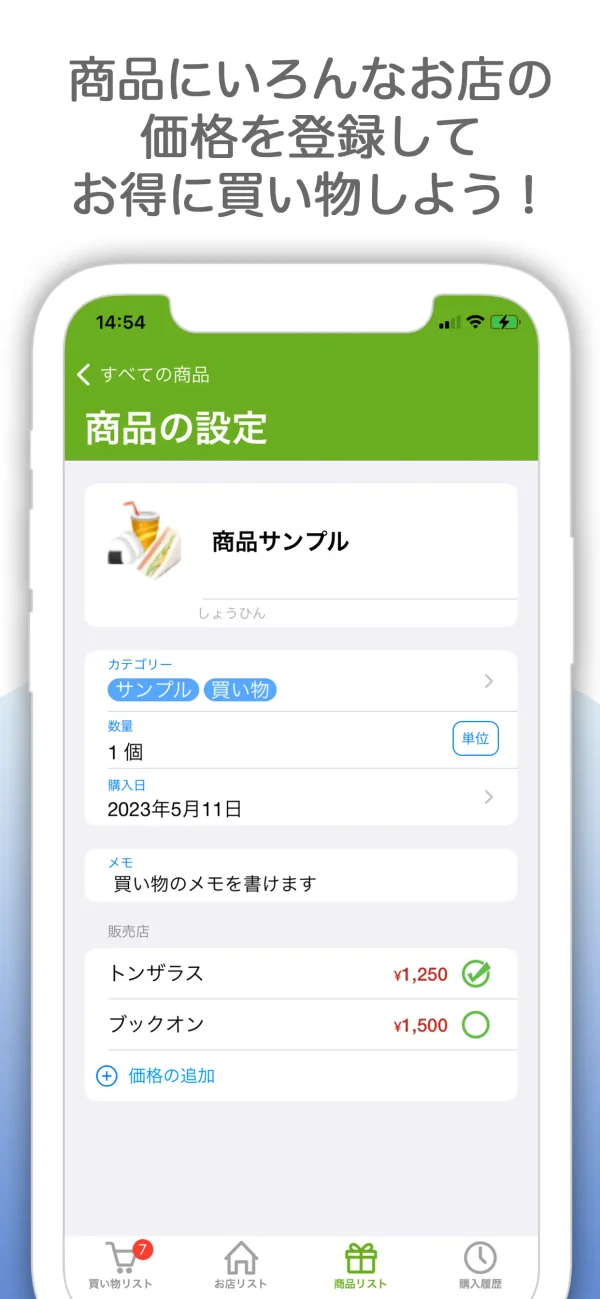
- Items can have images, quantities, notes, and prices from multiple stores for comparison.
- Tap the checkbox next to registered items to add them to your shopping list.
- Tap the item image to change it. Search images can be selected by long-pressing.
- Set purchase dates for items on your shopping list. You can also set notifications for regular purchases or purchase times.
- Take notes of store locations and phone numbers. If you register a location, you can display directions.
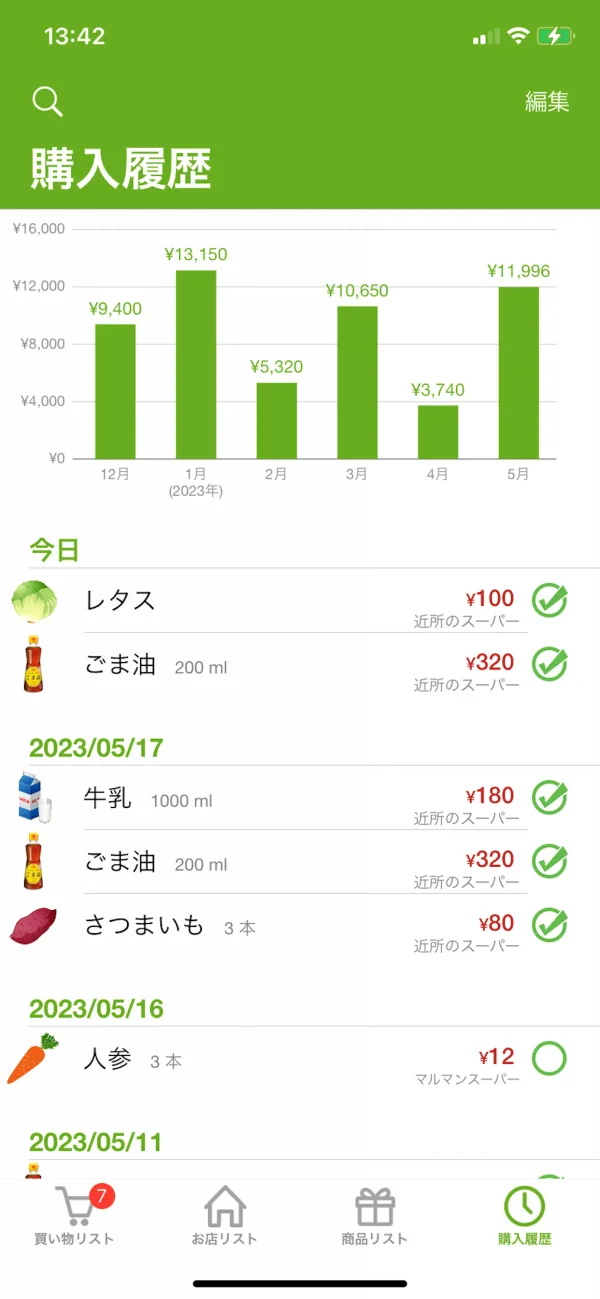
- Items marked as purchased in the shopping list will be stored in your history. Check your monthly expenses.
[Other Features]
- Long-pressing categories will display details.
- Writing phonetic readings or product groups in item tags makes them easier to search for.
- Long-pressing the checkbox for an item shows detailed shopping settings.
- Changing item names or notes in shopping settings does not affect registered items.
- The prices of items in purchase history are those at the time of purchase and won't be updated even if the item price changes.
[Backup]
You can access the settings screen from the top right button of the shopping list. You can back up your data from the settings screen. You can transfer data to other devices such as PCs. Use the "File" function to load backup data. Save it in the device's "Files" and load it from there.
[Ad Removal]
You can purchase ad removal in the settings screen. Once purchased, the ads currently displayed (banners or ads during data saving) will be hidden. If you use the same Apple ID, you can restore purchases even if you change devices using the "Restore Purchases" option.
Neue Funktionen
Version 4.21 · 15.03.2026
Added “Category (Top)” sorting. If an item has multiple categories, it will be sorted by its first category.
App-Datenschutz
Was Kenji Minoshima im App Store zum Umgang dieser App mit Daten angibt.
-
Daten, die zum Tracking Ihrer Person verwendet werden
Können verwendet werden, um Sie über Apps und Websites anderer Unternehmen hinweg zu verfolgen.
- Standort
- Kennungen
- Nutzungsdaten
- Diagnose
-
Mit Ihnen verknüpfte Daten
Können erfasst und mit Ihrer Identität verknüpft werden.
- Standort
- Kennungen
- Nutzungsdaten
- Diagnose
Die Datenschutzpraktiken können variieren, zum Beispiel je nach den von Ihnen verwendeten Funktionen oder Ihrem Alter.
Informationen
- Anbieter
- Kenji Minoshima
- Kategorie
- Lifestyle
- Version
- 4.21
- Aktualisiert
- 15.03.2026
- Veröffentlicht
- 12.12.2011
- Größe
- 11,3 MB
- Erfordert
- iOS 15.6 oder neuer
- Altersfreigabe
- 17+
- Preis
- Kostenlos
- In-App-Käufe
- Ja
- Sprachen
- Englisch, Japanisch
- Copyright
- © MipKip
Das könnte Ihnen auch gefallen
-
 ソコネオ|底値帳・買い物メモでスーパー価格比較Lifestyle
-
 価格比較アプリCompey(こんぺい)Lifestyle
-
 価格比較メモLifestyle
-
 Usual Shopping ListLifestyle
-
 We’re Out! Cute Shopping ListLifestyle
-
 Wo ist es billiger?Preise vergleichen & sparen
-
 Stockn (Vorratsverwaltung)Vorräte mit Familie teilen
-
 買い物リスト Cahoのかわいいほしい物リストと買うものメモLifestyle
-
 TokuTokuLifestyle
-
 Nokoris: Home InventoryLifestyle