
Shopper's Note
Daily Shopping Support
Được thiết kế cho iPhone, iPad, iPod touch
Miễn phí · Mua hàng trong ứng dụng
- Độ tuổi17+
- Danh mụcLối Sống
- Nhà phát triểnKenji Minoshima
- Ngôn ngữTiếng Anh+ 1 ngôn ngữ khác
- Kích thước11,3 MB
Liên kết đến trang App Store chính thức
Download.org không lưu trữ tệp nào của Shopper's Note. Nút này mở trang ứng dụng trên App Store, nơi Kenji Minoshima phát hành ứng dụng. Trang được kiểm tra lần cuối: 12/11/2026.
Ảnh chụp màn hình
Giới thiệu
Nhà phát triển chưa cung cấp nội dung này bằng ngôn ngữ của bạn.
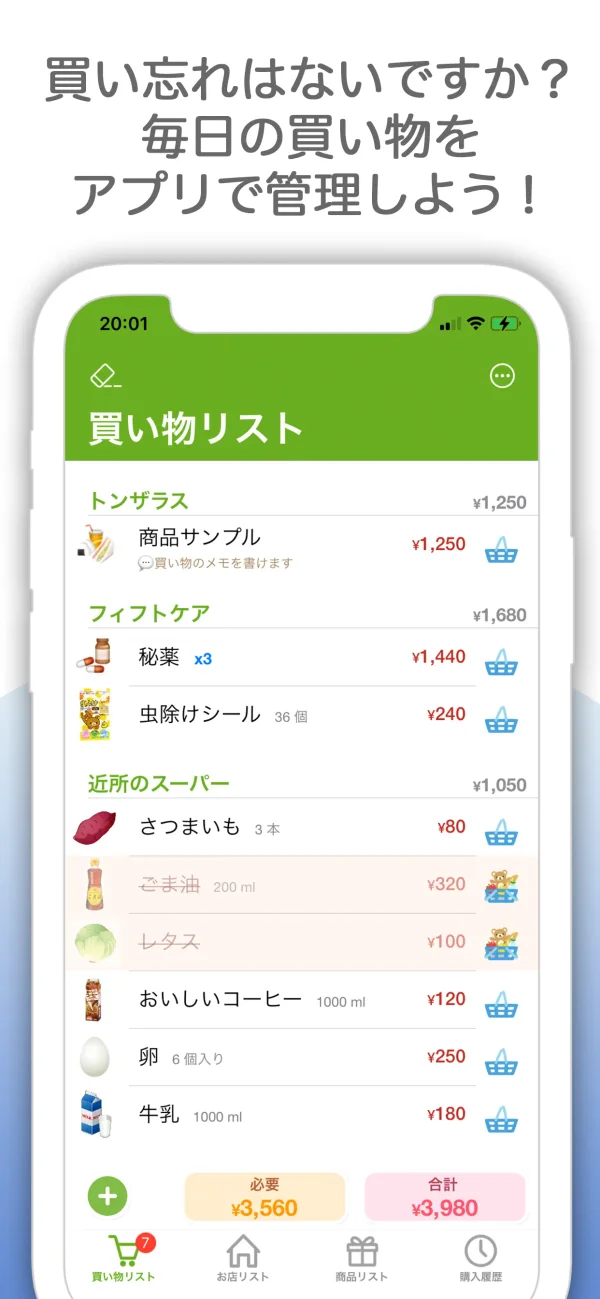
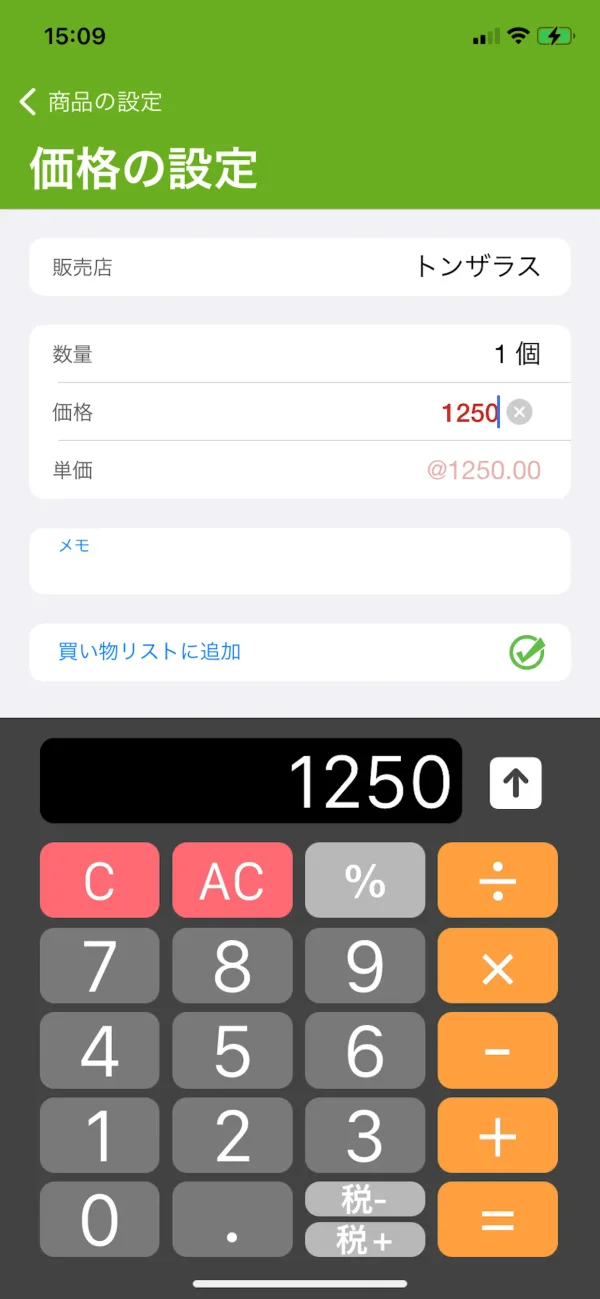
"Shopper's Note" is a simple and convenient shopping support app. You can easily add and edit items, stores, and shopping lists, as well as compare prices with simple operations. Additionally, it supports shopping by allowing you to write shopping memos, compile meal ingredients, and check monthly expenses from purchase history.
[Key Features]
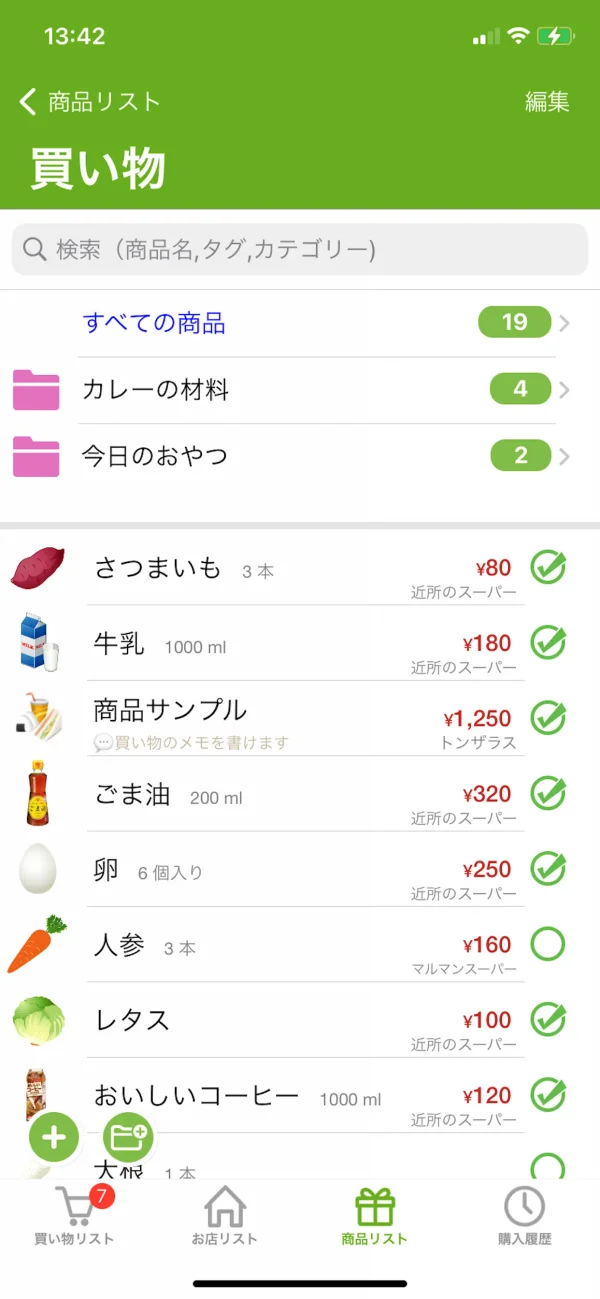
- Easily add and edit items by category. Items can belong to multiple categories.
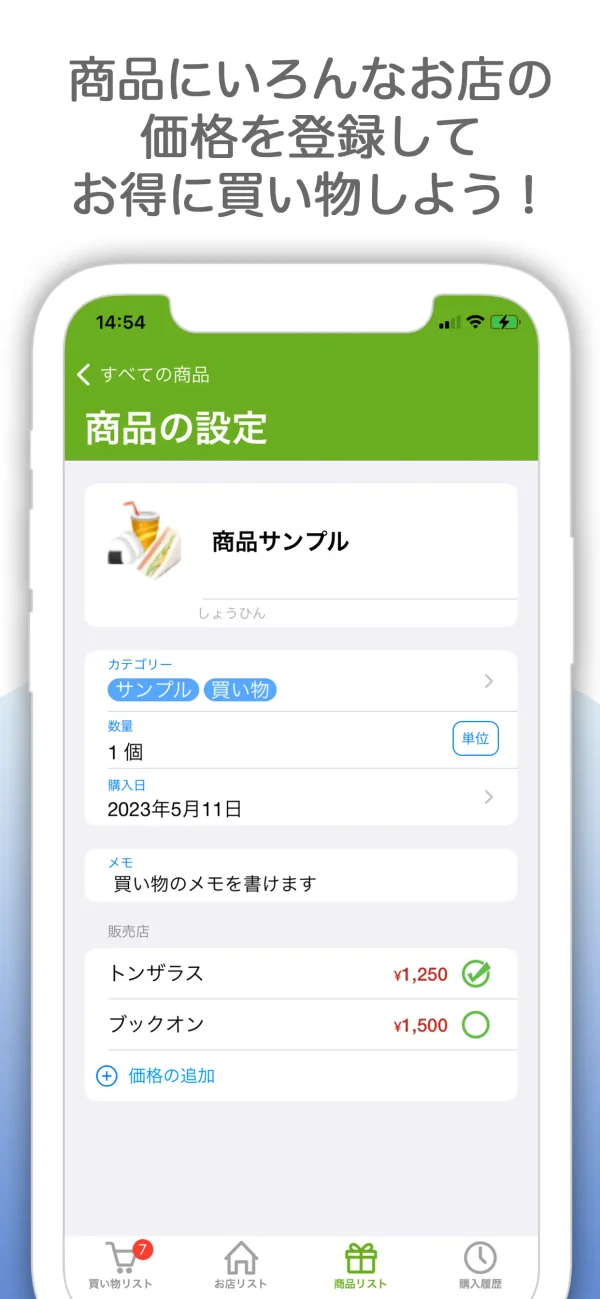
- Items can have images, quantities, notes, and prices from multiple stores for comparison.
- Tap the checkbox next to registered items to add them to your shopping list.
- Tap the item image to change it. Search images can be selected by long-pressing.
- Set purchase dates for items on your shopping list. You can also set notifications for regular purchases or purchase times.
- Take notes of store locations and phone numbers. If you register a location, you can display directions.
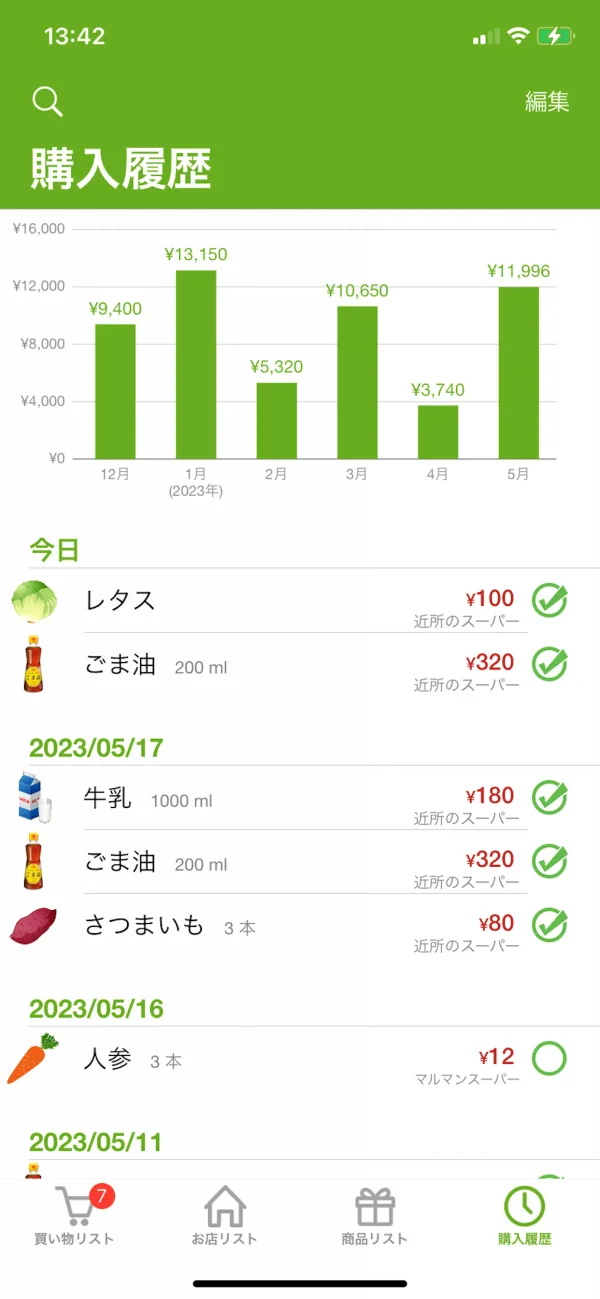
- Items marked as purchased in the shopping list will be stored in your history. Check your monthly expenses.
[Other Features]
- Long-pressing categories will display details.
- Writing phonetic readings or product groups in item tags makes them easier to search for.
- Long-pressing the checkbox for an item shows detailed shopping settings.
- Changing item names or notes in shopping settings does not affect registered items.
- The prices of items in purchase history are those at the time of purchase and won't be updated even if the item price changes.
[Backup]
You can access the settings screen from the top right button of the shopping list. You can back up your data from the settings screen. You can transfer data to other devices such as PCs. Use the "File" function to load backup data. Save it in the device's "Files" and load it from there.
[Ad Removal]
You can purchase ad removal in the settings screen. Once purchased, the ads currently displayed (banners or ads during data saving) will be hidden. If you use the same Apple ID, you can restore purchases even if you change devices using the "Restore Purchases" option.
Có gì mới
Phiên bản 4.21 · 15/03/2026
Added “Category (Top)” sorting. If an item has multiple categories, it will be sorted by its first category.
Quyền riêng tư của ứng dụng
Những gì Kenji Minoshima khai báo trên App Store về cách ứng dụng này xử lý dữ liệu.
-
Dữ liệu được sử dụng để theo dõi bạn
Có thể được sử dụng để theo dõi bạn trên các ứng dụng và trang web do công ty khác sở hữu.
- Vị trí
- Mã định danh
- Dữ liệu sử dụng
- Chẩn đoán
-
Dữ liệu liên kết với bạn
Có thể được thu thập và liên kết với danh tính của bạn.
- Vị trí
- Mã định danh
- Dữ liệu sử dụng
- Chẩn đoán
Phương thức đảm bảo quyền riêng tư có thể khác nhau, chẳng hạn như tuỳ theo các tính năng bạn sử dụng hoặc độ tuổi của bạn.
Thông tin
- Người bán
- Kenji Minoshima
- Danh mục
- Lối Sống
- Phiên bản
- 4.21
- Cập nhật
- 15/03/2026
- Phát hành
- 12/12/2011
- Kích thước
- 11,3 MB
- Yêu cầu
- iOS 15.6 trở lên
- Độ tuổi
- 17+
- Giá
- Miễn phí
- Mua hàng trong ứng dụng
- Có
- Ngôn ngữ
- Tiếng Anh, Tiếng Nhật
- Bản quyền
- © MipKip
Có thể bạn cũng thích
-
 ソコネオ|底値帳・買い物メモでスーパー価格比較Lối Sống
-
 価格比較アプリCompey(こんぺい)Lối Sống
-
 価格比較メモLối Sống
-
 Usual Shopping ListLối Sống
-
 We’re Out! Cute Shopping ListLối Sống
-
 Ở đâu rẻ hơn?So sánh giá & tiết kiệm
-
 Stockn (inventory management)Lối Sống
-
 買い物リスト Cahoのかわいいほしい物リストと買うものメモLối Sống
-
 TokuTokuLối Sống
-
 Nokoris: Quản lý đồ dùngChia sẻ kho & đồ khẩn cấp