
Shopper's Note
Daily Shopping Support
Diseñada para iPhone, iPad, iPod touch
Gratis · Compras en la aplicación
- Clasificación por edad17+
- CategoríaEstilo de vida
- DesarrolladorKenji Minoshima
- IdiomasInglés+ 1 más
- Tamaño11,3 MB
Enlaza a la página oficial de App Store
Download.org no aloja ningún archivo de Shopper's Note. El botón abre la página de la aplicación en App Store, donde la publica Kenji Minoshima. Ficha comprobada por última vez el 12/11/2026.
Capturas de pantalla
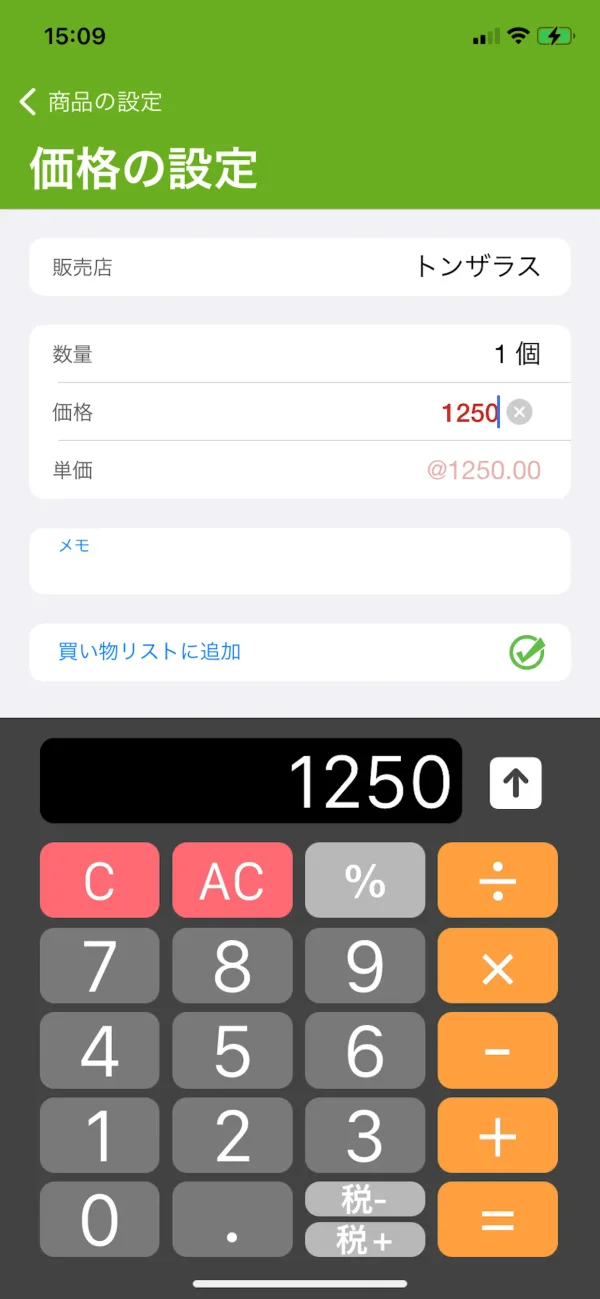
Acerca de
El desarrollador no ha proporcionado este texto en tu idioma.
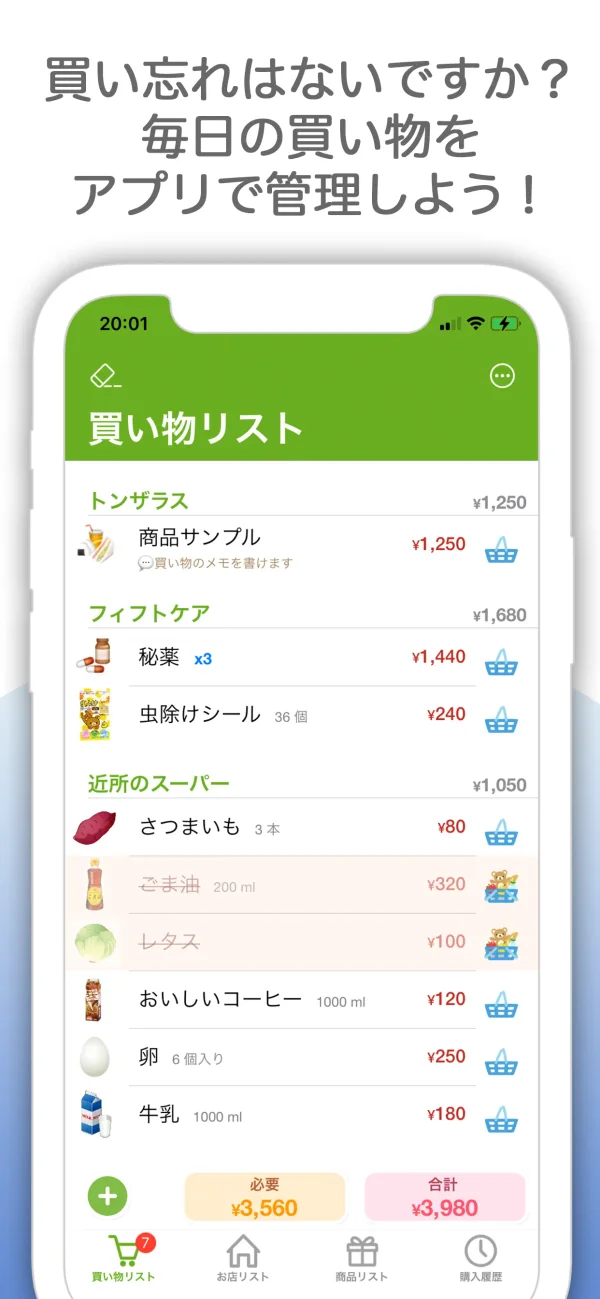
"Shopper's Note" is a simple and convenient shopping support app. You can easily add and edit items, stores, and shopping lists, as well as compare prices with simple operations. Additionally, it supports shopping by allowing you to write shopping memos, compile meal ingredients, and check monthly expenses from purchase history.
[Key Features]
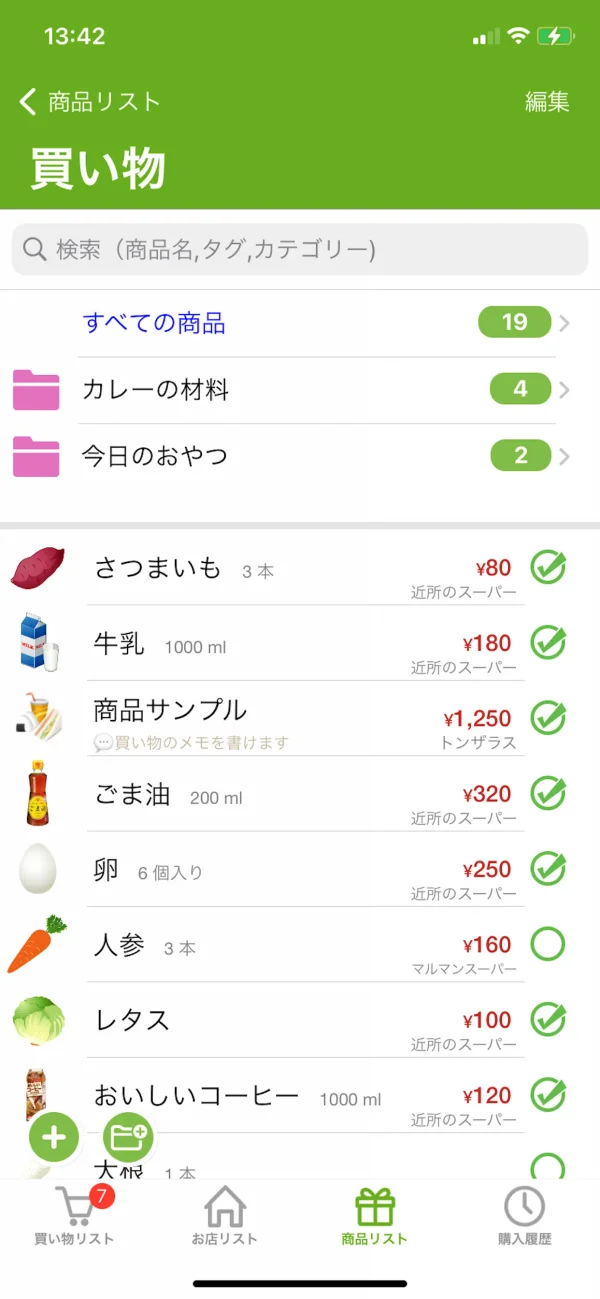
- Easily add and edit items by category. Items can belong to multiple categories.
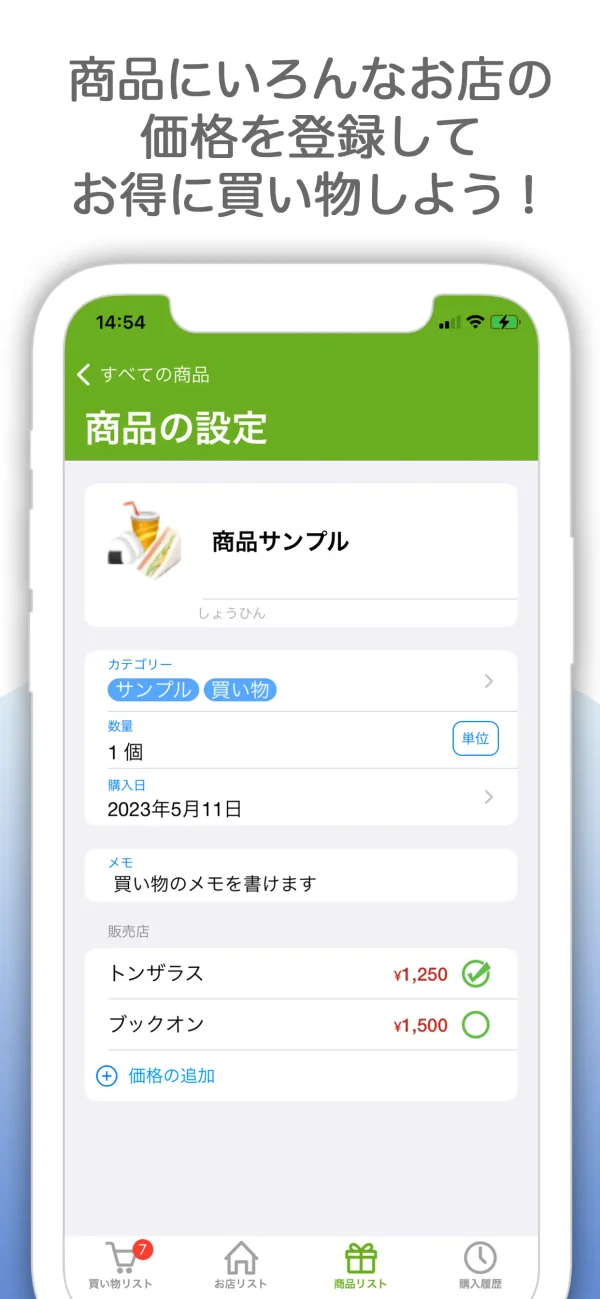
- Items can have images, quantities, notes, and prices from multiple stores for comparison.
- Tap the checkbox next to registered items to add them to your shopping list.
- Tap the item image to change it. Search images can be selected by long-pressing.
- Set purchase dates for items on your shopping list. You can also set notifications for regular purchases or purchase times.
- Take notes of store locations and phone numbers. If you register a location, you can display directions.
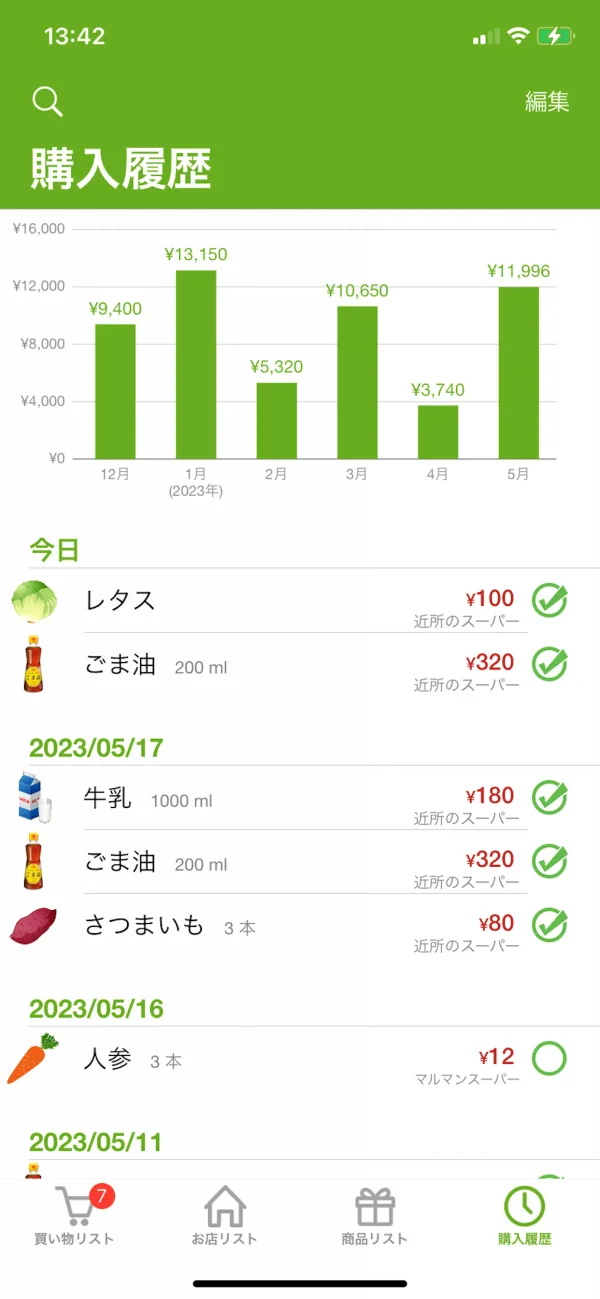
- Items marked as purchased in the shopping list will be stored in your history. Check your monthly expenses.
[Other Features]
- Long-pressing categories will display details.
- Writing phonetic readings or product groups in item tags makes them easier to search for.
- Long-pressing the checkbox for an item shows detailed shopping settings.
- Changing item names or notes in shopping settings does not affect registered items.
- The prices of items in purchase history are those at the time of purchase and won't be updated even if the item price changes.
[Backup]
You can access the settings screen from the top right button of the shopping list. You can back up your data from the settings screen. You can transfer data to other devices such as PCs. Use the "File" function to load backup data. Save it in the device's "Files" and load it from there.
[Ad Removal]
You can purchase ad removal in the settings screen. Once purchased, the ads currently displayed (banners or ads during data saving) will be hidden. If you use the same Apple ID, you can restore purchases even if you change devices using the "Restore Purchases" option.
Novedades
Versión 4.21 · 15/3/2026
Added “Category (Top)” sorting. If an item has multiple categories, it will be sorted by its first category.
Privacidad de la aplicación
Lo que Kenji Minoshima declara en App Store sobre cómo esta aplicación gestiona los datos.
-
Datos usados para rastrearte
Pueden usarse para rastrearte en aplicaciones y sitios web propiedad de otras empresas.
- Ubicación
- Identificadores
- Datos de uso
- Diagnóstico
-
Datos vinculados a ti
Pueden recopilarse y vincularse a tu identidad.
- Ubicación
- Identificadores
- Datos de uso
- Diagnóstico
Las prácticas de privacidad pueden variar, por ejemplo, según las funciones que uses o tu edad.
Información
- Vendedor
- Kenji Minoshima
- Categoría
- Estilo de vida
- Versión
- 4.21
- Actualizado
- 15/3/2026
- Publicado
- 12/12/2011
- Tamaño
- 11,3 MB
- Requiere
- iOS 15.6 o posterior
- Clasificación por edad
- 17+
- Precio
- Gratis
- Compras en la aplicación
- Sí
- Idiomas
- Inglés, Japonés
- Copyright
- © MipKip
Quizá también te guste
-
 ソコネオ|底値帳・買い物メモでスーパー価格比較Estilo de vida
-
 価格比較アプリCompey(こんぺい)Estilo de vida
-
 価格比較メモEstilo de vida
-
 Usual Shopping ListEstilo de vida
-
 We’re Out! Cute Shopping ListEstilo de vida
-
 ¿Dónde es más barato?Compara precios y ahorra
-
 Stockn (Gestor de inventario)Comparte inventario en familia
-
 買い物リスト Cahoのかわいいほしい物リストと買うものメモEstilo de vida
-
 TokuTokuEstilo de vida
-
 Nokoris: Home InventoryEstilo de vida