
Shopper's Note
Daily Shopping Support
iPhone, iPad, iPod touch için tasarlandı
Ücretsiz · Uygulama içi satın alma
- Yaş sınırı17+
- KategoriYaşam Tarzı
- GeliştiriciKenji Minoshima
- Dillerİngilizce+ 1 dil daha
- Boyut11,3 MB
Resmi App Store sayfasına bağlanır
Download.org, Shopper's Note için hiçbir dosya barındırmaz. Düğme, uygulamanın App Store üzerindeki sayfasını açar; uygulamayı orada Kenji Minoshima yayınlar. Sayfanın son kontrolü: 12.11.2026.
Ekran görüntüleri
Hakkında
Geliştirici bu metni dilinizde sunmamış.
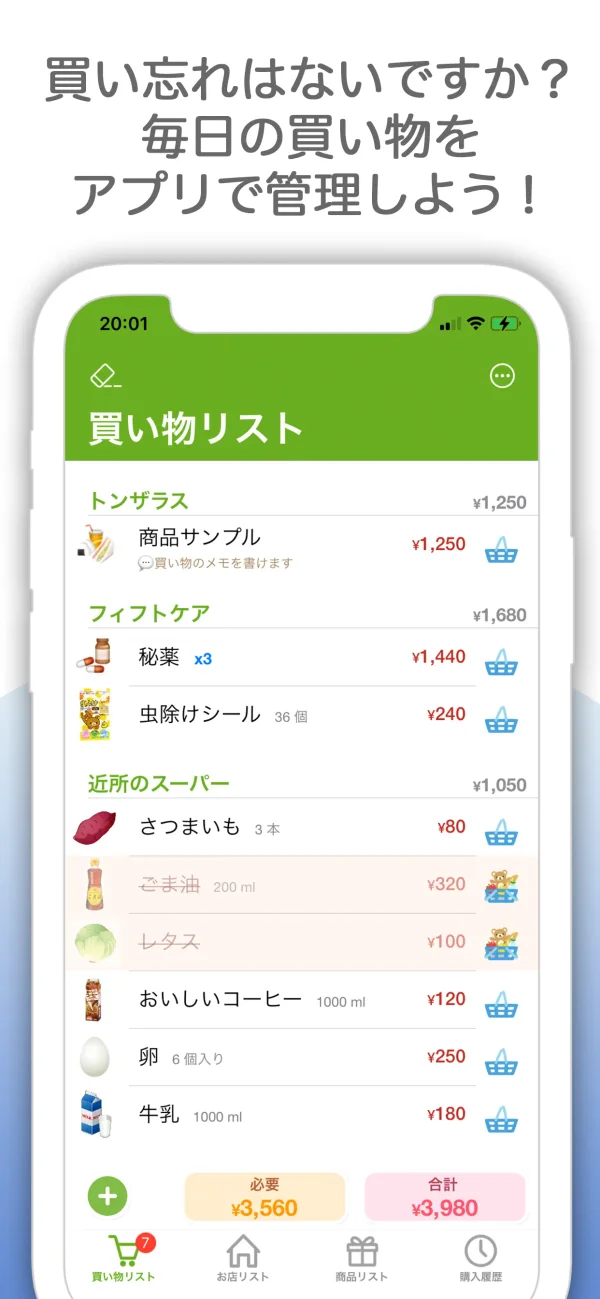
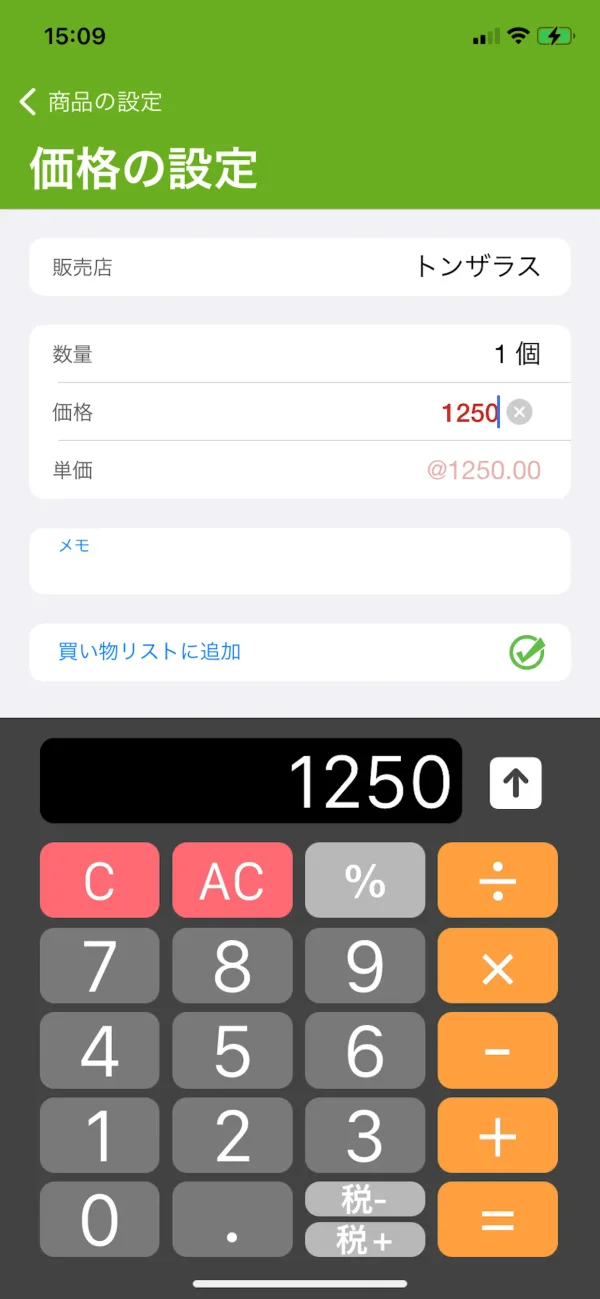
"Shopper's Note" is a simple and convenient shopping support app. You can easily add and edit items, stores, and shopping lists, as well as compare prices with simple operations. Additionally, it supports shopping by allowing you to write shopping memos, compile meal ingredients, and check monthly expenses from purchase history.
[Key Features]
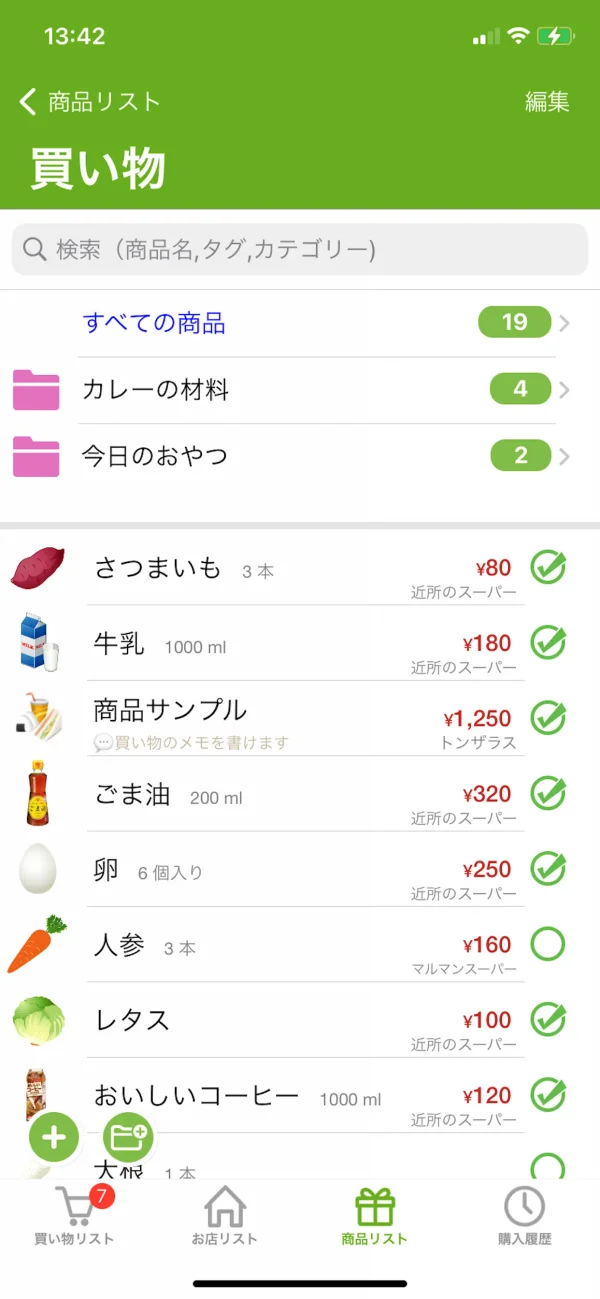
- Easily add and edit items by category. Items can belong to multiple categories.
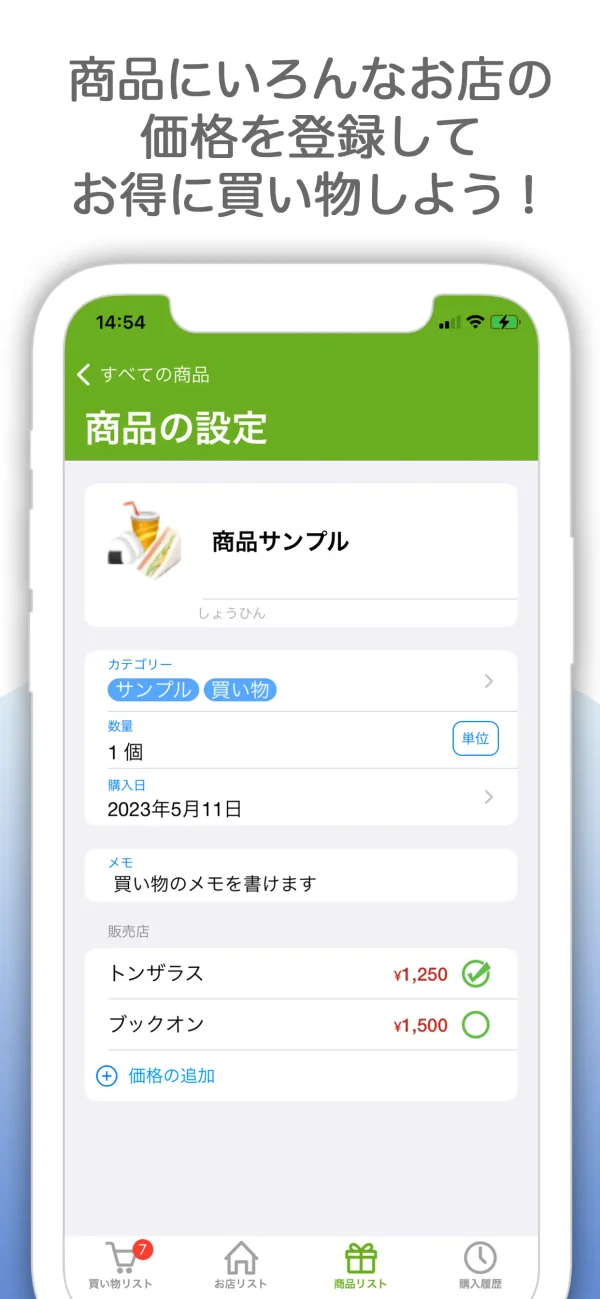
- Items can have images, quantities, notes, and prices from multiple stores for comparison.
- Tap the checkbox next to registered items to add them to your shopping list.
- Tap the item image to change it. Search images can be selected by long-pressing.
- Set purchase dates for items on your shopping list. You can also set notifications for regular purchases or purchase times.
- Take notes of store locations and phone numbers. If you register a location, you can display directions.
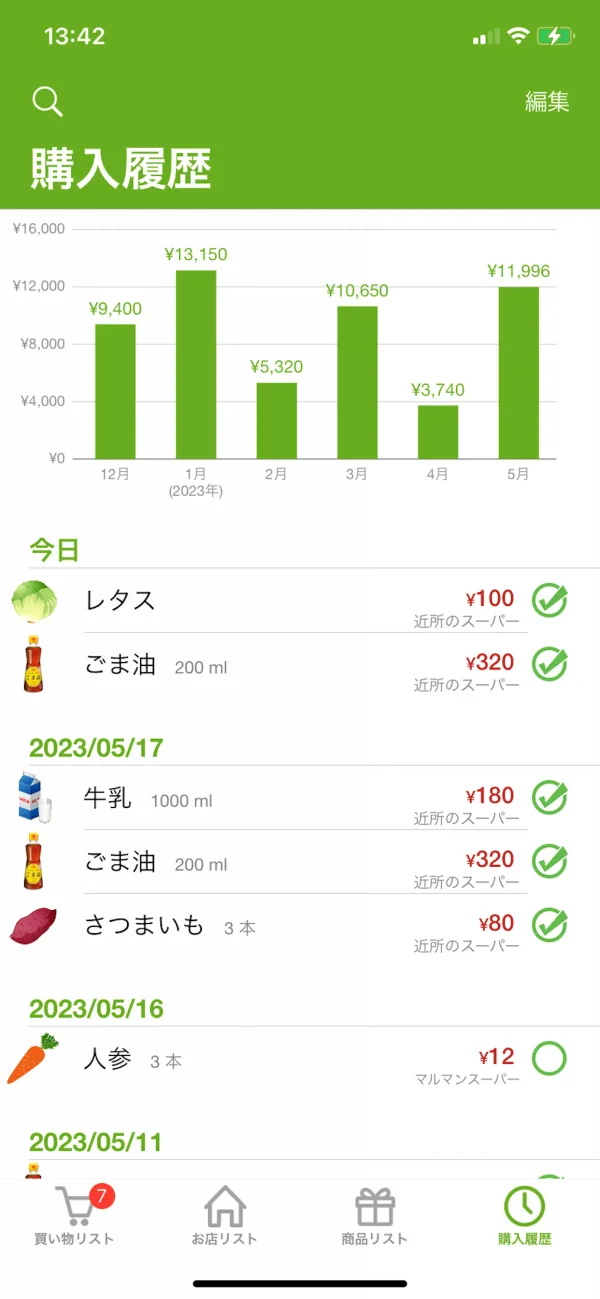
- Items marked as purchased in the shopping list will be stored in your history. Check your monthly expenses.
[Other Features]
- Long-pressing categories will display details.
- Writing phonetic readings or product groups in item tags makes them easier to search for.
- Long-pressing the checkbox for an item shows detailed shopping settings.
- Changing item names or notes in shopping settings does not affect registered items.
- The prices of items in purchase history are those at the time of purchase and won't be updated even if the item price changes.
[Backup]
You can access the settings screen from the top right button of the shopping list. You can back up your data from the settings screen. You can transfer data to other devices such as PCs. Use the "File" function to load backup data. Save it in the device's "Files" and load it from there.
[Ad Removal]
You can purchase ad removal in the settings screen. Once purchased, the ads currently displayed (banners or ads during data saving) will be hidden. If you use the same Apple ID, you can restore purchases even if you change devices using the "Restore Purchases" option.
Yenilikler
Sürüm 4.21 · 15.03.2026
Added “Category (Top)” sorting. If an item has multiple categories, it will be sorted by its first category.
Uygulama gizliliği
Bu uygulamanın verileri nasıl işlediği hakkında Kenji Minoshima tarafından App Store üzerinde yapılan beyan.
-
Sizi izlemek için kullanılan veriler
Başka şirketlere ait uygulamalarda ve web sitelerinde sizi izlemek için kullanılabilir.
- Konum
- Tanımlayıcılar
- Kullanım verileri
- Tanılama
-
Sizinle ilişkilendirilen veriler
Toplanabilir ve kimliğinizle ilişkilendirilebilir.
- Konum
- Tanımlayıcılar
- Kullanım verileri
- Tanılama
Gizlilik uygulamaları, örneğin kullandığınız özelliklere veya yaşınıza göre değişiklik gösterebilir.
Bilgiler
- Satıcı
- Kenji Minoshima
- Kategori
- Yaşam Tarzı
- Sürüm
- 4.21
- Güncellendi
- 15.03.2026
- Yayın tarihi
- 12.12.2011
- Boyut
- 11,3 MB
- Gereksinim
- iOS 15.6 veya sonrası
- Yaş sınırı
- 17+
- Fiyat
- Ücretsiz
- Uygulama içi satın alma
- Evet
- Diller
- İngilizce, Japonca
- Telif hakkı
- © MipKip
Bunları da beğenebilirsiniz
-
 ソコネオ|底値帳・買い物メモでスーパー価格比較Yaşam Tarzı
-
 価格比較アプリCompey(こんぺい)Yaşam Tarzı
-
 価格比較メモYaşam Tarzı
-
 Usual Shopping ListYaşam Tarzı
-
 We’re Out! Cute Shopping ListYaşam Tarzı
-
 Nerede Daha Ucuz?Fiyat karşılaştır, tasarruf
-
 Stockn (inventory management)Yaşam Tarzı
-
 買い物リスト Cahoのかわいいほしい物リストと買うものメモYaşam Tarzı
-
 TokuTokuYaşam Tarzı
-
 Nokoris: Home InventoryYaşam Tarzı