
ShutterOP: Film Camera, Editor
Shoot. Optimize. One tap.
Entwickelt für iPhone
Kostenlos · In-App-Käufe
- Altersfreigabe4+
- KategorieFoto und Video
- EntwicklerThao Tran Cong
- SprachenEnglisch+ 1 weitere
- Größe109,7 MB
Verlinkt auf die offizielle App Store-Seite
Download.org hostet keine Datei von ShutterOP: Film Camera, Editor. Die Schaltfläche öffnet die App-Seite bei App Store, wo Thao Tran Cong die App veröffentlicht. Eintrag zuletzt geprüft am 23.11.2026.
Screenshots



Info
Der Entwickler hat diesen Text nicht in Ihrer Sprache bereitgestellt.
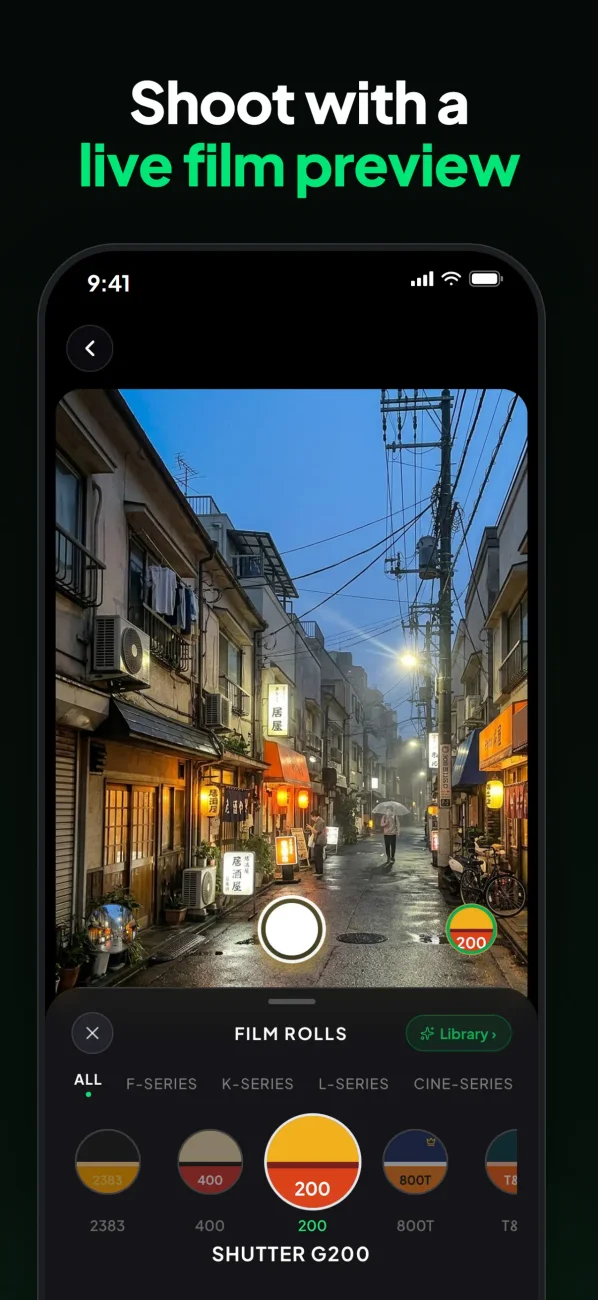
ShutterOP: the OP stands for whatever you need it to. Shoot with live film-look preview, optimize from one tap, and control everything with one thumb.
CAMERA
• Shoot with a live film-look preview, so you see the look before you press the shutter.
• A floating tools drawer keeps film looks, white balance, exposure, grid, timer and flash within thumb reach.
• Exposure control with an EV badge right on the viewfinder.
FILM LOOKS
• A growing collection of color looks inspired by classic film, cinema and street photography, from soft portrait tones to deep black and white.
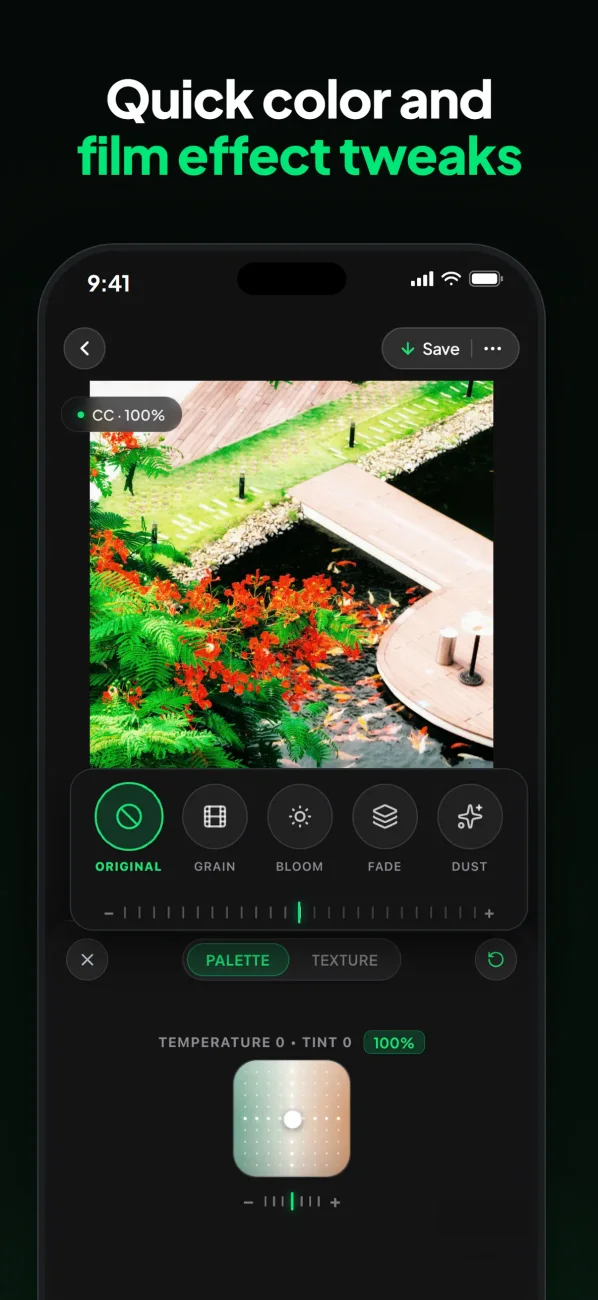
• Tune each look with intensity, temperature, grain, bloom, fade and more.
EASY TO USE
• Drag one dot on a 2D pad to adjust two settings at once, like warmth and tint.
• Slide tactile rulers with haptic feedback for precise, one-thumb control.
• Tap to compare before and after, undo and redo at any step.
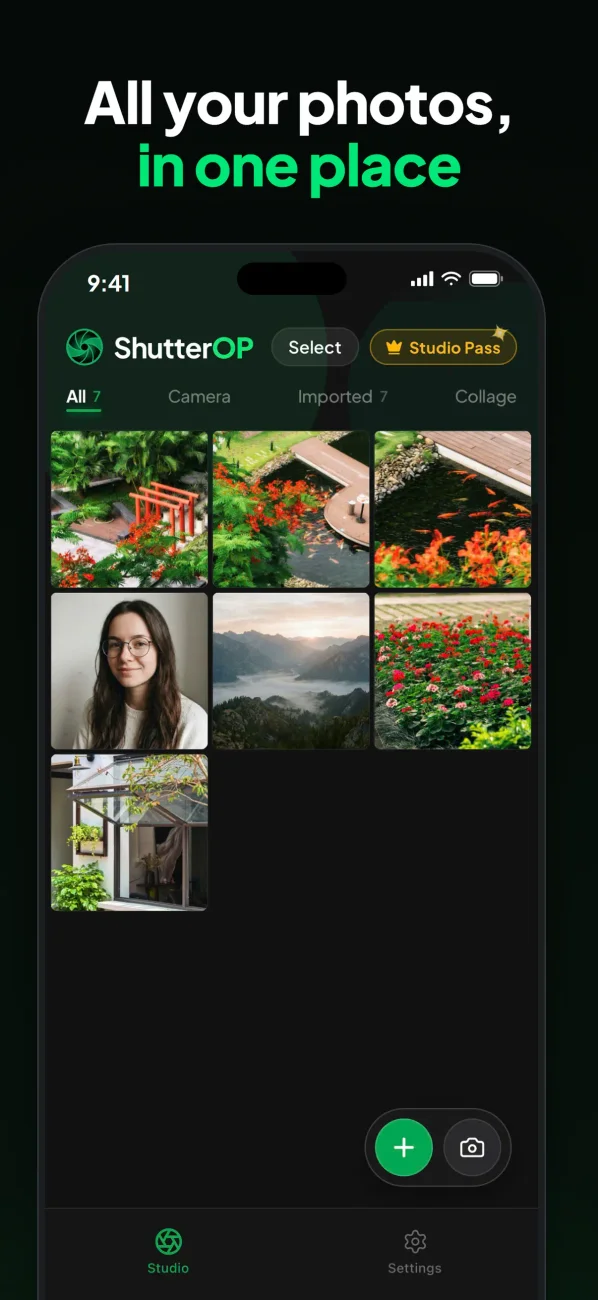
• Your library shows each photo with your edits applied.
• Clean, dark interface that keeps your photo front and center.
PORTRAIT TOOLS
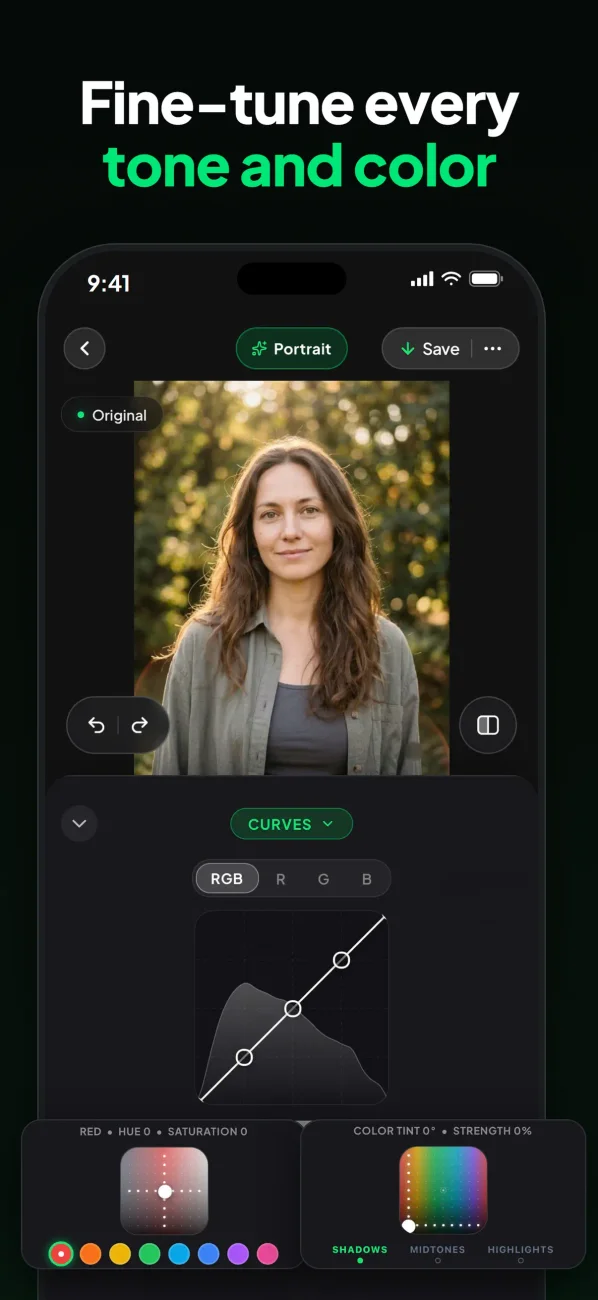
• Skin Tone, Smooth, Bokeh and Virtual Flash for natural-looking portraits.
• Face and subject detection runs on your device. Your photos are not uploaded.
COMPLETE EDITING
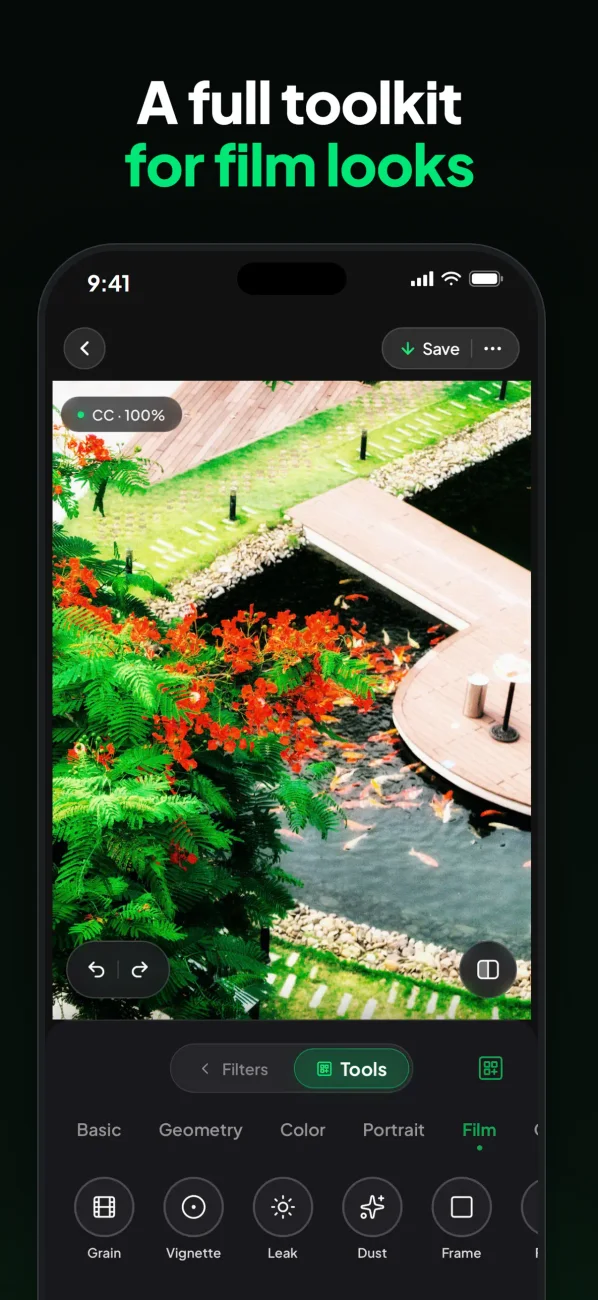
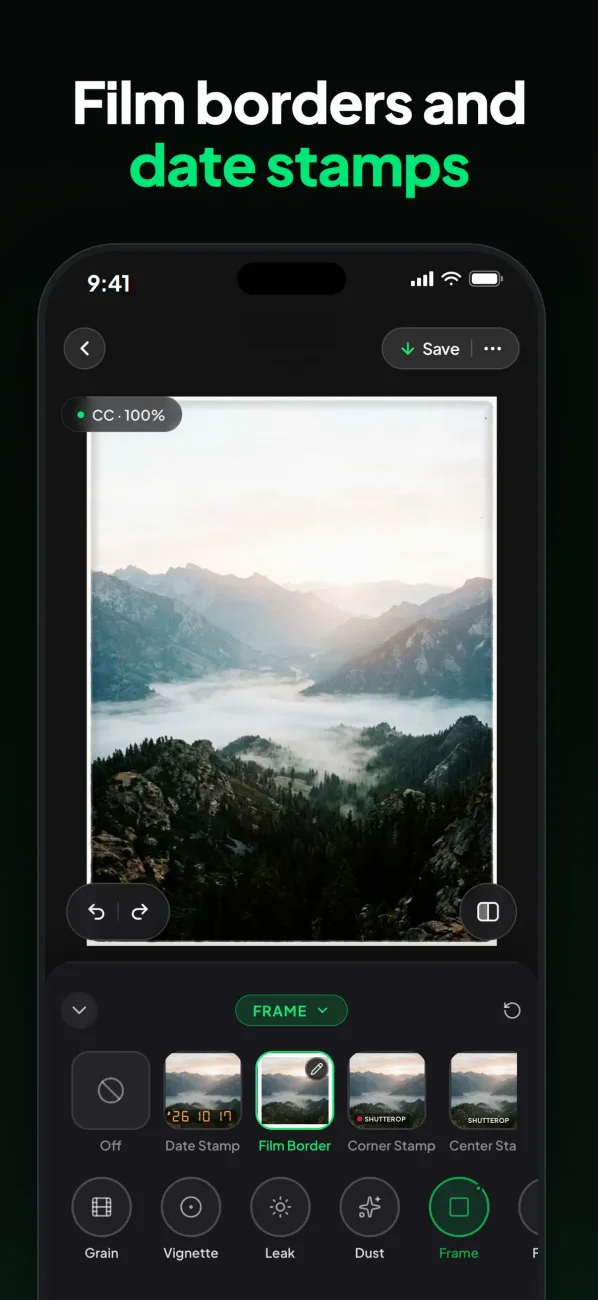
• A full set of tools: exposure, contrast, curves, color, crop, straighten, grain, vignette, dust, light leaks, film borders, date stamp and more.
• Copy a look to other photos and save your own recipes.
COLLAGE
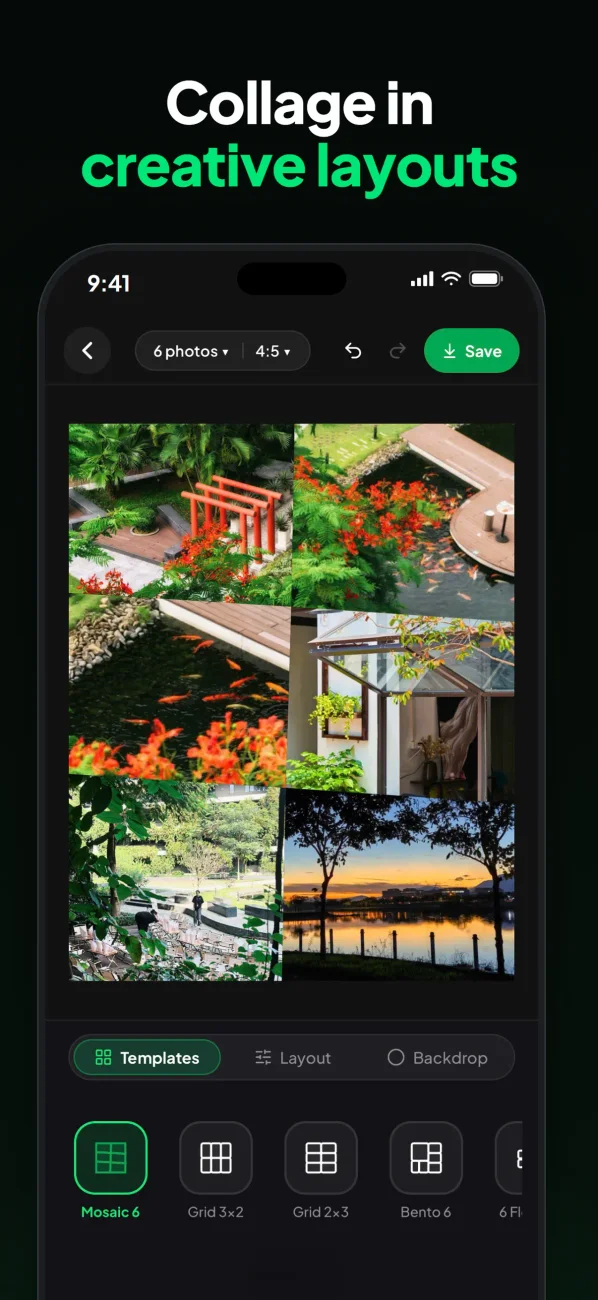
• Combine multiple photos with ready-made layouts, frames and backgrounds.
EXPORT
• Save to your photo library in HD. Studio Pass adds 4K, original size, PNG and maximum quality.
PRIVACY
• Editing happens on your device. No account needed.
STUDIO PASS (optional, one-time purchase)
Unlock the special film looks and 4K, original-size, PNG and 100% quality export. Everything else is free.
Questions or feedback: shutterop.app@gmail.com
Neue Funktionen
Version 1.0.3 · 22.11.2026
• Camera: pin your favorite tools to the quick bar and unpin them anytime.
• Camera: the Film tray now shows the film name and a CUSTOMIZE button to fine-tune the look; Styles are built in.
• Camera: cleaner, more compact White Balance and Exposure trays.
• Camera: White Balance now has quick presets and an Auto option.
• Camera: the film button and last-photo button are tidier.
• Studio: a fresh header with Photos and Collage tabs.
• Studio: a floating bottom bar to start a collage, open the camera or add photos.
• Studio: select several photos, then copy edits, export or delete in one go.
• Studio: each edited photo shows its film code.
• Collage projects open a small menu right under the one you tap.
• Settings always has a Back button.
• Small fixes and polish.
App-Datenschutz
Was Thao Tran Cong im App Store zum Umgang dieser App mit Daten angibt.
-
Nicht mit Ihnen verknüpfte Daten
Können erfasst werden, sind aber nicht mit Ihrer Identität verknüpft.
- Käufe
Die Datenschutzpraktiken können variieren, zum Beispiel je nach den von Ihnen verwendeten Funktionen oder Ihrem Alter.
Informationen
- Anbieter
- Thao Tran Cong
- Kategorie
- Foto und Video
- Version
- 1.0.3
- Aktualisiert
- 22.11.2026
- Veröffentlicht
- 16.11.2026
- Größe
- 109,7 MB
- Erfordert
- iOS 16.4 oder neuer
- Altersfreigabe
- 4+
- Preis
- Kostenlos
- In-App-Käufe
- Ja
- Sprachen
- Englisch, Vietnamesisch
- Copyright
- © 2026 Thao Tran Cong
Das könnte Ihnen auch gefallen
-
 MIAOTUFoto und Video
-
 CutCut - Video Editor & MakerFoto und Video
-
 KAIM Kamera: KI-KompositionAnaloge Filmlooks & Fotofilter
-
 VibeColorReferenzlook & Live-PLOGs
-
 Luxa RAW Pro CameraFoto und Video
-
 RefeCamFoto und Video
-
 Stamp Diary: FototagebuchAus Fotos werden Briefmarken
-
 CoolPoseCamFoto und Video
-
 Filterious Foto-FilterFoto und Video
-
 Text aus Video kopieren: OCRFoto in Text & Übersetzer