
ShutterOP: Film Camera, Editor
Shoot. Optimize. One tap.
Conçue pour iPhone
Gratuit · Achats intégrés
- Classification d’âge4+
- CatégoriePhoto et vidéo
- DéveloppeurThao Tran Cong
- LanguesAnglais+ 1 de plus
- Taille109,7 Mo
Renvoie vers la page App Store officielle
Download.org n’héberge aucun fichier de ShutterOP: Film Camera, Editor. Le bouton ouvre la page de l’application sur App Store, où Thao Tran Cong la publie. Fiche vérifiée pour la dernière fois le 23/11/2026.
Captures d’écran



À propos
Le développeur n’a pas fourni ce texte dans votre langue.
ShutterOP: the OP stands for whatever you need it to. Shoot with live film-look preview, optimize from one tap, and control everything with one thumb.
CAMERA
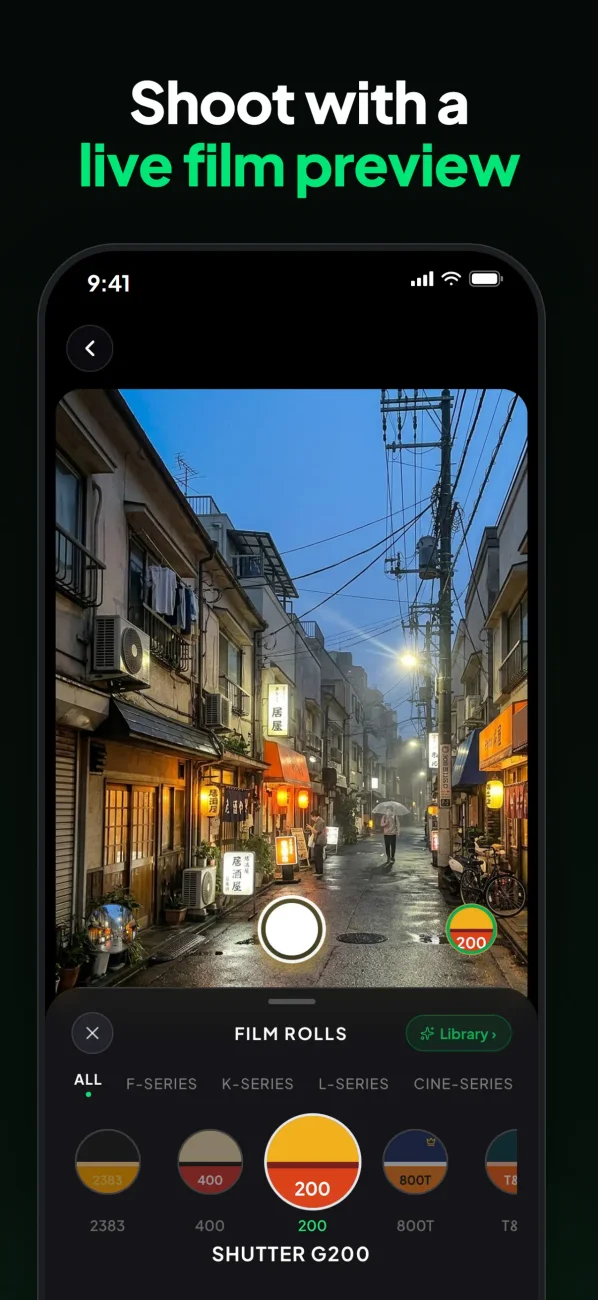
• Shoot with a live film-look preview, so you see the look before you press the shutter.
• A floating tools drawer keeps film looks, white balance, exposure, grid, timer and flash within thumb reach.
• Exposure control with an EV badge right on the viewfinder.
FILM LOOKS
• A growing collection of color looks inspired by classic film, cinema and street photography, from soft portrait tones to deep black and white.
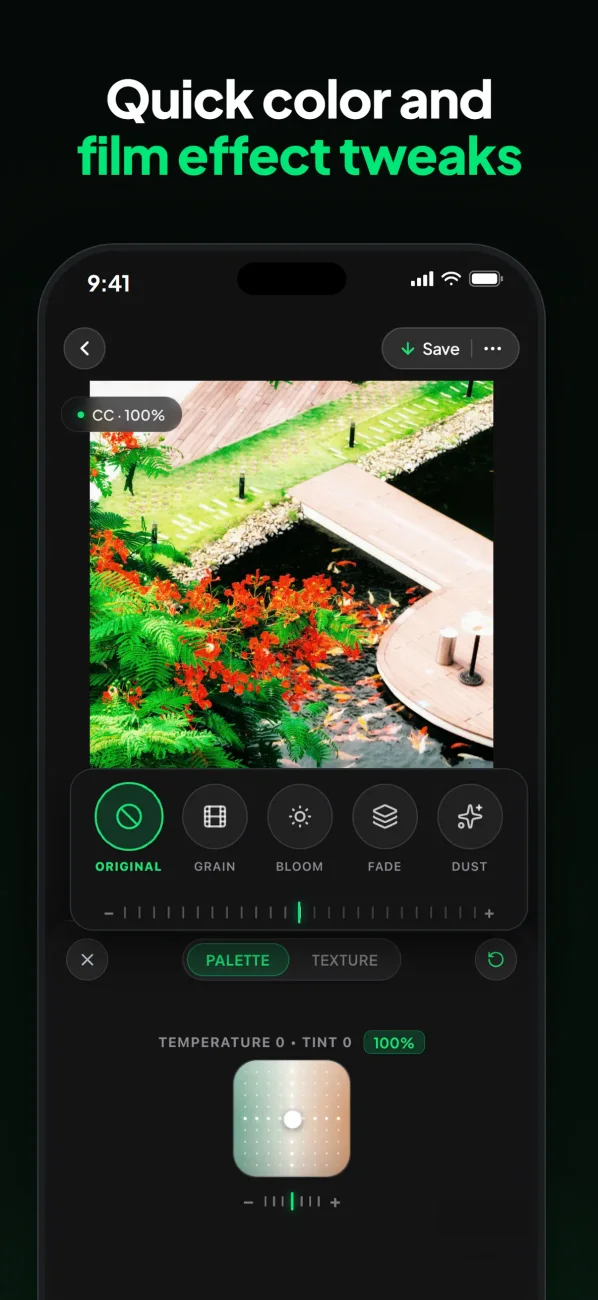
• Tune each look with intensity, temperature, grain, bloom, fade and more.
EASY TO USE
• Drag one dot on a 2D pad to adjust two settings at once, like warmth and tint.
• Slide tactile rulers with haptic feedback for precise, one-thumb control.
• Tap to compare before and after, undo and redo at any step.
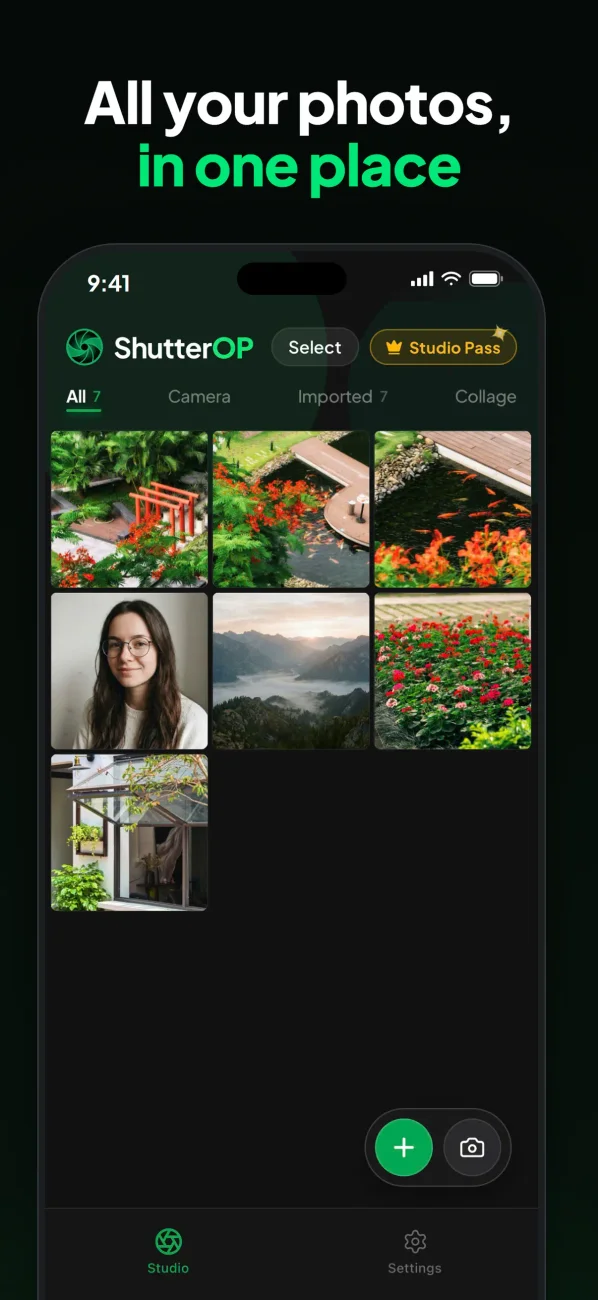
• Your library shows each photo with your edits applied.
• Clean, dark interface that keeps your photo front and center.
PORTRAIT TOOLS
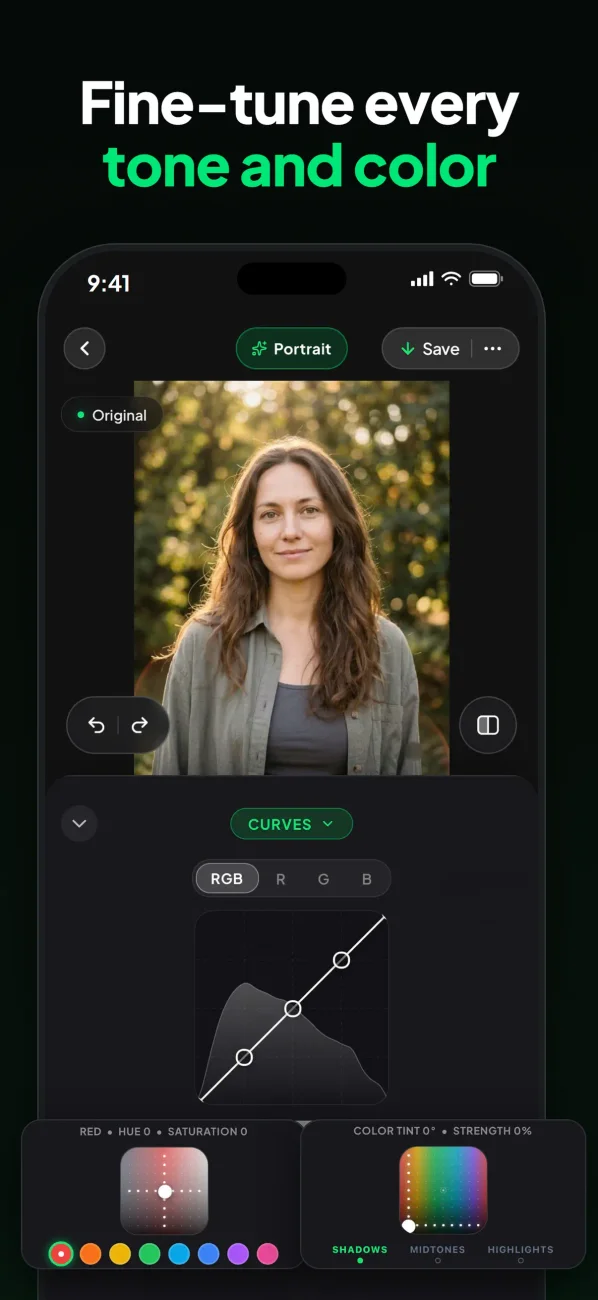
• Skin Tone, Smooth, Bokeh and Virtual Flash for natural-looking portraits.
• Face and subject detection runs on your device. Your photos are not uploaded.
COMPLETE EDITING
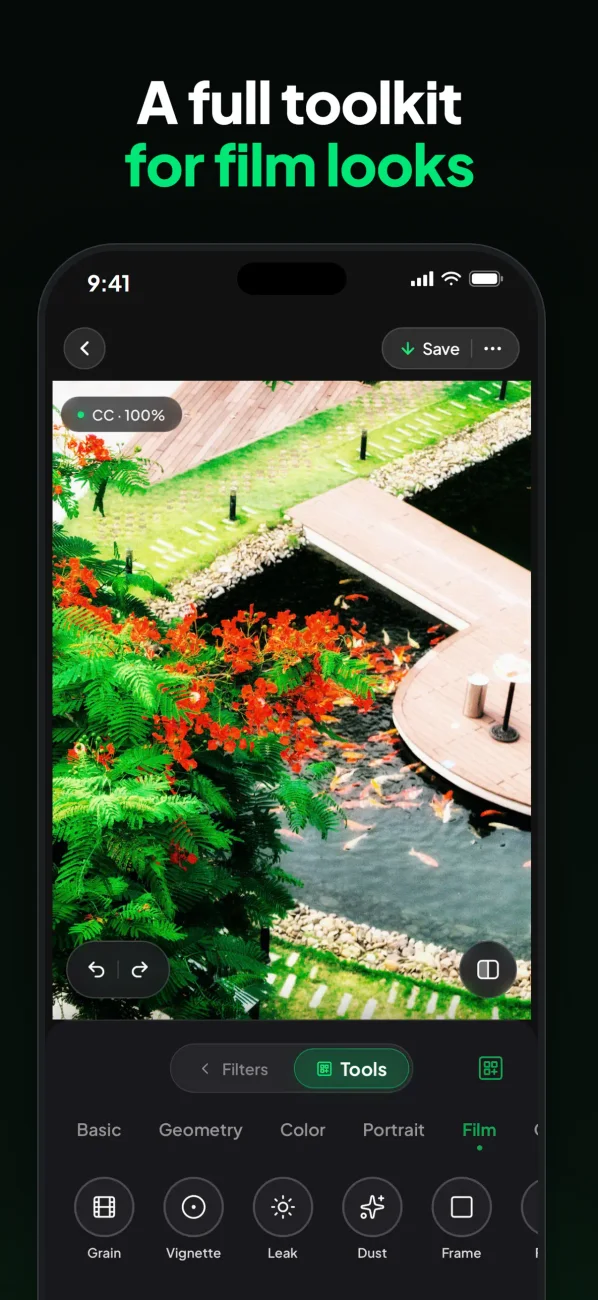
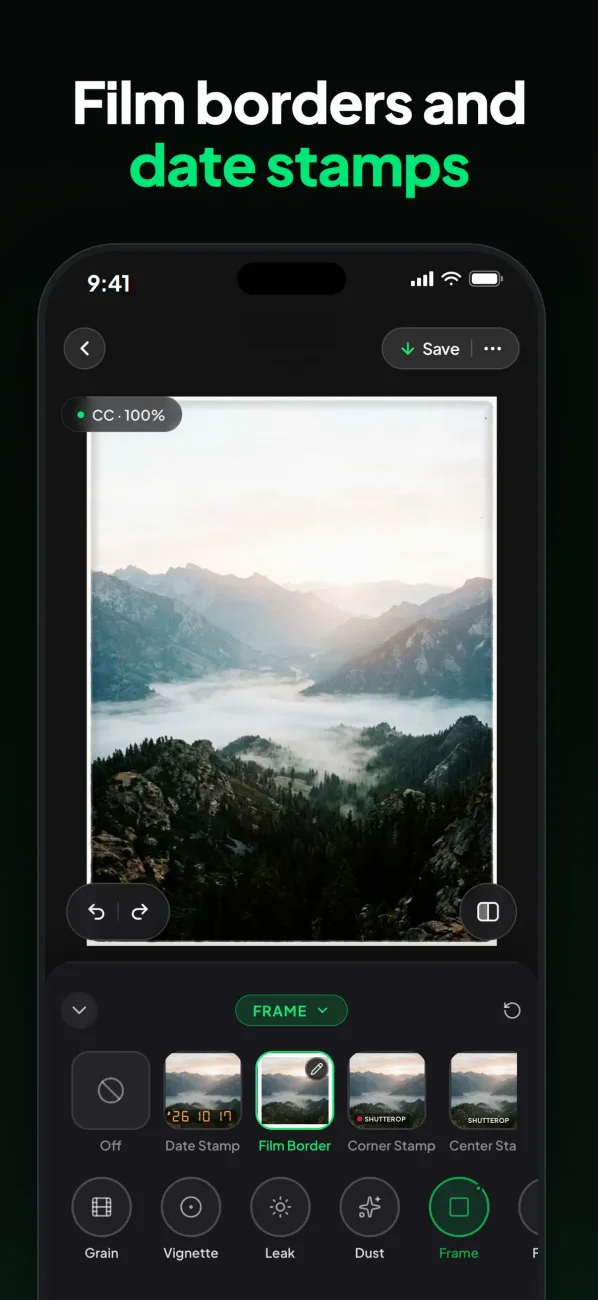
• A full set of tools: exposure, contrast, curves, color, crop, straighten, grain, vignette, dust, light leaks, film borders, date stamp and more.
• Copy a look to other photos and save your own recipes.
COLLAGE
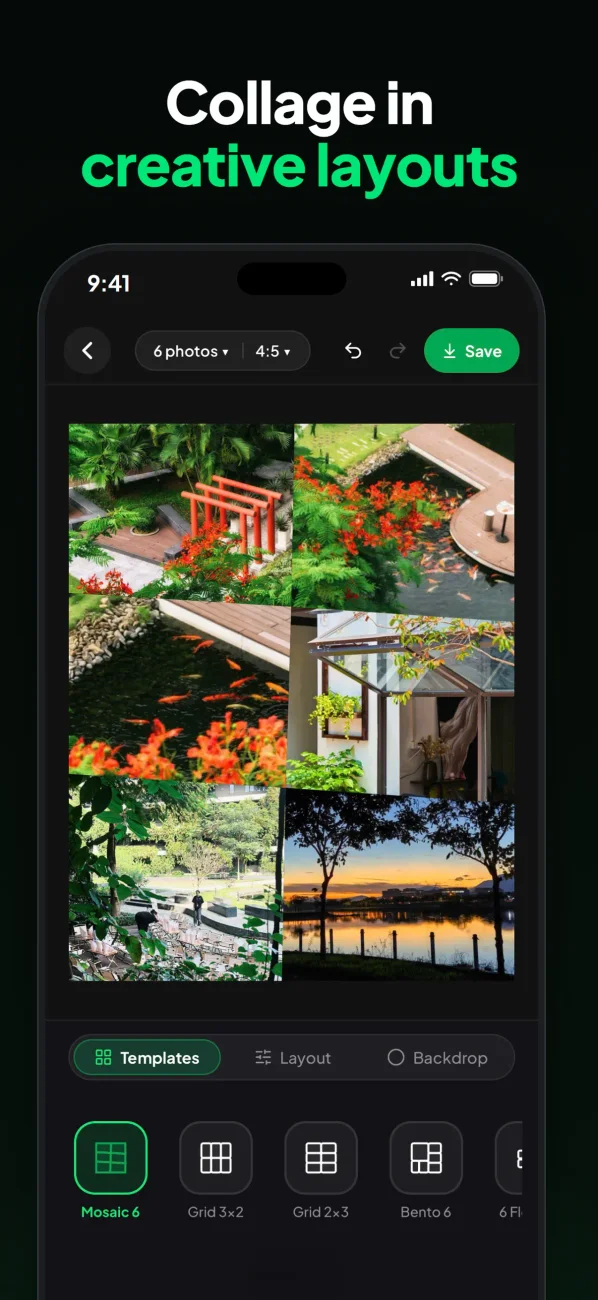
• Combine multiple photos with ready-made layouts, frames and backgrounds.
EXPORT
• Save to your photo library in HD. Studio Pass adds 4K, original size, PNG and maximum quality.
PRIVACY
• Editing happens on your device. No account needed.
STUDIO PASS (optional, one-time purchase)
Unlock the special film looks and 4K, original-size, PNG and 100% quality export. Everything else is free.
Questions or feedback: shutterop.app@gmail.com
Nouveautés
Version 1.0.3 · 22/11/2026
• Camera: pin your favorite tools to the quick bar and unpin them anytime.
• Camera: the Film tray now shows the film name and a CUSTOMIZE button to fine-tune the look; Styles are built in.
• Camera: cleaner, more compact White Balance and Exposure trays.
• Camera: White Balance now has quick presets and an Auto option.
• Camera: the film button and last-photo button are tidier.
• Studio: a fresh header with Photos and Collage tabs.
• Studio: a floating bottom bar to start a collage, open the camera or add photos.
• Studio: select several photos, then copy edits, export or delete in one go.
• Studio: each edited photo shows its film code.
• Collage projects open a small menu right under the one you tap.
• Settings always has a Back button.
• Small fixes and polish.
Confidentialité de l’application
Ce que Thao Tran Cong déclare sur l’App Store au sujet du traitement des données par cette application.
-
Données n’établissant aucun lien avec vous
Peuvent être collectées, mais ne sont pas liées à votre identité.
- Achats
Les pratiques en matière de confidentialité peuvent varier, notamment en fonction des fonctionnalités que vous utilisez ou de votre âge.
Informations
- Vendeur
- Thao Tran Cong
- Catégorie
- Photo et vidéo
- Version
- 1.0.3
- Mis à jour
- 22/11/2026
- Publié
- 16/11/2026
- Taille
- 109,7 Mo
- Nécessite
- iOS 16.4 ou version ultérieure
- Classification d’âge
- 4+
- Prix
- Gratuit
- Achats intégrés
- Oui
- Langues
- Anglais, Vietnamien
- Copyright
- © 2026 Thao Tran Cong
Vous aimerez peut-être aussi
-
 MIAOTUPhoto et vidéo
-
 CutCut - Video Editor & MakerPhoto et vidéo
-
 KAIM Caméra : Cadrage IA rétroAppareil argentique & filtres
-
 VibeColorCouleurs inspirées & PLOG Live
-
 Luxa RAW Pro CameraPhoto et vidéo
-
 RefeCamPhoto et vidéo
-
 Stamp Diary : Journal PhotoPhotos en timbres souvenirs
-
 CoolPoseCamPhoto et vidéo
-
 Filtres de photos FilteriousPhoto et vidéo
-
 Extraire Texte Vidéo - OCRPhoto en texte et traduction