
ShutterOP: Film Camera, Editor
Shoot. Optimize. One tap.
Designed for iPhone
Free · In-app purchases
- Age rating4+
- CategoryPhoto & Video
- DeveloperThao Tran Cong
- LanguagesEnglish+ 1 more
- Size109.7 MB
Links to the official App Store page
Download.org hosts no file of ShutterOP: Film Camera, Editor. The button opens its official App Store page, published by Thao Tran Cong. Listing last checked on Nov 23, 2026.
Screenshots



About
ShutterOP: the OP stands for whatever you need it to. Shoot with live film-look preview, optimize from one tap, and control everything with one thumb.
CAMERA
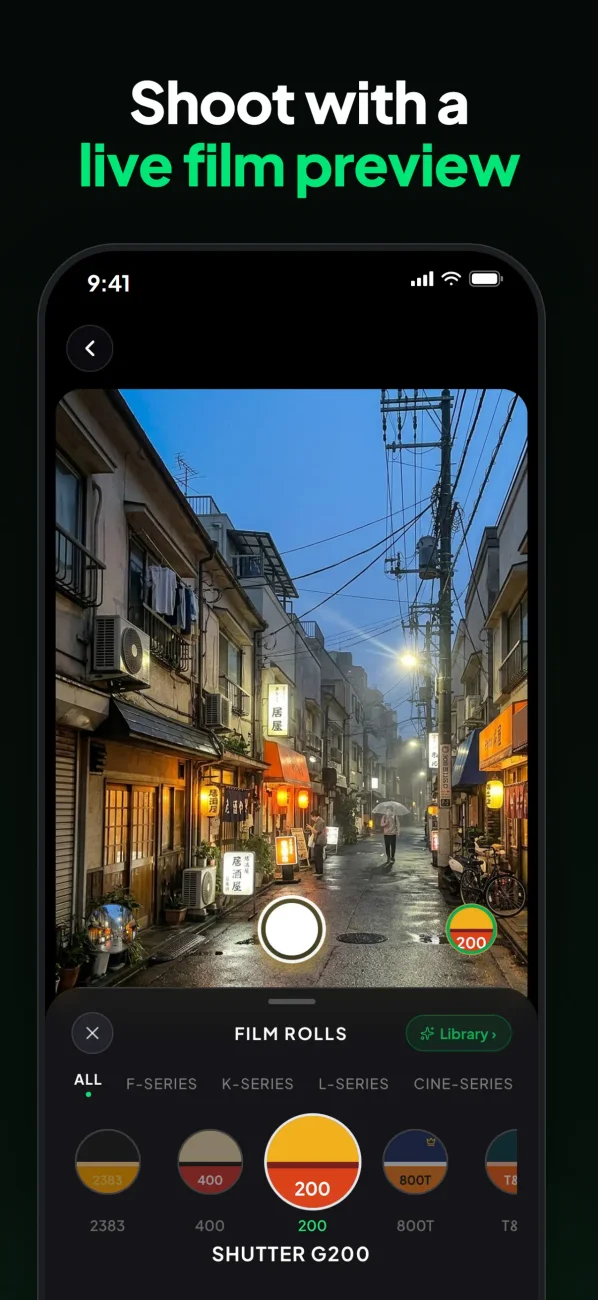
• Shoot with a live film-look preview, so you see the look before you press the shutter.
• A floating tools drawer keeps film looks, white balance, exposure, grid, timer and flash within thumb reach.
• Exposure control with an EV badge right on the viewfinder.
FILM LOOKS
• A growing collection of color looks inspired by classic film, cinema and street photography, from soft portrait tones to deep black and white.
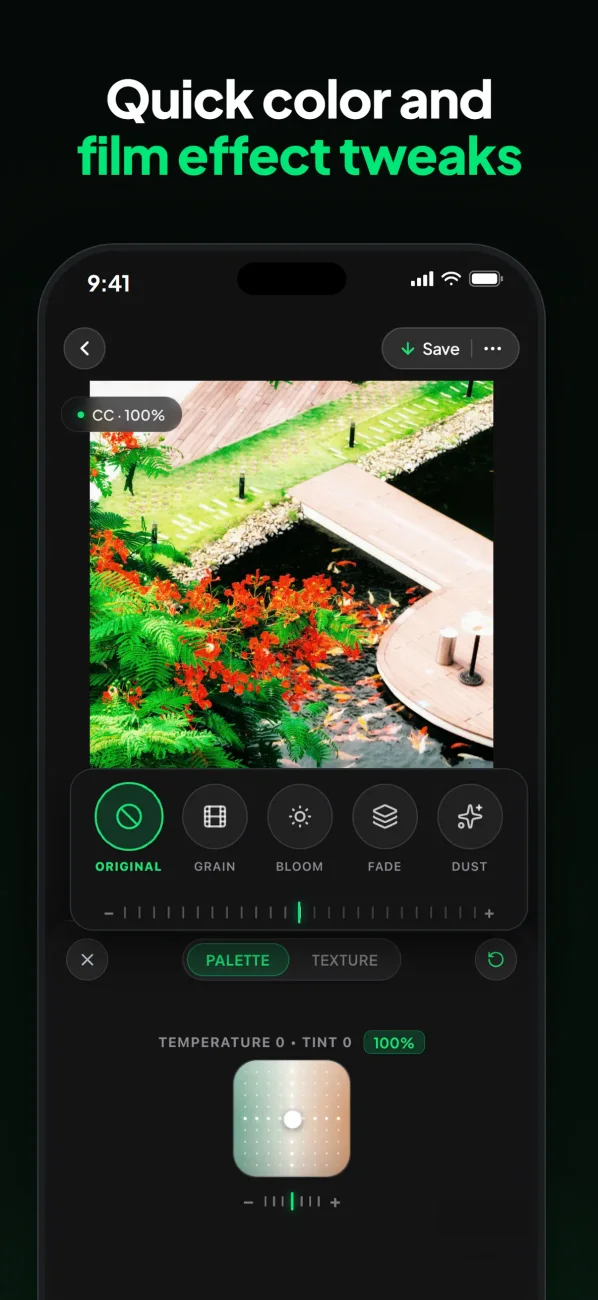
• Tune each look with intensity, temperature, grain, bloom, fade and more.
EASY TO USE
• Drag one dot on a 2D pad to adjust two settings at once, like warmth and tint.
• Slide tactile rulers with haptic feedback for precise, one-thumb control.
• Tap to compare before and after, undo and redo at any step.
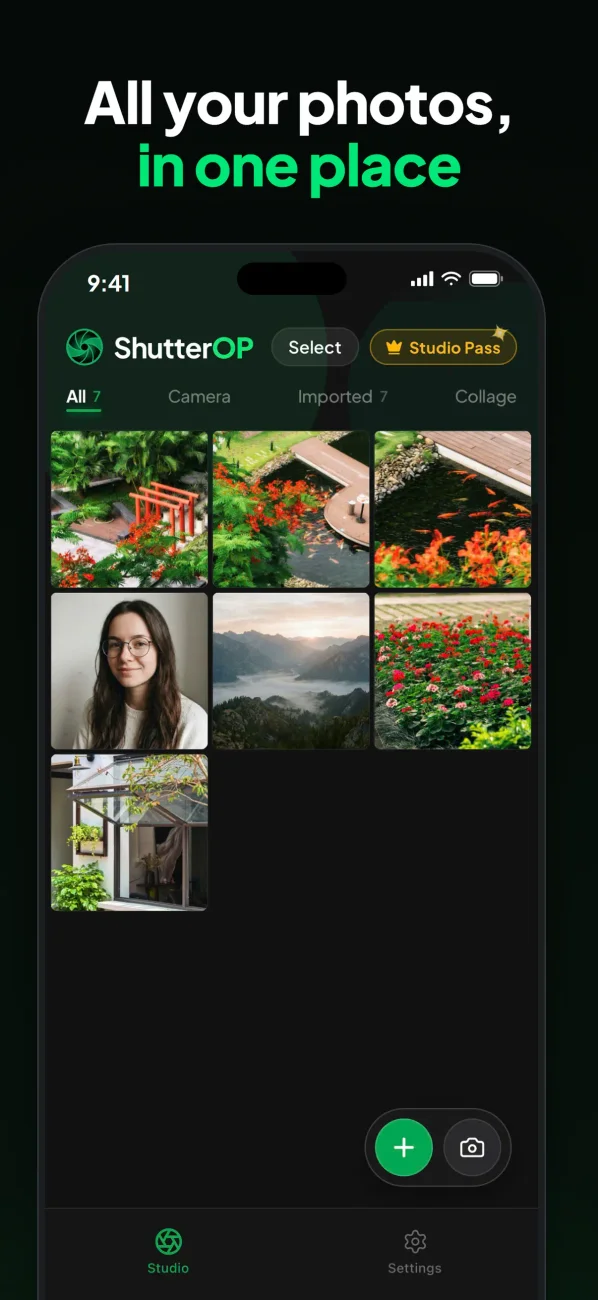
• Your library shows each photo with your edits applied.
• Clean, dark interface that keeps your photo front and center.
PORTRAIT TOOLS
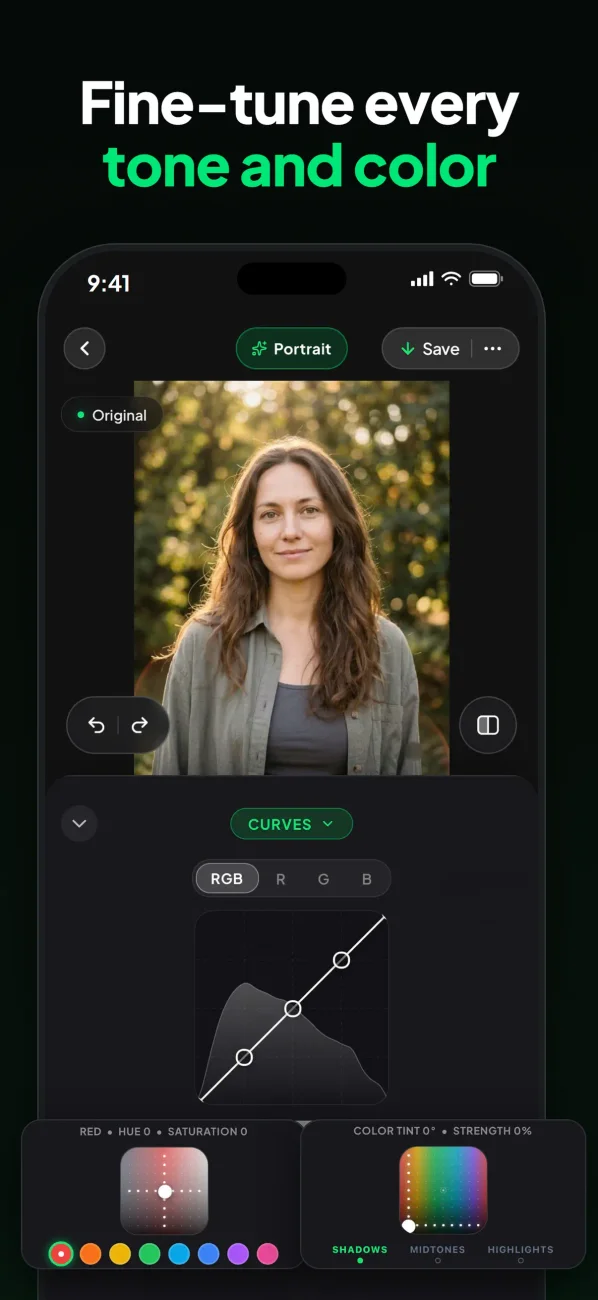
• Skin Tone, Smooth, Bokeh and Virtual Flash for natural-looking portraits.
• Face and subject detection runs on your device. Your photos are not uploaded.
COMPLETE EDITING
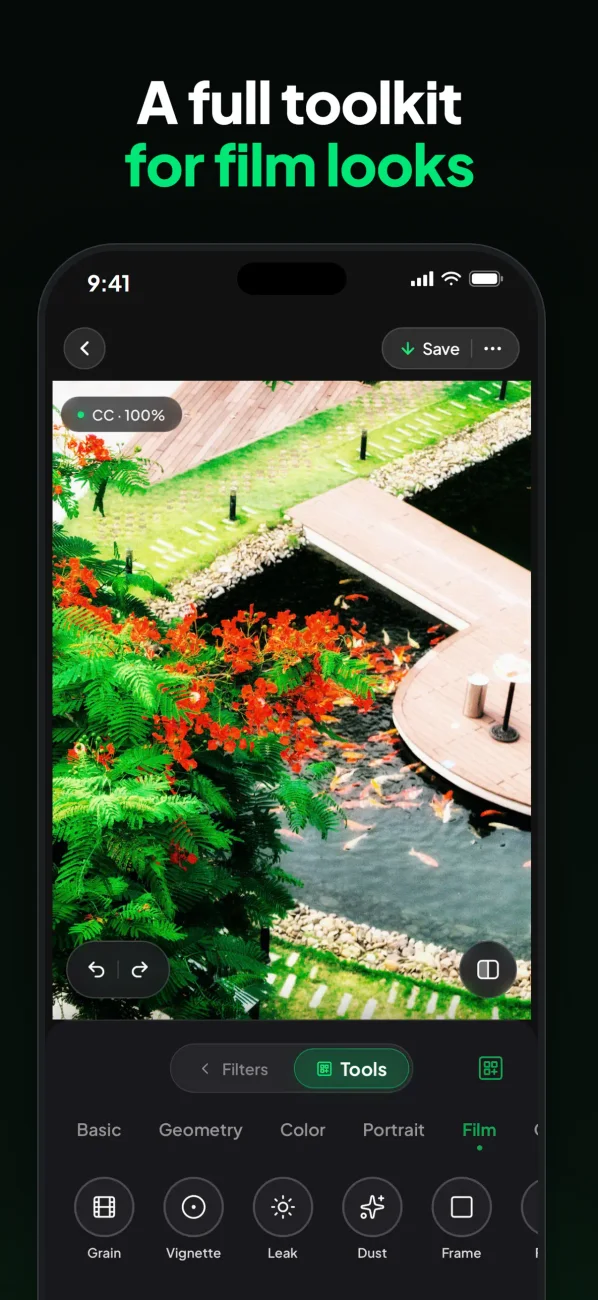
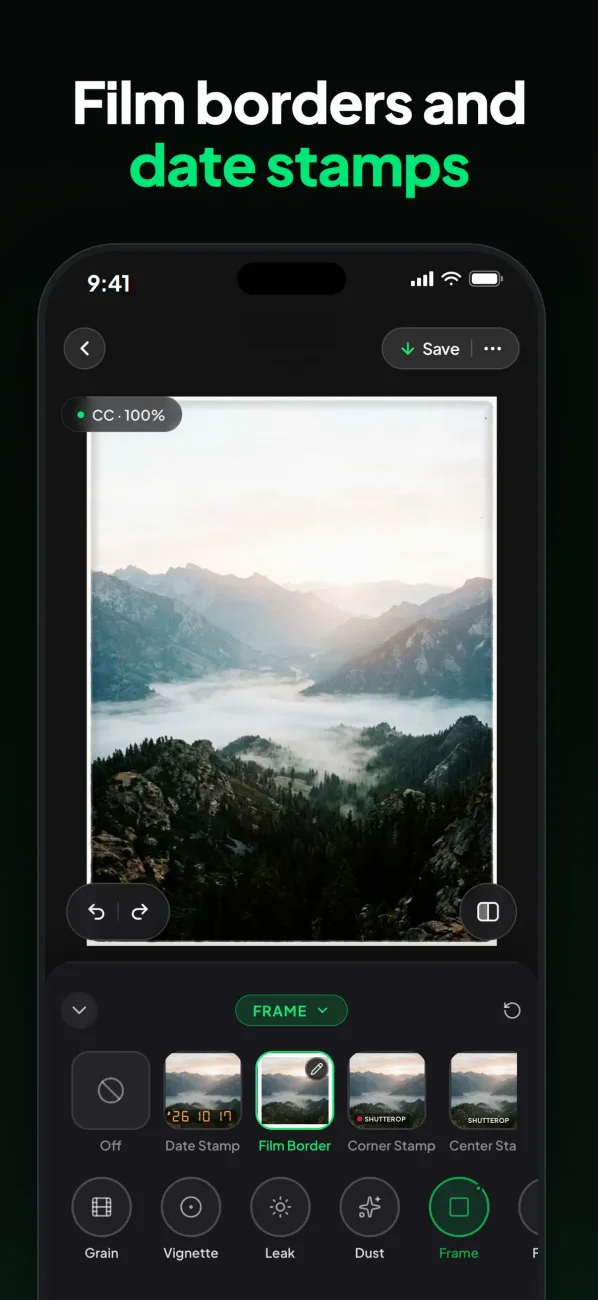
• A full set of tools: exposure, contrast, curves, color, crop, straighten, grain, vignette, dust, light leaks, film borders, date stamp and more.
• Copy a look to other photos and save your own recipes.
COLLAGE
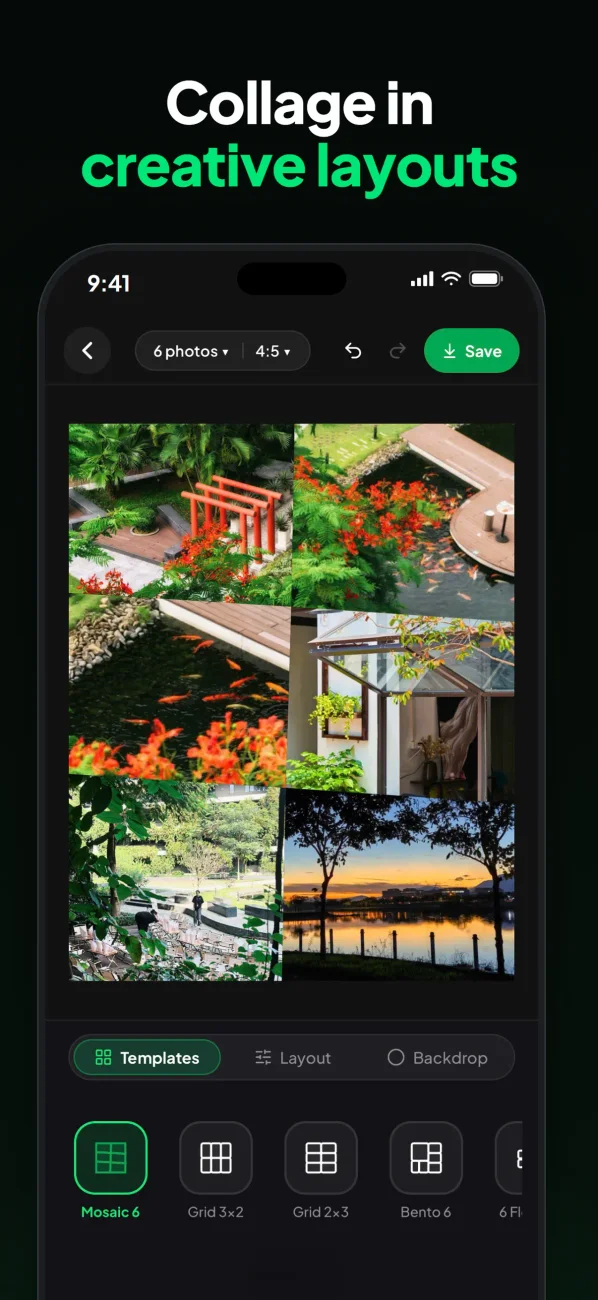
• Combine multiple photos with ready-made layouts, frames and backgrounds.
EXPORT
• Save to your photo library in HD. Studio Pass adds 4K, original size, PNG and maximum quality.
PRIVACY
• Editing happens on your device. No account needed.
STUDIO PASS (optional, one-time purchase)
Unlock the special film looks and 4K, original-size, PNG and 100% quality export. Everything else is free.
Questions or feedback: shutterop.app@gmail.com
What’s new
Version 1.0.3 · Nov 22, 2026
• Camera: pin your favorite tools to the quick bar and unpin them anytime.
• Camera: the Film tray now shows the film name and a CUSTOMIZE button to fine-tune the look; Styles are built in.
• Camera: cleaner, more compact White Balance and Exposure trays.
• Camera: White Balance now has quick presets and an Auto option.
• Camera: the film button and last-photo button are tidier.
• Studio: a fresh header with Photos and Collage tabs.
• Studio: a floating bottom bar to start a collage, open the camera or add photos.
• Studio: select several photos, then copy edits, export or delete in one go.
• Studio: each edited photo shows its film code.
• Collage projects open a small menu right under the one you tap.
• Settings always has a Back button.
• Small fixes and polish.
App privacy
What Thao Tran Cong declares on the App Store about how this app handles data.
-
Data not linked to you
May be collected but is not linked to your identity.
- Purchases
Privacy practices may vary, for example with the features you use or your age.
Information
- Seller
- Thao Tran Cong
- Category
- Photo & Video
- Version
- 1.0.3
- Updated
- Nov 22, 2026
- Released
- Nov 16, 2026
- Size
- 109.7 MB
- Requires
- iOS 16.4 or later
- Age rating
- 4+
- Price
- Free
- In-app purchases
- Yes
- Languages
- English, Vietnamese
- Copyright
- © 2026 Thao Tran Cong
You might also like
-
 MIAOTUPhoto & Video
-
 CutCut - Video Editor & MakerCut, Trim, Captions, Filters
-
 KAIM Camera: AI CompositionSmart Framing & Film Filters
-
 VibeColor EditorColor Match & Live PLOGs
-
 Luxa RAW Pro CameraPro Manual Film Simulation LUT
-
 RefeCamShoot with reference in view.
-
 Stamp Diary: Collect StampsTurn Photos into Memory Stamps
-
 CoolPoseCamTake photos more confidence!
-
 90s Vintage Photo FiltersVHS Cam Retro Editor
-
 Extract Text From Video: OCRPhoto to text, copy, translate