
- 対象年齢4+
- カテゴリ写真/ビデオ
- 開発元Thao Tran Cong
- 言語英語ほか1言語
- サイズ109.7 MB
App Storeの公式ページにリンクしています
Download.orgはShutterOP: Film Camera, Editorのファイルを一切ホストしていません。ボタンを押すと、Thao Tran Congが公開しているApp Storeのアプリページが開きます。ページの最終確認:2026/11/23。
スクリーンショット



概要
開発元はこのテキストをお使いの言語で提供していません。
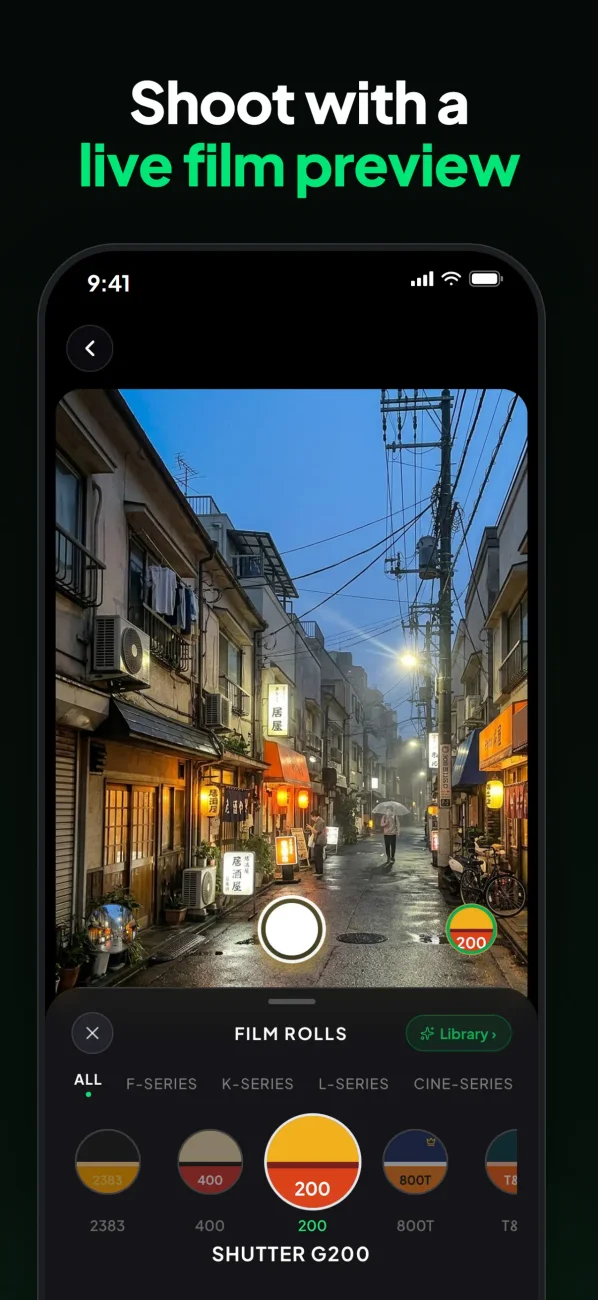
ShutterOP: the OP stands for whatever you need it to. Shoot with live film-look preview, optimize from one tap, and control everything with one thumb.
CAMERA
• Shoot with a live film-look preview, so you see the look before you press the shutter.
• A floating tools drawer keeps film looks, white balance, exposure, grid, timer and flash within thumb reach.
• Exposure control with an EV badge right on the viewfinder.
FILM LOOKS
• A growing collection of color looks inspired by classic film, cinema and street photography, from soft portrait tones to deep black and white.
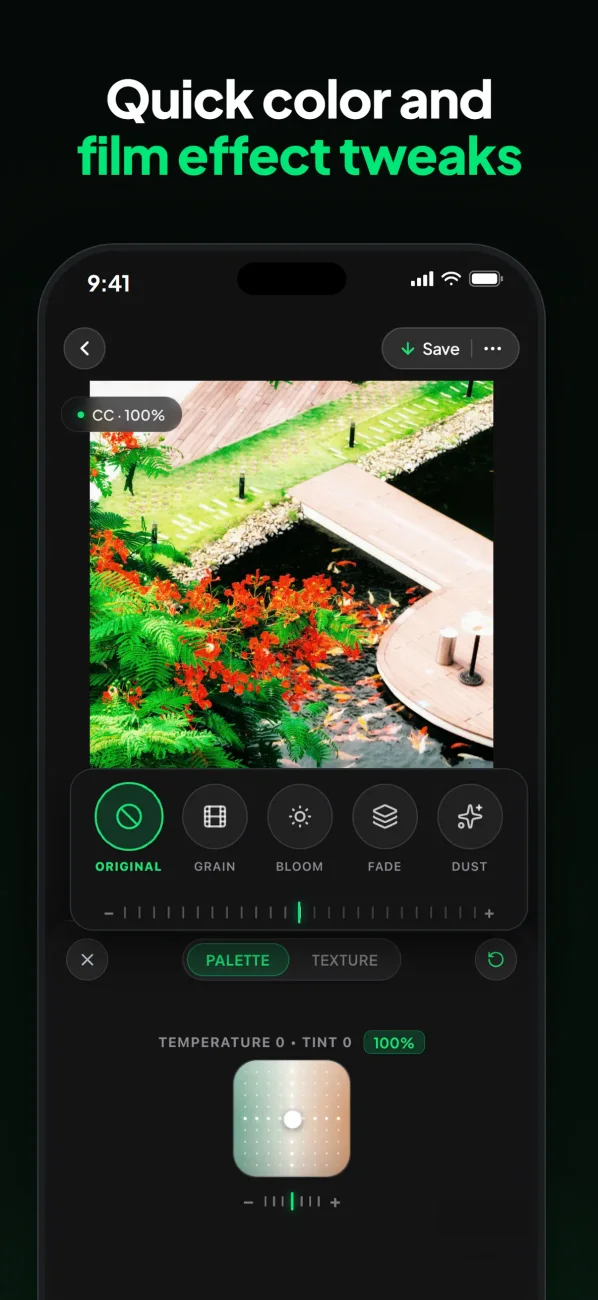
• Tune each look with intensity, temperature, grain, bloom, fade and more.
EASY TO USE
• Drag one dot on a 2D pad to adjust two settings at once, like warmth and tint.
• Slide tactile rulers with haptic feedback for precise, one-thumb control.
• Tap to compare before and after, undo and redo at any step.
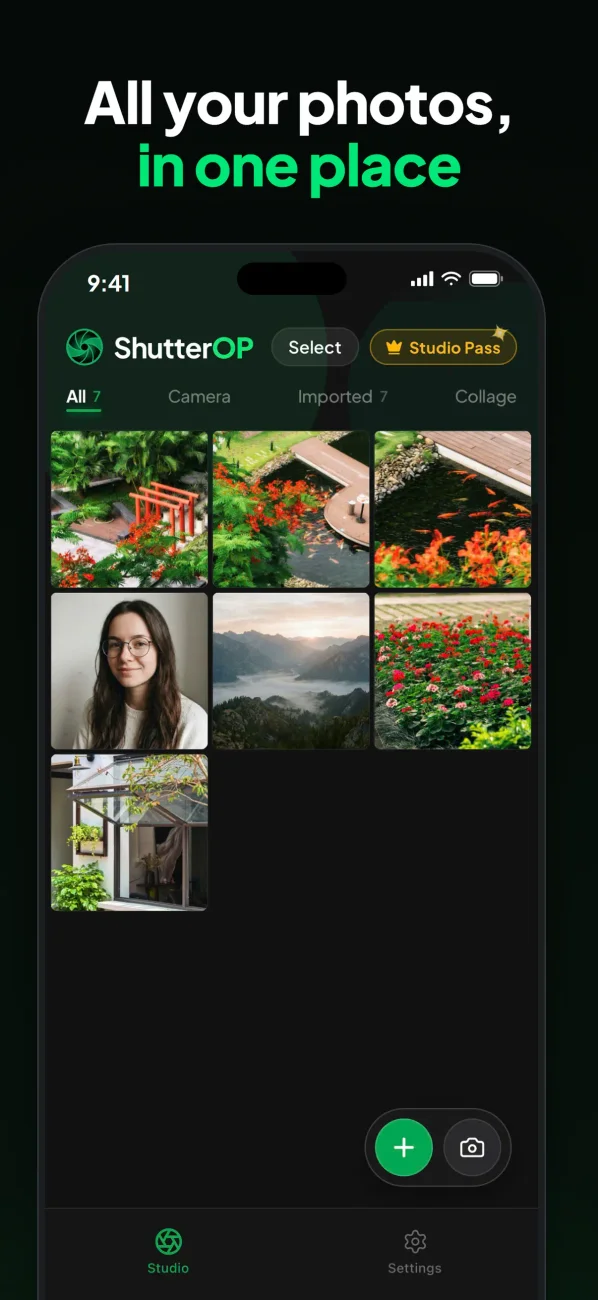
• Your library shows each photo with your edits applied.
• Clean, dark interface that keeps your photo front and center.
PORTRAIT TOOLS
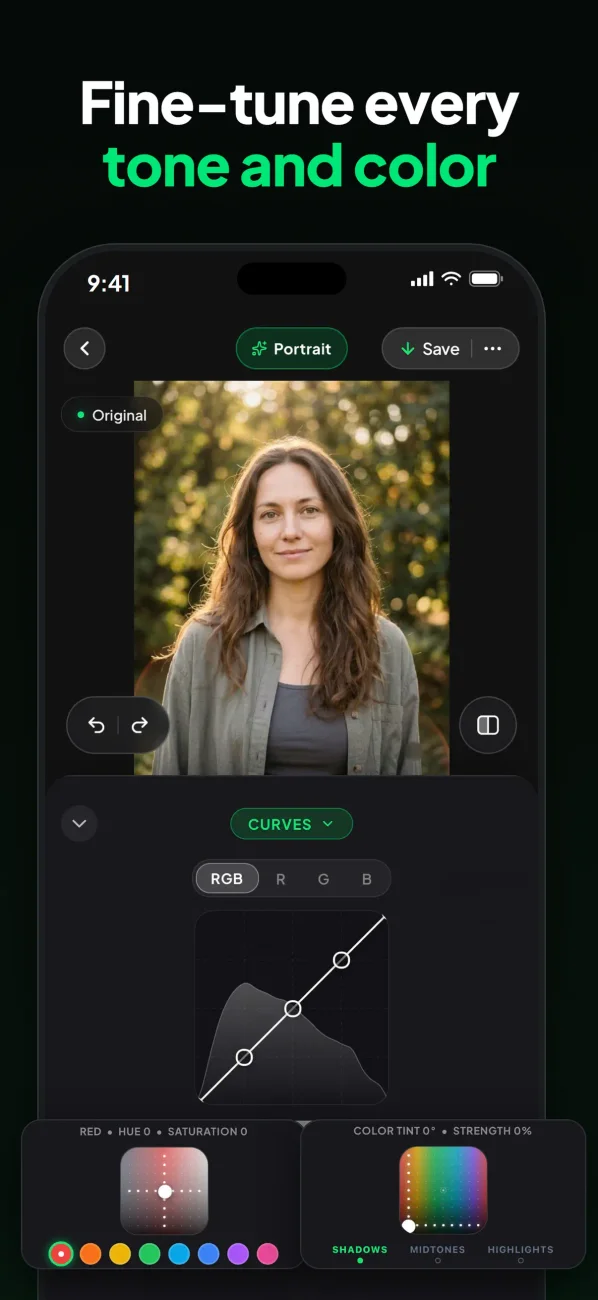
• Skin Tone, Smooth, Bokeh and Virtual Flash for natural-looking portraits.
• Face and subject detection runs on your device. Your photos are not uploaded.
COMPLETE EDITING
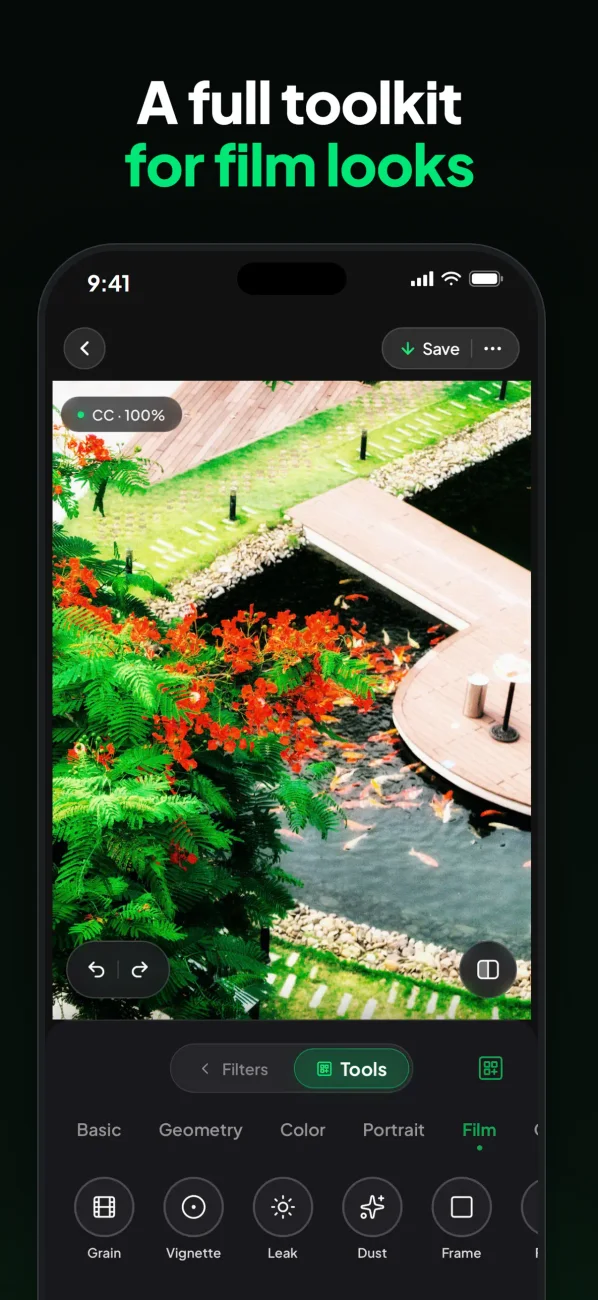
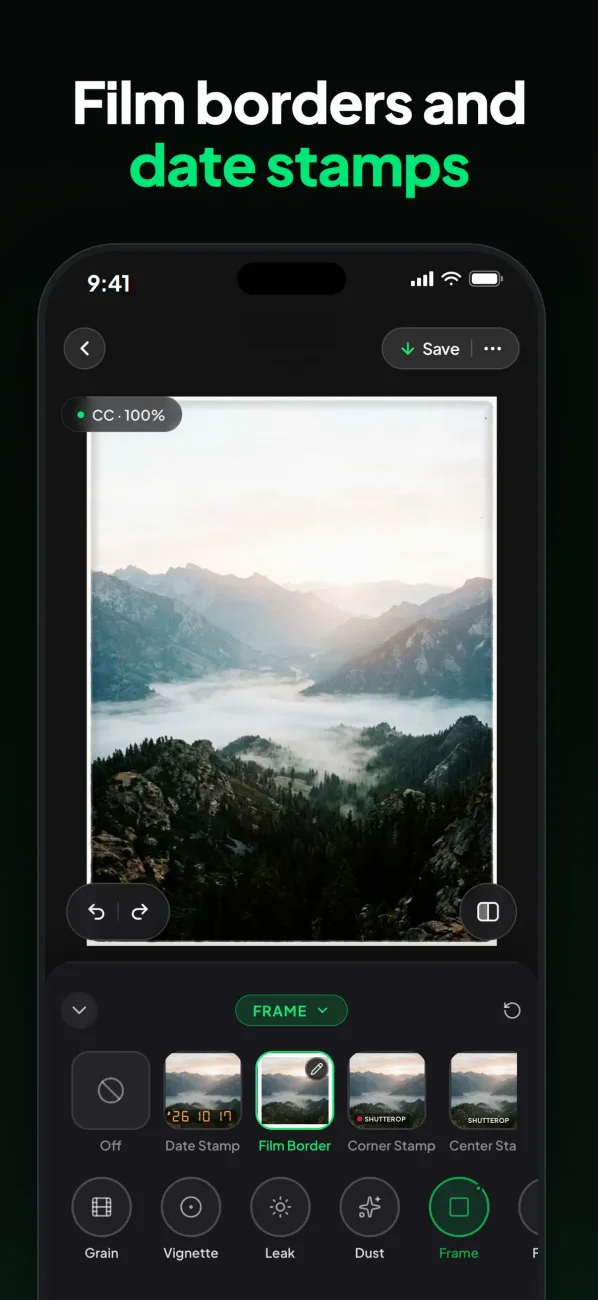
• A full set of tools: exposure, contrast, curves, color, crop, straighten, grain, vignette, dust, light leaks, film borders, date stamp and more.
• Copy a look to other photos and save your own recipes.
COLLAGE
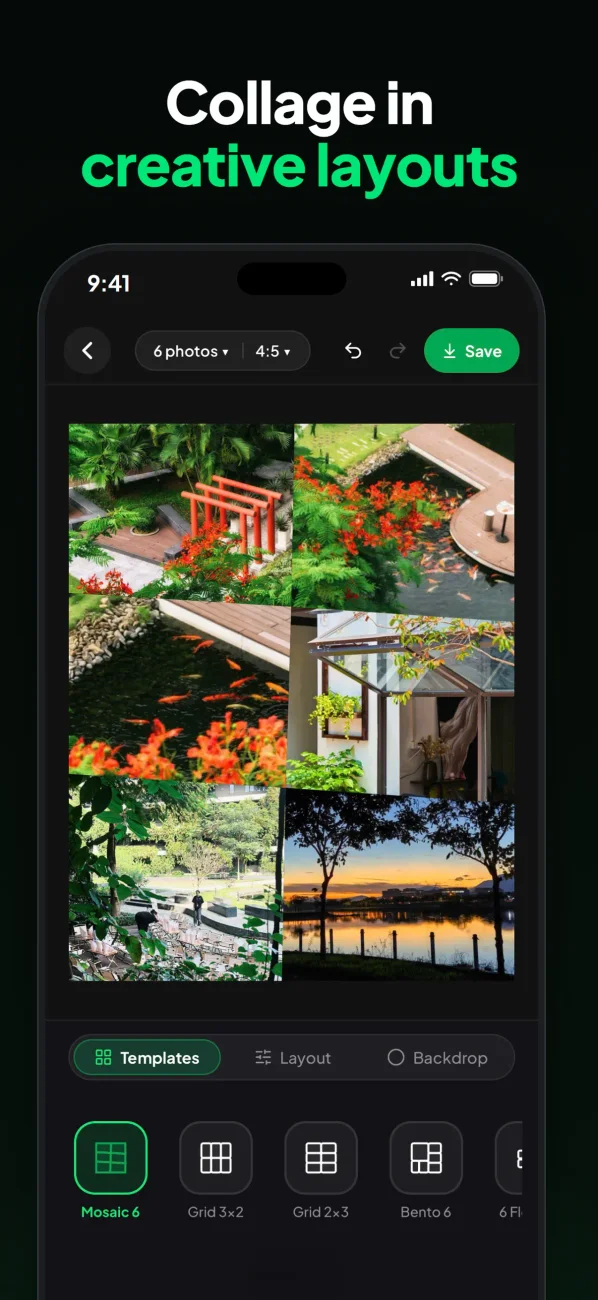
• Combine multiple photos with ready-made layouts, frames and backgrounds.
EXPORT
• Save to your photo library in HD. Studio Pass adds 4K, original size, PNG and maximum quality.
PRIVACY
• Editing happens on your device. No account needed.
STUDIO PASS (optional, one-time purchase)
Unlock the special film looks and 4K, original-size, PNG and 100% quality export. Everything else is free.
Questions or feedback: shutterop.app@gmail.com
新機能
バージョン 1.0.3 · 2026/11/22
• Camera: pin your favorite tools to the quick bar and unpin them anytime.
• Camera: the Film tray now shows the film name and a CUSTOMIZE button to fine-tune the look; Styles are built in.
• Camera: cleaner, more compact White Balance and Exposure trays.
• Camera: White Balance now has quick presets and an Auto option.
• Camera: the film button and last-photo button are tidier.
• Studio: a fresh header with Photos and Collage tabs.
• Studio: a floating bottom bar to start a collage, open the camera or add photos.
• Studio: select several photos, then copy edits, export or delete in one go.
• Studio: each edited photo shows its film code.
• Collage projects open a small menu right under the one you tap.
• Settings always has a Back button.
• Small fixes and polish.
アプリのプライバシー
このアプリのデータの取り扱いについて、Thao Tran CongがApp Storeで申告している内容です。
-
ユーザーに関連付けられないデータ
収集される場合がありますが、ユーザーの識別情報には関連付けられません。
- 購入
プライバシーの取り扱いは、ご利用の機能やお客様の年齢などに応じて異なる場合があります。
情報
- 販売元
- Thao Tran Cong
- カテゴリ
- 写真/ビデオ
- バージョン
- 1.0.3
- 更新日
- 2026/11/22
- リリース
- 2026/11/16
- サイズ
- 109.7 MB
- 必要条件
- iOS 16.4以降
- 対象年齢
- 4+
- 価格
- 無料
- アプリ内課金
- あり
- 言語
- 英語, ベトナム語
- 著作権
- © 2026 Thao Tran Cong
こちらもおすすめ
-
 MIAOTU写真/ビデオ
-
 CutCut - 動画編集・動画作成カット・音楽・字幕・フィルター
-
 KAIMカメラ - AI構図・フィルム写真加工&エモい色味スマート撮影ガイド・レトロフィルター&美肌補正
-
 VibeColor参考画像の色再現とLive PLOG作成
-
 Luxa RAW Pro Camera写真/ビデオ
-
 RefeCamShoot with reference in view.
-
 Stamp Diary 切手カメラ日記写真を思い出の切手に変えるスタンプ手帳
-
 CoolPoseカメラポーズ補助神器 撮影時も自信満々
-
 Filterious フォトフィルター写真/ビデオ
-
 動画からテキスト抽出:OCRスキャナー写真・画像の文字をコピー、翻訳