Splicon: Split View Icon Maker
1-Tap Split Screen Shortcuts
Entwickelt für iPhone, iPad
Kostenlos · In-App-Käufe
- Altersfreigabe4+
- KategorieProduktivität
- Entwickleraiko ueda
- SprachenJapanisch+ 1 weitere
- Größe938,0 KB
Verlinkt auf die offizielle App Store-Seite
Download.org hostet keine Datei von Splicon: Split View Icon Maker. Die Schaltfläche öffnet die App-Seite bei App Store, wo aiko ueda die App veröffentlicht. Eintrag zuletzt geprüft am 12.11.2026.
Screenshots
Info
Der Entwickler hat diesen Text nicht in Ihrer Sprache bereitgestellt.
Tired of manually opening Split View every time?
You know how it goes: open App A, drag App B from the Dock, adjust the divider, start working — and then do it all over again next time.
Splicon fixes this for good.
Create a custom icon that launches two apps in Split View with a single tap. Set it once on your Home Screen, and you're done forever.
WHY SPLICON EXISTS
iOS Shortcuts can create Split View shortcuts — but the only icon option is an emoji. When you have five or six shortcuts, a row of random emojis tells you nothing.
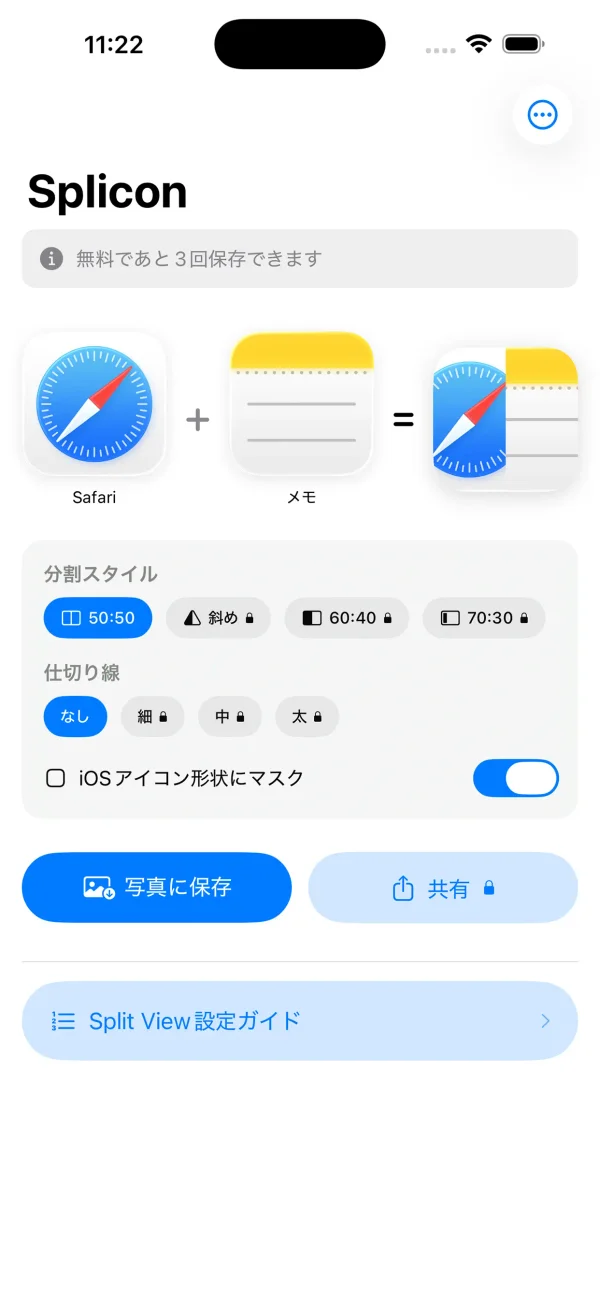
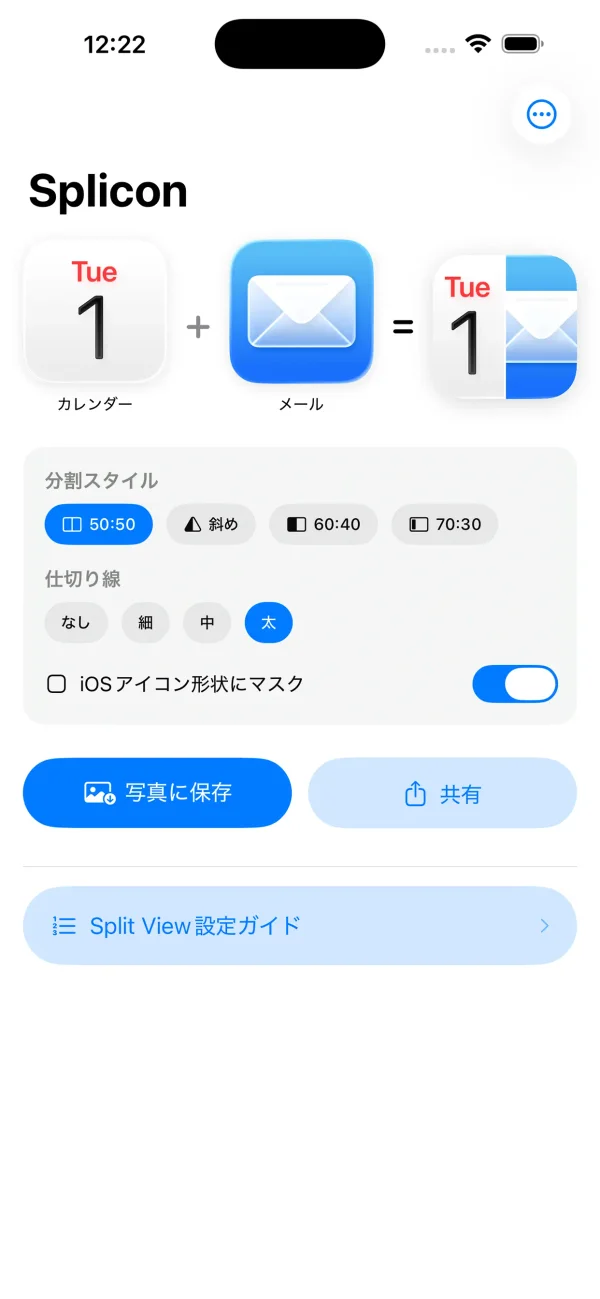
Splicon generates a clean side-by-side icon from the actual app icons of both apps, so you can see at a glance which pair you're launching.
HOW IT WORKS (5 minutes, once)
1. Search and select your two apps inside Splicon
2. Your combined icon is generated instantly
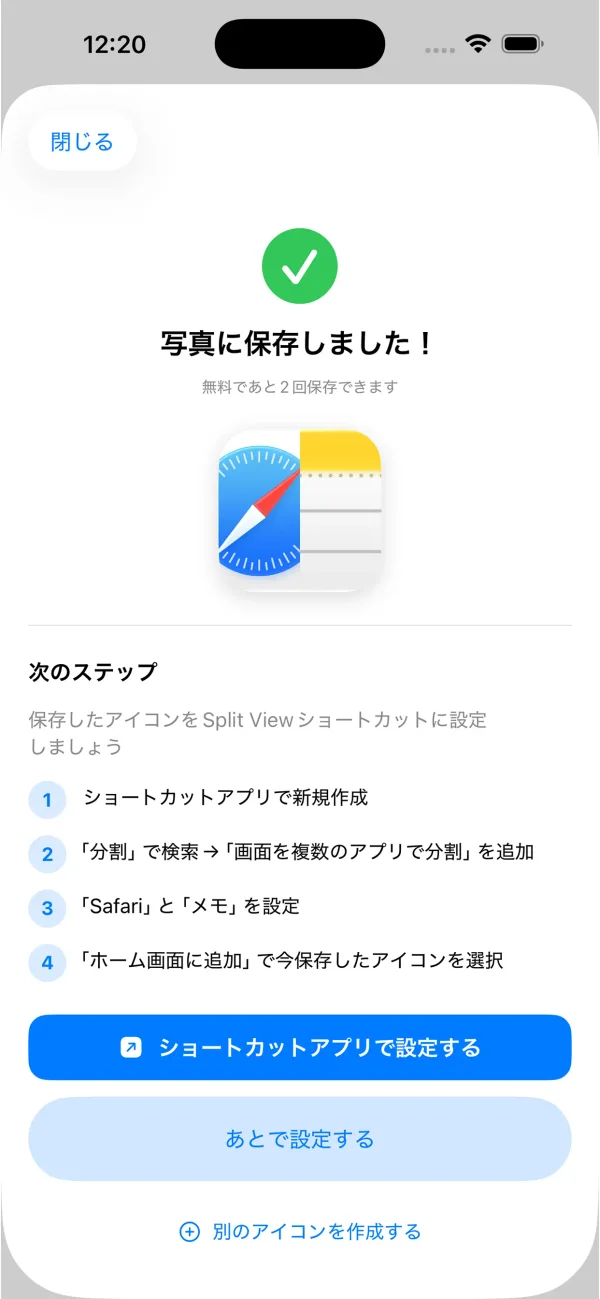
3. Save it to Photos
4. Open the Shortcuts app, create a Split View shortcut, and set the saved icon
5. Add to Home Screen — done
POPULAR COMBINATIONS
• ChatGPT + YouTube — research while watching
• Gmail + Calendar — reply without switching apps
• Notion + Slack — document conversations in real time
• Kindle + Obsidian — read and capture notes together
• YouTube + GoodNotes — take notes during video lectures
• Perplexity + Safari — verify research sources side by side
PLANS
Free — Create and save up to 3 icon pairs
Pro (one-time purchase) — Unlimited pairs + icon history for easy regeneration
REQUIREMENTS
• iPad only
• iPadOS 15 or later
• Split View-compatible iPad model
Turn your iPad into the multitasking machine it was built to be.
Neue Funktionen
Version 2.3.0 · 23.05.2026
Added English (U.S.) localization. Splicon is now available in English for users worldwide.
App-Datenschutz
Was aiko ueda im App Store zum Umgang dieser App mit Daten angibt.
-
Keine Daten erfasst
Der Entwickler erfasst keine Daten von dieser App.
Die Datenschutzpraktiken können variieren, zum Beispiel je nach den von Ihnen verwendeten Funktionen oder Ihrem Alter.
Informationen
- Anbieter
- aiko ueda
- Kategorie
- Produktivität
- Version
- 2.3.0
- Aktualisiert
- 23.05.2026
- Veröffentlicht
- 15.05.2026
- Größe
- 938,0 KB
- Erfordert
- iOS 17.0 oder neuer
- Altersfreigabe
- 4+
- Preis
- Kostenlos
- In-App-Käufe
- Ja
- Sprachen
- Japanisch, Englisch
- Copyright
- © 2026 Ueda
Das könnte Ihnen auch gefallen
-
 Analog Focus - Pomodoro TimerProduktivität
-
 OCRスキャナー- 文字認識Produktivität
-
 Voice DigestProduktivität
-
 TextwellProduktivität
-
 YORVIA: バイトの給料計算とシフト管理Produktivität
-
 毎日ルーティンProduktivität
-
 Truly Simple Slide DeckProduktivität
-
 Koyomi Planner|手帳とカレンダーProduktivität
-
 Vorlagen für Excel ProProfessionelle Excel-Vorlagen
-
 Foto in PDF Umwandeln MakerBildscanner & Editor