Splicon: Split View Icon Maker
1-Tap Split Screen Shortcuts
iPhone, iPad için tasarlandı
Ücretsiz · Uygulama içi satın alma
- Yaş sınırı4+
- KategoriÜretkenlik
- Geliştiriciaiko ueda
- DillerJaponca+ 1 dil daha
- Boyut938,0 KB
Resmi App Store sayfasına bağlanır
Download.org, Splicon: Split View Icon Maker için hiçbir dosya barındırmaz. Düğme, uygulamanın App Store üzerindeki sayfasını açar; uygulamayı orada aiko ueda yayınlar. Sayfanın son kontrolü: 12.11.2026.
Ekran görüntüleri
Hakkında
Geliştirici bu metni dilinizde sunmamış.
Tired of manually opening Split View every time?
You know how it goes: open App A, drag App B from the Dock, adjust the divider, start working — and then do it all over again next time.
Splicon fixes this for good.
Create a custom icon that launches two apps in Split View with a single tap. Set it once on your Home Screen, and you're done forever.
WHY SPLICON EXISTS
iOS Shortcuts can create Split View shortcuts — but the only icon option is an emoji. When you have five or six shortcuts, a row of random emojis tells you nothing.
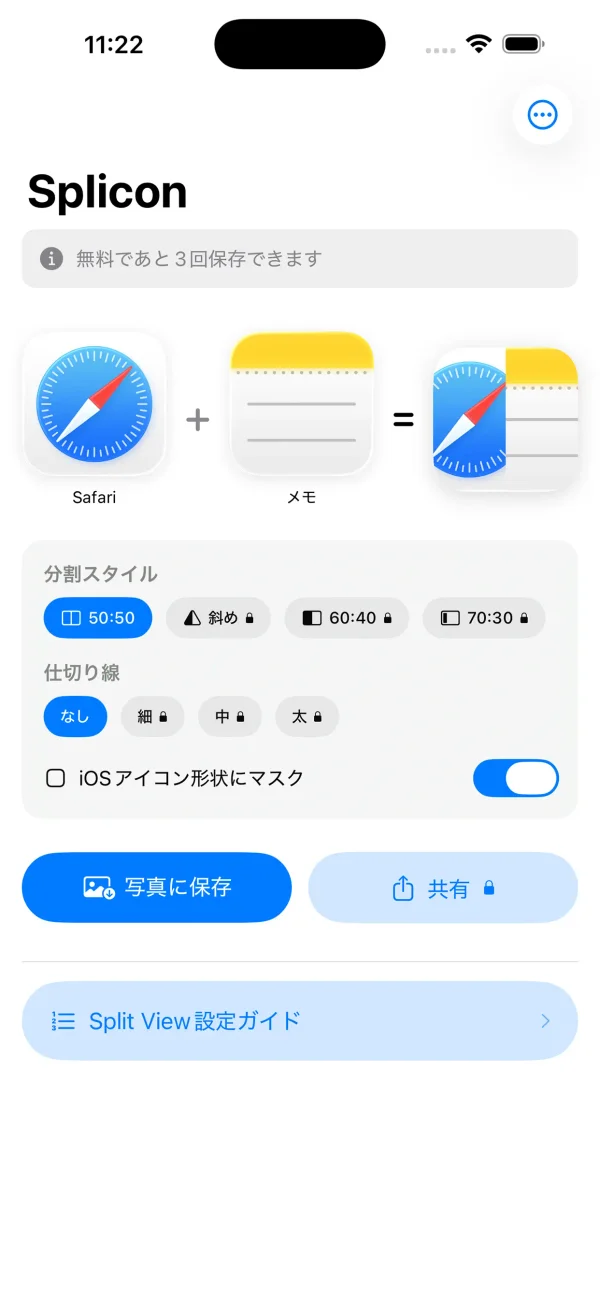
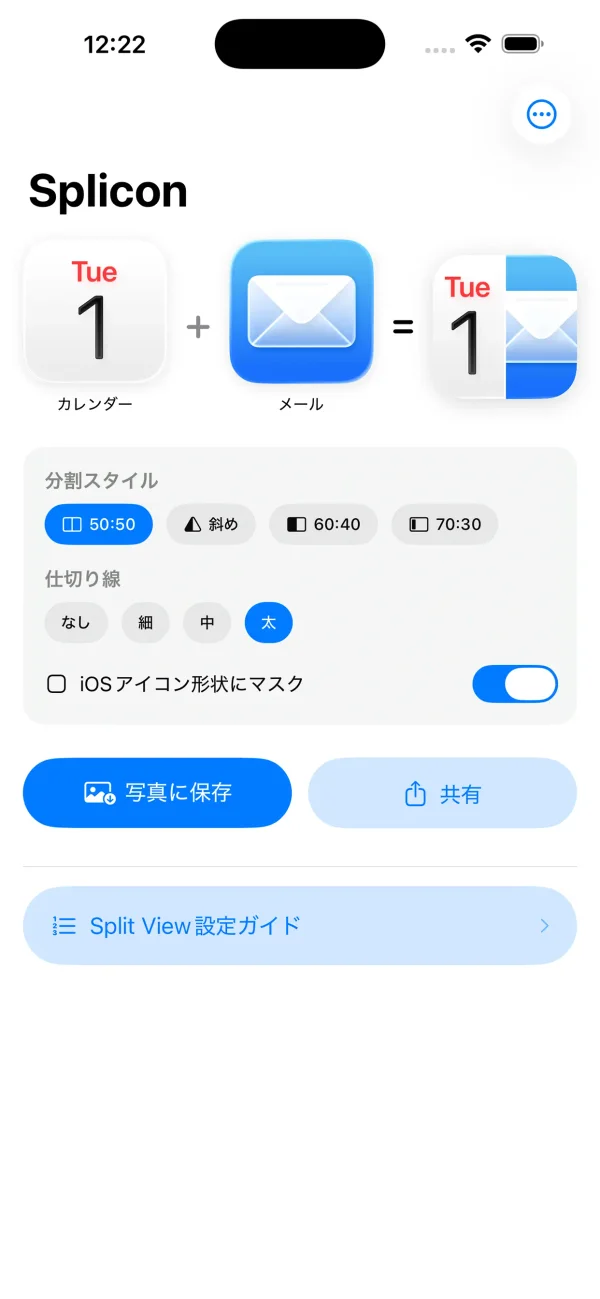
Splicon generates a clean side-by-side icon from the actual app icons of both apps, so you can see at a glance which pair you're launching.
HOW IT WORKS (5 minutes, once)
1. Search and select your two apps inside Splicon
2. Your combined icon is generated instantly
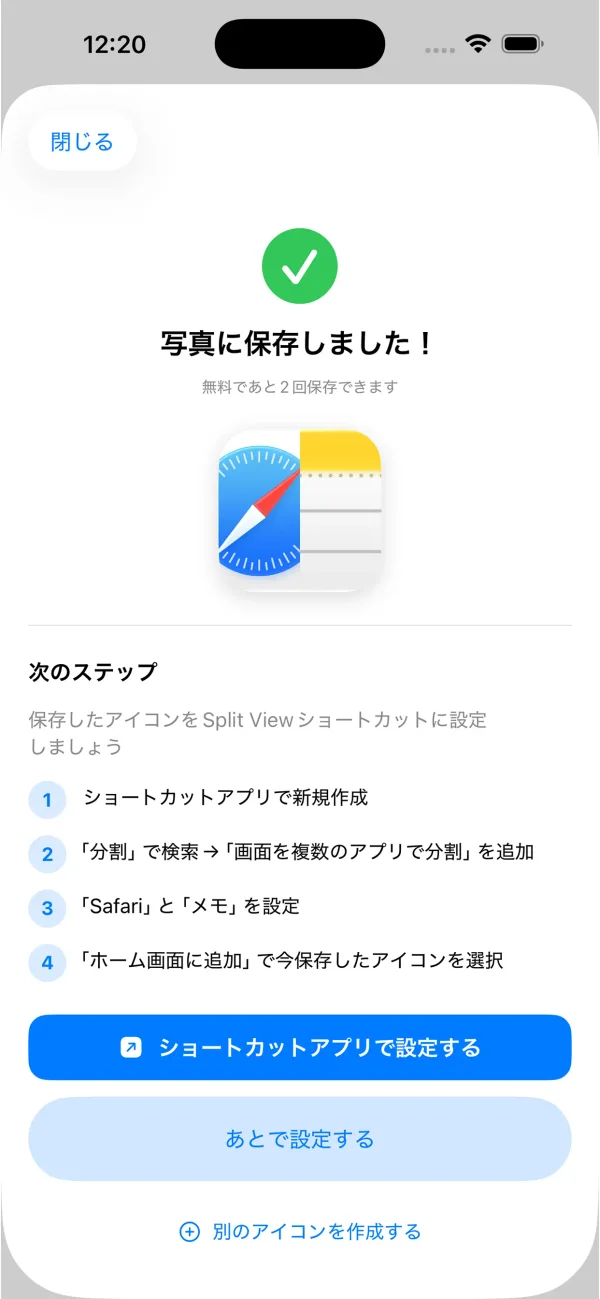
3. Save it to Photos
4. Open the Shortcuts app, create a Split View shortcut, and set the saved icon
5. Add to Home Screen — done
POPULAR COMBINATIONS
• ChatGPT + YouTube — research while watching
• Gmail + Calendar — reply without switching apps
• Notion + Slack — document conversations in real time
• Kindle + Obsidian — read and capture notes together
• YouTube + GoodNotes — take notes during video lectures
• Perplexity + Safari — verify research sources side by side
PLANS
Free — Create and save up to 3 icon pairs
Pro (one-time purchase) — Unlimited pairs + icon history for easy regeneration
REQUIREMENTS
• iPad only
• iPadOS 15 or later
• Split View-compatible iPad model
Turn your iPad into the multitasking machine it was built to be.
Yenilikler
Sürüm 2.3.0 · 23.05.2026
Added English (U.S.) localization. Splicon is now available in English for users worldwide.
Uygulama gizliliği
Bu uygulamanın verileri nasıl işlediği hakkında aiko ueda tarafından App Store üzerinde yapılan beyan.
-
Veri toplanmıyor
Geliştirici bu uygulamadan hiçbir veri toplamıyor.
Gizlilik uygulamaları, örneğin kullandığınız özelliklere veya yaşınıza göre değişiklik gösterebilir.
Bilgiler
- Satıcı
- aiko ueda
- Kategori
- Üretkenlik
- Sürüm
- 2.3.0
- Güncellendi
- 23.05.2026
- Yayın tarihi
- 15.05.2026
- Boyut
- 938,0 KB
- Gereksinim
- iOS 17.0 veya sonrası
- Yaş sınırı
- 4+
- Fiyat
- Ücretsiz
- Uygulama içi satın alma
- Evet
- Diller
- Japonca, İngilizce
- Telif hakkı
- © 2026 Ueda
Bunları da beğenebilirsiniz
-
 Analog Focus - Pomodoro TimerÜretkenlik
-
 OCRスキャナー- 文字認識Üretkenlik
-
 Voice DigestÜretkenlik
-
 TextwellÜretkenlik
-
 YORVIA: バイトの給料計算とシフト管理Üretkenlik
-
 毎日ルーティンÜretkenlik
-
 Truly Simple Slide DeckÜretkenlik
-
 Koyomi Planner|手帳とカレンダーÜretkenlik
-
 Templates for Excel ProÜretkenlik
-
 Fotoğraftan PDF'e: DönüştürGörüntü Tarayıcı & Düzenleyici