Splicon: Split View Icon Maker
1-Tap Split Screen Shortcuts
Được thiết kế cho iPhone, iPad
Miễn phí · Mua hàng trong ứng dụng
- Độ tuổi4+
- Danh mụcHiệu Suất
- Nhà phát triểnaiko ueda
- Ngôn ngữTiếng Nhật+ 1 ngôn ngữ khác
- Kích thước938,0 KB
Liên kết đến trang App Store chính thức
Download.org không lưu trữ tệp nào của Splicon: Split View Icon Maker. Nút này mở trang ứng dụng trên App Store, nơi aiko ueda phát hành ứng dụng. Trang được kiểm tra lần cuối: 12/11/2026.
Ảnh chụp màn hình
Giới thiệu
Nhà phát triển chưa cung cấp nội dung này bằng ngôn ngữ của bạn.
Tired of manually opening Split View every time?
You know how it goes: open App A, drag App B from the Dock, adjust the divider, start working — and then do it all over again next time.
Splicon fixes this for good.
Create a custom icon that launches two apps in Split View with a single tap. Set it once on your Home Screen, and you're done forever.
WHY SPLICON EXISTS
iOS Shortcuts can create Split View shortcuts — but the only icon option is an emoji. When you have five or six shortcuts, a row of random emojis tells you nothing.
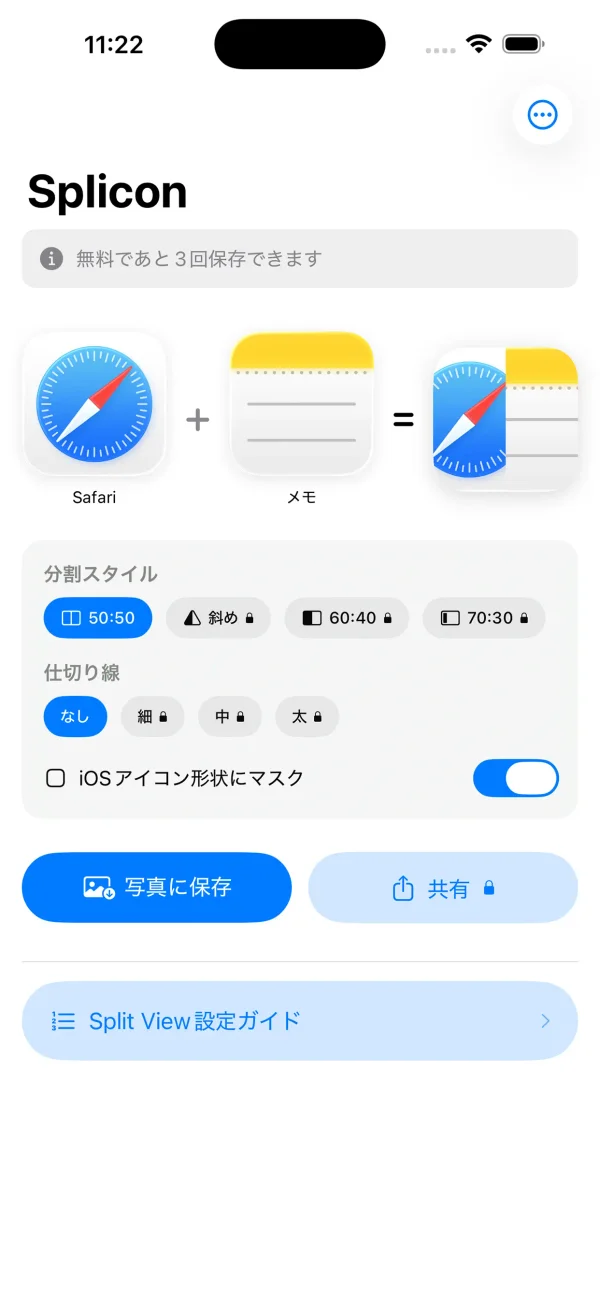
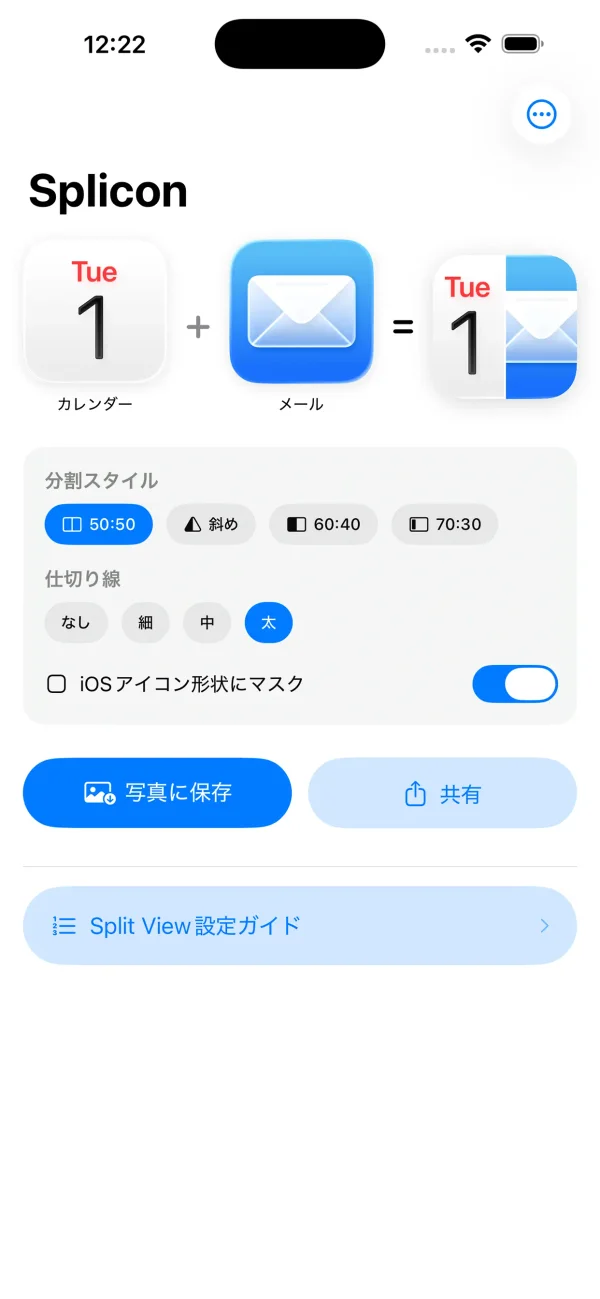
Splicon generates a clean side-by-side icon from the actual app icons of both apps, so you can see at a glance which pair you're launching.
HOW IT WORKS (5 minutes, once)
1. Search and select your two apps inside Splicon
2. Your combined icon is generated instantly
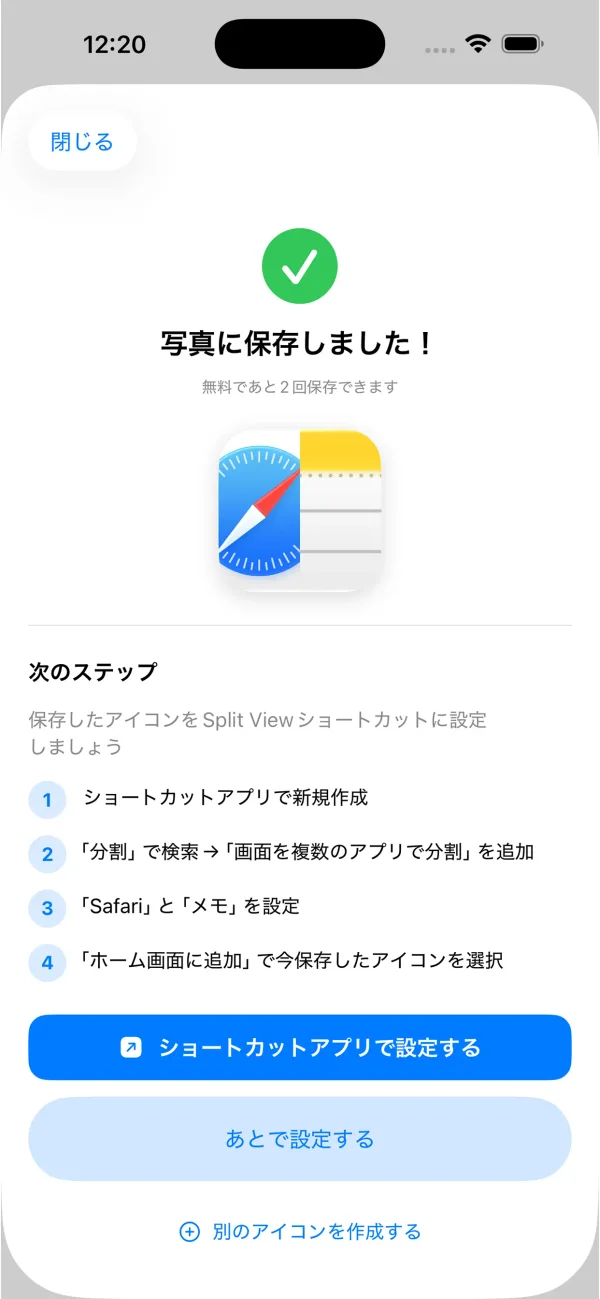
3. Save it to Photos
4. Open the Shortcuts app, create a Split View shortcut, and set the saved icon
5. Add to Home Screen — done
POPULAR COMBINATIONS
• ChatGPT + YouTube — research while watching
• Gmail + Calendar — reply without switching apps
• Notion + Slack — document conversations in real time
• Kindle + Obsidian — read and capture notes together
• YouTube + GoodNotes — take notes during video lectures
• Perplexity + Safari — verify research sources side by side
PLANS
Free — Create and save up to 3 icon pairs
Pro (one-time purchase) — Unlimited pairs + icon history for easy regeneration
REQUIREMENTS
• iPad only
• iPadOS 15 or later
• Split View-compatible iPad model
Turn your iPad into the multitasking machine it was built to be.
Có gì mới
Phiên bản 2.3.0 · 23/05/2026
Added English (U.S.) localization. Splicon is now available in English for users worldwide.
Quyền riêng tư của ứng dụng
Những gì aiko ueda khai báo trên App Store về cách ứng dụng này xử lý dữ liệu.
-
Dữ liệu không được thu thập
Nhà phát triển không thu thập bất kỳ dữ liệu nào từ ứng dụng này.
Phương thức đảm bảo quyền riêng tư có thể khác nhau, chẳng hạn như tuỳ theo các tính năng bạn sử dụng hoặc độ tuổi của bạn.
Thông tin
- Người bán
- aiko ueda
- Danh mục
- Hiệu Suất
- Phiên bản
- 2.3.0
- Cập nhật
- 23/05/2026
- Phát hành
- 15/05/2026
- Kích thước
- 938,0 KB
- Yêu cầu
- iOS 17.0 trở lên
- Độ tuổi
- 4+
- Giá
- Miễn phí
- Mua hàng trong ứng dụng
- Có
- Ngôn ngữ
- Tiếng Nhật, Tiếng Anh
- Bản quyền
- © 2026 Ueda
Có thể bạn cũng thích
-
 Analog Focus - Pomodoro TimerHiệu Suất
-
 OCRスキャナー- 文字認識Hiệu Suất
-
 Voice DigestHiệu Suất
-
 TextwellHiệu Suất
-
 YORVIA: バイトの給料計算とシフト管理Hiệu Suất
-
 毎日ルーティンHiệu Suất
-
 Truly Simple Slide DeckHiệu Suất
-
 Koyomi Planner|手帳とカレンダーHiệu Suất
-
 Templates for Excel ProHiệu Suất
-
 Chuyển Ảnh sang PDF MakerTrình quét & chỉnh sửa ảnh