Timer Graph Pro
Workflow & Interval Builder
Entwickelt für iPhone, iPad, Mac
Kostenlos · In-App-Käufe
- Altersfreigabe4+
- KategorieLifestyle
- Entwicklerhatte Inc.
- SprachenEnglisch+ 1 weitere
- Größe7,9 MB
Verlinkt auf die offizielle App Store-Seite
Download.org hostet keine Datei von Timer Graph Pro. Die Schaltfläche öffnet die App-Seite bei App Store, wo hatte Inc. die App veröffentlicht. Eintrag zuletzt geprüft am 07.11.2026.
Screenshots


Info
Der Entwickler hat diesen Text nicht in Ihrer Sprache bereitgestellt.
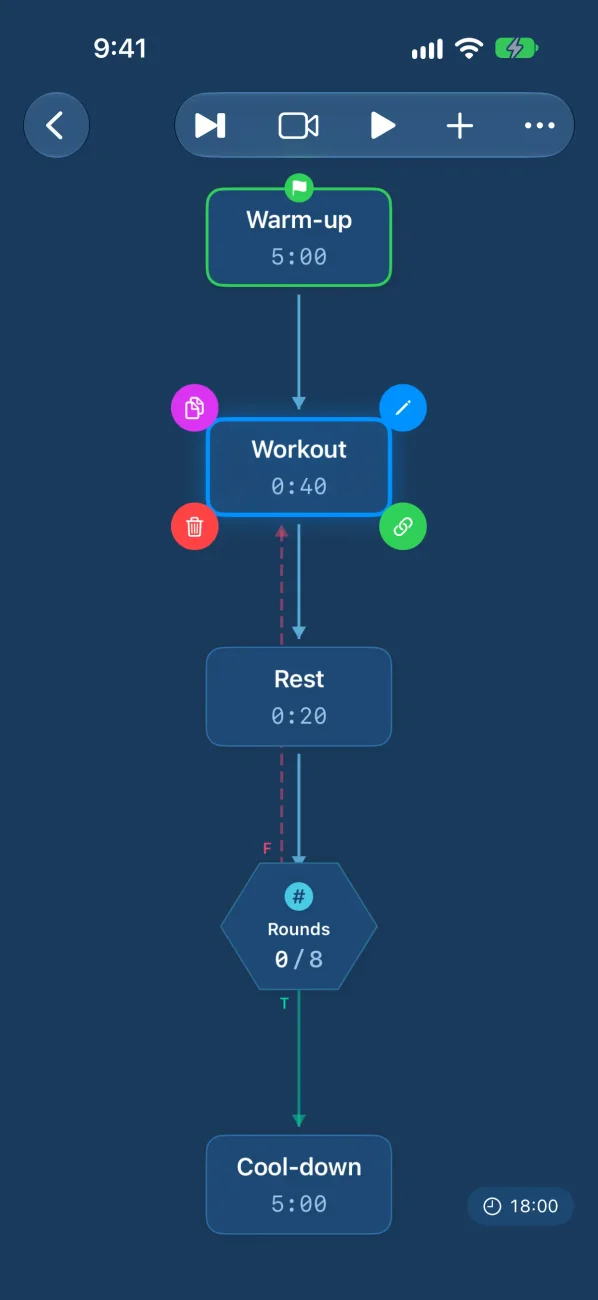
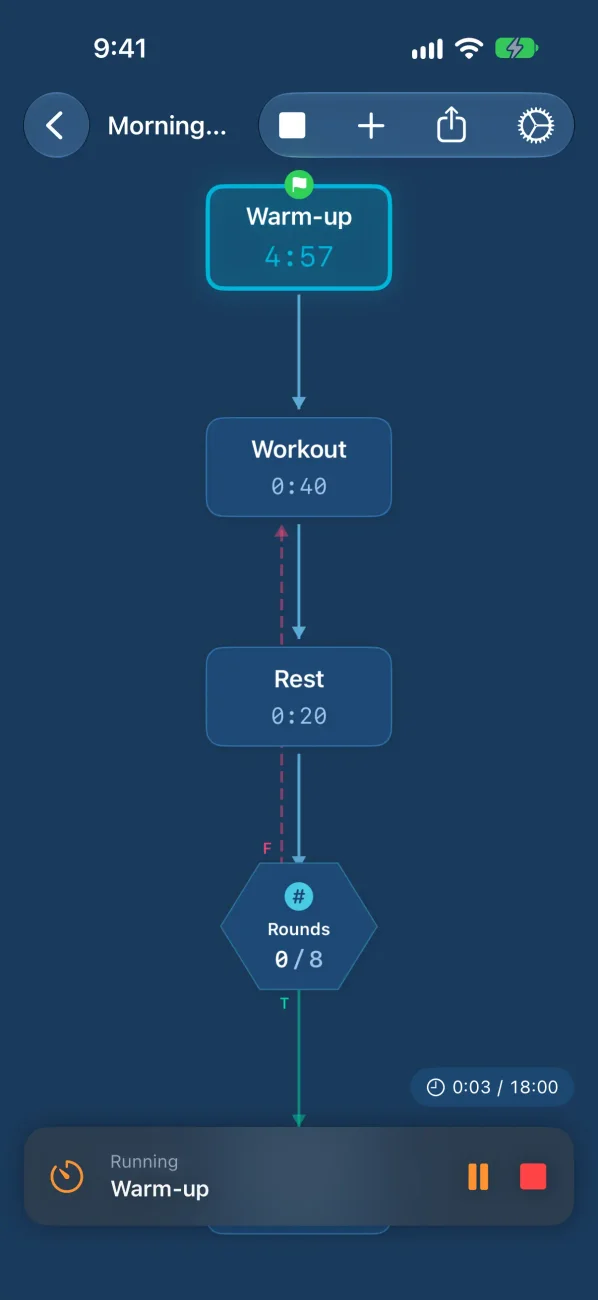
This app lets you connect timers together to create powerful and flexible timer flows.
For example, you can create a timer that starts a 5-minute countdown immediately after a 10-minute timer ends. Or you can add reminders that repeat every minute afterward. By connecting simple timer blocks together on a canvas, you can build custom timers that match exactly how you work and think.
Many students use Pomodoro timers for studying — but is the standard Pomodoro method really the best fit for your personal pace?
What if you want to take a longer break after five Pomodoro sessions, switch subjects, and then repeat another five sessions? What if you want to repeat that entire cycle five times?
With this app, you can build timers like that yourself.
Neue Funktionen
Version 1.2 · 02.11.2026
Now optimized for iPhone Duo.
■ Training Capture (add-on)
Record your workout while your timers run.
• On iPhone Duo, the outer display shows the remaining time to the person being filmed. Start, stop, and pause recording right from the outer display, so you can lean your phone against a wall and film yourself.
• Show the camera preview on the outer display to check your framing.
• Save a video with the timer burned in, the original video, or both, to Photos.
• Available on iPhone and iPad. Included with All-in-One at no extra cost.
■ Split editor
On the iPhone Duo inner display, iPad, and Mac, edit with a panel on the left and the canvas on the right. Drag cells onto the canvas and change their settings right in the panel.
■ Other improvements
• Fixed an issue where playback didn't finish if a counter never reached its target.
• Duplicated cells and canvases now keep their sounds, images, and videos.
• Other improvements and bug fixes.
App-Datenschutz
Was hatte Inc. im App Store zum Umgang dieser App mit Daten angibt.
-
Nicht mit Ihnen verknüpfte Daten
Können erfasst werden, sind aber nicht mit Ihrer Identität verknüpft.
- Käufe
- Standort
- Benutzerinhalte
- Kennungen
- Nutzungsdaten
- Diagnose
- Sonstige Daten
Die Datenschutzpraktiken können variieren, zum Beispiel je nach den von Ihnen verwendeten Funktionen oder Ihrem Alter.
Informationen
- Anbieter
- Shingo OKAMOTO
- Kategorie
- Lifestyle
- Version
- 1.2
- Aktualisiert
- 02.11.2026
- Veröffentlicht
- 03.11.2026
- Größe
- 7,9 MB
- Erfordert
- iOS 26.0 oder neuer
- Altersfreigabe
- 4+
- Preis
- Kostenlos
- In-App-Käufe
- Ja
- Sprachen
- Englisch, Japanisch
- Copyright
- © hatte Inc.
Das könnte Ihnen auch gefallen
-
 TimePeacePrivates Tagebuch fürs Leben
-
 Christ's Church USLifestyle
-
 Declutter: Haushalt PutzplanADHS Aufräumen & Checkliste
-
 Faith Chapel AppLifestyle
-
 Parkview Christian Church - ILLifestyle
-
 Our Church - By ChurchDev.comLifestyle
-
 AlarmK: Wecker mit MissionWeckt auch im Lautlos-Modus
-
 Church UnlimitedLifestyle