Timer Graph Pro
Workflow & Interval Builder
Dirancang untuk iPhone, iPad, Mac
Gratis · Pembelian dalam aplikasi
- Batasan usia4+
- KategoriGaya Hidup
- Pengembanghatte Inc.
- BahasaInggris+ 1 lainnya
- Ukuran7,9 MB
Tertaut ke halaman resmi App Store
Download.org tidak menyimpan file Timer Graph Pro apa pun. Tombol ini membuka halaman aplikasi di App Store, tempat hatte Inc. menerbitkannya. Halaman terakhir diperiksa pada 7/11/2026.
Tangkapan layar


Tentang
Pengembang belum menyediakan teks ini dalam bahasa Anda.
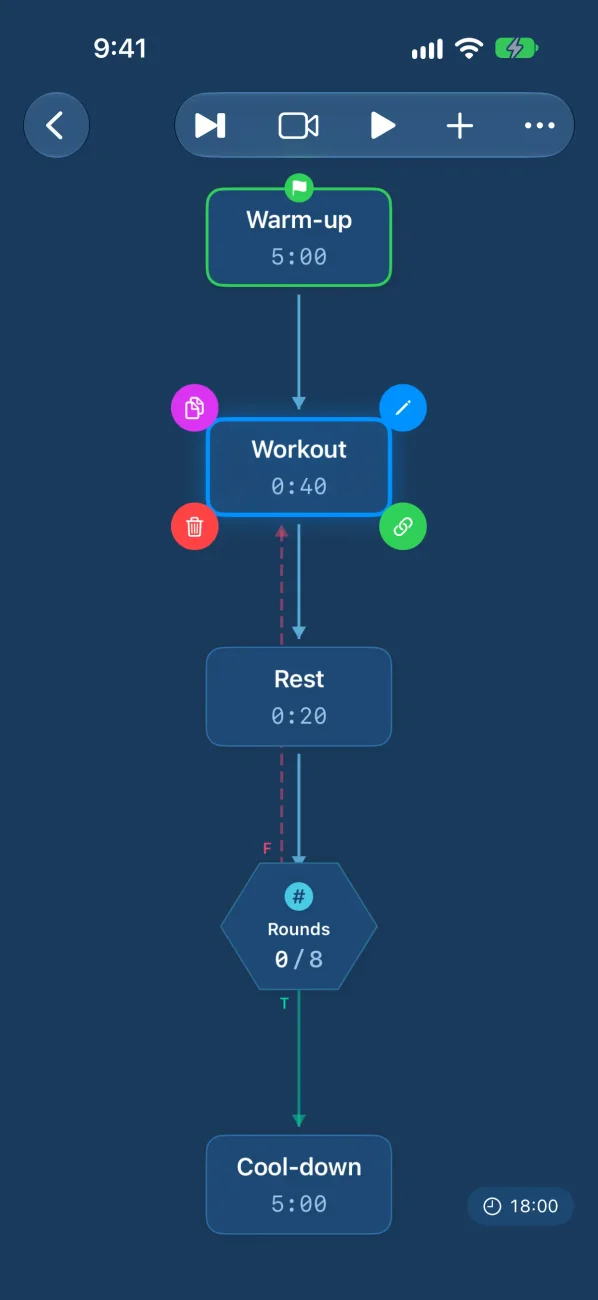
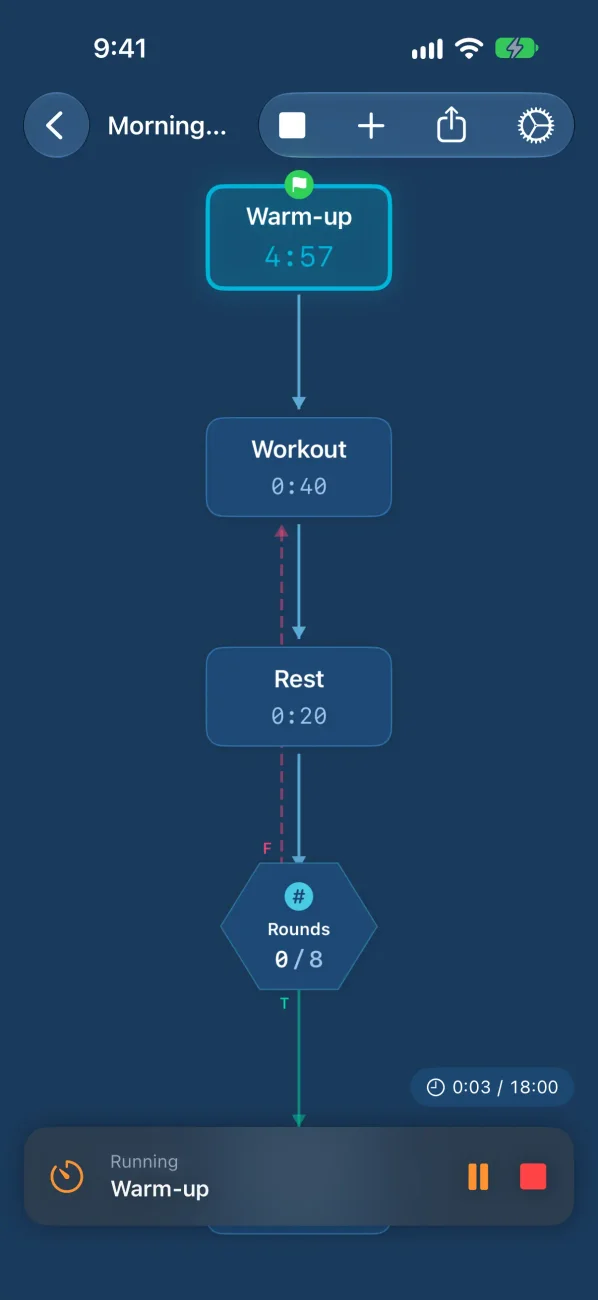
This app lets you connect timers together to create powerful and flexible timer flows.
For example, you can create a timer that starts a 5-minute countdown immediately after a 10-minute timer ends. Or you can add reminders that repeat every minute afterward. By connecting simple timer blocks together on a canvas, you can build custom timers that match exactly how you work and think.
Many students use Pomodoro timers for studying — but is the standard Pomodoro method really the best fit for your personal pace?
What if you want to take a longer break after five Pomodoro sessions, switch subjects, and then repeat another five sessions? What if you want to repeat that entire cycle five times?
With this app, you can build timers like that yourself.
Yang baru
Versi 1.2 · 2/11/2026
Now optimized for iPhone Duo.
■ Training Capture (add-on)
Record your workout while your timers run.
• On iPhone Duo, the outer display shows the remaining time to the person being filmed. Start, stop, and pause recording right from the outer display, so you can lean your phone against a wall and film yourself.
• Show the camera preview on the outer display to check your framing.
• Save a video with the timer burned in, the original video, or both, to Photos.
• Available on iPhone and iPad. Included with All-in-One at no extra cost.
■ Split editor
On the iPhone Duo inner display, iPad, and Mac, edit with a panel on the left and the canvas on the right. Drag cells onto the canvas and change their settings right in the panel.
■ Other improvements
• Fixed an issue where playback didn't finish if a counter never reached its target.
• Duplicated cells and canvases now keep their sounds, images, and videos.
• Other improvements and bug fixes.
Privasi aplikasi
Yang dinyatakan hatte Inc. di App Store tentang cara aplikasi ini menangani data.
-
Data yang tidak ditautkan dengan Anda
Dapat dikumpulkan, tetapi tidak ditautkan dengan identitas Anda.
- Pembelian
- Lokasi
- Konten pengguna
- Pengenal
- Data penggunaan
- Diagnostik
- Data lainnya
Praktik privasi dapat bervariasi, misalnya berdasarkan fitur yang Anda gunakan atau usia Anda.
Informasi
- Penjual
- Shingo OKAMOTO
- Kategori
- Gaya Hidup
- Versi
- 1.2
- Diperbarui
- 2/11/2026
- Dirilis
- 3/11/2026
- Ukuran
- 7,9 MB
- Memerlukan
- iOS 26.0 atau yang lebih baru
- Batasan usia
- 4+
- Harga
- Gratis
- Pembelian dalam aplikasi
- Ya
- Bahasa
- Inggris, Jepang
- Hak cipta
- © hatte Inc.