Timer Graph Pro
Workflow & Interval Builder
iPhone, iPad, Mac için tasarlandı
Ücretsiz · Uygulama içi satın alma
- Yaş sınırı4+
- KategoriYaşam Tarzı
- Geliştiricihatte Inc.
- Dillerİngilizce+ 1 dil daha
- Boyut7,9 MB
Resmi App Store sayfasına bağlanır
Download.org, Timer Graph Pro için hiçbir dosya barındırmaz. Düğme, uygulamanın App Store üzerindeki sayfasını açar; uygulamayı orada hatte Inc. yayınlar. Sayfanın son kontrolü: 07.11.2026.
Ekran görüntüleri


Hakkında
Geliştirici bu metni dilinizde sunmamış.
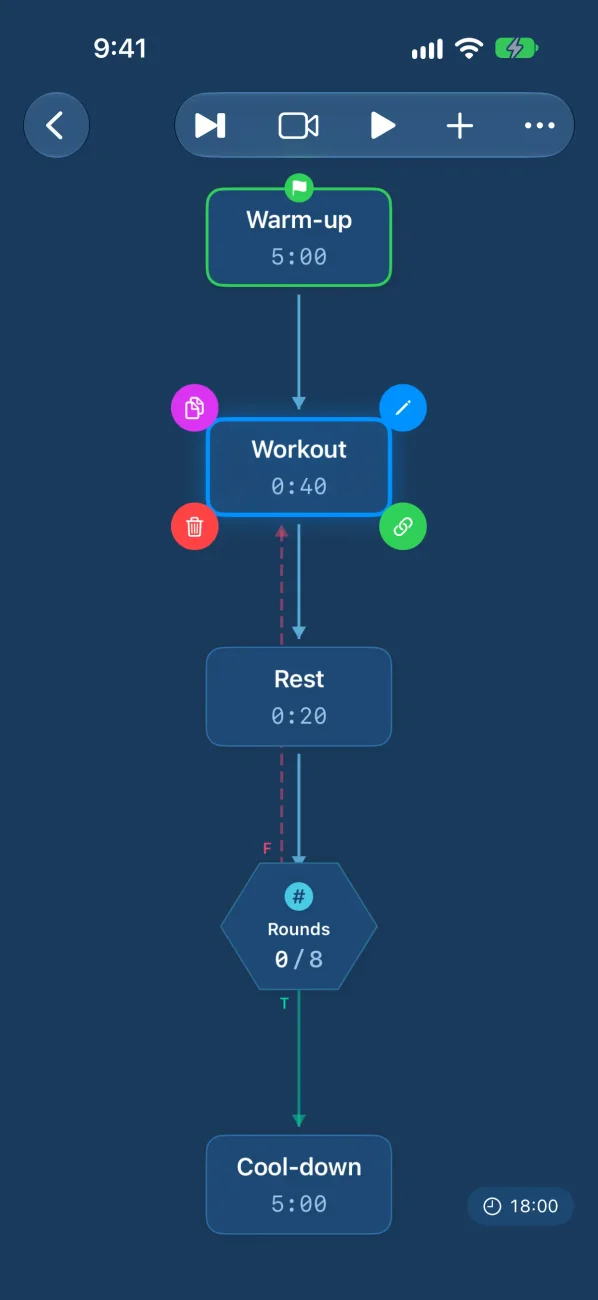
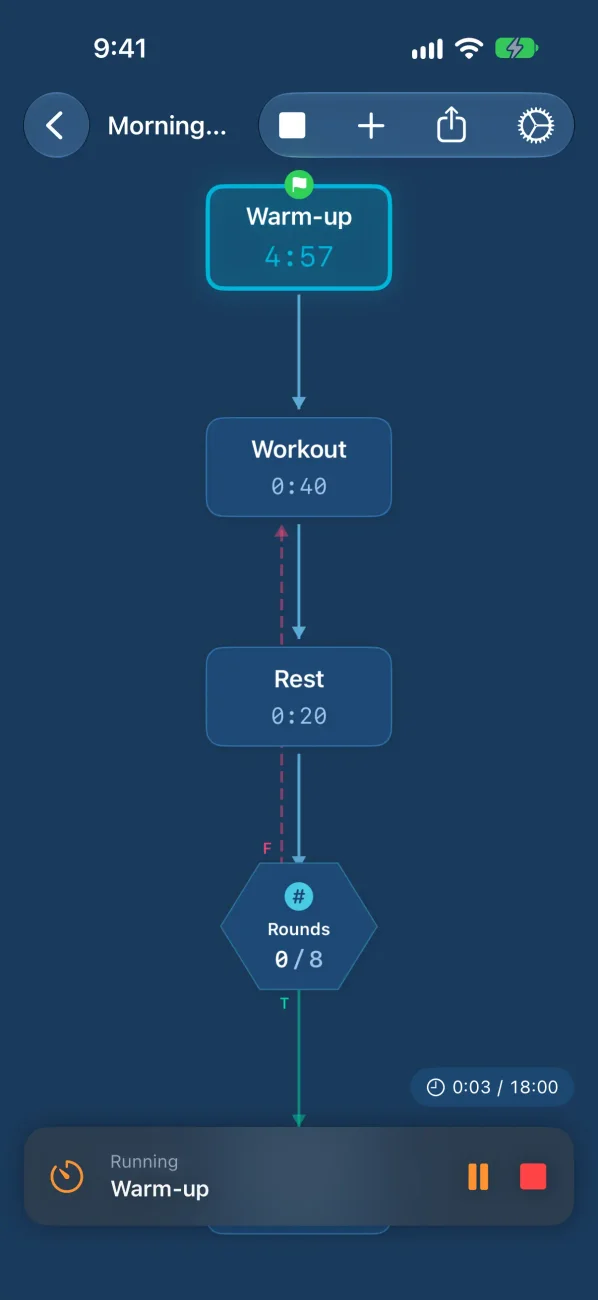
This app lets you connect timers together to create powerful and flexible timer flows.
For example, you can create a timer that starts a 5-minute countdown immediately after a 10-minute timer ends. Or you can add reminders that repeat every minute afterward. By connecting simple timer blocks together on a canvas, you can build custom timers that match exactly how you work and think.
Many students use Pomodoro timers for studying — but is the standard Pomodoro method really the best fit for your personal pace?
What if you want to take a longer break after five Pomodoro sessions, switch subjects, and then repeat another five sessions? What if you want to repeat that entire cycle five times?
With this app, you can build timers like that yourself.
Yenilikler
Sürüm 1.2 · 02.11.2026
Now optimized for iPhone Duo.
■ Training Capture (add-on)
Record your workout while your timers run.
• On iPhone Duo, the outer display shows the remaining time to the person being filmed. Start, stop, and pause recording right from the outer display, so you can lean your phone against a wall and film yourself.
• Show the camera preview on the outer display to check your framing.
• Save a video with the timer burned in, the original video, or both, to Photos.
• Available on iPhone and iPad. Included with All-in-One at no extra cost.
■ Split editor
On the iPhone Duo inner display, iPad, and Mac, edit with a panel on the left and the canvas on the right. Drag cells onto the canvas and change their settings right in the panel.
■ Other improvements
• Fixed an issue where playback didn't finish if a counter never reached its target.
• Duplicated cells and canvases now keep their sounds, images, and videos.
• Other improvements and bug fixes.
Uygulama gizliliği
Bu uygulamanın verileri nasıl işlediği hakkında hatte Inc. tarafından App Store üzerinde yapılan beyan.
-
Sizinle ilişkilendirilmeyen veriler
Toplanabilir ancak kimliğinizle ilişkilendirilmez.
- Satın alımlar
- Konum
- Kullanıcı içeriği
- Tanımlayıcılar
- Kullanım verileri
- Tanılama
- Diğer veriler
Gizlilik uygulamaları, örneğin kullandığınız özelliklere veya yaşınıza göre değişiklik gösterebilir.
Bilgiler
- Satıcı
- Shingo OKAMOTO
- Kategori
- Yaşam Tarzı
- Sürüm
- 1.2
- Güncellendi
- 02.11.2026
- Yayın tarihi
- 03.11.2026
- Boyut
- 7,9 MB
- Gereksinim
- iOS 26.0 veya sonrası
- Yaş sınırı
- 4+
- Fiyat
- Ücretsiz
- Uygulama içi satın alma
- Evet
- Diller
- İngilizce, Japonca
- Telif hakkı
- © hatte Inc.
Bunları da beğenebilirsiniz
-
 TimePeace — Daily LogYaşam Tarzı
-
 Christ's Church USYaşam Tarzı
-
 Declutter: Yapay Zekâ TemizlikOda Düzenleme ve Ev İşleri
-
 Faith Chapel AppYaşam Tarzı
-
 Parkview Christian Church - ILYaşam Tarzı
-
 Our Church - By ChurchDev.comYaşam Tarzı
-
 AlarmK: Görevli Çalar SaatSessiz modda çalar. Reklamsız.
-
 Church UnlimitedYaşam Tarzı